VPN for WhatsApp: The Short Answer
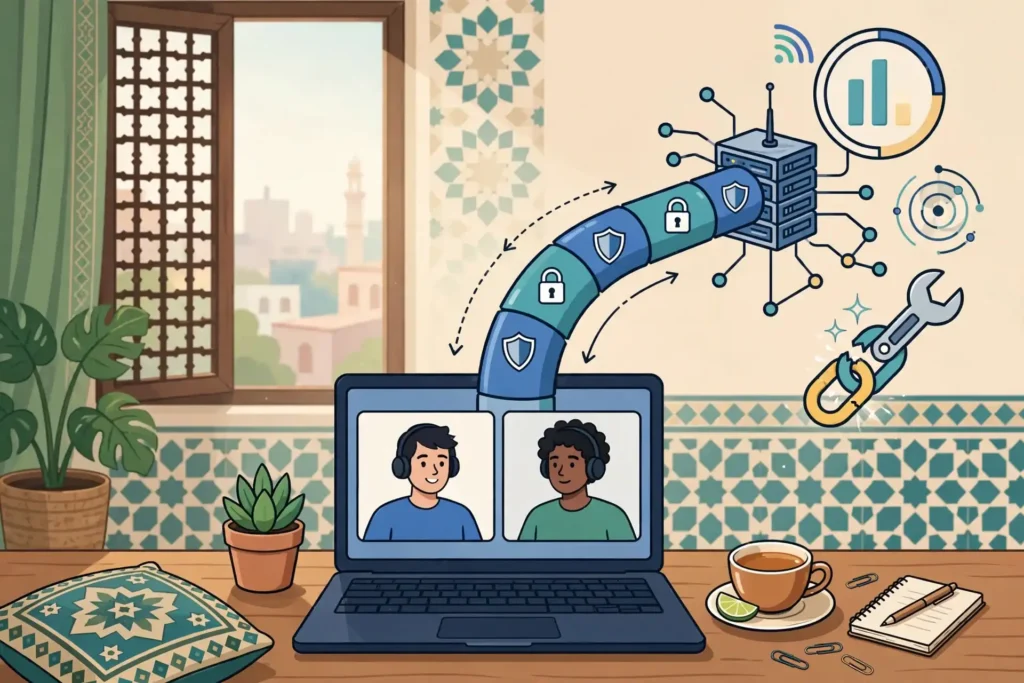
A VPN works with WhatsApp in Pakistan for most people, most of the time, but it changes how the app connects in ways you should understand before you rely on it for an important call. WhatsApp messages and calls travel through the VPN tunnel like any other internet traffic, so the app keeps working while your real IP address stays hidden and your traffic stays encrypted.
Surfshark, our recommended VPN for Pakistan, runs WhatsApp normally on its standard servers, and readers in Pakistan can try it with 80% off for our users through our Surfshark link.
That short answer needs three qualifications, and this guide is built around them. First, a VPN can add delay to a voice or video call, and on a weak mobile connection that delay can turn a clear call into a broken one. Second, WhatsApp’s availability in Pakistan has varied over time, and a VPN does not guarantee access when the app or its calling features are restricted.
Third, the settings on your phone, especially battery optimisation and background data, cause more WhatsApp problems than the VPN itself, and they are the first thing to check when something goes wrong.
This guide follows the brief’s workflow: define the symptom, check support and service conditions, run a fair with-and-without comparison, verify the result, and know when to escalate. It is based on published reporting about WhatsApp in Pakistan, WhatsApp’s own documentation of how calls work, and the documented behaviour of major VPN providers.
It contains no invented speed measurements, because call quality depends on your network, your server choice and the time of day, and no honest guide can quote a number that applies to every reader.
How a VPN Affects WhatsApp
WhatsApp sends messages, voice notes, photos and calls over the internet, not over the mobile phone network. When you add a VPN, every one of those packets is encrypted on your phone, sent to a VPN server, and then forwarded to WhatsApp’s servers. The reply travels the same route in reverse. WhatsApp itself does not need to know a VPN is involved, and in most cases it does not care.
The app sees a connection arriving from the VPN server’s address instead of your home address, and that is the only difference it can observe.
Voice and video calls are the most sensitive part of this arrangement. WhatsApp calls use real-time audio and video, which need packets to arrive quickly and in order. A VPN adds two things a call can feel: extra distance, because your traffic travels to the VPN server before it reaches WhatsApp, and extra processing, because every packet is encrypted and decrypted.
On a strong fibre or 4G connection with a nearby server, both are usually too small to notice. On a congested mobile network, or with a server on the other side of the world, the added delay can cause robotic audio, frozen video, or a call that drops after a few seconds.
Messages are far more forgiving. A text message, a photo, or a voice note can tolerate a delay of seconds without you noticing, because WhatsApp retries delivery in the background. If your messages send and arrive normally but your calls struggle, the VPN’s added latency is the likely cause, not a problem with the app itself.
That split, messages fine and calls poor, is the most common pattern readers report, and it points directly at the server choice rather than at WhatsApp.
The Protocols Underneath
WhatsApp calls run over UDP, a fast protocol that prioritises speed over guaranteed delivery, and the app falls back to relay servers when a direct connection between two phones cannot be established. A VPN tunnel carries UDP traffic normally, but some networks and some VPN protocols handle it better than others.
WireGuard, which Surfshark and most modern providers use by default, is generally the best choice for calls because it adds very little overhead. OpenVPN in UDP mode is a solid alternative. OpenVPN in TCP mode and IKEv2 can work, but they may add delay on unstable mobile networks, so they are worth trying only if WireGuard is blocked on your network.
Our guide to OpenVPN explains the protocol differences in more detail, and the WireGuard test checklist covers how to verify that your tunnel is actually carrying traffic. The practical point for WhatsApp is simple: if calls sound bad, switch protocols before you blame the app or the provider.
What a VPN Cannot Change
A VPN changes your IP address and encrypts your traffic. It does not change your phone’s GPS location, your WhatsApp account region, or your phone number. If a feature depends on your account or your number, a VPN will not change it. If a contact cannot receive your call because their own connection is poor, your VPN cannot fix their side either.
Keeping these limits in mind prevents hours of troubleshooting the wrong thing.
WhatsApp VPN Compatibility: What Works and What Does Not
Text messaging works with a VPN in almost every case. Messages, group chats, status updates and media sharing use ordinary encrypted connections that tolerate delay, and they continue to work even on a slow or distant VPN server.
If your messages stop sending while the VPN is on, the problem is usually that the VPN itself has dropped, or that background data is restricted, rather than a compatibility issue with WhatsApp.
Voice calls work with a VPN when the connection is good enough, and they are the first thing to degrade when it is not. A one-to-one voice call needs a stable, low-delay path, and the extra hop through a VPN server can be the difference between a clear call and a choppy one. Group voice calls are more demanding still, because the app is managing several audio streams at once.
If a group call struggles while a one-to-one call works, the network, not the VPN, is usually the limit.
Video calls are the most demanding of all, because they need both low delay and enough bandwidth for moving pictures. A video call over a VPN on a weak 4G signal in Pakistan may drop to audio only, freeze, or disconnect. WhatsApp adapts by lowering video quality when bandwidth falls, so a call that continues in low quality is the app working as designed, not failing.
Switching to a nearer VPN server, or to audio only, is the practical response.
WhatsApp Web and the desktop app deserve a separate note. They connect through your phone, so if the phone’s VPN connection is unstable, the linked device will show as disconnected even though the phone itself has signal. When WhatsApp Web stops syncing, check the phone’s VPN first, then the phone’s own connection, before reinstalling anything.
Features That Do Not Depend on the VPN
Your contacts, chat history, backups and account settings are unaffected by a VPN. WhatsApp backups to Google Drive or iCloud travel through the tunnel like any other traffic, and a slow backup is usually a sign of a slow server rather than a compatibility problem. Two-step verification codes arrive by SMS, which does not travel through the VPN at all, so a VPN cannot block them.
If a code does not arrive, the cause is the mobile network or the SMS route, not the tunnel.
WhatsApp in Pakistan: The Local Picture
WhatsApp is one of the most used apps in Pakistan, for family chats, business orders, and group coordination, so any disruption is felt immediately. The picture of its availability is genuinely mixed, and readers should know that published sources disagree. One 2026 guide states that WhatsApp messaging, voice calls and video calls all work reliably in Pakistan without restrictions.
Other 2026 reporting describes WhatsApp calls dropping during periods of tension, and lists WhatsApp calls among the services that have been restricted at times. Both cannot be the full story at every moment, and the honest reading is that availability has varied over time and by network.
That variation matters for what a VPN can and cannot do. A VPN changes the path your traffic takes, so it can help when a particular route is throttled or blocked, and it can also make things worse if the VPN server you choose is congested or far away. No VPN guarantees access to WhatsApp, lower ping, or account eligibility, and any guide that promises otherwise is overstating the case.
The right approach is the comparison test described later in this guide: measure the app with and without the tunnel, on the same network, at the same time of day, and let the result decide.
The PTA’s VPN registration requirement is a separate local factor. The PTA requires registration of VPNs used for commercial purposes, and businesses and freelancers using a VPN for work should check the current requirement before relying on any provider.
This guide does not give legal advice, and the registration rules have changed before, so verify the current position from the PTA or a qualified adviser rather than from any VPN blog, including this one.
Which Settings Should I Verify?
Most WhatsApp problems blamed on a VPN turn out to be phone settings, and checking them takes five minutes. Work through this list before you change providers or servers, because it fixes the majority of cases.
First, check that WhatsApp is allowed to use mobile data and background data. On Android, open the app settings, find WhatsApp under data usage, and confirm that background data and unrestricted data usage are enabled. On iPhone, check that mobile data is on for WhatsApp and that Background App Refresh is enabled. A VPN cannot deliver messages to an app the system has put to sleep.
Second, check battery optimisation. Android’s battery saver and adaptive battery features can kill a VPN connection in the background, which disconnects WhatsApp without any visible warning. Exempt both WhatsApp and your VPN app from battery optimisation. On iPhone, Low Power Mode can have a similar effect, so test with it off when you are diagnosing a problem.
Third, check the VPN’s own kill switch. A kill switch blocks all traffic when the VPN drops, which is good for privacy but means WhatsApp stops working entirely until the tunnel reconnects. If your messages stop for minutes at a time and then arrive in a burst, the kill switch may be doing its job after a dropout.
That is the feature working, not failing, and the fix is a more stable server rather than turning the protection off.
Fourth, check split tunnelling. Some VPN apps let you choose which apps use the tunnel and which bypass it. If WhatsApp is accidentally excluded from the tunnel, it will use your direct connection, which may behave differently from the rest of your traffic. If it is included and struggling, try excluding it temporarily as a diagnostic step, not as a permanent fix, to see whether the tunnel is the cause.
Fifth, check your DNS settings. Some VPN apps offer private DNS or ad-blocking features, such as Surfshark’s CleanWeb, which can interfere with particular services. If WhatsApp works when you turn the extra feature off and fails when it is on, you have found the cause, and you can leave that feature off for WhatsApp while keeping the VPN itself running.
Sixth, confirm the basics: the phone has signal, the VPN shows as connected, and the correct server is selected. It sounds obvious, but a large share of reported problems come down to a VPN that silently disconnected after a network switch, for example when the phone moves from Wi-Fi to mobile data. Reconnecting, or enabling the VPN’s auto-reconnect option, resolves it.

How to Compare WhatsApp With and Without the Tunnel
A fair comparison is the only honest way to decide whether your VPN helps or hurts WhatsApp, and it is easy to run. Do it on the same network, with the same contact, at the same time of day, and write down what you observe. Anything less is guesswork, because network quality in Pakistan varies by hour and by area.
Start with the VPN off. Send a text message to a contact and note how long it takes for the double tick to appear. Make a one-minute voice call and note whether the audio is clear, choppy, or delayed. If you can, make a one-minute video call and note whether the picture freezes.
Write down the time and the network you are on, whether Wi-Fi or mobile data, and which provider.
Now turn the VPN on and connect to the nearest server, ideally one in a nearby region such as Singapore or the Gulf, or a virtual Pakistan location if your provider offers one. Repeat exactly the same three tests with the same contact. Compare the results honestly.
If the voice call is worse with the VPN on, the tunnel is adding too much delay, and the fix is a nearer server or a different protocol, not a different app.
Repeat the test with a second server location if the first one is poor. Server load varies, and a server that is congested at 9 p.m. may be fast at 9 a.m. Test on Wi-Fi and on mobile data separately, because the two networks behave differently and the VPN’s effect is not the same on each.
Keep the notes, because they tell you which combination works for your phone, your network, and your daily routine, and that combination is different for every reader.
Reading the Result
If WhatsApp works the same with and without the VPN, the tunnel is not your problem, and you can leave it on with confidence. If calls are clearly worse with the VPN on, try a nearer server, switch to WireGuard, and test again before you conclude the provider is at fault.
If WhatsApp works only with the VPN on, and fails without it, the direct route is being restricted on your network, and the VPN is doing exactly what it is for. If WhatsApp fails both ways, the problem is the app, the phone, or the network itself, and the VPN is not involved at all.
Troubleshooting WhatsApp With a VPN
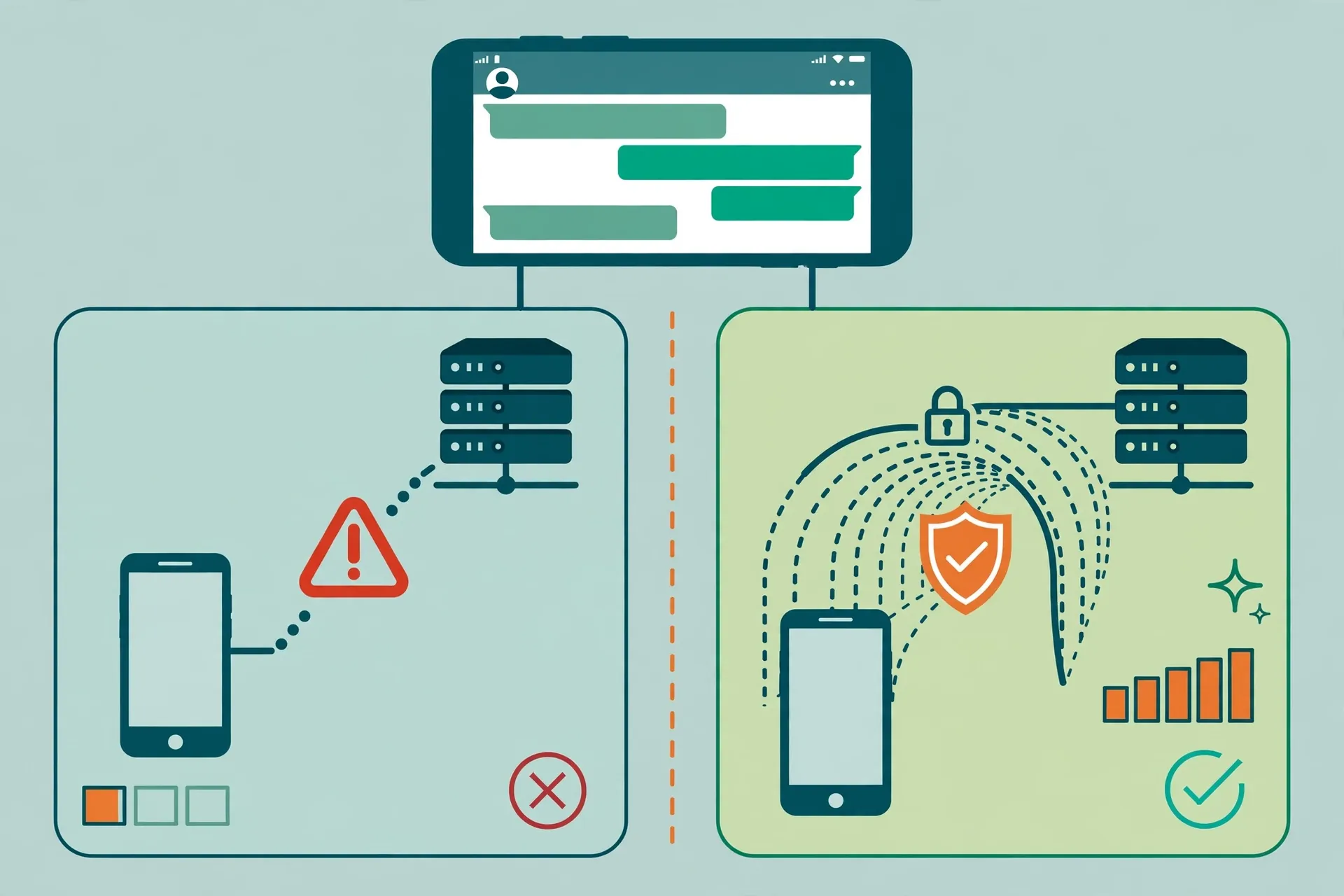
Messages not sending is the most common complaint, and the fix is usually simple. Check that the VPN is actually connected, because a dropped tunnel with an active kill switch blocks everything. Check that background data is allowed for WhatsApp. Force-stop the app and reopen it, which clears a stuck connection. If messages still fail, disconnect the VPN and try again.
If they send immediately, the server is the problem, so switch to another one.
Calls connecting but with no audio usually point to a UDP problem. Some networks and some VPN protocols handle UDP poorly, and the call sets up but the audio packets never arrive. Switch the VPN protocol to WireGuard, or to OpenVPN in UDP mode, and test again. If the problem persists on every protocol, try a different server location, because the route to that server may be the issue.
Calls dropping after a few seconds often mean the phone switched networks mid-call, for example from Wi-Fi to mobile data when you walked out of range. A VPN tunnel does not survive that switch gracefully on every phone, and the call drops with it. Staying on one network during a call, or enabling the VPN’s seamless reconnect option if it has one, reduces this.
WhatsApp Web showing as disconnected while the phone works is usually a phone-side problem. The linked device depends on the phone’s connection, so a VPN dropout on the phone breaks the link. Reconnect the VPN on the phone, then refresh the web page. Reinstalling WhatsApp Web or unlinking the device is rarely necessary and should be a last resort.
Repeated verification requests or a temporary ban warning are different from connection problems and should be treated seriously. WhatsApp may flag accounts that change IP addresses very frequently, because that pattern resembles automated behaviour. If you switch VPN servers many times a day, WhatsApp may ask for extra verification. Using one stable server, or a provider’s static IP option, reduces this.
Never use a VPN to evade an account restriction, and if WhatsApp has limited your account, follow its own appeal process rather than trying another server.
WhatsApp VPN Routing and Split Tunnelling
Split tunnelling, also called per-app routing, lets you decide which apps use the VPN and which use your direct connection. It is available in Surfshark as Bypasser, and in several other providers under similar names. For WhatsApp, it is a diagnostic tool first and a permanent setup second.
Routing WhatsApp outside the tunnel can improve call quality, because the app then takes the shortest path to WhatsApp’s servers without the extra hop. The trade-off is that your WhatsApp traffic is no longer encrypted by the VPN, and your real IP is visible to WhatsApp’s servers.
For most readers, that trade-off is not worth it for everyday use, because the privacy loss is permanent while the quality gain is often small. Use it as a test: if calls improve dramatically outside the tunnel, the VPN server is the problem, and a nearer server will usually give you the same improvement without the trade-off.
Routing WhatsApp inside the tunnel while other apps bypass it is the reverse setup, and it suits readers who want messaging protected while letting a banking app or a local service use the direct connection. This works well on Android, where split tunnelling is widely supported. On iPhone, the option is more limited, because iOS restricts per-app VPN routing, so check your provider’s iOS app before assuming the feature exists.
One routing detail matters in Pakistan. Some readers use a VPN specifically because a direct connection to WhatsApp is restricted on their network. In that case, excluding WhatsApp from the tunnel defeats the purpose entirely. If the app only works with the VPN on, keep it inside the tunnel and fix the server choice instead.
WhatsApp VPN Performance in Pakistan
Performance is the hardest part of this topic to write about honestly, because it depends on variables no guide can control. Your mobile operator, Jazz, Zong, Telenor or Ufone, the time of day, the city you are in, and the VPN server you choose all matter more than the brand of VPN.
Third-party roundups that quote exact speed losses for WhatsApp calls in Pakistan should be treated with caution, because they reflect one tester’s network on one day, not yours.
What can be said with confidence is directional. A nearby server performs better than a distant one, so a Singapore or Gulf server will usually beat a European or American server for a reader in Lahore or Karachi. WireGuard usually performs better than older protocols for real-time calls.
A paid provider with many servers usually performs better than a free service with a handful of crowded ones, because the load is spread more thinly. And a wired fibre connection usually performs better than a congested 4G cell at peak hours, with or without a VPN.
Readers should also know that WhatsApp call quality has a floor set by the network itself. If your direct connection already struggles with video calls, a VPN will not improve it, and it may make it slightly worse. The comparison test in this guide is the only reliable way to know, and it takes ten minutes.
Any provider that claims its service will always improve your WhatsApp calls is making a promise no network can keep.
Surfshark for WhatsApp in Pakistan
Surfshark is our recommended VPN for Pakistan, and it fits WhatsApp use well for three practical reasons. It uses WireGuard by default, which keeps the added delay on calls as low as current protocols allow. It offers a large server network, so a nearby, uncongested server is usually available when the first choice is slow.
And it allows unlimited simultaneous connections, so the same subscription covers your phone, your family’s phones, and a laptop running WhatsApp Web.
Surfshark’s extra features need a brief note in this context. CleanWeb, its ad and tracker blocker, can occasionally interfere with particular services, so if WhatsApp misbehaves, test with CleanWeb off before you blame the tunnel. The Bypasser split-tunnelling feature, available on Android and Windows, lets you test WhatsApp inside and outside the tunnel without changing providers.
Readers in Pakistan can get 80% off for our users through our Surfshark link, and our site covers Surfshark pricing in Pakistan and the Surfshark free plan and trial for readers who want to test it first.
Surfshark — our recommended VPN for Pakistan
WireGuard by default and nearby servers for clearer WhatsApp calls — 80% off for our users.
Other providers are viable too, and the choice matters less than the server and protocol. NordVPN and Proton VPN both publish Pakistan-focused guidance and offer the obfuscation and stealth features that help on restricted networks, and our pricing guides for NordVPN and Proton VPN cover their plans.
The pattern from our other app guides is consistent: our Google Meet and Slack Huddles articles found the same thing, that the VPN rarely causes the problem and the fix is usually server choice, protocol settings, or phone permissions.
Frequently Asked Questions
How Can a VPN Affect WhatsApp?
A VPN encrypts WhatsApp’s traffic and routes it through a server in another location, which hides your real IP address and protects the connection on public Wi-Fi. It can add a small delay to voice and video calls, and it can change which network path the app uses.
It does not change your account, your contacts, or your phone number, and it does not guarantee access if the app itself is restricted.
Which Settings Should I Verify?
Verify that WhatsApp can use mobile data and background data, that it is exempt from battery optimisation, that the VPN kill switch is not blocking traffic after a dropout, and that split tunnelling has not accidentally excluded WhatsApp. Check the VPN protocol, try WireGuard first, and test with extra features such as ad-blocking turned off.
Confirm the VPN is actually connected, since a silent dropout is the most common cause of all.
How Do I Compare the App With and Without the Tunnel?
Test on the same network, with the same contact, at the same time of day. With the VPN off, send a message and make a one-minute voice call and a one-minute video call, and note the result. Turn the VPN on, connect to the nearest server, and repeat the same three tests. If calls are worse with the VPN on, try a nearer server or a different protocol.
If WhatsApp works only with the VPN on, the direct route is restricted on your network. If it fails both ways, the VPN is not the cause.
Surfshark — our recommended VPN for Pakistan
Test WhatsApp with and without the tunnel on nearby servers and keep the setup that works — 80% off for our users.
Conclusion
WhatsApp and a VPN can work well together in Pakistan, provided you choose a nearby server, use a modern protocol, and check the phone settings that cause most of the real problems. The app’s messages are forgiving, its calls are sensitive to delay, and its availability has varied enough that no provider can promise uninterrupted access.
Run the ten-minute comparison test, keep the server and protocol combination that works for your network, and treat any guide that guarantees results with suspicion. For most readers, Surfshark’s WireGuard default and nearby servers make it a solid starting point, and the test in this guide will tell you quickly whether it is the right one for your phone.