For readers in Pakistan who want a simple recommendation first, Surfshark — our recommended VPN for Pakistan — is currently promoted at 80% off for our users. An IPsec VPN is a virtual private network built on the IPsec protocol suite, which authenticates and encrypts IP traffic between two endpoints.
This guide explains what IPsec VPN means, how it works, where it is useful, and what it does not guarantee.

What Is an IPsec VPN?
IPsec stands for Internet Protocol Security. It is a set of protocols that secures internet traffic at the network layer, which means it protects IP packets themselves rather than a single application. When people say IPsec VPN, they usually mean a VPN tunnel that uses IPsec to authenticate the two ends of the connection and to encrypt the data travelling between them.
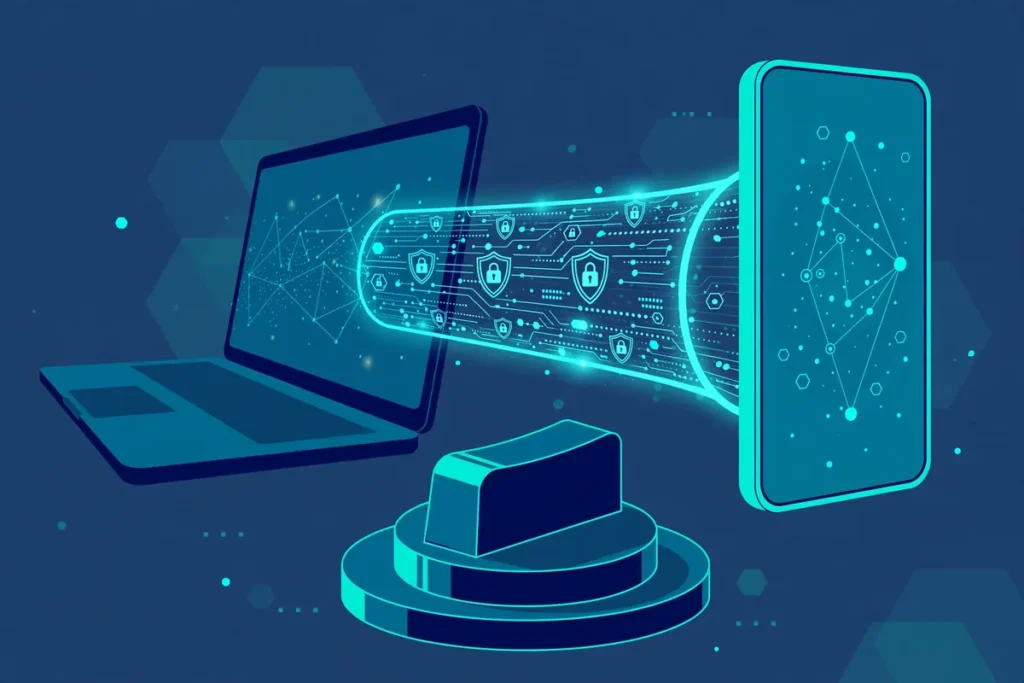
The direct answer to the main question is therefore simple. An IPsec VPN creates an encrypted tunnel between your device and a VPN gateway or another network, and it verifies that both ends are who they claim to be before any private traffic flows. Once the tunnel is established, your traffic travels inside it, hidden from observers on the local network and the wider internet path.
IPsec is different from a browser extension or an application-level proxy. A browser proxy may protect only traffic from one browser, while an IPsec VPN operating at the network layer can protect all IP traffic from the device or network behind it. That breadth is why IPsec remains common for corporate remote access, site-to-site links between offices, and routers that protect a whole network.
This article uses a verification date of 2 November 2026. It is a concept and decision guide, not a hands-on test report. It contains no fabricated speed measurements, test results, or user testimonials. Where practical checks are mentioned, they are described briefly, because a companion test guide covers validation workflows in detail.
How IPsec VPN Negotiation Works
An IPsec VPN does not simply start encrypting traffic. First, the two endpoints negotiate how they will communicate. This negotiation phase establishes trust, agrees on encryption methods, and exchanges the keys that will protect the session. Only after that agreement succeeds does protected data begin to flow through the tunnel.
The negotiation protocol most commonly used today is IKE, or Internet Key Exchange. IKE version 2, known as IKEv2, is the modern standard and is widely supported on phones, laptops, and routers. An older version, IKEv1, still exists on some legacy equipment, but IKEv2 is preferred because it handles reconnections more cleanly, especially when a mobile device changes networks.
During IKE negotiation, each side presents credentials that prove its identity. Those credentials may be a pre-shared key, which is a secret password-like value configured on both ends, or a digital certificate, which is a stronger credential issued by a trusted authority. Certificates are generally preferred for larger deployments because they are easier to manage and harder to share accidentally than a single shared secret.
Once authentication succeeds, IKE negotiates the security parameters for the actual data tunnel. These parameters include the encryption algorithm, the integrity check method, and the lifetime of the keys. Keys are rotated periodically so that even if one key were exposed, it would only affect a limited amount of traffic. This regular rekeying is an important part of IPsec security.
AH and ESP: The Two Core IPsec Protocols
IPsec relies on two core protocols, AH and ESP, and understanding the difference explains much of how an IPsec VPN behaves. AH stands for Authentication Header. It authenticates the packet and proves it has not been altered in transit, but it does not encrypt the contents. AH is rarely used on its own today because most VPN users want confidentiality as well as authentication.
ESP stands for Encapsulating Security Payload. ESP provides both encryption and authentication, which is why it is the protocol used in almost all modern IPsec VPN deployments. When a VPN provider or a corporate gateway says it uses IPsec, it almost always means IPsec with ESP, negotiated through IKEv2, protecting traffic in tunnel mode.
The distinction matters when troubleshooting. If a connection authenticates but traffic appears readable, or if a firewall blocks one protocol but not the other, knowing whether AH or ESP is in use narrows the problem quickly. In practice, home and business users should simply confirm that their client uses IKEv2 with ESP, which is the standard secure combination.
It is also worth noting that IPsec itself does not choose which traffic enters the tunnel. That decision belongs to routing and policy configuration on the device or gateway. A full-tunnel setup sends all traffic through the VPN, while a split-tunnel setup sends only selected traffic through it. The tunnel mechanism is the same in both cases; only the routing policy differs.
Tunnel Mode Versus Transport Mode
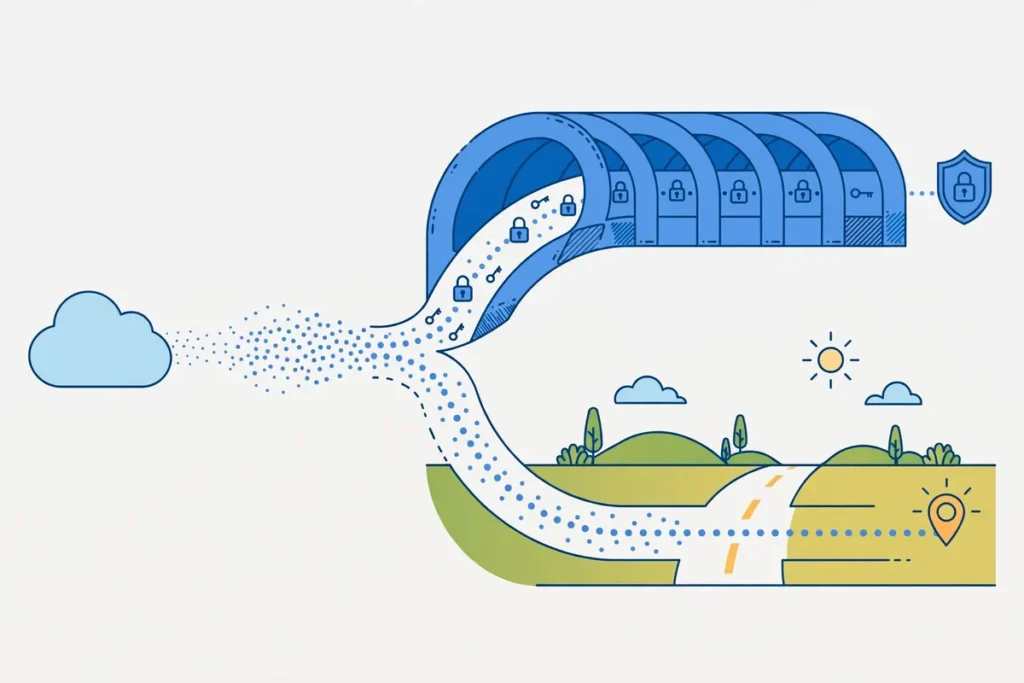
IPsec can operate in two modes, and the mode determines what part of each packet is protected. In tunnel mode, the entire original IP packet, including its original header, is encrypted and placed inside a new outer packet. The outer packet carries the addresses of the tunnel endpoints, while the original addresses stay hidden inside the encrypted payload.
Tunnel mode is the mode used by almost all VPN services, because it hides both the contents and the original source and destination of the traffic from observers on the path. When you connect to a commercial VPN using IPsec, or when two office networks link over the internet, tunnel mode is doing the work. It is the mode that delivers the privacy most users expect from a VPN.
Transport mode, by contrast, encrypts only the payload of each packet and leaves the original IP header visible. It protects the contents of the communication between two hosts, but it does not hide who is talking to whom at the IP layer. Transport mode is used mainly for host-to-host protection, such as securing traffic between two specific servers, rather than for general VPN access.
For readers choosing a VPN in Pakistan, the practical point is straightforward. Ask whether the service uses tunnel mode, which is the normal VPN behaviour, and do not assume that any product labelled IPsec automatically hides your destination addresses. A transport-mode setup between two servers is a different tool for a different job, even though it uses the same protocol family.
NAT Considerations for IPsec VPNs
NAT, or Network Address Translation, is one of the most common sources of IPsec connection problems. Most home routers and mobile networks use NAT, which rewrites IP addresses as traffic passes through. IPsec was designed before NAT became universal, and some IPsec features are sensitive to address changes in ways that can break a connection.
The main issue is that AH authenticates parts of the IP header, so NAT rewriting those fields can cause authentication to fail. ESP in tunnel mode is less affected, but NAT still creates problems for IKE negotiation because the addresses seen by each endpoint may differ from the addresses they expect. Modern implementations solve this with NAT traversal, usually called NAT-T.
NAT-T detects when a NAT device sits between the endpoints and wraps IPsec traffic inside UDP packets, typically on port 4500, so it can pass through NAT cleanly. Almost all modern IPsec clients and gateways support NAT-T, and it is enabled by default in most cases. If an IPsec connection works on one network but fails on another, NAT handling is a sensible first area to check.
For users in Pakistan, NAT is relevant because mobile networks and many home broadband connections use carrier-grade or router-level NAT. A VPN client that handles NAT-T well will reconnect cleanly when switching from Wi-Fi to mobile data, while a poorly configured client may stall. Choosing a well-maintained client, and keeping it updated, matters more than memorising NAT theory.
Where IPsec VPNs Are Used
IPsec VPNs are used in several distinct settings, and each one values a different strength of the protocol. The first is corporate remote access, where employees connect from home or while travelling to a company gateway. IPsec suits this setting because it integrates with corporate identity systems, supports certificates, and protects all traffic from the employee device, not just browser traffic.
The second is site-to-site VPN, where two networks, such as a head office and a branch office, are linked permanently over the internet. Routers or firewalls at each site maintain the tunnel, and staff on either network can reach resources on the other as if they were local. Site-to-site IPsec links are a standard building block of multi-office networks worldwide.
The third is consumer VPN use, where an individual connects to a commercial VPN provider for privacy on public Wi-Fi, access while travelling, or general protection from local network snooping. Many consumer VPN apps use IPsec with IKEv2 on mobile devices, because IKEv2 reconnects quickly when a phone moves between networks. Other protocols are also common in consumer apps, so IPsec is one option among several.
The fourth is router-level protection, where a home or small-office router runs the VPN client and protects every device behind it. This approach covers devices that cannot run VPN software themselves, such as some smart televisions and internet-of-things devices. Router-level IPsec requires a router that supports it and careful configuration, so it suits confident users rather than beginners.

IPsec VPN Benefits Explained
The first benefit of IPsec is maturity. It is a long-established, openly standardised protocol suite that has been reviewed, tested, and deployed for decades. That history means implementations are well understood, interoperability between vendors is generally good, and security weaknesses tend to be found and fixed through public scrutiny rather than hidden behind a proprietary design.
The second benefit is network-layer coverage. Because IPsec protects IP traffic itself, it covers every application on the device or network behind the tunnel without requiring each application to be configured separately. Email, messaging, file transfers, and custom business applications all travel inside the same protected tunnel once it is established.
The third benefit is strong authentication. IPsec supports certificate-based authentication, which scales far better than shared passwords for organisations with many users and devices. Certificates can be issued, renewed, and revoked centrally, which gives administrators real control over who can connect and for how long.
The fourth benefit is broad device support. IPsec with IKEv2 is built into major operating systems, including Windows, macOS, iOS, and Android, and is supported by most business routers and firewalls. That native support means users can often connect without installing extra software, and organisations can deploy it using tools they already manage.
IPsec VPN Limitations and Trade-Offs
Despite its strengths, IPsec has real limitations that buyers should understand before choosing it. The first is configuration complexity. Setting up an IPsec VPN manually, especially with certificates, requires more steps and more technical knowledge than a one-click consumer VPN app. Misconfiguration is a genuine risk, and a poorly configured tunnel can be weaker than a simpler setup done correctly.
The second limitation is firewall and network compatibility. Some restrictive networks block the UDP ports IPsec needs, particularly port 500 for IKE and port 4500 for NAT-T. In such networks, an IPsec connection may fail outright, while a VPN protocol that runs over port 443, the standard web port, may succeed. Travellers and users on restricted networks should test before relying on IPsec alone.
The third limitation is that IPsec does not hide the fact that a VPN is in use. An observer can see that encrypted traffic flows between your device and a VPN gateway, even though the contents remain hidden. Users who need to disguise VPN traffic itself, rather than merely encrypt it, need additional obfuscation techniques, which are separate from IPsec.
The fourth limitation is performance overhead. Encryption and encapsulation add processing work and extra packet headers, which can reduce usable throughput slightly compared with unencrypted traffic. On modern devices this overhead is usually small, but on older routers or low-power hardware it can become noticeable. Performance depends on hardware, algorithms, and network conditions, so no universal speed claim is made here.
IPsec VPN Compatibility in Pakistan
Compatibility in Pakistan depends on three factors: your device, your internet provider, and the network you are connected to. Most modern phones and computers support IKEv2 natively, so device compatibility is rarely the obstacle. The more common obstacles are restrictive Wi-Fi networks, such as some hotel or workplace networks, and mobile networks whose NAT behaviour interacts poorly with older clients.
For readers in Pakistan who want a practical starting point, a well-maintained consumer VPN app is usually easier than manual IPsec configuration. Surfshark is our recommended VPN for Pakistan, promoted at 80% off for our users, and it offers modern protocols alongside IPsec-based options on supported platforms. Readers comparing providers should also look at our NordVPN pricing guide for Pakistan for a second price reference before deciding.
Surfshark — our recommended VPN for Pakistan
Modern protocols, easy apps, and a clear discount for readers in Pakistan — a simpler starting point than manual IPsec setup.
Users who experience VPN problems on a particular network may find our guide to Google Meet not working with a VPN useful, because it illustrates how VPN routing interacts with real applications. The same troubleshooting mindset applies to IPsec: check the network, check the client, and change one setting at a time. Randomly changing several settings at once makes the real cause harder to find.
Readers who want a structured way to check a VPN setup can also use our WireGuard VPN test checklist as a model for the kinds of checks that matter, such as confirming the tunnel is active and that traffic actually routes through it. The protocol differs, but the discipline of verifying rather than assuming is the same for IPsec.
What an IPsec VPN Does Not Guarantee
An IPsec VPN does not guarantee anonymity. It hides your traffic from observers on the path, but the VPN gateway itself can see your traffic’s destination unless additional protections are used. A VPN provider that keeps logs could, in principle, record connection details. Choosing a provider therefore still requires trust, and IPsec encryption alone does not remove that trust question.
An IPsec VPN also does not guarantee access to any particular website or streaming service. Services that block VPN addresses can block IPsec VPN traffic just as they block other VPN traffic. IPsec protects the tunnel; it does not force a destination service to accept traffic from a VPN address. Access depends on the provider’s addresses and the destination’s policies.
Furthermore, an IPsec VPN does not protect a device from malware, phishing, or unsafe downloads. Encrypted traffic can carry malicious content just as unencrypted traffic can. Users still need updated software, careful browsing habits, and, where appropriate, security software on the device itself. A VPN is one layer of protection, not a complete security solution.
Finally, an IPsec VPN does not guarantee privacy from every observer. Your internet provider can see that you connect to a VPN gateway, your employer can see VPN use on a work device, and websites can still use cookies and account logins to recognise you. Understanding these limits prevents disappointment and helps users combine a VPN with other privacy practices sensibly.
Choosing Between IPsec and Other Protocols
Choosing a VPN protocol should start with your use case, not with brand loyalty to a protocol name. IPsec with IKEv2 is a strong choice for corporate remote access, site-to-site links, and mobile devices that switch networks frequently. Its native operating-system support and certificate authentication make it well suited to managed environments.
Other protocols suit other needs. WireGuard is valued for its simplicity and modern design, OpenVPN for its flexibility and long track record on restricted networks, and newer protocols for specific performance or obfuscation goals. A good consumer VPN app lets you switch protocols without reconfiguring everything manually, which is useful when one protocol is blocked on a particular network.
For most home users in Pakistan, the practical advice is to use a reputable VPN app, let it choose a sensible default protocol, and switch to IKEv2 or IPsec only when you have a reason to do so, such as connecting to a corporate gateway that requires it. Manual protocol selection is a tool for specific problems, not a daily requirement for ordinary privacy use.
For businesses, the decision is different. Standardisation, certificate management, firewall compatibility, and support from your network equipment vendor matter more than any single protocol feature. IPsec’s maturity and vendor support often make it the safe standard choice for site-to-site and managed remote-access deployments, even when newer protocols look attractive in isolation.
Brief Practical Validation Workflow
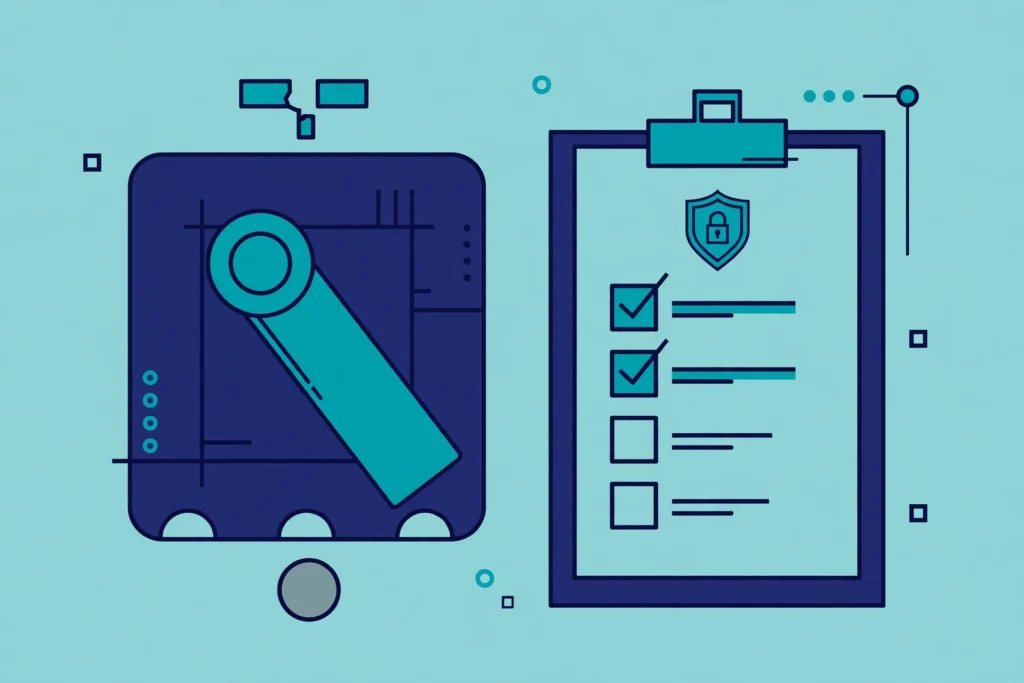
Validating an IPsec VPN setup need not be complicated, and this brief workflow is enough for most users. First, confirm that the VPN client reports a connected state and shows the expected gateway or server location. Second, confirm that your visible IP address changes to the VPN gateway’s address when the tunnel is active. Third, test the applications you actually use, such as email, video calls, and browsing, while connected.
Fourth, test reconnection behaviour by switching networks, for example from Wi-Fi to mobile data, and confirm the tunnel re-establishes without manual intervention. Fifth, check for DNS leaks in a general sense by confirming that name resolution behaves as expected while connected, using your VPN provider’s own guidance for the client you use. If any step fails, change one setting at a time and retest.
This workflow is deliberately brief because a companion test guide covers validation in full detail. The point here is discipline: verify the tunnel, verify the routing, and verify the applications, rather than assuming a green connected icon means everything works. A connected icon only proves the client thinks it is connected; the checks above prove traffic actually uses the tunnel.
Frequently Asked Questions
What Does IPsec VPN Do?
An IPsec VPN authenticates both ends of a connection and encrypts IP traffic between them, creating a protected tunnel. It uses IKE negotiation to agree on keys and security parameters, ESP to encrypt and authenticate packets, and usually tunnel mode to hide the original packet contents and addresses. The result is that observers on the path cannot read the traffic inside the tunnel.
Which Use Cases Require It?
IPsec is required or strongly preferred for corporate remote access to a company gateway, site-to-site links between office networks, and router-level protection of a whole network. It is also a good choice for mobile users who switch networks often, because IKEv2 reconnects cleanly. Ordinary home browsing does not strictly require IPsec, since other modern protocols can also provide a secure tunnel.
What Does This Feature Not Guarantee?
IPsec does not guarantee anonymity, access to any particular blocked service, protection from malware or phishing, or privacy from the VPN gateway itself. It encrypts traffic in transit and authenticates the tunnel endpoints, but the gateway can still see destination addresses, websites can still recognise logged-in users, and destination services can still block VPN addresses. Treat IPsec as one strong layer, not a complete privacy solution.

Surfshark — our recommended VPN for Pakistan
If manual IPsec setup feels too complex, start with an easy app and a clear offer for readers in Pakistan instead.
Conclusion: IPsec VPN Meaning and Limits
An IPsec VPN is a network-layer VPN built on the IPsec protocol suite, using IKE negotiation, ESP encryption and authentication, and usually tunnel mode to protect traffic between two endpoints. It excels at corporate remote access, site-to-site links, and router-level protection, and its maturity, native device support, and certificate authentication make it a trusted standard.
Its limits matter just as much: configuration complexity, NAT and firewall sensitivity, no guarantee of anonymity or access, and no protection against malware. Choose IPsec when your use case genuinely needs it, verify the tunnel with simple checks, and combine it with sensible browsing and device-security habits for a realistic level of protection.