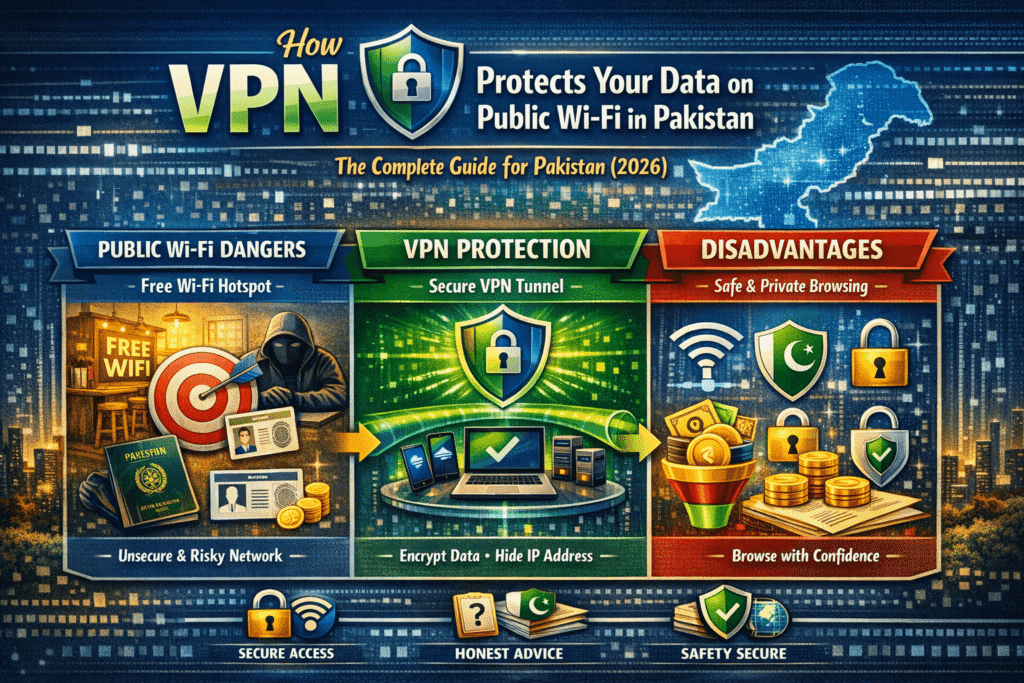
A VPN protects your data on public Wi-Fi by creating an encrypted tunnel between your device and a VPN server. It uses AES-256 encryption to convert your traffic into unreadable code, shielding passwords, banking details, and messages from hackers on the same network, even on completely unsecured connections in Pakistani cafés, universities, and malls.
Why Public Wi-Fi in Pakistan Is a Hacker’s Paradise
Walk into any café in Lahore, sit in a university library in Karachi, or open your laptop at an airport lounge in Islamabad, and the first thing most people do is connect to the free Wi-Fi. It is fast, it is convenient, and it costs nothing. What it also is — in almost every case across Pakistan — is completely unsecured.
Pakistan’s cybercrime landscape has deteriorated sharply. Cybercrime incidents including WhatsApp hacking, digital financial fraud, and data theft surged by 35% in 2025, according to officials from the National Cyber Crime Investigation Agency (NCCIA). In Karachi alone, the NCCIA received approximately 29,000 cybercrime complaints in that year. Visa’s own research found that every second Pakistani fell victim to online financial fraud in 2024, with one in five experiencing multiple scams. Pakistan also ranks 14th in the Asia-Pacific region for cyber vulnerabilities.
Behind these statistics sits an uncomfortable truth: a significant portion of these attacks exploit public Wi-Fi networks, where most users connect without a second thought and where the barriers to intercepting data are astonishingly low for anyone with basic hacking tools. The Pakistan government itself has issued advisories declaring Wi-Fi networks unsafe, recommending stronger encryption protocols and advising caution on public hotspots.
Against this backdrop, a VPN on public Wi-Fi is not a technical luxury for security professionals. It is a practical necessity for Pakistani students, freelancers, business travellers, and anyone who uses their phone or laptop outside their home. This guide explains exactly what the threats are, precisely how a VPN eliminates them, and how to set one up correctly in Pakistan’s specific environment.
The Real Threats on Pakistan’s Public Wi-Fi Networks
Before understanding how a VPN protects you, it is essential to understand what you are being protected from. Public Wi-Fi attacks are not theoretical; they use widely available tools that any moderately technical person can deploy in minutes.
Man-in-the-Middle (MitM) Attacks
The most common and dangerous threat on public Wi-Fi is the man-in-the-middle attack. In this scenario, a hacker positions themselves between your device and the Wi-Fi router — intercepting all data travelling in both directions without either party realising it. Everything you send, from the login form you submitted to the banking portal you opened, passes through the attacker’s system first. They can read it, copy it, or even modify it before forwarding it to the intended destination. You see a normal-looking website; the hacker sees everything you type into it.
Evil Twin Networks (Fake Hotspots)
Cybercriminals regularly set up fake Wi-Fi networks with names that closely mimic legitimate ones. In a café called “Lahore Bakers,” an attacker might create a hotspot named “LhoreBakers_Free” — close enough to fool most users who are simply looking for a free connection. Once connected to the rogue access point, every byte of your internet traffic flows directly through the attacker’s device. They have complete visibility of everything you do online.
Packet Sniffing
Even without setting up their own network, hackers can use freely available software tools to capture and analyse all data packets travelling across a shared public network. On unencrypted Wi-Fi — which describes the vast majority of Pakistani public hotspots — your traffic travels in plain text. A packet sniffer can capture full web pages you visit, form submissions, login credentials, and even the content of emails and messages sent over unencrypted connections. This requires no special hardware and can be done silently from across the room.
Session Hijacking
After you log into a website — your email, your banking app, a freelance platform — your session is maintained by a cookie, a small piece of data your browser exchanges with the server. On unencrypted Wi-Fi, these cookies are visible to anyone running packet capture software on the same network. By stealing your session cookie, a hacker can effectively step into your already-logged-in account and operate it as you, without ever needing your password.
Malware Injection
On poorly secured public networks, malicious code can be injected directly into your device through the network connection itself. Once malware is installed, the attacker may have persistent access to your device, your files, and your accounts long after you have left the café.
How a VPN Shields You from Every One of These Threats
A VPN addresses all of the above threats through a combination of two core mechanisms: encryption and tunneling. Understanding how they work together makes clear why a VPN is the single most effective tool for public Wi-Fi safety.
The Encryption Layer: AES-256
When you connect to a VPN, the first thing it does is establish an encrypted tunnel between your device and its server. The encryption used by every reputable VPN is AES-256 — the Advanced Encryption Standard with a 256-bit key. This is the same encryption standard used by governments, military organisations, banks, and intelligence agencies worldwide to protect classified and sensitive data.
To understand what AES-256 actually means in practice: your data is scrambled through 14 rounds of complex mathematical substitution and permutation, locked with a 256-bit key. To break it by brute force — trying every possible key combination — would take a supercomputer longer than the current age of the universe. There is no known practical attack capable of cracking AES-256 with current technology. When your data is encrypted with this standard, it is, for all practical purposes, unbreakable.
The process happens in three phases every time you send data:
Phase 1 — The Handshake: Your device and the VPN server verify each other’s identity and negotiate a shared encryption key using asymmetric cryptography (typically RSA or Diffie-Hellman). Modern VPNs also implement Perfect Forward Secrecy, meaning the encryption key changes with every single session — so even if a future attacker somehow obtains one session key, they cannot use it to decrypt any other session’s data.
Phase 2 — Data Encryption: With the session key established, your device encrypts all outgoing traffic into ciphertext before it even leaves your phone or laptop. The packet sniffer at the next table captures your data — and sees pure gibberish. The man-in-the-middle intercepts your traffic — and receives an unreadable stream of scrambled bytes. The evil twin hotspot catches everything you send — and cannot decode a single character of it.
Phase 3 — Decryption at the VPN Server: Your encrypted data travels through the public Wi-Fi network to the VPN server, which holds the matching key. The server decrypts your data, sends it on to the intended destination (your bank, your email, your client’s platform), receives the response, encrypts it again, and sends it back to you through the same secure tunnel.
The Tunneling Layer: Encapsulation
Alongside encryption, VPNs use a process called encapsulation. Your original data packet is wrapped inside another packet — effectively a sealed envelope inside a second envelope with a different address. This conceals not just the content of your traffic but also the metadata — where you are going, what service you are using, the structure of your communications. For the hacker on the same public Wi-Fi, all they can see is that encrypted data is travelling between your device and a VPN server. Nothing else is visible.
What the VPN Protection Eliminates
Once a VPN is active on public Wi-Fi, the threat landscape transforms completely. A man-in-the-middle attack captures only encrypted gibberish. A packet sniffer sees no readable data. An evil twin hotspot receives nothing it can use. Session cookies travel inside the encrypted tunnel and cannot be extracted. Malware injection through network traffic is blocked because the VPN encrypts all incoming traffic before it enters your device’s stack. Your real IP address is replaced by the VPN server’s IP, removing your identity from the equation entirely.
Pakistan-Specific Context: Why This Matters More Here
The general dangers of public Wi-Fi apply globally, but several factors make Pakistani users particularly vulnerable. First, Pakistan’s public Wi-Fi infrastructure is almost uniformly unencrypted. Very few public hotspots in Pakistani cities implement WPA3 — the current gold standard for Wi-Fi encryption — meaning the underlying network provides essentially no security of its own.
Second, Pakistan’s cybercrime environment is deteriorating rapidly. The 35% surge in cybercrime in 2025 is not a statistical anomaly — it reflects a growing sophistication of attacks targeting ordinary users, with financial fraud and account takeovers being the primary vectors. The PhoneWorld report noting that every second Pakistani experienced online financial fraud in 2024 suggests that the threat is not concentrated among high-value targets but broadly distributed across the population.
Third, Pakistan’s freelancing community — millions of professionals who work from cafés, co-working spaces, and university campuses — transmit commercially sensitive data on public networks as part of their daily routine. Client credentials, source code, contract documents, payment details — all of this flows across public Wi-Fi connections that, without a VPN, offer zero protection.
Step-by-Step: How to Set Up a VPN for Public Wi-Fi Protection in Pakistan
Setting up a VPN for public Wi-Fi security is straightforward. The challenge for Pakistani users is ensuring the VPN is configured correctly for the local environment, where the PTA’s deep packet inspection can interfere with standard VPN connections.
Step 1 — Choose a VPN with AES-256 Encryption and a Verified No-Logs Policy
Not all VPNs are equally protective. Look for a provider that explicitly uses AES-256 encryption (or ChaCha20 for WireGuard), has an independently audited no-logs policy, and supports obfuscation for use in Pakistan. NordVPN, ExpressVPN, and ProtonVPN are the three most reliably tested options for Pakistani users. ProtonVPN’s free tier is the only trustworthy free option.
Step 2 — Download the App from an Official Source
Download only from the VPN provider’s official website or from the Google Play Store / Apple App Store. Third-party download sites and unofficial APK files carry a significant risk of modified apps containing malware — precisely the threat a VPN is supposed to protect you from.
Step 3 — Enable Obfuscation / Stealth Mode
In Pakistan, standard VPN connections can be detected and interrupted by PTA’s deep packet inspection system. Before using your VPN on any network, go into settings and enable obfuscation, stealth mode, or camouflage mode (the exact label varies by provider). This makes your VPN traffic appear as regular HTTPS web browsing, bypassing DPI detection.
Step 4 — Enable the Kill Switch
A kill switch is a critical safety feature that automatically cuts your internet connection if the VPN drops — preventing your real IP and unencrypted traffic from being momentarily exposed. On a Pakistani public network where connection stability can vary, this protection is not optional. Enable it before you connect.
Step 5 — Enable DNS Leak Protection
DNS queries — the lookups that translate website names into IP addresses — can sometimes bypass the VPN tunnel, exposing your browsing activity to your ISP or the public network administrator even when the VPN is active. Ensure DNS leak protection is enabled in your VPN settings. All reputable providers include this feature.
Step 6 — Connect to a Nearby Server Before Joining Public Wi-Fi
Before connecting to any public Wi-Fi network, open your VPN app and connect to a server first. Singapore and UAE servers offer the best balance of speed and reliability for Pakistani users. Once the VPN is active, join the public Wi-Fi network — this sequence ensures your traffic is encrypted from the very first packet you send.
Step 7 — Verify the Connection
Once connected, visit a site like whatismyip.com. It should display the VPN server’s IP address and location, not your real Pakistani IP. If your real IP is visible, the VPN has not connected successfully and you should not proceed with sensitive activity until it does.
VPN vs. No VPN on Public Wi-Fi: What Each Scenario Looks Like
| Scenario | Without VPN | With VPN (AES-256) |
|---|---|---|
| Hacker on same network | Can read all unencrypted traffic | Sees only unreadable ciphertext |
| Packet sniffer deployed | Captures passwords, messages, browsing | Captures gibberish — unusable |
| Evil twin hotspot | Full access to all your data | Encrypted tunnel — nothing readable |
| Man-in-the-middle attack | Can intercept and alter communications | Encrypted — interception fails |
| Session hijacking | Can steal login cookies | Cookies encrypted inside tunnel |
| Your real IP address | Visible to the network and websites | Replaced by VPN server IP |
| ISP visibility | Sees all sites visited | Sees only VPN connection |
| PTA monitoring | Full browsing activity visible | Encrypted traffic only |
Frequently Asked Questions
Is public Wi-Fi safe in Pakistan?
No — the vast majority of public Wi-Fi networks in Pakistan are unencrypted and provide no protection against eavesdropping. Pakistan’s cybercrime rate has surged 35% in 2025, with public networks being among the primary attack vectors. A VPN with AES-256 encryption is the most effective single measure you can take to secure your traffic on any public network.
Can hackers really steal data on public Wi-Fi in Pakistan?
Yes, and the tools required are freely available and require minimal technical knowledge to use. Packet sniffers, man-in-the-middle attack frameworks, and evil twin hotspot software can all be deployed by someone sitting in the same café as you. Without encryption, your login credentials, messages, and financial data are genuinely at risk.
Does a VPN protect my banking details on public Wi-Fi?
Yes. AES-256 encryption wraps your entire internet connection — including your banking app’s traffic, your login credentials, and your account data — in an impenetrable layer of encryption. Even if a hacker captures your banking traffic on a public network, they receive only ciphertext they cannot read without the decryption key that only your device and the VPN server hold.
What is the best VPN for public Wi-Fi safety in Pakistan?
Based on current testing, NordVPN and ExpressVPN are the most reliable paid options for Pakistani users, both supporting AES-256 encryption and robust obfuscation against PTA’s DPI. ProtonVPN’s free tier with Stealth protocol is the strongest free option. Avoid all other free VPNs — most lack the encryption standards needed and many actively compromise your privacy through data logging.
Does a VPN protect me on public Wi-Fi from malware?
A VPN encrypts your traffic and prevents malware injection through the network, but it does not protect against malware you download intentionally, malicious links you click, or phishing websites. A VPN is a network-level protection tool — complement it with an updated antivirus app and careful browsing habits for comprehensive protection.
Should I use a free VPN for public Wi-Fi in Pakistan?
Only ProtonVPN’s free tier is trustworthy for Pakistani users — it uses the same AES-256 encryption as premium providers and includes Stealth protocol for use against Pakistan’s DPI. Every other major free VPN either lacks the encryption quality needed, sells user data to third parties, or fails to bypass Pakistan’s network filtering. A free VPN that compromises your privacy is worse than no VPN at all.
Does a VPN slow down my connection on public Wi-Fi?
Slightly. The encryption overhead using WireGuard protocol is typically 5–10% on a decent connection. With obfuscation enabled — necessary in Pakistan — speed reduction increases to roughly 20–30%. On most public Wi-Fi connections in Pakistani cities, this overhead is noticeable but does not render the connection unusable for browsing, email, or video calls.
What is DNS leak protection and do I need it in Pakistan?
DNS leak protection ensures that your domain name lookups — which translate website URLs into IP addresses — are routed through the encrypted VPN tunnel rather than your ISP’s servers. Without it, your ISP can see every website you visit by name even when a VPN is active. Enable DNS leak protection in your VPN settings — every reputable provider includes it, and it is particularly relevant in Pakistan given the PTA’s monitoring capabilities.
Final Thoughts: Public Wi-Fi Without a VPN Is Not an Option
Pakistan’s digital security environment in 2026 is not one where public Wi-Fi can be used casually without protection. The combination of rapidly growing cybercrime, almost universally unencrypted public networks, and an increasingly sophisticated threat landscape makes every unprotected connection a genuine risk.
A VPN with AES-256 encryption eliminates that risk in one step. The encrypted tunnel means that packet sniffers, man-in-the-middle attacks, evil twin hotspots, and session hijacking attempts all fail against ciphertext they cannot read. For Pakistani freelancers protecting client data, students doing sensitive research, professionals checking banking apps on the go, and anyone who values the privacy of their communications, activating a VPN before connecting to public Wi-Fi is the single most important security habit you can develop.
The setup takes under five minutes. The protection is immediate and continuous. And for Pakistan’s digital workers, the cost of not having it — measured in stolen credentials, compromised client accounts, and lost professional trust — far exceeds the modest cost of a reputable VPN subscription.
Last updated: April 2026 | Based on cybersecurity research, PTA advisories, and independent VPN performance testing.