VPN obfuscation is a technique that disguises VPN traffic so it looks like ordinary internet traffic, making it harder for a network to detect and block the VPN connection. Surfshark, our recommended VPN for Pakistan, includes obfuscation through its Camouflage Mode on OpenVPN connections, with 80% off for our users, and this guide explains what obfuscation does, how it works, when it helps, and what it cannot guarantee.
The Direct Definition: What Is VPN Obfuscation?
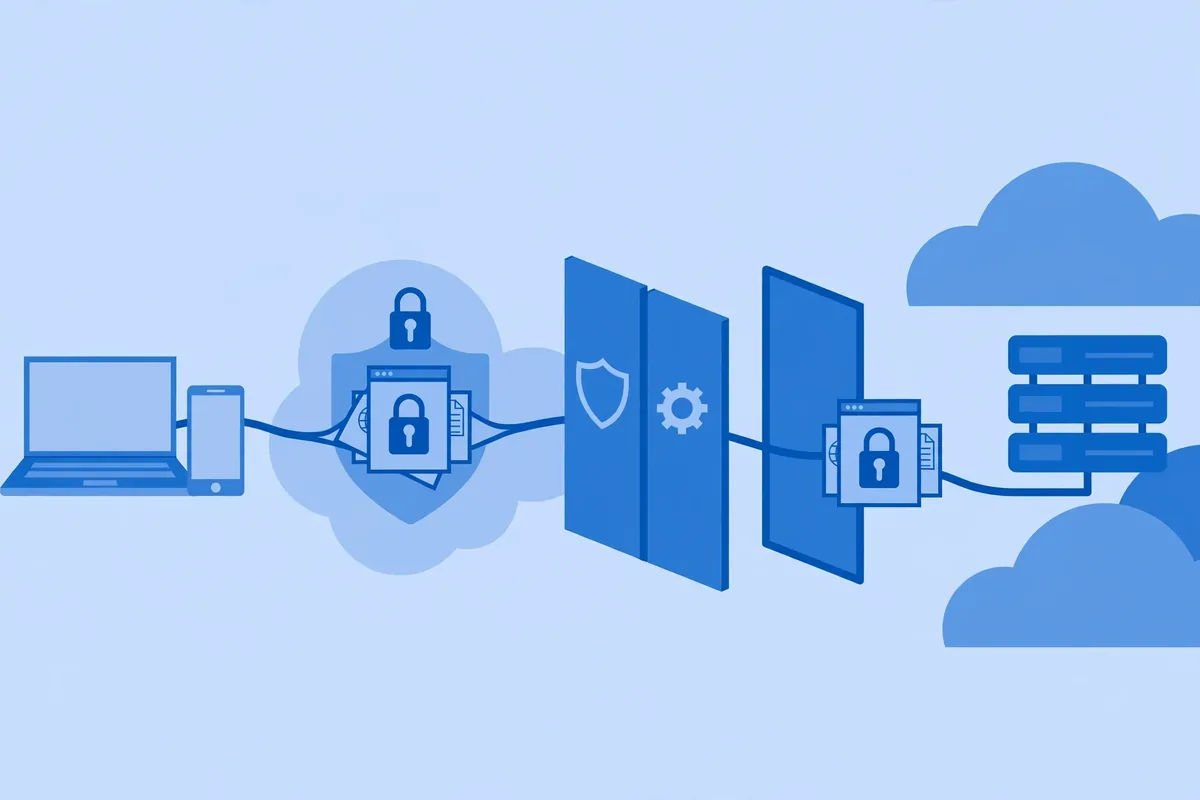
VPN obfuscation disguises the fact that you are using a VPN. Standard VPN encryption hides the content of your traffic: nobody inspecting the connection can read your messages, passwords, or browsing. Obfuscation hides something different, which is the appearance of the connection itself. It changes the observable characteristics of your traffic, such as packet structure, handshake patterns, and timing, so that inspection systems cannot easily classify it as VPN traffic.
Think of it this way. Encryption puts your letter inside a sealed envelope, so nobody can read it. Obfuscation puts that envelope inside an ordinary-looking parcel, so nobody inspecting the parcels suspects it contains anything unusual. Both layers matter, but they solve different problems: encryption protects what you do, while obfuscation protects whether your connection can be established at all on a network that blocks VPNs.
Providers market obfuscation under many names, which causes confusion. Surfshark calls it Camouflage Mode, Proton VPN calls it Stealth, Windscribe calls it Stealth Protocol, VyprVPN calls its version Chameleon, and NordVPN offers obfuscated servers. Different names, same broad idea: make VPN traffic resemble regular encrypted web traffic, usually HTTPS traffic on port 443, so that it passes inspection that would otherwise block it.
Obfuscation is not a separate VPN. It is an extra processing layer that sits on top of an existing VPN protocol, most commonly OpenVPN, and sometimes WireGuard through additional wrapping. When you enable an obfuscated server or stealth mode, the app applies that layer before your traffic leaves your device, and the provider’s server removes it at the other end.
How VPN Obfuscation Works in Practice
Networks detect VPN traffic through several observable signals. VPN protocols produce recognisable handshake patterns when a connection starts, packet sizes and timing patterns that differ from ordinary browsing, and metadata in packet headers that identifies the protocol in use. Deep packet inspection, known as DPI, examines these signals even when it cannot read the encrypted content, and it can classify a connection as VPN traffic with reasonable confidence.
Obfuscation attacks each of those signals. The simplest technique is XOR scrambling, sometimes called OpenVPN Scramble, which applies an additional transformation to the protocol metadata so that the recognisable signature disappears. The content remains encrypted, but the outer pattern no longer matches the known fingerprint of OpenVPN traffic. This approach is lightweight and adds little overhead, but it is also the easiest for a sophisticated inspector to defeat.
A stronger technique wraps VPN traffic inside another protocol layer, usually TLS, which is the same technology that secures HTTPS websites. Tools such as Stunnel perform this wrapping: the VPN connection runs inside a TLS tunnel, so an inspector sees what looks like an ordinary encrypted web connection to a server. This is more convincing than scrambling, but it adds overhead and can reduce speed, especially on long-distance connections.
A third family of techniques uses dedicated tools and protocols designed to mimic ordinary traffic from the start. Obfsproxy, originally developed by the Tor Project, transforms traffic so it no longer resembles a known protocol at all. Shadowsocks, technically a proxy rather than a VPN protocol, forwards traffic through a secure server in a way that resembles ordinary web activity.
Some providers combine these approaches, wrapping traffic and randomising packet characteristics together.

Most commercial obfuscated servers combine several of these ideas: they run OpenVPN over TCP on port 443, which is the port HTTPS normally uses, they scramble or wrap the handshake, and they add an extra encryption layer around the metadata. The result is traffic that looks, to most inspection systems, like a browser talking to a website over HTTPS. That resemblance is the whole point.
VPN Obfuscation Benefits: When It Actually Helps
Obfuscation helps in one specific situation: when the network you are on actively detects and blocks VPN traffic. That situation arises in several places that readers in Pakistan will recognise. Some workplaces and universities restrict VPN use on their networks, and their firewalls block known VPN protocols while allowing ordinary web browsing. An obfuscated connection can pass such a firewall because it does not look like a VPN.
Public Wi-Fi networks in hotels, airports, and offices sometimes apply similar filtering, either to enforce a captive portal, to limit bandwidth-heavy uses, or to comply with a local policy. Obfuscation can restore a working connection on such networks without requiring any change to the network itself, which matters when you cannot ask an administrator to adjust the firewall.
In countries with heavy internet censorship, obfuscation is more than a convenience: it can be the difference between a connection that works and one that is blocked outright. Censorship systems in countries such as China and Iran use DPI to identify and block VPN traffic, and obfuscated servers are designed specifically for those environments.
Readers travelling to such countries often enable obfuscation before arrival, because setting it up after landing may be harder.
For readers in Pakistan, the practical benefit is narrower but real. Pakistan’s regulator, the PTA, operates a VPN registration regime, and some networks apply filtering that affects VPN protocols. Obfuscation does not change your legal position, and it does not register your VPN for you, but it can help a legitimate, registered VPN connection work on a network that would otherwise interfere with the protocol.
Always check the current PTA position separately; this guide describes a technical feature, not legal advice.
Obfuscation can also reduce throttling in some cases. Some internet providers slow down traffic they identify as VPN traffic, and disguising that traffic may avoid the throttle. This is not guaranteed, and it should not be the main reason you choose an obfuscated server, but it is a genuine secondary benefit when it occurs.
VPN Obfuscation Limitations: What It Does Not Guarantee
Obfuscation is not invisibility, and no honest guide should present it that way. A sophisticated inspection system can still detect obfuscated traffic through statistical analysis, timing patterns, and traffic volume, even when the protocol signature is hidden. Governments and network operators continuously update their detection methods, and an obfuscation technique that works today may be identified tomorrow. Treat obfuscation as a way to reduce detection, not eliminate it.
Obfuscation also costs speed. The extra processing layer, the TLS wrapping, and the use of TCP instead of UDP all add overhead, and obfuscated connections are usually slower than standard connections on the same server. On a fast home connection, the difference may be unnoticeable for browsing and email, but for video calls or large downloads, the slowdown can matter.
Use obfuscation only when you need it, and switch it off on networks that do not block VPNs.
Another limitation is availability. Not every provider offers obfuscation, and those that do often restrict it to specific protocols, servers, or platforms. Surfshark’s Camouflage Mode, for example, applies automatically to OpenVPN connections, while NordVPN’s obfuscated servers are a separate server category you must select. Proton VPN’s Stealth protocol is available on some platforms before others. Check your provider’s documentation for your device before assuming the feature is available.
Obfuscation does not make VPN use legal where VPNs are restricted or prohibited, and it does not protect you from every form of monitoring. Your VPN provider still sees your traffic’s destination in the usual way, the websites you visit can still use cookies and fingerprinting, and a network operator that controls your device or requires a custom certificate can inspect more than obfuscation can hide.
Obfuscation addresses network-level protocol detection only.
Finally, obfuscation does not guarantee access to any particular website or service. Streaming platforms and other services use separate detection methods, such as checking whether your IP address belongs to a VPN provider, and those methods are unaffected by obfuscation. If your goal is accessing a blocked streaming catalogue, obfuscation alone will not solve it.
VPN Obfuscation Compatibility: Protocols, Devices, and Providers
Compatibility is the practical question most guides skip. Obfuscation is most commonly tied to OpenVPN, because OpenVPN’s handshake is the easiest to disguise and the most widely blocked. WireGuard’s design makes obfuscation harder, though some providers wrap WireGuard traffic inside additional layers to achieve a similar effect. IKEv2, the protocol used by many manual macOS and iOS configurations, is rarely offered with obfuscation.
On mobile devices, obfuscation support varies. Android apps often offer the widest protocol choice, while iOS apps are constrained by Apple’s network extension rules, which limit what a VPN app can do to its traffic. If you mainly use an iPhone or iPad, verify that your provider’s obfuscation feature is actually available on iOS before relying on it for travel.
Desktop support is generally better. Windows and macOS apps from the major providers include obfuscated servers or stealth modes, though the exact setting differs: some providers enable obfuscation automatically when you choose OpenVPN, while others require you to pick a special server list. Read the provider’s support pages for your platform rather than assuming the desktop behaviour matches the mobile one.
Router and Linux users face the most manual work. Running obfuscation on a router usually means configuring OpenVPN with scramble options or a Stunnel wrapper by hand, which requires comfort with configuration files and command-line tools. For most readers, the provider’s app on a phone or laptop is the simpler and more reliable route.
Surfshark — our recommended VPN for Pakistan
Camouflage Mode disguises your VPN traffic on restrictive networks — with 80% off for our users.
How to Use Obfuscation: A Practical Workflow
Start by confirming that you actually need obfuscation. If your VPN connects normally on your home and office networks, enabling obfuscation will only slow you down. Enable it when a connection fails, when a network blocks VPN protocols, or when you are travelling to a country known for VPN filtering.
Testing obfuscation at home before you travel is wise: confirm the setting works while you still have an unfiltered connection to troubleshoot with.
Next, choose the right protocol. In most apps, select OpenVPN, either UDP or TCP, and then enable the obfuscation or stealth option, or select an obfuscated server from the server list. If your app offers both, try the obfuscated server list first, because the provider has configured those servers specifically for disguised traffic.
If the obfuscated connection still fails, try switching servers, switching between TCP and UDP, and switching protocol entirely. Some networks block one port or protocol while allowing another, and the fix is often a different combination rather than a different provider. Keep notes on which combination worked on each network, because the same network will usually behave the same way next time.
For readers in Pakistan who use a VPN for work, a practical tip is to ask your employer’s IT team whether the company VPN or the commercial VPN should take priority on the office network. Running two VPNs at once, or running a commercial VPN inside a corporate tunnel, can cause conflicts that look like obfuscation failures but are really routing conflicts.
One tunnel at a time is the reliable rule.
VPN Obfuscation in Pakistan: A Realistic Assessment
Pakistan’s internet environment makes obfuscation relevant, but not for the reasons marketing pages suggest. The PTA’s VPN registration framework means that businesses and individuals using VPNs for legitimate purposes are expected to register, and registration is a separate process from choosing a technical feature. Obfuscation does not substitute for registration, and readers who need a VPN for work should confirm their registration position through official PTA guidance.
Where obfuscation helps in Pakistan is on networks that interfere with VPN protocols regardless of registration: some institutional networks, some public Wi-Fi systems, and some mobile network configurations. On those networks, an obfuscated connection may succeed where a standard connection fails, because the firewall sees ordinary-looking HTTPS traffic instead of a recognisable VPN handshake.
It is equally important to be clear about what obfuscation cannot do in Pakistan. It cannot guarantee that a particular VPN provider will work, it cannot bypass a provider-level block on a specific service, and it cannot make an unregistered use compliant. Readers should treat obfuscation as a network compatibility tool, useful in specific situations, rather than as a general-purpose cloak.

If you are choosing a provider partly for obfuscation, prioritise providers that document the feature clearly, name the protocols it works with, and state which platforms support it. Vague claims such as “stealth technology” without protocol details are a warning sign. Surfshark, NordVPN, Proton VPN, and Windscribe all document their obfuscation features publicly, which makes them easier to evaluate than providers that describe the feature only in marketing language.
Alternatives and Complements to Obfuscation
Obfuscation is not the only answer to a blocked VPN connection. Sometimes the simplest fix is switching protocol: a network that blocks OpenVPN may allow WireGuard, and vice versa. Sometimes switching port helps, particularly moving to TCP port 443, which many firewalls leave open because blocking it would break ordinary HTTPS browsing. Sometimes switching server location helps, because the block may target specific server addresses rather than the protocol itself.
Split tunnelling is a complementary technique worth knowing. If only part of your traffic needs the VPN, split tunnelling routes the rest directly, which can avoid the filtering that affects VPN traffic altogether. Slack’s own network guidance, for example, recommends allowing real-time traffic to bypass VPNs through split tunnelling, because VPN overhead degrades voice and video quality.
The same principle applies elsewhere: route only what needs the tunnel through the tunnel.
For travellers, a second practical complement is preparing before departure. Install the VPN app, test obfuscation, download configuration files, and save the provider’s support pages offline while you still have unrestricted access. Once you are on a filtered network, downloading the app or reaching support may itself be difficult, and preparation is worth more than any single feature.
VPN Obfuscation Providers Compared
Surfshark, NordVPN, Proton VPN, and Windscribe each implement obfuscation differently, and the differences affect which one suits you. Surfshark applies Camouflage Mode automatically when you use OpenVPN, so there is no separate server list to learn. That simplicity suits beginners, though it means you must use OpenVPN rather than WireGuard to get the benefit.
NordVPN takes the opposite approach with a dedicated obfuscated servers category. You open the server list, choose the obfuscated section, and connect to a server configured for disguised traffic. That explicit choice makes it clear when obfuscation is active, which helps when you are troubleshooting a blocked network and want to be certain about what changed.
Proton VPN offers its Stealth protocol as a protocol option inside the app, which suits users who want obfuscation without hunting through server lists. Windscribe offers a Stealth protocol with several modes, which gives advanced users more control but asks beginners to understand options they may not need. None of these implementations is objectively best for every network, because the network doing the blocking determines which disguise works.
When comparing providers for obfuscation, ask four questions. Does the feature work on your device and operating system? Does it work with the protocol you prefer, or does it force you onto OpenVPN? Is it a separate server list, a protocol toggle, or an automatic behaviour? And does the provider document it in support articles rather than only in marketing copy?
A provider that answers all four clearly is easier to trust than one that describes stealth only in slogans.
Testing Whether Obfuscation Works on Your Network
Testing obfuscation is straightforward once you know what to compare. First, try a standard VPN connection on the network that troubles you and note whether it connects, fails, or connects but drops quickly. Then switch to the obfuscated server or stealth protocol and repeat the test. If the standard connection fails and the obfuscated one succeeds, obfuscation is doing its job on that network.
Second, test sustained use rather than a single connection. An obfuscated connection that works for five minutes but drops under load is less useful than one that holds steady for an hour. Browse normally, join a video call, and watch for drops. If the connection holds, note the server and protocol combination that worked, because the same network will usually respond the same way next time.
Third, remember that a successful test on one network proves nothing about another. A university firewall, a hotel portal, and a national censorship system use different detection methods, and obfuscation that defeats one may fail against another. Keep a short note of which combinations worked where, and retest before important trips rather than assuming an old success still holds.
Frequently Asked Questions
What Does VPN Obfuscation Do?
VPN obfuscation disguises VPN traffic so that it looks like ordinary internet traffic, usually HTTPS traffic, making it harder for firewalls and deep packet inspection systems to detect and block the VPN connection. It hides the appearance of the connection, while the VPN’s encryption continues to hide the content of your traffic.
Which Use Cases Require It?
Obfuscation is needed when a network actively detects and blocks VPN traffic: restrictive workplace or university networks, filtered public Wi-Fi, and countries with heavy internet censorship. If your VPN connects normally on your usual networks, you do not need obfuscation, and enabling it will only reduce speed.
What Does This Feature Not Guarantee?
Obfuscation does not guarantee invisibility, legality, speed, or access to any particular website. Sophisticated inspection can still detect obfuscated traffic, it does not make VPN use legal where restricted, it usually slows the connection, and it does not bypass service-level blocks such as streaming platforms checking VPN IP addresses.
Surfshark — our recommended VPN for Pakistan
Obfuscated connections for restrictive networks, plus unlimited devices — with 80% off for our users.
Conclusion: VPN Obfuscation Meaning, Uses and Limitations
VPN obfuscation is a useful, specific tool: it disguises VPN traffic as ordinary web traffic so that a connection can be established on networks that would otherwise block it. It helps travellers, workers on filtered networks, and readers in countries with heavy censorship, but it costs speed, it is not available on every protocol or platform, and it guarantees neither invisibility nor legality.
Use it when a network actually blocks VPN traffic, choose a provider that documents its implementation clearly, and switch it off when you do not need it. Readers exploring more VPN features can start from the freevpn.pk homepage and follow its indexed guides.