
Choosing the best paid VPN for macOS in Pakistan starts with one question that most comparison lists skip, and Surfshark, our recommended VPN for Pakistan, answers it with a real, native Mac app: does the provider offer an app kept up to date, or does it expect hand configuration?
This guide compares it fairly against the other leading paid options so you can judge native support, features, and full cost before you subscribe.

The Short Answer: Best Paid VPN for macOS Pakistan
For most Mac users in Pakistan, the best paid VPN is the one with a native Apple silicon app, a kill switch that actually works on macOS, and a protocol choice that includes WireGuard or a modern equivalent. Surfshark fits that description well, with unlimited devices and a straightforward Mac app, while NordVPN and ExpressVPN compete on polish, server choice, and long track records.
Proton VPN is the strongest privacy-first alternative, and Private Internet Access suits users who want deep settings control.
The honest truth is that no single provider wins on every Mac-specific measure. NordVPN lacks app-based split tunnelling on macOS, ExpressVPN has historically charged more, and Proton VPN reserves some features for higher tiers. What matters is matching the provider to your Mac, your macOS version, and the number of devices in your household, rather than buying the service with the longest feature list.
This guide is written for readers in Pakistan who use a MacBook, iMac, Mac Mini, or Mac Studio and want a paid service that works reliably on local connections. It covers supported methods and versions, a feature comparison, full subscription costs, device limits, and the verification steps that confirm your connection is really protected.
Nothing here is based on hands-on speed testing by this site; assessments reflect documented features, official compatibility statements, and widely reported reviewer findings.
Why macOS Needs a Different VPN Comparison
A VPN comparison written for Windows does not transfer neatly to the Mac. Apple controls the network extension framework that VPN apps must use, and that framework shapes which features are possible. A kill switch, split tunnelling, and protocol support all behave differently on macOS than on Windows, and some providers simply leave a feature out of the Mac app rather than rebuilding it for Apple’s rules.
Apple silicon adds a second difference. Modern Macs run on M-series chips, and a native Apple silicon app launches faster, uses less battery, and avoids the translation layer that older Intel-only apps still need. Most leading providers now ship universal or Apple silicon builds, but if you run an older Intel Mac, you should confirm the provider still supports your machine and your macOS version before paying.
For readers in Pakistan, a third factor matters: routing distance. Your traffic travels from your local connection to the VPN server and then to its destination, so a provider with nearby servers in Asia or the Middle East will usually feel more responsive than one whose nearest server is in Europe. Server count alone tells you little; the location of the nearest well-maintained servers matters far more for everyday use.
Finally, macOS users often run the same subscription across an iPhone, an iPad, and a Mac. A provider that limits you to five or ten devices can become expensive for a household, while an unlimited-device plan covers every Apple device at home under one subscription. Device limits are therefore a cost question, not just a convenience question.
Supported VPN Setup Methods on macOS
There are three practical ways to run a VPN on a Mac: the provider’s native app, the built-in macOS VPN settings with manual configuration, and a third-party OpenVPN or WireGuard client. The native app is the right choice for almost everyone, because it handles server selection, protocol switching, kill switch behaviour, and updates in one place.
Manual configuration through System Settings uses the protocols macOS supports natively, such as IKEv2 and L2TP, with configuration files or settings supplied by the provider. This method works without installing an app, and it suits managed or locked-down Macs where software installation is restricted. Its drawback is that you lose the provider’s extra features: no app-level kill switch in most cases, no split tunnelling, and no automatic server recommendations.
Third-party clients such as the official WireGuard app or an OpenVPN client sit between the two approaches. They give you protocol-level control and work with configuration files from providers that publish them. They are a good fallback when a provider’s app misbehaves on your macOS version, but they require more setup and they do not include the provider’s own features such as ad blocking or multi-hop routing.
Which App or OS Version Requirements Matter
Supported macOS versions vary by provider, and the differences matter most if your Mac cannot run the latest release. Surfshark’s Mac app supports macOS 11 Big Sur through macOS 15 Sequoia, according to current reviewer summaries of its compatibility pages. NordVPN’s Mac app covers a similar range, from macOS 11 Big Sur upward, with legacy support for older versions.
ExpressVPN reaches further back, supporting versions down to macOS 10.13 High Sierra, which makes it a useful option for older Intel Macs.
Before you subscribe, check two things: the minimum macOS version listed on the provider’s download page, and whether the app is distributed through the Mac App Store, the provider’s website, or both. Some features differ between the two distributions.
Reviewers have noted, for example, that kill switch behaviour and split tunnelling availability can depend on whether you installed the App Store build or the website build, because Apple’s App Store rules restrict certain network extension capabilities.
Your Mac’s chip matters too. If you use an M1, M2, M3, or M4 Mac, look for an Apple silicon or universal build. Running an Intel-only app through Rosetta translation usually works, but it costs battery life and can complicate troubleshooting. If you use an older Intel Mac, confirm the provider still tests new releases on Intel hardware rather than treating it as an afterthought.
Also confirm the provider’s app supports the macOS version you actually run, not just the latest one. Upgrading macOS to satisfy a VPN app is a bigger decision than it sounds, because older Macs may not support the newest release at all. A provider that supports your current version saves you an operating system upgrade you may not want.
Paid macOS VPN Comparison: Features That Matter
The table below summarises the Mac-specific features that most affect daily use. Prices and device limits change over time, so treat the figures as a November 2026 snapshot to verify on each provider’s official pricing page before purchase. Feature availability also varies between App Store and website builds, which is noted where it matters.
Surfshark stands out for unlimited simultaneous connections, which means one subscription covers your Mac, iPhone, iPad, and any other device in the household. Its Mac app includes a kill switch, the Bypasser split tunnelling feature, and a choice of protocols including WireGuard. Reviewers consistently describe it as the best-value Mac option, and its long-term plans are among the cheapest in this comparison.
NordVPN is the most polished all-rounder on macOS, with a large server network, the NordLynx protocol based on WireGuard, and strong privacy credentials including independent audits. Its main Mac limitation is the absence of app-based split tunnelling: you cannot easily exclude a single Mac app from the tunnel the way you can on Windows.
If you need a banking app or a local service to bypass the VPN, that gap matters.
ExpressVPN is the easiest Mac VPN to use, with a one-click app and a reputation for reliable connections. It supports a wide range of macOS versions, including older releases, and its website build offers split tunnelling on macOS. Its main drawback is price: it costs noticeably more than Surfshark or Private Internet Access on comparable long-term plans, and renewal pricing deserves a careful read.
Proton VPN is the privacy-first choice, from a Swiss company that publishes its app code and undergoes independent audits. Its Mac app has added split tunnelling, described as experimental in late 2025 reviewer coverage, and it offers Secure Core multi-hop servers on paid plans. It suits readers who rank jurisdiction, transparency, and open-source apps above the lowest price.
Private Internet Access is the budget option with deep settings control, including split tunnelling on macOS and a highly configurable app. Its interface is more complex than ExpressVPN’s, and its speeds in reviewer tests have trailed the leaders, but for a Mac user who wants control at a low long-term price, it remains a credible choice.
macOS Premium VPN App Feature Comparison
Feature parity is where Mac comparisons most often mislead. A provider’s marketing page lists features for all platforms together, while the Mac app quietly omits one or two. The features most commonly affected are split tunnelling, the kill switch, and protocol choice, so check each one specifically for macOS before you buy.
Split tunnelling on macOS is the clearest example. Surfshark’s Bypasser and Private Internet Access both offer it on the Mac, and Proton VPN has added an experimental version. NordVPN does not offer app-based split tunnelling on macOS, and ExpressVPN’s support depends on using the website version rather than the App Store version.
If split tunnelling is essential for you, narrow your shortlist to the providers that actually ship it on the Mac.
Kill switch behaviour also differs. On macOS, a kill switch is implemented through the network extension framework, and its reliability depends on the provider’s implementation and on whether the app was installed from the App Store or the website. Test the kill switch after installation by disconnecting the VPN mid-session and confirming that traffic stops rather than leaking onto your normal connection.
Protocol choice on macOS typically includes WireGuard or a WireGuard-based protocol, OpenVPN, and IKEv2. WireGuard-based protocols are the best default for most users: they connect quickly, recover well when a Mac wakes from sleep or switches networks, and use modern cryptography. OpenVPN remains useful for restrictive networks, while IKEv2 is mainly relevant for manual configuration through System Settings.
Extra features such as ad blocking, tracker blocking, multi-hop connections, and dedicated IP addresses are genuinely useful, but they are secondary to the core question: does the app connect reliably, stay connected, and protect you when it drops? Judge a Mac VPN on its core behaviour first and its extras second.
macOS Paid VPN Subscription Cost in Full
Headline monthly prices mislead because they usually describe the longest plan divided into monthly equivalents. A plan advertised at a low monthly rate may require paying two years upfront, while the monthly rolling plan can cost three or four times as much. Always compare the total amount you will actually pay at checkout, not just the monthly equivalent.
Surfshark’s long-term plans are among the cheapest in this comparison, with reviewer summaries placing its two-year pricing well below ExpressVPN’s equivalent. NordVPN’s two-year Basic plan is also competitively priced, though its renewal price is higher than its introductory price, so set a reminder before renewal. ExpressVPN’s longer plans cost more than both, which is the price of its simplicity and broad macOS version support.
Proton VPN’s two-year VPN Plus plan sits in the middle of this group, and Private Internet Access is usually the cheapest long-term option of all. Prices are typically quoted in US dollars, and readers in Pakistan should remember that banks convert the charge into rupees at their own exchange rate, which can shift the final amount slightly. Some providers add local taxes depending on the billing region shown at checkout.
Every provider in this comparison offers a 30-day money-back guarantee on direct purchases, which is the practical risk-free trial for Mac users. App Store purchases follow Apple’s refund rules instead, so if you buy through the Mac App Store, the provider’s own guarantee may not apply. Buying from the provider’s website usually gives you the clearer refund path.
Surfshark — our recommended VPN for Pakistan
Unlimited devices, a native macOS app, and 80% off for our users on longer plans.
macOS VPN Simultaneous Devices and Household Use
Device limits decide whether one subscription covers your household or whether you need a second one. Surfshark allows unlimited simultaneous connections, which is the most generous policy in this comparison and the simplest answer for a family with several Apple devices. Private Internet Access also allows unlimited connections on its current plans, according to recent reviewer coverage.
NordVPN allows ten simultaneous connections, ExpressVPN allows between ten and fourteen depending on the plan, and Proton VPN allows ten on its paid plans. Ten connections cover a typical household comfortably: a MacBook, an iPhone, an iPad, and a partner’s devices, with room to spare. The limit only bites when you share a subscription widely or run many always-on devices.
Note that a device limit counts simultaneous connections, not total devices installed. You can usually install the app on more devices than the limit allows, as long as no more than the permitted number are connected at once. If you regularly exceed the limit, the app will refuse the extra connection, which is a useful early warning rather than a fault.
For readers in Pakistan, a practical tip is to install the VPN on your router only if your provider supports it and your router is compatible. A router-level connection covers every device on your home network, including devices that cannot run a VPN app, but it counts as one connection and it routes all household traffic through the tunnel.
That trade-off suits some homes and frustrates others, so test it before committing.
How Do I Verify the Connection on macOS?
Verification takes two minutes and should be done after every fresh installation and after any macOS upgrade. First, connect the VPN and look for its icon in the menu bar: it should show an active state, and the app should name the server location you selected.
Then open your browser and visit an IP lookup page, where the displayed location and address should match the VPN server, not your home connection.
Second, test for leaks. A DNS leak test shows whether your DNS requests travel through the VPN tunnel or escape to your internet provider. A WebRTC leak test in your browser shows whether your real address is exposed through browser features. If either test reveals your real location, switch protocol, enable the kill switch, or contact the provider’s support before relying on the connection.
Third, test the kill switch deliberately. Start a download or a video stream, then force the VPN to disconnect, and confirm that traffic stops instead of continuing on your unprotected connection. Reconnect and confirm the app recovers cleanly. This test is unglamorous, but it is the one that proves the protection works when it matters.
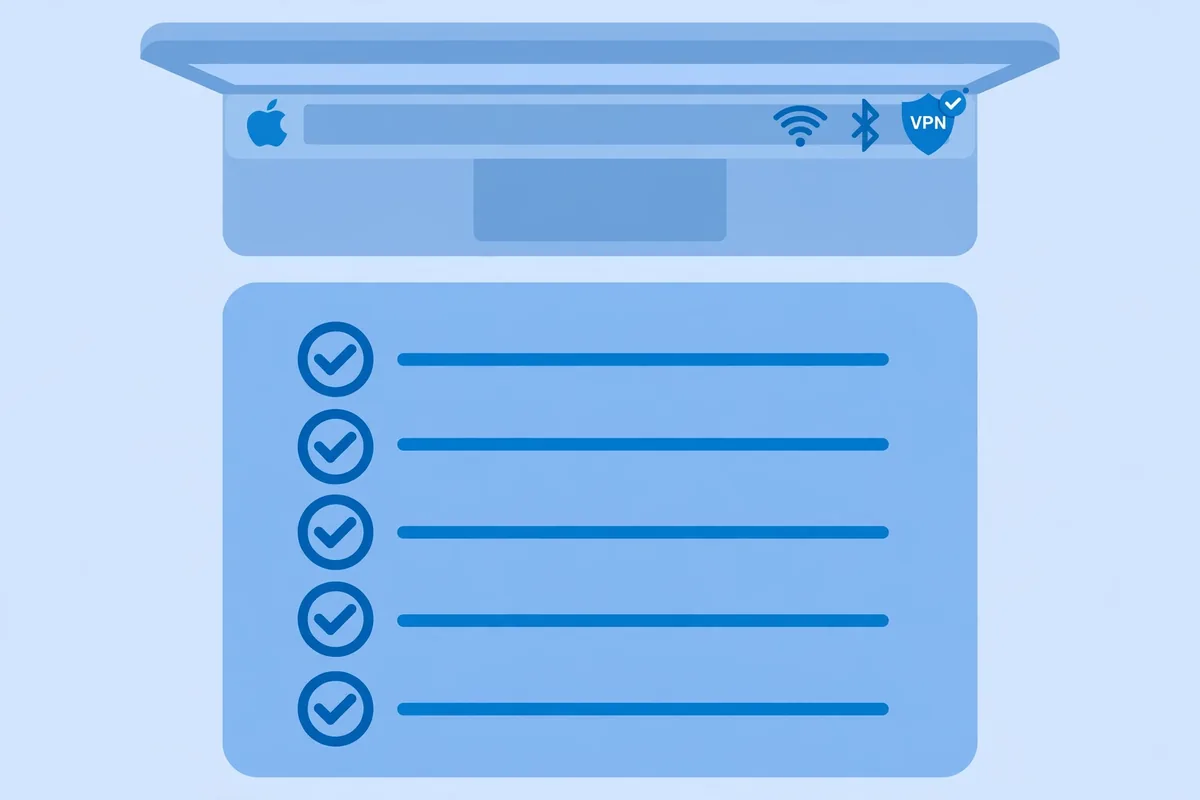
Finally, check behaviour after sleep and network changes, which are the two moments Mac VPNs most often fail. Close your MacBook, reopen it on a different Wi-Fi network, and confirm the VPN reconnects automatically. If it does not, adjust the auto-connect setting in the app, or consider a provider whose Mac app handles reconnection more reliably.
macOS VPN Paid Plan Limitations to Know Before Buying
Every paid Mac VPN has limitations, and knowing them before purchase prevents disappointment. The most common is the split tunnelling gap on macOS: if you need one app to bypass the VPN, confirm your chosen provider actually offers that feature on the Mac, in the build you will install, before paying.
Renewal pricing is the second limitation. Introductory prices on two-year plans are usually much lower than renewal prices, and some providers raise the rate substantially at renewal. Read the renewal terms at checkout, note the renewal date, and set a reminder to compare prices again before the renewal is charged.
Server performance varies by time of day and by location, and no provider can guarantee a particular speed from Pakistan. Evening congestion, the distance to the nearest server, and your own connection’s quality all affect the result. Use the money-back guarantee period to test at the times you actually work and stream, not just once at midday.
Some providers also restrict certain features by plan tier. Advanced features such as dedicated IP addresses, multi-hop servers, or premium ad blocking may require a higher tier than the basic plan. Compare tiers on the provider’s pricing page, not on a review summary, because tier names and inclusions change.
For users in Pakistan, one more limitation deserves attention: a VPN does not change the legal or service rules that apply to you, and it does not guarantee access to any particular website or streaming catalogue. Providers’ claims about unblocking specific services describe what their servers can often do, not a promise that every title will work every time.
Treat unblocking claims as a possibility to test during the refund window, not as a guarantee.
Choosing for Your Mac: A Practical Shortlist
If you want the best value and unlimited devices, start with Surfshark. Its Mac app covers the essentials, its long-term price is low, and one subscription covers every device in the household. It is the easiest recommendation for most Mac users in Pakistan who want a paid service without overthinking the choice.
If you want the most polished all-rounder and do not need split tunnelling on the Mac, NordVPN is the strongest alternative, with a large network and a well-regarded Mac app. If you run an older Intel Mac or an older macOS version, ExpressVPN’s broader version support may matter more than its higher price. If privacy jurisdiction and open-source apps are your priority, Proton VPN is the natural pick.
If you want the lowest long-term price and deep settings control, Private Internet Access deserves a look, provided you are comfortable with a more complex interface. Whichever provider you choose, buy from its official website where possible, test thoroughly during the money-back window, and verify the connection with the steps above before you rely on it.
Readers who want a broader view of VPN choices for Pakistan can start from the freevpn.pk homepage, which links to the site’s country, provider, and device guides. Use the homepage as your index rather than guessing at article addresses, since only indexed guides are linked from this site.
Frequently Asked Questions
Which VPN Setup Methods Does macOS Support?
macOS supports three main setup methods: a provider’s native app, manual configuration through System Settings using IKEv2 or similar protocols, and third-party clients such as WireGuard or OpenVPN apps. The native app is the best choice for most users because it includes the kill switch, server selection, and automatic updates. Manual configuration suits locked-down Macs where app installation is restricted, but it loses the provider’s extra features.
Which App or OS Version Requirements Matter?
The requirements that matter are the minimum macOS version on the provider’s download page, whether the app is a native Apple silicon build for M-series Macs, and whether you install the Mac App Store build or the website build, since features can differ between them. Check these three points before subscribing, especially if your Mac runs an older macOS version or uses an Intel chip.
How Do I Verify the Connection on macOS?
Connect the VPN, confirm the menu bar icon shows an active state, and check an IP lookup page to confirm the displayed location matches the VPN server. Then run DNS and WebRTC leak tests, deliberately test the kill switch by forcing a disconnect, and check that the VPN reconnects after sleep or a network change.
If any test exposes your real address, change protocol or contact support before relying on the connection.
Surfshark — our recommended VPN for Pakistan
One subscription, unlimited devices, and a native Mac app — with 80% off for our users.
Conclusion: Paid VPN Options for macOS in Pakistan
The best paid VPN for macOS in Pakistan is the one whose Mac app actually delivers the features you need on your macOS version, at a total price you understand, across the devices you own. Surfshark leads on value and unlimited devices, NordVPN on polish, ExpressVPN on ease and version support, Proton VPN on privacy transparency, and Private Internet Access on price and control.
Compare them on those Mac-specific measures, test your choice during the money-back window, and verify the connection before you trust it.