

If you need a free Philippines VPN, here is the honest answer first: no trustworthy free VPN plan reliably gives you a Philippines IP address. Surfshark is our recommended VPN for Pakistan, with 80% off for our users, and it does list Philippines servers — but it is a paid service, and this guide is about what the free options actually offer.
One free plan comes closer than the rest. TunnelBear’s network includes a Philippines server, and several independent reviews describe its free tier as giving access to the full country list. But recent reports from November 2026 say TunnelBear’s free plan no longer lets you pick a country, so the app may assign you a server somewhere else entirely.
That leaves you with a gap between what is technically possible and what you can actually rely on. This guide works through every major free plan — Proton VPN, Windscribe, hide.me, PrivadoVPN, and TunnelBear — checks their published free server lists, and explains exactly what each one gives you and what it withholds.
Everything here was checked against provider pages and independent reviews in November 2026. Where sources disagree, we say so plainly instead of picking the version that sounds better.
Free Philippines VPN: The Short Answer
No ongoing free VPN plan from a reputable provider guarantees you a Philippines IP address. That is the direct answer, and it is worth stating before any list of names, because most articles on this topic bury it under a ranking that implies otherwise.
TunnelBear is the only trustworthy free plan whose server network includes the Philippines at all. Its free tier gives you 2 GB of data per month, and its network covers 47 countries, including the Philippines. On paper, that makes it the answer to this search.
In practice, the answer is weaker than it looks. Multiple sources updated in November 2026 report that TunnelBear’s free plan no longer allows manual country selection. The app now assigns a server for you, which means you may open the app hoping for Manila and land in the United States or Germany instead.
Older reviews, some still widely quoted, say the opposite: that free users can choose any country in the list. We could not resolve this conflict from TunnelBear’s own public pages, so we flag it as unresolved and treat the Philippines on TunnelBear Free as possible but not guaranteed.
The other four major free plans do not include the Philippines at all. Proton VPN Free covers ten countries, Windscribe Free covers ten, hide.me Free covers seven or eight, and PrivadoVPN Free covers ten. The Philippines appears on none of those lists.
That means a reader in Pakistan who needs a Philippines exit IP has three realistic paths: test TunnelBear Free and accept that the location is assigned, not chosen; use a paid plan with Philippines servers; or use a money-back guarantee or mobile free trial to test a paid provider’s Philippines location before committing.
Which Free VPNs Offer Philippines Servers?
The table below summarises what each major free plan actually includes. Every entry comes from the provider’s own pages or from independent reviews checked in November 2026. A free plan only counts here if it is an ongoing plan with no payment required, not a timed trial or a refund window.
| Free Plan | Philippines Server on Free? | Free Countries | Monthly Data | Can You Pick the Country? |
|---|---|---|---|---|
| TunnelBear Free | Yes, in the network — but selection is disputed | 47 | 2 GB | Disputed — recent reports say no |
| Proton VPN Free | No | 10 | Unlimited | No — app assigns the server |
| Windscribe Free | No | 10 | 10 GB with email, 2 GB without | Yes, within the free list |
| hide.me Free | No | 7–8 | Unlimited | Yes, within the free list |
| PrivadoVPN Free | No | 10 | 10 GB, then 1 Mbps Lite mode | Yes, within the free list |
Read the table as a filter, not a ranking. Four of the five plans fail the first test: they do not offer a Philippines server on the free tier at all. Only TunnelBear passes it, and it then stumbles on the second test, which is whether you can actually choose that server.
The distinction between a server existing in a provider’s network and a server being available on its free plan matters more here than in most VPN comparisons. hide.me, for example, runs servers in Manila, and its marketing pages invite you to get a Philippines IP. That server is Premium-only. The free plan’s seven or eight locations are all in Europe and North America.
The same pattern repeats across the market. Paid networks are large and genuinely global. Free networks are small, and they concentrate on the countries with the cheapest bandwidth and the most demand: the United States, the United Kingdom, Germany, the Netherlands, and a handful of others.
If a free VPN app you find in an app store promises a Philippines server, treat that promise with suspicion. The reputable providers publish their free country lists, and the Philippines is absent from all of them except TunnelBear. An app that claims otherwise is either selling a paid location as free, or it is a low-quality app with no published audit and no clear business model.
TunnelBear Free and the Philippines: What We Verified
TunnelBear is a Canadian VPN owned by McAfee, and its free plan is one of the oldest genuinely free tiers in the industry. It gives you 2 GB of data per month, with no credit card required, and it has published independent security audits for years. That audit history is why it counts as trustworthy here, unlike the many free apps with no audit at all.
On the question that matters for this guide — does the free plan include the Philippines? — the evidence points in two directions. Cloudwards, in its guide to free Philippines VPNs, states plainly that TunnelBear is the only free VPN on its list with a Filipino server, and that it is your best bet if a free Filipino server is non-negotiable.
Other reviewers agree on the network facts. VPNWiki lists the Philippines among the Asian countries available on TunnelBear Free, as part of a 47-country network. Security.org, which tested the free plan, says it lets you choose from any of the VPN locations available, with the only restriction being country-level rather than city-level choice.
But a newer set of sources, all updated in November 2026, reports a change. Apex News states that TunnelBear’s free plan no longer lets you choose a country and that the app now assigns a server for you.
Gizmodo’s free VPN guide for Turkey reports the same thing: free users cannot choose a server anymore. Rankite’s comparison says the standard free tier does not let you pick a country or use split tunnelling.
We could not verify which version is current from TunnelBear’s own public pages. TunnelBear’s pricing page lists the free tier as 2 GB of secure browsing per month, but it does not spell out the country-selection rule for free users in the material we could reach. That is why this guide treats the Philippines on TunnelBear Free as unverified rather than confirmed.
How to Test TunnelBear Free for a Philippines IP
The only way to settle the question for yourself is to test it, and the test costs nothing but a few minutes. TunnelBear Free needs only an email address and a password to create an account, and it does not ask for payment details.
Install the app only from the official source: the TunnelBear website for Windows and Mac, or the Google Play Store and Apple App Store for mobile. Never download a VPN installer from a third-party download site, because modified installers are a common way to distribute malware.
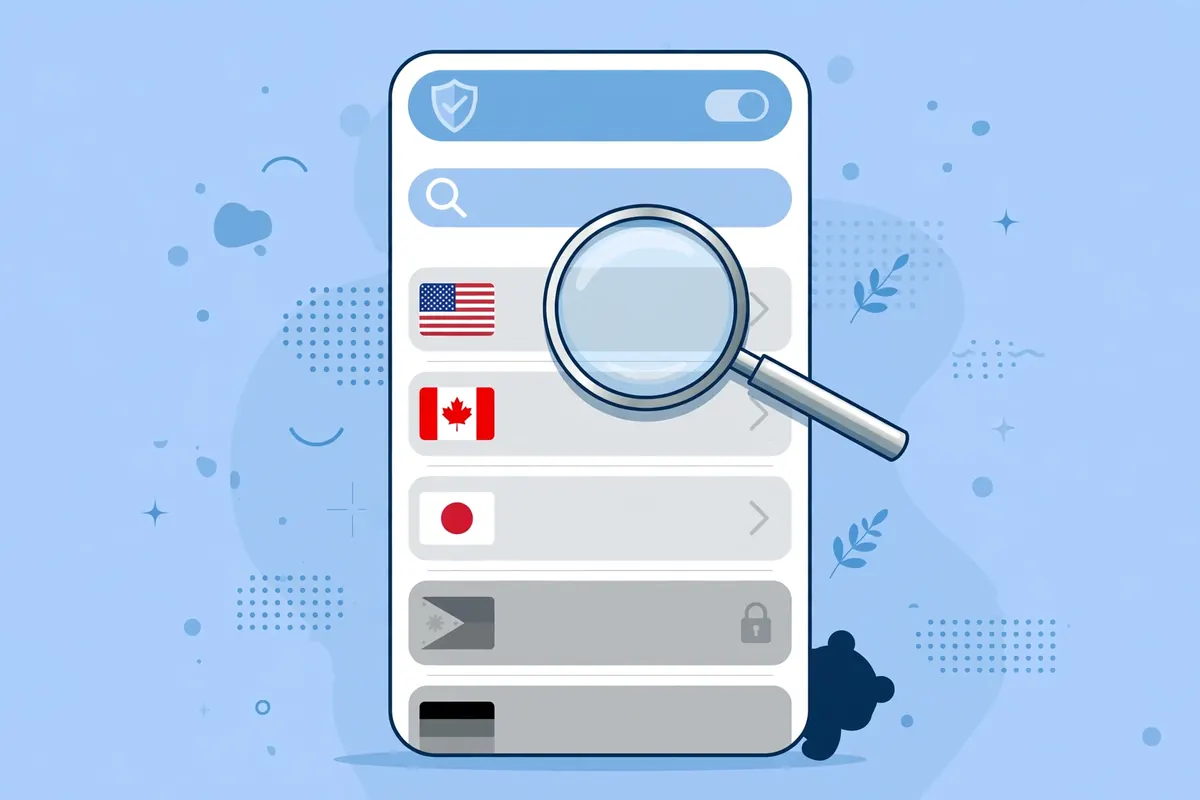
Once the app is installed, sign in and look at the server list before you connect. If the app lets you pick the Philippines from the list, tap it and connect. If the app only offers a fastest-server button or assigns a location automatically, that tells you the newer reports are correct and you cannot choose.
After connecting, check your public IP address on an IP checker and note the country it reports. Do this twice, on two different checkers, because a single checker can mislabel an address. If both say the Philippines, the free plan worked for you. If they say another country, the assignment gave you a different server.
Watch the 2 GB monthly cap while you test. Two gigabytes covers roughly an hour of HD video, or several days of light browsing and messaging. Background updates on Windows can eat through it quickly, so turn off automatic updates while you test, or test on your phone where background data is easier to control.
One more caution: TunnelBear has dropped its 30-day money-back guarantee, according to ProPrivacy’s 2026 review, and refunds are now handled case by case. That does not affect the free plan, which costs nothing, but it matters if you later consider upgrading: test thoroughly on the free tier first.
Why Proton VPN Free Does Not Include the Philippines
Proton VPN Free is the strongest free plan for privacy, and it is the weakest for location choice. It gives you unlimited data, no ads, and no credit card requirement, all under a no-logs policy that has been independently audited. For a reader in Pakistan who simply needs encryption on public Wi-Fi, it is an excellent free option.
But it will not give you a Philippines IP address. Proton’s free servers sit in ten countries: the United States, Canada, Mexico, the Netherlands, Poland, Romania, Norway, Switzerland, Japan, and Singapore. The Philippines is not among them, and the app does not let free users pick a country at all.
Proton connects you to the fastest free server for your location, and its Change Server button picks another server at random. The first change has a 45-second cooldown, and later changes have a 10-minute cooldown. No sequence of random changes will land you in the Philippines, because there is no Philippines server in the free pool.
The paid plan is a different story. Proton’s paid network covers more than 149 countries, and Cloudwards reports 12 physical servers in Manila on the paid tier. So Proton can give you a Philippines IP — but only after you pay. The free plan is a privacy tool, not a location tool, and it is honest about that trade.
Free accounts are also limited to one device at a time, and the free tier blocks streaming and torrenting. If your reason for wanting a Philippines IP involves streaming a Philippine service, Proton Free fails on two counts at once: the wrong country and no streaming support.
Why Windscribe Free Does Not Include the Philippines
Windscribe Free is the most flexible of the major free plans on country choice. It gives you 10 GB of data per month once you confirm an email address, or 2 GB without one, and it lets you pick any country from its free list. That choice is exactly what a reader hunting for a specific country wants.
The problem is the list itself. Windscribe’s free locations are the United States, Canada, the United Kingdom, Hong Kong, France, Germany, the Netherlands, Switzerland, Norway, and Romania. The Philippines is not on it, and no amount of choosing within that list will produce a Philippine IP address.
Windscribe’s paid network is far larger, at roughly 69 countries, and it includes the Philippines. It also sells a Build A Plan option at about one dollar per location per month, plus one dollar for unlimited data, which is one of the cheapest ways to buy a single country. But that is a paid route, and it sits outside the scope of a free plan.
Windscribe Free has one advantage worth noting for Pakistan readers: its Hong Kong server is the closest free location to Southeast Asia, and Hong Kong is geographically nearer to the Philippines than any free server Proton or hide.me offers. A Hong Kong exit IP will not unlock Philippine-only content, but it will give you lower latency than a European or American server for general browsing.
Windscribe allows unlimited simultaneous devices on the free plan, which is generous, and its free tier includes the same WireGuard and OpenVPN protocols as the paid tier. None of that changes the country list, though, and the country list is what this guide is about.
Why hide.me and PrivadoVPN Free Do Not Include the Philippines
hide.me Free is a strong free plan with unlimited data and no sign-up requirement, and its own website advertises Philippines servers in Manila. That advertising is the trap: the Manila servers exist, but they are Premium-only.
The free plan offers seven or eight locations, depending on which of hide.me’s own pages you read: Finland, France, Germany, the Netherlands, Switzerland, the United Kingdom, and the United States, with Canada appearing on some lists.
hide.me’s own help pages disagree with each other on the exact free count, which we flag rather than smooth over. One help article lists seven locations, another lists eight, and a review checked in October 2026 found the same disagreement. What every source agrees on is that the Philippines is not a free location.
The free plan also limits you to one device at a time, and hide.me says free users do not get unlimited speeds. Streaming servers, Multihop, port forwarding, and SmartGuard are all Premium-only. If you install hide.me Free hoping for Manila, you will find a solid free VPN with no way to reach the Philippines.
PrivadoVPN Free follows the same pattern. It gives you 10 GB of high-speed data per 30-day cycle, across 13 locations in ten countries: Argentina, Brazil, Canada, France, Germany, Mexico, the Netherlands, Switzerland, the United Kingdom, and the United States. When the 10 GB runs out, it switches to Lite mode at roughly 1 Mbps, and you must renew the allowance manually each cycle.
PrivadoVPN’s free plan has no published independent audit of its no-logs policy, which is a weakness compared with Proton, Windscribe, and TunnelBear. Its free list is also entirely outside Asia except for one location in India reported by some reviewers, so it is the least useful of the five plans for a reader in Pakistan who needs an Asian exit IP.
Free Philippines VPN Apps on Google Play: A Warning
Search Google Play for a free Philippines VPN and you will find dozens of apps that promise exactly what this guide says the reputable providers do not offer. Some are free, some need no registration, and some claim unlimited data with Philippines servers. That combination should raise a warning, not excitement.
Free VPN apps pay for their servers somehow. A provider with paying subscribers can fund a free tier from subscription revenue, which is how Proton, Windscribe, hide.me, PrivadoVPN, and TunnelBear all work. An app with no paid tier and no visible business model is usually funded by advertising, by selling user data, or by injecting ads and trackers into your traffic.
We did not test these apps, and we do not recommend any of them by name. The point is structural: a free app that offers a Philippines server while audited providers with far larger budgets do not is either lying about the server location, or it is running a server so cheap and so poorly secured that the location is the least of your worries.
Check three things before installing any free VPN app. First, does the provider publish an independent security audit? Second, does it publish a clear privacy policy that says it keeps no activity logs? Third, does it have a paid tier that explains how the free tier is funded? If the answer to all three is no, do not install it, however good the Play Store rating looks.
Our guide to Astrill VPN’s free plan and trial shows how a provider’s free offering should be documented: with a published plan page, clear limits, and a real company behind it. Apply the same test to any app that claims a free Philippines server.
Trials and Money-Back Guarantees Are Not Free Plans
Many articles about free Philippines VPNs quietly substitute a trial or a refund window for a free plan. That substitution misleads readers, because a trial ends and a refund window requires you to pay first. This guide keeps the categories separate.
A 7-day free trial, usually available only through the iOS or Android app stores, gives you full access to a paid network — including the Philippines — for seven days. That is genuinely useful if you need a Philippines IP for a short, specific job, such as testing whether a service works from a Philippine address. But the trial ends, and the app will ask for payment.
A 30-day money-back guarantee works the other way around: you pay first, use the service for up to thirty days, and ask for a refund if it does not meet your needs. Surfshark, ExpressVPN, NordVPN, and Proton VPN all offer one.
This is a fair way to test a provider’s Philippines servers on your own connection in Pakistan, but it is not free in the ongoing sense, and it requires a payment method up front.
Do not confuse the two categories when you compare providers. A provider that offers a 30-day money-back guarantee but no free plan is not a free VPN. It is a paid VPN with a refund policy, and the distinction matters for your budget.
If you do use a money-back guarantee to test Philippines servers, set a calendar reminder for day 25. Refund windows close without warning, and a missed deadline turns a test into a subscription. Test the Philippines location on day one, not day twenty-nine, so you have time to request the refund if the location does not work as advertised.
What a Philippines IP Actually Gets You From Pakistan
Before you spend more time hunting for a free Philippines server, it helps to be clear about what a Philippines IP address actually does for a reader in Pakistan. The use cases fall into three groups, and each one has a different free-plan answer.
The first group is accessing Philippine-only content: local streaming services such as iWantTFC, Philippine news sites, and local shopping or banking pages that check your location. This is the use case that genuinely needs a Philippines exit IP. A server in Singapore or Hong Kong will not unlock it. For this group, the free options are TunnelBear Free if the country choice works, or a paid plan.
The second group is privacy and security on public Wi-Fi: encrypting your traffic in a cafe, at university, or on a shared network. This does not need a Philippines server at all. Any trustworthy free plan will do, and Proton VPN Free is the strongest choice because it has no data cap and an audited no-logs policy.
The third group is gaming and latency: connecting to Philippine game servers or playing with friends in the Philippines. A Philippines exit IP can help here, but only if the server is physically close and uncongested.
A free server shared by thousands of users is often slower than a paid server, and a 2 GB monthly cap will not survive a gaming session. For this group, the honest advice is that a free plan is a poor fit.
Distance matters for all three groups. The Philippines sits roughly 4,000 kilometres from Pakistan, so a Philippines server will add more latency than a nearby server in the United Arab Emirates or Singapore. That extra latency is invisible for browsing and email, noticeable for video calls, and decisive for competitive gaming.
Choose the Philippines server when the location is the point, and choose a nearby server when speed is the point.
How to Test Whether a Free VPN Really Gives You a Philippines IP
Do not trust the country name in the app. Test the exit IP yourself, because apps and marketing pages sometimes label a server by its registered location while the IP address tells a different story. Our guide to Indonesia VPNs showing the wrong IP location explains the same problem for another country, and the method works identically here.
First, disconnect the VPN and check your public IP address. Write down the address, the country, and your internet provider. This is your baseline, and it proves the tunnel is working later: if the address does not change, the VPN is not carrying your traffic.
Second, connect to the Philippines server and check the same page again. The address should be different, the provider name should belong to a hosting company or data centre rather than your Pakistani ISP, and the country should say the Philippines.
Third, compare two or three different IP checkers. Geolocation databases disagree with each other regularly, and one checker can mislabel an address for months. If two checkers say the Philippines and one says Singapore, the tunnel is probably fine and the database is lagging. If every checker agrees on the wrong country, the server’s IP block is genuinely registered elsewhere.
Fourth, test the service you actually care about. An IP checker saying the Philippines does not guarantee that a streaming service will accept it. Open the service, sign in, and see whether it shows Philippine content. Streaming platforms keep their own location checks, and they can block VPN addresses even when the IP checker is happy.
Finally, repeat the test on a different day. Free servers are shared and crowded, and the server that works on Monday may be blocked or overloaded by Friday. A location that works once is a promising sign, not a guarantee.
The Paid Route: Surfshark and Philippines Servers
If the free options do not meet your needs, the paid route is straightforward. Surfshark is our recommended VPN for Pakistan, and it lists Philippines servers in its network of more than 100 countries. It also offers unlimited simultaneous connections, so one subscription covers your phone, your laptop, and your family’s devices at the same time.
Third-party server lists describe Surfshark’s Philippines location as virtual, which means the physical hardware may sit outside the Philippines while your traffic still gets a Philippine IP address. Surfshark’s own site presents the location without that label, so we flag the virtual description as a third-party claim rather than a confirmed fact.
A virtual location is not a fault on its own, but it is the setup most likely to confuse geolocation databases.
Surfshark supports WireGuard, OpenVPN, and IKEv2, and it includes a kill switch and a feature called Bypasser, which is its name for split tunnelling on Windows and Android. Its 7-day free trial on 12- and 24-month plans lets you test the Philippines location on your own network in Pakistan before you pay, and its 30-day money-back guarantee begins once the first payment goes through.
Trial terms and prices change, so the exact offer is the one shown on Surfshark’s checkout page when you sign up. This guide does not quote a rupee price, because it varies by region and by the offer running at the time. What matters for this guide is that the Philippines location is a real, selectable server on the paid plan, which is more than any free plan can promise.
Surfshark — our recommended VPN for Pakistan
Philippines servers, unlimited devices, and 80% off for our users.
Other paid providers also list Philippines servers, including ExpressVPN, NordVPN, and Proton VPN’s paid tier. We do not rank them here, because the brief for this guide is free availability, and a full paid comparison belongs in the companion guide to the best paid Philippines VPNs. The point stands: every provider that reliably offers a Philippines IP charges for it.
Data Limits Compared: What 2 GB, 10 GB and Unlimited Really Mean
Data caps decide whether a free plan is usable, even when the country list cooperates. A Philippines server you cannot afford to use is no better than one that does not exist, so this section translates the caps into real usage.
Two gigabytes a month, which is what TunnelBear Free gives you, covers roughly an hour of HD video, or several days of messaging, email, and light browsing. It does not cover daily streaming, large downloads, or gaming. Windows background updates can consume a large share of it without warning, so test on a phone or disable automatic updates while the VPN is running.
Ten gigabytes a month, which is what Windscribe Free and PrivadoVPN Free give you, covers roughly four to five hours of HD video, or a month of moderate browsing with occasional video. It is enough for a regular user who turns the VPN on for specific tasks and off again afterwards, but not enough for someone who wants the VPN running all day.
Unlimited data, which Proton VPN Free and hide.me Free both offer, removes the cap entirely. That is a genuine advantage, and it is why Proton Free is the best free plan for general privacy despite its lack of country choice. But unlimited data on a server in the wrong country does not help you reach Philippine-only content.
The practical conclusion is that no free plan gives you both a Philippines server and enough data to use it heavily. TunnelBear gives you the location, if the country choice works, but only 2 GB to spend on it. The plans with generous data give you no Philippines server at all. That trade is the real limit of free VPNs for this use case.
Our guide to testing an Indonesia VPN server from Pakistan walks through a repeatable speed and latency test you can run on any free server. The method applies to Philippines servers too, and it is worth running before you commit to a paid plan: a slow free server tells you little about the paid network, but a fast one tells you the route from Pakistan is healthy.
Privacy and Safety Checks Before Installing Any Free VPN
A free VPN sees all of your internet traffic, so the provider’s trustworthiness matters more than its server list. A free plan from an audited provider with a paid business is a reasonable risk. A free app with no audit, no company address, and no paid tier is not.
Start with the audit. Proton VPN, TunnelBear, and Windscribe have all published independent security audits of their apps or their no-logs policies. hide.me published a 2024 audit by Securitum. PrivadoVPN, by contrast, has no published independent audit of its no-logs policy, which we flag as a weakness even though its free plan is otherwise solid.
Next, read the privacy policy for data retention. A trustworthy provider states plainly that it keeps no activity logs, and it explains what minimal data it does collect, such as account emails or aggregate bandwidth. A provider that reserves the right to log browsing history, or that shares data with advertisers, is not a privacy tool, whatever its marketing says.
Then check the business model. A free tier funded by paying subscribers is sustainable and transparent. A free app funded by advertising inside the app is less private but at least honest about it. A free app with no ads, no paid tier, and no visible income is the most suspicious of all, because the money has to come from somewhere.
Finally, check the permissions the app requests. A VPN app needs permission to create a VPN connection, and that is all. If it asks for access to your contacts, your location, or your files, deny those permissions or uninstall it. No legitimate VPN needs to read your address book.
Free Philippines VPN: Frequently Asked Questions
Which Ongoing Free Plans Include Philippines Servers?
TunnelBear Free is the only trustworthy ongoing free plan whose network includes a Philippines server. Its free tier gives you 2 GB of data per month across 47 countries, including the Philippines.
However, recent reports from November 2026 say free users can no longer manually choose a country, so a Philippines IP is possible but not guaranteed. Proton VPN Free, Windscribe Free, hide.me Free, and PrivadoVPN Free do not include the Philippines on their free tiers at all.
If you need a guaranteed Philippines IP, use a paid plan with Philippines servers, or test a paid provider through its free trial or money-back guarantee. A free plan that cannot promise the location is not a reliable answer, however good its privacy record is.
Can Free Users Select a Philippines Location?
It depends on the provider, and for TunnelBear the answer is currently disputed. Windscribe Free, hide.me Free, and PrivadoVPN Free all let free users pick a country from their free lists, but the Philippines is not on any of those lists. Proton VPN Free does not let free users pick a country at all: the app assigns a server automatically.
For TunnelBear, older reviews say free users can choose any country, while newer reports from November 2026 say the free plan now assigns a server automatically. We could not resolve this from TunnelBear’s own public pages, so test it yourself: install the app from the official source, look at the server list before connecting, and check your exit IP on two checkers.
What Data Limits or Account Requirements Apply?
TunnelBear Free gives you 2 GB of data per month and requires only an email address and a password; no credit card is needed. Proton VPN Free and hide.me Free offer unlimited data, with Proton requiring a free account on desktop and iOS and hide.me requiring no sign-up at all.
Windscribe Free gives you 10 GB per month with a confirmed email address, or 2 GB without one. PrivadoVPN Free gives you 10 GB per 30-day cycle, then switches to a 1 Mbps Lite mode, and you must renew the allowance manually each cycle.
For a Philippines IP specifically, the only relevant free allowance is TunnelBear’s 2 GB, because it is the only free plan with a Philippines server. Two gigabytes covers light browsing and messaging for a few days, but not streaming or gaming.
Conclusion: Free Philippines VPN Availability From Pakistan
The search for a free Philippines VPN ends with an honest split. TunnelBear Free is the only reputable free plan whose network includes the Philippines, and it costs nothing to test. But recent reports say its free users can no longer choose a country, which means a Philippines IP is a possibility, not a promise. Every other major free plan excludes the Philippines entirely.
If your need is general privacy on public Wi-Fi, Proton VPN Free is the better free choice: unlimited data, an audited no-logs policy, and no payment details. If your need is specifically a Philippines exit IP, the reliable path is a paid plan, tested first through a free trial or a money-back guarantee.
Surfshark is our recommended VPN for Pakistan because it lists Philippines servers, offers unlimited devices, and supports the WireGuard protocol. Test the Philippines location with the 7-day free trial, run the IP checks in this guide, and judge the result by what two independent checkers agree on, not by what one app label says.
A free VPN that cannot promise the country you need is not a failure — it is simply the wrong tool for that job. Pick the tool that matches the need, and you will stop wasting afternoons on server lists that were never going to give you Manila, with 80% off for our users.
Surfshark — our recommended VPN for Pakistan
Get a reliable Philippines IP with unlimited devices — 80% off for our users.



