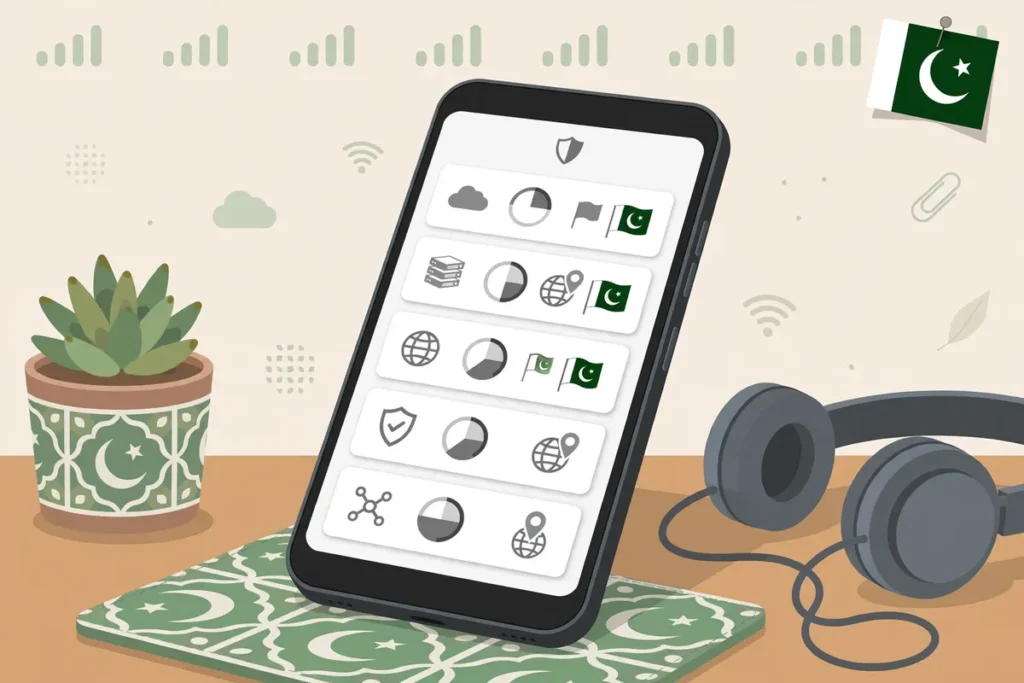
If you need the best free VPN for Android Pakistan users can actually rely on, start with this short answer: Proton VPN Free and hide.me Free are the only widely trusted options in this comparison with no monthly data cap, Windscribe Free and PrivadoVPN Free give you 10 GB a month with real country choice, and TunnelBear Free gives you just 2 GB a month for very light use and if you already know you will outgrow those caps, a paid step-up such as Surfshark get 80% off for our users removes the data, country and device limits altogether instead of forcing you to ration every megabyte.
Everything else in this Android VPN free comparison exists to help you choose between those trade-offs honestly: unlimited data but no country choice, or a smaller allowance where you can pick the country yourself.
That distinction matters more in Pakistan than in many other markets. Many readers are on prepaid mobile data, where every gigabyte has a visible cost and where a VPN does not make mobile data itself free.
A VPN encrypts and reroutes the data you already pay your mobile network for; it does not create free internet, and any app promising free internet through a loophole should be treated as a warning sign, not a benefit.
On Jazz, Zong, Telenor or any other mobile network, the traffic that passes through a VPN still counts against your mobile package in the normal way, so a data-capped free VPN and a data-capped mobile bundle can run out at the same time if you stream carelessly. Choosing well means matching the VPN limit to the way you actually use your phone.
This guide only compares genuinely free, ongoing free plans with Android apps, checked against official provider pages and official Play Store listings in October 2026. It does not dress up a seven-day trial, a money-back guarantee or a discounted first month as a free plan. Where a provider’s own pages disagree slightly with each other, this article says so rather than smoothing the difference away.
Where a detail could not be confirmed from an official source, it is flagged instead of invented.
The Direct Answer: Which Android Free VPN App Should You Try First?
For most people in Pakistan, try Proton VPN Free first if your priority is private, everyday browsing without watching a data meter. Its official plans page describes a free plan with unlimited data, a strict audited no-logs policy, servers in 10 countries that are randomly selected rather than chosen by you, and one device connected at a time.
That combination suits messaging, browsing, banking on unfamiliar Wi-Fi and general privacy, but it does not suit anyone who must appear in one specific country on demand.
Try Windscribe Free first if country choice matters more than unlimited data. Windscribe’s official Android guidance and Play Store listing describe up to 10 GB per month when you confirm an email address, or 2 GB per month without one, with no credit card needed and access to a limited set of free locations that you can choose from.
Try hide.me Free first if you want unlimited data without even creating an account: hide.me’s official pricing page lists its free plan as unlimited data, one connection and 8 locations, with no credit card required, and its free VPN page stresses that it is a lifetime free plan, not a trial, with no registration or sign-up required.
Try PrivadoVPN Free if you want 10 GB with country choice and a simple Android app, accepting that its privacy claims have less independent audit history behind them than Proton’s or hide.me’s. Try TunnelBear Free only for occasional, very light use, because 2 GB a month disappears quickly once images, app updates or a single video call pass through the tunnel.
None of these free plans is a full substitute for a paid VPN for heavy streaming, large downloads or multi-device households, and pretending otherwise would not help you.
Android VPN Free Comparison: Data Limits, Country Access and Requirements
The table below is the heart of this Android free VPN app comparison. Read the data limit column together with the country choice column, because those two limits trade against each other in almost every plan, and then check the account and Android requirement columns before you install anything on an older phone.
| Provider (free plan) | Android free VPN data limits | Android free VPN country access — can you choose? | Account / card needed? | Android free VPN app requirements |
|---|---|---|---|---|
| Proton VPN Free | Unlimited data | No manual choice — server randomly selected from 10 countries: Netherlands, Japan, Romania, Poland, Norway, Switzerland, Singapore, Mexico, Canada and the United States (official plans page, checked Oct 2026) | Proton account for full app use; official Play listing highlights one-tap free use with no sign-up required for the free connection flow — no credit card for Free | Android 8.0 or higher (Play Store data via AppBrain, Oct 2026) |
| Windscribe Free | 2 GB/month, rising to 10 GB/month with a confirmed email address | Yes — choose from free locations in 10 countries | Account optional for 2 GB; confirmed email needed for 10 GB; no credit card needed (official Play listing) | Android 7.0 (Nougat) or above (Windscribe official Android guide) |
| hide.me Free | Unlimited data (official pricing page, checked Oct 2026) | Yes — choose from 8 free locations | No sign-up and no credit card required (official free VPN and pricing pages) | Android 6.0 or later (hide.me official Android download page, version 6.1.2) |
| PrivadoVPN Free | 10 GB per month / per 30 days at full speed, then limited emergency / slower access until renewal | Yes — choose your location; official website FAQ says 13 server locations, Play Store listing says 12 global servers (official sources differ slightly) | Free account sign-up required; no credit card required (official website FAQ) | Minimum Android version not confirmed from an official PrivadoVPN page at research time — check the Play Store listing on your own device before relying on it |
| TunnelBear Free | 2 GB per month, resetting monthly, unused data does not carry over (official TunnelBear help page) | Historically yes, but recent TunnelBear updates reported in late 2025 / early 2026 made country selection a paid feature for normal free accounts — treat free country choice as automatic / limited and check in-app | Account required; no credit card required (official Play Store listing) | Android 8.0 or higher in current app listings — check the Play Store listing on your device, as secondary listings differ between 8.0 and 8.1 |
Proton VPN Free: Unlimited Data, No Country Choice
Proton is the privacy-first pick in this comparison. Its official free plan is funded by its paid plans rather than by advertising, and Proton states that the free tier carries the same strict, audited no-logs policy, DNS leak protection, kill switch and always-on VPN support as its wider service.
For a reader in Pakistan who mainly wants an encrypted connection on public Wi-Fi, safer browsing on mobile data and protection against casual tracking, that is a strong starting point, especially because there is no monthly cliff where protection simply stops mid-task.
The compromise is control. Because the free server is randomly selected from that 10-country pool, you cannot reliably use Proton Free to appear in, say, the United States every time, and you should not plan around a specific streaming library, a specific country’s prices or a work tool that requires one location.
You also get only one simultaneous device connection on Free, so a phone, a tablet and a family member’s phone cannot all share the same free account at once. If those limits are acceptable, Proton’s unlimited data makes it the easiest free plan to live with day to day.
Windscribe Free: 10 GB and Real Location Choice
Windscribe is the flexibility pick. The step from 2 GB to 10 GB simply for confirming an email address is clearly described in Windscribe’s own Android guide, and its Play Store listing repeats the headline clearly: a free plan with a 10 GB monthly data allowance and no credit card needed.
Free users can choose among the free locations rather than accepting an automatic assignment, which makes Windscribe more useful when the country itself is the point of connecting — for example, testing how a page appears from another market or reaching a service that is tied to one of the free countries.
Windscribe also allows use across many devices under one account in its wider model, although the 10 GB allowance is an account-level budget, not 10 GB per device, so a household can burn through it faster than a single user expects.
Budget the allowance deliberately: keep the VPN on for browsing, messaging, email and public Wi-Fi, and think twice before sending large video streams or big app downloads through it on mobile data in Pakistan, where you would be spending both your Windscribe allowance and your mobile bundle at once.
Hide.me Free: Unlimited Data Without an Account
hide.me is the low-friction pick. Its official pricing comparison lists the free plan with unlimited data and bandwidth, one connection and 8 locations, and its free VPN page describes a lifetime free service with no registration, no sign-up, no ads or trackers and no logs.
The official site also says free users receive the same security approach as paid users, which is an unusual and welcome promise for a no-account tier.
The trade-offs are a smaller location pool than any paid plan, only one connection at a time, and the practical reality that a free, unlimited service must manage capacity somehow — hide.me’s wider reviews and help material have historically discussed speed management on free accounts, so you should expect free performance to vary at busy times rather than assuming paid-level speeds.
If you value being able to install, connect and test a VPN in minutes without handing over an email address, hide.me is the cleanest illustration in this guide of an Android free VPN without credit card and without an account.
A note on conflicting information: some older hide.me pages and third-party reviews still mention a 10 GB figure for free users. Its current official pricing page and its current free VPN page, both checked for this article in October 2026, describe the free plan’s data as unlimited.
This article follows the current official pricing page, and you should re-check that page on the day you install, because free-tier terms do change.
PrivadoVPN Free: 10 GB with Location Choice, Less Audit History
PrivadoVPN’s official site answers its own question — is the free plan really free? — with a clear yes: 10 GB of data per month, access to server locations and strong encryption with no credit card required. Its Play Store listing gives the same 10 GB figure, describes 12 global servers for free users and lists protocols including WireGuard, OpenVPN and IKEv2.
After the full-speed allowance is used, PrivadoVPN’s model moves you to limited or slower emergency access rather than cutting you off completely, which is gentler than a hard stop but not suitable for video.
Choose PrivadoVPN when location choice inside a 10 GB budget is your main need and you understand the evidential gap: unlike Proton and hide.me, PrivadoVPN does not point to the same depth of publicly discussed independent no-logs auditing in the material reviewed for this article.
That does not make it unsafe by itself, but it does mean a privacy purist should rank it below the audited options, and anyone handling especially sensitive work should weigh that difference seriously.
TunnelBear Free: Friendly, Simple and Very Small
TunnelBear’s official help page is refreshingly blunt: free accounts get 2 GB of data per month, the data resets on the monthly anniversary of account creation, unused data does not carry over, and free accounts are best used to determine whether TunnelBear will work for your needs. Its Play Store listing repeats the 2 GB figure and confirms that no credit card is required.
That framing is exactly right. TunnelBear is a good first VPN to learn on — the app is famously simple — and 2 GB is enough to test connections on your own network, protect a few public Wi-Fi sessions or check email more privately while travelling. It is not enough for daily all-day protection, regular video or a family.
You should also check country selection inside the app on your own account, because TunnelBear’s recent product changes have moved country selection and split tunnelling towards the paid tier for free accounts. If you install TunnelBear expecting to pick any country freely and find that you cannot, that is the new free-plan boundary, not a fault with your phone.
Surfshark — our recommended VPN for Pakistan
Unlimited simultaneous connections, servers in 100 countries, and a 30-day money-back guarantee.
Free Plan, Trial or Money-Back Guarantee? The Android Free VPN vs Trial Difference
A large share of confusion in this market comes from language, so this section is deliberately plain. A genuinely free plan, like the five above, continues month after month at no charge, with permanent limits on data, countries, devices or features.
An Android free VPN vs trial comparison is different: a free trial gives you the full paid product for a short period, often three to seven days, and then billing begins unless you cancel — and many trials ask for a payment method up front.
A money-back guarantee is not free at all at the point of purchase: you pay first, use the paid product, and request a refund inside a stated window, commonly 30 days, if the provider’s conditions are met.
Why does this matter for readers in Pakistan? Because a trial that auto-converts can charge a card in a currency and at a renewal price you did not budget for, a refund can take time to return to a local account, and some payment methods used in Pakistan make international refunds slower or more awkward than the marketing page suggests.
None of that makes trials or guarantees dishonest — they can be a sensible way to test a paid VPN properly — but they should never be counted as an Android free VPN app with no cost.
If a listing in the Play Store says “free” in large letters and then asks for card details to start a timed trial, read that screen as a trial, not as a free plan.
The providers in this guide were included precisely because each one maintains an ongoing free tier that sits alongside its paid plans. Proton Free does not expire after a week. Windscribe Free renews its allowance monthly. hide.me describes its free service as lifetime free. PrivadoVPN separates its free sign-up from a paid trial in its own frequently asked questions. TunnelBear’s free allowance resets monthly.
Keep that test in mind for any other app you consider: if the free access has a countdown in days rather than a monthly allowance, it is a trial.
Which VPN Setup Methods Does Android Support?
Android gives you more than one way to connect, and understanding the methods prevents a common mistake — assuming that a manual profile in Settings is the same thing as a provider’s app. It is not, and the features available to you depend heavily on which method you choose.
Method 1: The Provider’s Android App
This is the recommended method for every free plan in this article. You install the official app from Google Play, sign in or continue without an account where the provider allows it, grant Android’s VPN permission prompt, choose a server if your free plan allows choice, and tap Connect. The app handles the modern protocols, server list, kill switch behaviour and updates for you.
Proton, Windscribe, hide.me, PrivadoVPN and TunnelBear all publish Android apps, and those apps are the only route that gives you their free-plan allowances, in-app data counters and free server pools exactly as described.
Always download from Google Play or from the provider’s official website, and check that the developer name on the Play listing matches the provider.
Never install a “premium unlocked” or “mod” version of a VPN app from an APK site: a modified VPN client sits in the most sensitive position possible on your phone, able to see the traffic you were trying to protect, and cracked versions are a well known delivery route for malware.
Method 2: Android’s Built-in VPN Client
Android also includes a built-in VPN client that you can configure manually under Settings, then Network and internet, then VPN, then Add VPN. Historically and in current settings on many devices, the built-in profiles cover types such as PPTP, L2TP/IPsec and IKEv2/IPsec in variants including PSK, RSA and MSCHAPv2 or EAP, depending on your Android version and phone maker.
You need a server address, a username and password, and sometimes a pre-shared key or certificate, all supplied by a VPN service, an employer, a university or your own server.
For the free consumer plans in this comparison, the built-in client is usually the wrong tool: most of these providers expect you to use their apps for free accounts, do not hand out manual credentials for free servers, and reserve configuration generators for paid users. PPTP in particular is an old protocol with known weaknesses and should be avoided for privacy.
Use the built-in client when an organisation gives you explicit manual details and instructions, not as a shortcut around an app.
Method 3: Always-On VPN and Per-App Controls
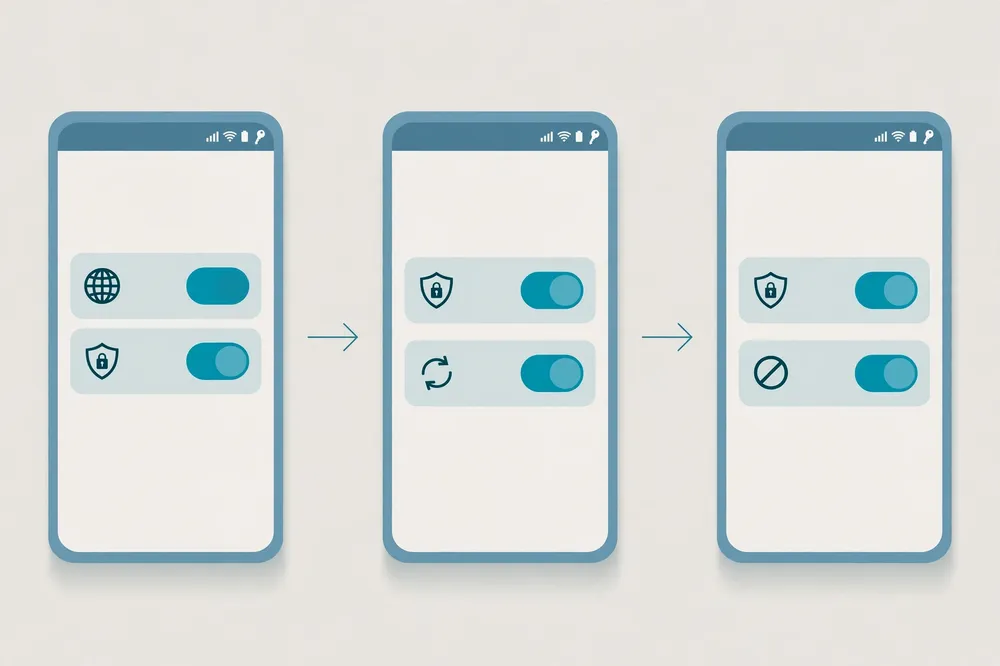
Once any VPN is installed, Android’s own settings add two powerful controls. Always-on VPN, available from Android 7.0 onwards according to Android’s developer documentation, lets the system start your chosen VPN automatically and keep it running. Alongside it, Block connections without VPN stops traffic leaking outside the tunnel when the VPN is down.
You will find both by opening Settings, Network and internet, VPN, and tapping the gear icon next to your VPN app.
Android also supports per-app VPN behaviour, and many provider apps add their own split tunnelling, which lets you route only selected apps through the VPN — useful for saving a capped allowance by keeping a local banking or mobile-money app on its normal connection if it dislikes foreign IPs, while keeping your browser and messaging inside the tunnel.
Android Free VPN App Requirements: Versions, Storage and Accounts
The FAQ-style question — which app or OS version requirements matter? — has a practical answer in three parts.
First, the operating system: as the comparison table shows, current versions of these apps need roughly Android 6.0 to 8.0 or higher depending on the provider, with Proton at Android 8.0+, Windscribe at Android 7.0+ and hide.me at Android 6.0+ in the official or Play-derived sources checked for this article.
A phone stuck on a very old Android release may not be offered the current app in Google Play at all, and running an old, unpatched Android is itself a security risk that no VPN can fix.
Second, the account requirement. An Android free VPN without credit card is the norm among reputable providers — none of the five in this guide requires a card for its free plan — but “no card” does not always mean “no account”. hide.me needs no sign-up.
Windscribe works with a smaller 2 GB allowance before you confirm an email, and unlocks 10 GB when you do. Proton, PrivadoVPN and TunnelBear are account-centred models, even though Proton’s current Play listing promotes a no-sign-up quick connection flow for free use.
Use a real email address you control for any account you create, because password resets, allowance confirmations and security alerts depend on it, and never reuse your main banking password for a VPN account.
Third, the phone itself. You need enough free storage for the app and its updates, a screen lock set before Android will let you save some manual VPN profiles, and permission to grant the VPN connection request the first time you connect.
If Google Play says “Your device isn’t compatible with this version”, believe it: do not work around that message by sideloading an APK from a random site. Either update the phone’s software if the maker still offers updates, choose another provider whose app supports your version, or accept that the handset is too old for a current VPN app.
Language and accessibility deserve a brief, honest note. Android itself is available in Urdu, and switching your phone’s system language changes the menus around a VPN app, but a provider app’s own interface, help pages and support may still be in English or a limited set of languages.
This article does not claim Urdu-language support inside any specific provider app, because that was not documented on the official pages checked for this guide.
If Urdu-language help matters to you, check the app’s Play Store listing and the provider’s support site on the day you choose, and prefer the simplest app — in this list, TunnelBear and Proton are generally the least cluttered — if English-language settings are a barrier for a family member.
How to Verify the Connection on Android
Installing an app and seeing the word “Connected” is not verification. Follow these steps each time you try a new free provider, a new server or a new network in Pakistan, so you know the tunnel is really working before you trust it with anything sensitive.
Step-By-Step Verification
- Check the Android status indicators. After connecting, look for the key or VPN icon in your status bar and pull down the notification shade: Android shows an active VPN notification naming the app. Then open Settings, Network and internet, VPN, and confirm your chosen app is listed as connected.
- Compare your IP address before and after. With the VPN off, open your browser and note the IP address and location shown by an IP-check website. Connect the VPN, refresh the same page, and confirm that both the address and the apparent location have changed to the VPN server’s country — or, for Proton Free, to whichever free country you were assigned. If nothing changed, the tunnel is not carrying your browser traffic.
- Run a DNS leak check. On the same kind of test site, run the DNS test and confirm the DNS servers belong to your VPN provider or its infrastructure, not to your mobile network or home ISP. A DNS leak means the sites you visit may still be visible to the local network even though your main traffic is encrypted.
- Test what happens when the VPN drops. Turn on Always-on VPN and Block connections without VPN for your chosen app, then briefly enable Aeroplane mode and turn it off again. Your phone should reconnect through the VPN or block traffic until it does, rather than quietly continuing without protection. In provider apps that offer a kill switch, confirm that setting is on as well.
- Check the data counter against your plan. In Windscribe, PrivadoVPN or TunnelBear, note the remaining allowance inside the app before and after a browsing session so you learn how quickly your own habits consume it. On Android, you can also open Settings, Apps, and your VPN app to see how much mobile data the app itself has used, which helps you separate VPN allowance use from your Jazz, Zong or Telenor bundle use.
- Test on both Wi-Fi and mobile data. A free VPN that connects on home Wi-Fi may behave differently on mobile data, and the reverse is also true. Verify once on each network you actually use, including the public or office Wi-Fi where you most need protection.
If a site or app fails only while the VPN is on — a banking app is the classic example — disconnect, note which server country you were using, and try another permitted free location or exclude that app through split tunnelling if your provider offers it. Do not solve the problem by leaving the VPN off permanently for everything.
Using Free VPN Data Wisely on Mobile Networks in Pakistan
Because this guide is written for Pakistan, it needs to address the cost illusion directly. Readers sometimes search for a free VPN hoping it will also solve expensive or limited mobile data. It will not.
A VPN adds a small amount of encryption overhead to the same traffic, so if anything you may use marginally more mobile data with a VPN on than off for the same activity. What a reputable free VPN gives you is privacy, encryption on untrusted networks and, where the plan allows it, a choice of apparent country — not free gigabytes from your carrier.
That reality makes budgeting a skill. On a 10 GB free plan, standard-definition video, social media feeds with autoplay, cloud photo backup and operating-system updates are the fastest ways to exhaust the month in a few days.
Turn off autoplay where you can, set large downloads to Wi-Fi only in Google Play, and consider using split tunnelling so only the apps that need protection use the capped VPN. On an unlimited free plan from Proton or hide.me, you do not have the VPN allowance problem, but you still have your mobile bundle limit, so the same Wi-Fi discipline protects your prepaid balance.
There is also a regulatory and network reality to state calmly. Internet regulation in Pakistan, including the role of the Pakistan Telecommunication Authority (PTA), has at different times affected which services, sites and VPN-related arrangements are reachable or officially encouraged, and the position can change. This article is a consumer comparison of lawful, publicly available apps, not legal advice.
Use a VPN for privacy and security on networks you are entitled to use, respect the terms of the services you access, and check current local guidance if your use is for work, journalism or a regulated business where registration or approval questions may arise.
The Risks of Unknown Free VPN Apps: Logging, Ads and Malware
The most dangerous sentence in this market is “all free VPNs are the same”. They are not. The five providers above fund their free tiers from paid subscriptions sold by identifiable companies with published privacy policies.
A large and rotating cast of unknown free VPN apps funds itself in ways you cannot see, and the VPN position on your phone gives the operator exceptional visibility if it chooses to abuse it.
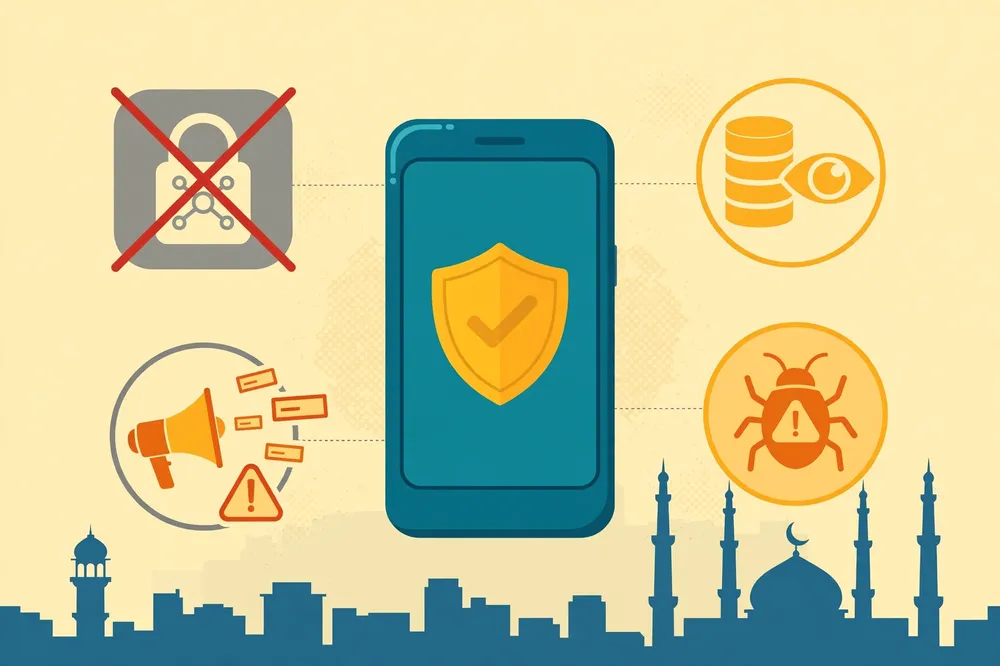
Understand the three main risks. First, data logging and resale: a VPN provider can technically observe the traffic routed through its servers, so a dishonest free app can record the sites you visit, inject its own advertising identifiers or sell usage data to third parties, achieving the exact opposite of why you installed a VPN.
A published no-logs policy is a promise; an independently audited no-logs policy, of the kind Proton and hide.me point to, is a promise that outsiders have examined. Prefer the second kind, and treat any free app with no clear company name, no privacy policy you can read and no presence outside the Play Store as untrusted.
Second, advertising and manipulation: ad-funded free VPNs may show aggressive full-screen ads, push you towards unrelated apps, or route you through sponsored results. Ads inside an app are not automatically proof of wrongdoing, but an app that interrupts every connection with promotions is telling you who its real customer is.
None of the headline claims for the five main providers in this guide depends on in-app advertising as its free-tier model, which is one reason they were selected.
Third, malware and proxy abuse. Security researchers have repeatedly documented free VPN and proxy apps that contained malicious code, excessive permissions or hidden proxy functions that turned users’ phones into exit points for other people’s traffic. You would bear the risk if strangers’ activity appeared to come from your connection.
Reduce that risk with simple rules: install only from Google Play, check the developer name and the app’s data-safety section, refuse permissions a VPN does not need such as access to your contacts or messages, keep the app updated, and delete any VPN you no longer use so an abandoned app cannot sit with VPN permission on your phone.
A short checklist before installing any Android free VPN app that is not in this guide: Can you name the company behind it? Does it publish a readable privacy policy that says what it logs? Does it explain how the free service is paid for? Is it in Google Play under that company’s name, with a data-safety disclosure?
Has its no-logs claim been audited or tested by anyone independent? If you cannot answer most of those questions in a few minutes, do not give that app control of all your phone’s traffic.
Limitations of Free VPNs on Android You Should Accept Before You Start
Even the best free plans in this comparison carry real limitations, and naming them protects you from disappointment. Data caps are the obvious one for Windscribe, PrivadoVPN and TunnelBear users. Country limits are the second: free pools of 8 to 13 locations are small beside paid networks that advertise dozens of countries, and Proton Free removes manual choice altogether.
Device limits are the third: one simultaneous connection on Proton Free and hide.me Free is workable for a single phone and restrictive for everyone else.
Performance is the fourth limitation. Free servers are shared by many non-paying users, may be given lower priority at busy times and will rarely be optimised for streaming in the way paid servers are.
Do not expect any free plan here to guarantee access to a particular streaming service or library; streaming rights and detection change constantly, and no provider in this guide promises free users a specific catalogue.
The fifth limitation is support: free users typically receive help through knowledge bases and community or ticket systems rather than priority live assistance, so a problem on a free plan may take longer to resolve.
Finally, remember what a VPN does not do, free or paid. It does not make you anonymous if you sign into accounts that know who you are, it does not stop an app you installed from collecting data you permitted it to collect, it does not remove malware already on your phone, and it does not make a weak password safe.
Treat a VPN as one layer — alongside Android updates, a screen lock, two-step verification and careful app installs — not as a complete security solution.
If you regularly need unlimited data, full country choice, several devices and streaming-optimised servers, that is the point at which a paid plan stops being a luxury and becomes the honest recommendation; you can start your comparison of that step-up from Free VPN Pakistan itself.
Surfshark — our recommended VPN for Pakistan
One subscription covers your whole household — phones, laptops, TV and router.
Frequently Asked Questions
Which VPN Setup Methods Does Android Support?
Android supports installing a provider’s official app from Google Play, which suits free consumer plans best; adding a manual profile in Settings, Network and internet, VPN, using built-in types such as IKEv2/IPsec or L2TP/IPsec with supplied server details; and system controls such as Always-on VPN and per-app routing.
Which App or OS Version Requirements Matter?
Your Android version, a provider account where required, and Play Store compatibility matter most. Current apps here need about Android 6.0 to 8.0 or higher depending on the provider. No free plan here needs a credit card, and Windscribe needs a confirmed email to raise its allowance from 2 GB to 10 GB.
How Do I Verify the Connection on Android?
Look for the VPN key icon in the status bar, confirm the app shows connected in Settings, Network and internet, VPN, then compare your IP address and location before and after connecting on an IP-check site. Run a DNS leak test and enable Always-on VPN and Block connections without VPN.
Is a Free VPN Really Free, or Will I Be Charged Later?
The five plans in this guide are ongoing free plans, not timed trials, so they do not convert into paid subscriptions by themselves and none requires a credit card to start. You will only be charged if you deliberately buy a paid upgrade.
That is different from a free trial, which ends and bills you, and from a money-back guarantee, where you pay first and claim a refund.
Can a Free VPN Give Me Free Mobile Internet in Pakistan?
No. A VPN encrypts and reroutes the mobile data you already have; it does not add data to your Jazz, Zong, Telenor or other mobile package, and the traffic through the VPN still counts against your bundle. Apps claiming to provide free internet through a VPN loophole should be avoided, as they commonly break carrier terms and are a frequent source of malware.
Which Free VPN Is Best If I Need to Choose a Specific Country?
Choose Windscribe Free, hide.me Free or PrivadoVPN Free, because their free plans let you select from their free locations — 10 countries for Windscribe, 8 locations for hide.me and around 12 to 13 locations for PrivadoVPN in official sources.
Do not choose Proton Free for a specific country, because its free server is randomly selected, and check TunnelBear’s current in-app behaviour, as country selection has moved towards its paid tier.
Are Free VPNs Safe to Use for Banking and Public Wi-Fi?
A reputable free VPN from an identifiable, audited provider is a sensible protection on public Wi-Fi and is safer than connecting with no VPN at all, because your traffic is encrypted between your phone and the VPN server.
Safety depends on the provider, not on the word “free”: avoid unknown apps with no readable privacy policy, excessive permissions or no explanation of how the service is funded.
Conclusion: Pick the Limit You Can Live With
There is no single best free VPN for Android Pakistan readers that wins on every measure, and any article claiming otherwise is selling you something. There is a best choice for a particular limit you are willing to accept.
If you cannot live with a data cap, choose between Proton VPN Free, with audited privacy and automatic server selection on one device, and hide.me Free, with unlimited data, location choice from 8 places and no account at all.
If you need country choice inside a measured monthly budget, Windscribe Free’s 10 GB with a confirmed email is the most flexible capped plan, PrivadoVPN Free matches the 10 GB figure with its own location pool, and TunnelBear Free remains a friendly 2 GB tester rather than a daily driver.
Whichever Android free VPN app you install, do the unglamorous parts properly: download it only from Google Play under the provider’s real name, verify the IP and DNS change yourself, switch on Always-on VPN and Block connections without VPN, and watch both your VPN allowance and your mobile bundle for the first month so the limits stop being surprises.
Re-check the provider’s official free-plan page every few months, because allowances and location pools change, as hide.me’s move in official descriptions from older 10 GB references to current unlimited wording shows.
And keep the step-up in perspective. Free plans are an excellent, legitimate way to gain private browsing and public Wi-Fi protection at no cost in Pakistan.
When your use grows past them — when you need every country, every device, no allowance arithmetic and servers chosen for streaming — a paid VPN is the tool designed for that job, and readers of this guide can explore Surfshark with 80% off for our users as one clear-priced way to make that jump.
Until then, start free, start with one of the five audited or clearly documented options above, and start today with the provider whose trade-off fits your phone, your data bundle and your habits best.