
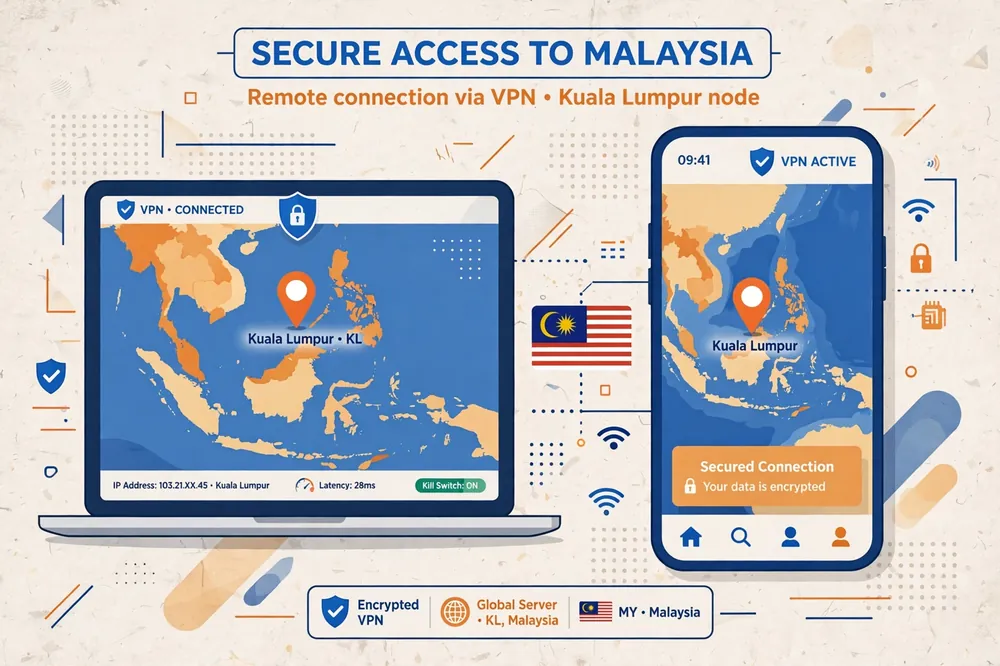
Getting a Malaysia IP address from Pakistan takes only a few minutes once you have a VPN with servers in Malaysia. Surfshark, which we recommend for readers in Pakistan and promote as 80% off for our users, is one of the simplest ways to do it, because it lists Malaysia among its more than 100 server countries and lets you pick the location in a couple of taps.
A Malaysia IP address is simply the public address that websites and apps see when your internet traffic leaves through a server in Malaysia. Your real Pakistani IP address is hidden, and the services you visit treat your connection as if it were coming from Malaysia instead.
This guide explains the whole process step by step: choosing a provider that genuinely offers Malaysia servers, connecting on Android, iPhone, and Windows, verifying that your new IP really shows Malaysia, and fixing the common problems that make a Malaysia connection show the wrong location.
It also explains what a Malaysia IP can and cannot do. It changes the network location that websites see, but it does not change your device GPS, your account region, or a service’s own rules about who may use it. Knowing those limits before you start saves frustration later.
The Short Answer: Get a Malaysia IP in Five Steps
Choose a VPN that lists Malaysia among its server locations and offers it on your plan. Surfshark, NordVPN, ExpressVPN, Proton VPN, and Private Internet Access all list Malaysia servers, though some restrict the location to paid plans, so confirm this before you pay.
Download the provider’s official app for your device and sign in with your account. Official apps are the only method this guide covers, because third-party configuration files and unknown apps add risk and often break without warning.
Open the server list, search for Malaysia, and connect to it. Most apps show Malaysia as a country entry, sometimes with a city such as Kuala Lumpur. Once the app reports that you are connected, your traffic is routed through that server.
Verify the result before you use any location-sensitive service. Visit an IP checker and confirm that the address, country, and city all show Malaysia, and that your Pakistani internet provider no longer appears in the results.
If the check shows another country, work through the troubleshooting steps later in this guide before trying again. A mismatch usually comes from a virtual server, a stale browser location, or a geolocation database that has not been updated, and each cause has a different fix.
Why Readers in Pakistan Want a Malaysia IP Address
Readers in Pakistan usually want a Malaysia IP for a practical reason, not out of curiosity. The most common one is access to Malaysian websites and services that check a visitor’s location, such as local news sites, banking portals, and streaming platforms like Tonton and Iflix.
Malaysians living in Pakistan, and Pakistanis with family, work, or study ties to Malaysia, are another large group. A Malaysia IP lets them use services tied to their Malaysian accounts and keep up with content from home without asking a relative to share a screen.
Some readers want a Malaysia IP for privacy rather than access. Routing traffic through a Malaysian server hides their Pakistani IP address from the websites they visit, which is useful on public Wi-Fi or when they simply prefer not to broadcast their real location.
Business users sometimes need a Malaysia IP to test how a website, advertisement, or online store appears to Malaysian visitors. Checking a site through a Malaysian exit point shows the same prices, language, and content that a customer in Kuala Lumpur would see.
Whatever your reason, the method is the same, and the checks at the end matter just as much as the connection itself. An unverified Malaysia IP is only a guess, and the services you care about will check the same details this guide teaches you to check.
Choose a Provider With Malaysia Servers
The first requirement is simple but easy to get wrong: the provider must actually operate servers that give you a Malaysian IP address. Many VPNs advertise a long country list, but the Malaysia entry may sit behind a higher-priced plan, or exist only as a virtual location, which is covered later in this guide.
Check the provider’s own server page before subscribing. Look for Malaysia by name, and note whether the page mentions a city such as Kuala Lumpur or Johor Bahru. A provider that names its Malaysian cities is usually giving you a real, maintained location rather than a placeholder entry.
Also check whether Malaysia is available on the plan you intend to buy. Proton VPN, for example, offers its Malaysia servers on its paid Plus plan, while its free tier only connects to a nearby fastest server and does not let you choose Malaysia at all. A free plan that cannot select Malaysia is no help for this task.
Server count matters less than reliability for this purpose. NordVPN lists more than a dozen servers in Malaysia, Proton VPN lists more than 30 across Johor Bahru and Kuala Lumpur, and Surfshark lists more than 25. Any of those is enough, because you only need one working Malaysian exit point.
Finally, consider the provider’s refund policy before paying. A money-back guarantee of 30 days or more gives you time to test the Malaysia location on your own connection in Pakistan and cancel if the servers are slow, unstable, or blocked by the services you need.
Surfshark for a Malaysia IP Address
Surfshark is the provider we recommend for readers in Pakistan who want a Malaysia IP address, because it combines Malaysia servers with a simple app, unlimited simultaneous devices, and low longer-term pricing. One subscription covers your phone, laptop, and every other device in the household at once.
Surfshark’s app lists Malaysia as a country location, and connecting takes two taps: open the location list, choose Malaysia, and wait for the app to confirm the connection. The app also supports WireGuard and OpenVPN, a kill switch, and CleanWeb ad and tracker blocking.
Surfshark’s longer-term pricing is reported at around 2.49 dollars per month on introductory two-year plans. At an approximate rate of PKR 280 per US dollar as of November 2026, that is roughly PKR 700 per month, which makes it one of the cheapest paid routes to a Malaysia IP.
Surfshark — our recommended VPN for Pakistan
For readers who want a Malaysia IP without a complicated setup, this is the straightforward starting point.
How to Connect to a Malaysia VPN Server
The connection steps are nearly identical across providers, and once you have done them on one device, the others feel familiar. Start by signing up on the provider’s official website and downloading the app from the official store for your device, not from a third-party download site.
Install the app, sign in, and grant the permissions it asks for. On Android and iPhone, the app needs permission to create a VPN configuration the first time it connects, and the system will show a confirmation prompt. Accept it, because the app cannot protect your traffic without it.
Open the location list inside the app. Most apps show a search box at the top, a list of countries, or a world map with pins. Type Malaysia, or scroll to it, and tap the entry. Some providers also let you pick a specific city, such as Kuala Lumpur, which is useful if one city performs better than another.
Wait for the app to report a successful connection. It usually shows a connected status, a timer, and sometimes the new IP address. Do not open your banking app or streaming service until this status appears, because traffic sent before the tunnel is ready still uses your real Pakistani IP.
If the app offers a choice of protocol, leave it on the automatic setting for your first connection. WireGuard is the usual default and connects fastest, while OpenVPN is a good fallback if WireGuard traffic is blocked on your network. Changing protocols is a troubleshooting step, not a first step.

Get a Malaysia IP Address on Android
On Android, download the provider’s app from the Google Play Store, sign in, and tap the location list. Search for Malaysia, tap it, and confirm the VPN connection prompt that Android shows the first time. The app should connect within a few seconds.
Once connected, check the key icon in your status bar, which confirms that a VPN tunnel is active. If the icon disappears, the tunnel has dropped, and your traffic is using your real IP again, so reconnect before opening any location-sensitive service.
Android also lets you set the VPN to stay connected. In the system settings, under the VPN section, you can enable always-on VPN for your chosen app, which blocks traffic outside the tunnel. This is worth enabling if you use the Malaysia IP for banking or work, because it removes the risk of an accidental leak.
Some Android phones from different makers hide the VPN settings in different menus, so search the settings app for VPN if you cannot find it. The always-on option is standard on recent Android versions, and it works with the major providers’ apps without extra setup.
Get a Malaysia IP Address on iPhone
On iPhone, download the provider’s app from the App Store, sign in, and choose Malaysia from the location list. iOS will ask you to allow the app to add a VPN configuration the first time, and you confirm this with your passcode, Face ID, or Touch ID.
After connecting, look for the VPN indicator in the status bar or the control centre, which confirms the tunnel is active. You can also open the iOS Settings app, tap VPN, and see the connected status and the configuration your provider created.
iOS offers a connect-on-demand option for some VPN configurations, which reconnects automatically when the network changes. This is useful if you move between Wi-Fi and mobile data during the day, because the Malaysia IP stays active instead of dropping each time the network switches.
Note that iOS does not let a VPN change your device GPS location, and Apple services such as the App Store use your Apple ID region rather than your IP address. A Malaysia IP will not change your App Store country, and that is expected behaviour rather than a fault.
Get a Malaysia IP Address on Windows
On Windows, download the provider’s installer from its official website, run it, and sign in. Open the app, search the location list for Malaysia, and click connect. The app usually shows a connected status and the new IP address on its main screen.
Windows apps generally offer the most settings, including a kill switch and a choice of protocol. Turn the kill switch on before your first Malaysia connection, because it blocks all traffic if the tunnel drops, which protects you from silently reverting to your Pakistani IP.
If you use a browser extension from the same provider, remember that the extension only protects traffic inside that browser, while the desktop app protects the whole system. For a Malaysia IP that covers every app on the computer, use the desktop app rather than the extension alone.
After connecting, run the verification checks described in the next section before you log in to any Malaysian service. Windows sometimes keeps an old DNS cache, so if a site still shows your old location, clear the browser cache or restart the browser and check again.
How to Verify Your Malaysia VPN IP
Verification takes less than a minute and is the step most readers skip. Before connecting, visit an IP checker and note your real IP address, your internet provider’s name, and your location, which should show Pakistan. Write these down or take a screenshot for comparison.
Connect to the Malaysia server, then visit the same IP checker again. The IP address should be completely different, the country should read Malaysia, and the city should usually read Kuala Lumpur or Johor Bahru. Your Pakistani internet provider’s name should no longer appear in the results.
Check a second source as well, because one checker can be wrong. Use a different IP lookup site, or search for what is my IP in your browser, and confirm that it also shows Malaysia. If two independent sources agree, your Malaysia IP is genuine.
Also check for DNS leaks, which happen when your device still asks your Pakistani internet provider’s DNS servers for website addresses even though the traffic itself goes through the VPN. A DNS leak test should show the VPN provider’s DNS servers, or servers in Malaysia, rather than your local provider.
If the check shows Malaysia but the service you want still blocks you, the problem is probably not your IP address. The service may check your account region, your GPS, or your payment method, and those checks are covered in the sections below.

Does Selecting Malaysia Change Device GPS?
No, selecting Malaysia in a VPN app does not change your device GPS location. A VPN changes the IP address that websites see, but your phone’s GPS receiver still reports your real physical position in Pakistan, and apps that request GPS permission can read it directly.
This matters most on Android and iPhone, where banking apps, ride-hailing apps, and some streaming services check GPS as well as IP. If the GPS says Pakistan and the IP says Malaysia, the app may refuse to work, show an error, or fall back to your real location.
There is no reliable way for a normal VPN app to change GPS on a stock phone. Some Android guides suggest developer options or mock-location apps, but these are unreliable, can break other apps, and may violate the terms of the service you are trying to use. This guide does not recommend them.
The practical answer is to treat GPS and IP as two separate checks. A Malaysia IP solves the network-location check, while GPS-based services need a different approach, such as using the service on a desktop browser, where GPS is not usually available to the website.
Virtual and Physical Malaysia Servers
A Malaysia location in a VPN app does not always mean the server hardware sits in Malaysia. Some providers use virtual locations, where the physical server is in a nearby country while the connection still receives a Malaysian IP address. ExpressVPN, for example, describes its Malaysia location as virtual.
A virtual location is not a scam, and for most purposes it works exactly like a physical one. Websites see a Malaysian IP, and the connection is encrypted in the same way. The difference is mainly routing: traffic may travel to a nearby country first, which can add a small amount of latency.
The reason virtual locations exist is practical. Some countries make it hard to run servers locally, whether because of data-centre costs, regulations, or infrastructure limits, so providers place the hardware nearby and assign it a Malaysian IP address instead.
If a virtual location causes problems, such as a service that checks the server’s physical routing, try a different provider that operates physical servers in Malaysia. Proton VPN, for instance, lists physical servers in Johor Bahru and Kuala Lumpur. Your IP checker will not reveal this difference, so the provider’s own documentation is the source to trust.
Check App and Browser Location Settings
Even with a working Malaysia IP, your browser and apps can give away your real location. Browsers use Wi-Fi signals, GPS, and past location data to estimate where you are, and a website that asks for location permission will receive that estimate rather than your IP-based location.
Before using a location-sensitive service, check your browser’s location settings. In Chrome, go to privacy settings and review which sites have location permission, and remove permission for the site you are testing. In Firefox, the same controls sit under privacy and permissions.
Also check your time zone, because some services compare it with your IP location. If your computer reports Pakistan Standard Time while your IP says Malaysia, a careful service may notice the mismatch. Setting your device time zone to Malaysia while you use the service removes that signal, though it is a small detail rather than a common cause of blocks.
Finally, clear cookies and cached data for the service you are testing, or use a fresh private browsing window. A cookie set during an earlier visit from Pakistan can tell the site where you were, even after your IP has changed to Malaysia.
What to Check Before Using a Location-Sensitive Service
Before you log in to a Malaysian bank, streaming platform, or government portal through your new IP, check three things beyond the IP itself: your account region, the service’s terms, and your payment method. Each of these can block you even when the IP check passes.
Account region is the most common hidden barrier. A streaming account created in Pakistan usually stays a Pakistan account, and a Malaysia IP does not move it. Some services let you change your account country, but that often requires a Malaysian payment method and can only be done once a year, so read the service’s own help pages first.
Terms of use are the second check. Many services state in their terms that they may block VPN traffic or restrict access by location, and they enforce this with VPN detection. This guide does not guarantee access to any particular service, and a provider that works today may be blocked tomorrow.
Payment method is the third check. A Malaysian service that requires a Malaysian card or a local mobile number will not accept a Pakistani card, regardless of your IP address. Confirm what the service accepts before you pay for a VPN subscription for this purpose alone.
Also confirm that the VPN plan you buy actually includes Malaysia. Some providers reserve certain locations for higher tiers, and discovering this after payment wastes both time and money. The provider’s server page and pricing page together give the full answer.
Troubleshoot Malaysia IP Mismatches
If your IP checker shows a country other than Malaysia after connecting, start by confirming that you are actually connected. Check the app’s status screen, and if it shows disconnected or reconnecting, wait for it to settle or reconnect manually before testing again.
If the app says connected but the checker shows your real Pakistani IP, the tunnel may have failed while the app still reports success. Disconnect, switch to a different protocol such as OpenVPN, and reconnect. A protocol change fixes this more often than any other single step.
If the checker shows a third country, such as Singapore, you may be on a virtual location or the app may have connected to the nearest available server instead of Malaysia. Disconnect, choose Malaysia explicitly from the country list rather than using a quick-connect button, and check again.
If the checker shows Malaysia but a specific website still treats you as being in Pakistan, the site is probably using a geolocation database that has not been updated, or it is reading your browser location or cookies. Clear the browser data, deny location permission, and try a private browsing window.
If the mismatch persists across several checks and protocols, contact your provider’s support with the details: the server you selected, the IP address you received, and what two different IP checkers reported.
Providers can reassign a mislabelled IP or move you to a different Malaysian server, and a reproducible report helps them do it quickly. For a deeper look at this problem, our IKEv2 VPN test checklist explains the verification steps that apply to any protocol.
Alternatives to a VPN for a Malaysia IP
A VPN is the easiest and most reliable way to get a Malaysia IP address, but it is not the only one. SmartDNS services can change the apparent location for specific streaming services without encrypting all of your traffic, though they do not hide your IP address and they work with a smaller set of services.
Proxy servers are another option, and some offer Malaysian exit points. They are usually cheaper than a VPN, but they rarely encrypt traffic, they often log activity, and free proxies in particular are a poor choice for anything involving a login or a payment.
The Tor browser routes traffic through volunteer relays and can exit in different countries, but you cannot reliably choose Malaysia as an exit country, and the speed is far lower than a VPN. Tor is a privacy tool, not a location tool, and it is a poor fit for this task.
For most readers, these alternatives are worse than a VPN in every way that matters: less privacy, less reliability, and no better chance of passing a service’s location check. A VPN remains the recommended method, and the rest of this guide assumes you are using one.
Pakistan-Specific Considerations
Readers in Pakistan face two practical issues that guides written elsewhere rarely mention: payment friction and the PTA’s VPN registration framework. International card payments can fail on Pakistani cards, so confirm your payment method works before the subscription renews, and keep a note of the renewal date.
The Pakistan Telecommunication Authority operates a registration system for VPN use, and readers who use a VPN for work or business purposes should check the current PTA guidance for their situation. This guide does not give legal advice, but the regulatory position exists and it changes, so check the PTA’s own announcements rather than relying on old articles.
Internet quality in Pakistan also varies by provider and by time of day, so a Malaysia server that works well for one reader may feel slower for another. Use the money-back guarantee period to test properly on your own connection, at the times you actually use the internet, rather than relying on speed claims made for other countries.
Finally, remember that a Malaysia IP does not change the price you pay for a VPN subscription. Providers bill in dollars or euros, and the rupee cost depends on the exchange rate and your bank’s international transaction charges. Our Surfshark pricing guide for Pakistan explains the full upfront and renewal costs in rupees, and our NordVPN pricing guide does the same for NordVPN.
Frequently Asked Questions
How Do I Confirm My IP Is Located in Malaysia?
Connect to a Malaysia server, then visit an IP checker and confirm that the address, country, and city all show Malaysia, and that your Pakistani internet provider no longer appears. Check a second IP lookup site as well, because two independent sources agreeing is far stronger evidence than one.
Does Selecting Malaysia Change Device GPS?
No, selecting Malaysia in a VPN app changes only the IP address that websites see. Your phone’s GPS receiver still reports your real physical position in Pakistan, and apps that request GPS permission can read it directly, so GPS-based services may still detect your real location.
What Should I Check Before Using a Location-Sensitive Service?
Check your account region, the service’s terms of use, and your payment method, as well as your IP address. A Malaysia IP does not move a Pakistan-registered account, override a service’s VPN rules, or replace a Malaysian payment method, and any of those can still block access.
Can I Get a Malaysia IP Address With a Free VPN?
It is very difficult. Most trustworthy free VPNs do not offer Malaysia servers, and those that do usually restrict location choice to paid plans. Proton VPN’s free tier, for example, cannot select Malaysia at all. A paid plan with a money-back guarantee is the reliable route.
Why Does My VPN Show Malaysia but the Website Still Blocks Me?
The website may be checking your account region, your GPS, your browser location, or a stale cookie, rather than your IP address. It may also detect and block VPN traffic. Clear your browser data, deny location permission, and check the service’s terms before assuming the VPN is at fault.
Is a Virtual Malaysia Location as Good as a Physical One?
For most purposes, yes. A virtual location still gives you a Malaysian IP address with the same encryption. The physical server sits in a nearby country, which can add a small amount of latency, but websites see Malaysia either way, and only a few services check physical routing.
Conclusion
Getting a Malaysia IP address from Pakistan is a short process: pick a provider with real Malaysia servers, connect through its official app, and verify the result with an IP checker before you use any location-sensitive service. The verification step is what turns a hopeful connection into a confirmed Malaysia IP.
Keep the limits in mind as well. A Malaysia IP changes the network location that websites see, but it does not move your GPS, your account region, or your payment method, and no VPN can guarantee access to a particular service. Test with the money-back guarantee, confirm the checks in this guide, and only then rely on the connection.
For readers who want a single subscription that covers every device in the home and includes Malaysia servers, the recommended option in this guide is the natural starting point. Connect, verify with the steps above, and use the service knowing exactly what your new IP address does and does not prove.
Surfshark — our recommended VPN for Pakistan
If you want a Malaysia IP on every device in your home, Surfshark keeps the setup simple and consistent.



