PureVPN does not offer a continuing free plan, but it does offer two short trial routes and a money-back guarantee. Knowing which one applies to you is the difference between a genuinely free test and an unexpected charge. Surfshark, which we recommend for readers in Pakistan and promote as 80% off for our users, is worth comparing, because its trial terms are simpler and it offers unlimited devices.
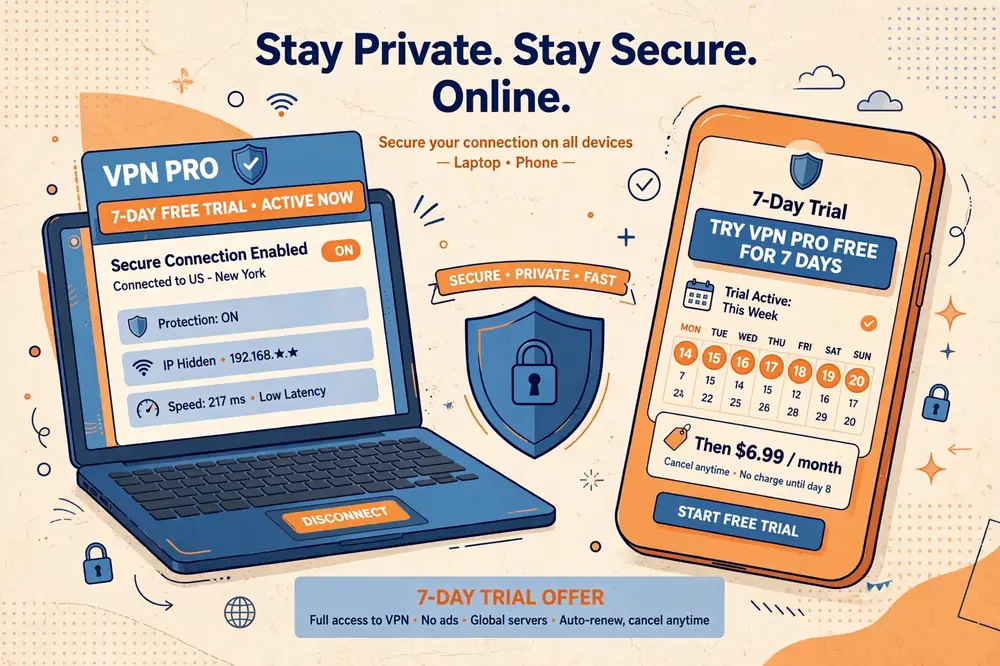
The short version is this: PureVPN sells a 7-day trial on its website for 0.99 dollars, and it offers a genuinely free 7-day trial through its iOS and Android apps. Both give you full access to the paid service for a week. Separately, website purchases carry a 31-day money-back guarantee, which is a refund route rather than a free trial.
This guide explains each option exactly as PureVPN currently offers it, verified against PureVPN’s own pages and current independent reporting in November 2026. It covers who is eligible, what payment details are required, what happens when the trial ends, and the refund limits that catch many readers by surprise.
It also covers the full cost of staying with PureVPN after the trial, in rupees, so you can judge whether the trial is a sensible first step or whether a different provider fits your budget better. Prices change, so every figure here is dated and approximate, and you should confirm the live price before paying.
The Short Answer: No Free Plan, but Two Trial Routes
PureVPN has no free plan. There is no permanent free tier with limited servers or data, and no free account that continues after a trial ends. Every way of using PureVPN beyond the trial period requires a paid subscription.
The first trial route is the website trial: 7 days of full access for 0.99 dollars, paid by credit card or PayPal. You choose a plan at signup, and if you do not cancel before the seventh day ends, your account automatically converts into that plan, so this trial is cheap rather than free.
The second trial route is the mobile trial: 7 days free through the PureVPN app on iOS or Android, with no upfront payment. You approve a store subscription when you sign up, and the selected paid plan starts automatically unless you cancel before the deadline shown in the store.
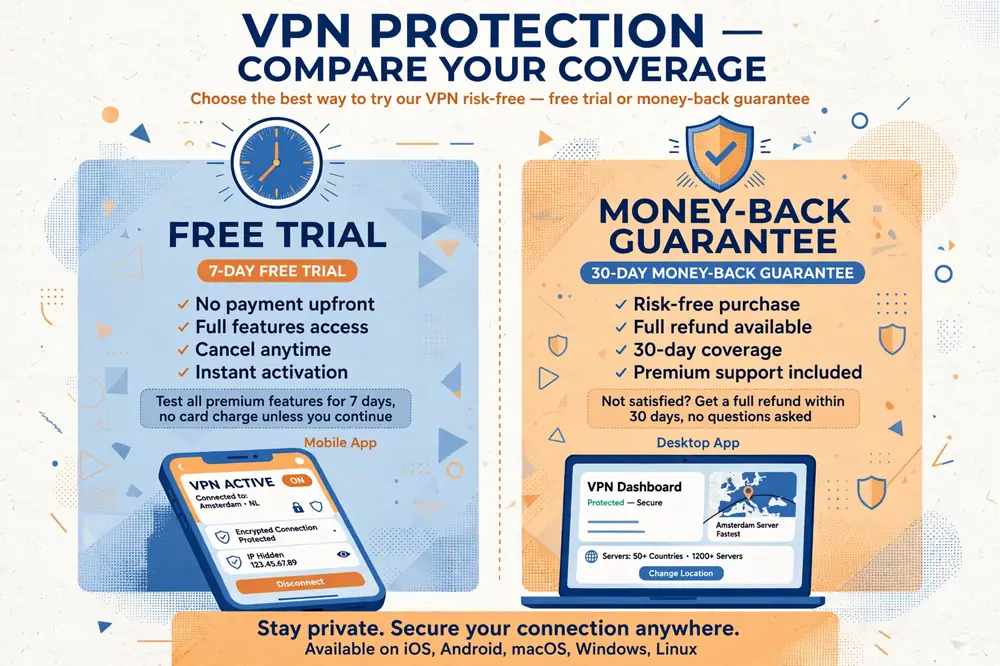
The third option is not a trial at all. PureVPN’s 31-day money-back guarantee lets you buy a full subscription, use it for up to 31 days, and request a refund if you are not satisfied. You pay first and claim the money back, which is a different arrangement from a free trial, and the guarantee has its own exclusions.
PureVPN Free Plan: Does One Exist?
No, PureVPN does not offer a continuing free plan. Its consumer pages list trials and paid plans only, and there is no free tier with a data cap, a limited server list, or reduced speeds that you can keep using indefinitely.
This puts PureVPN in the same group as NordVPN, ExpressVPN, and Surfshark, none of which offer a permanent free plan either. The providers that do offer a genuine free tier, such as Proton VPN and hide.me, limit it heavily: Proton VPN’s free tier does not let you choose a server country, and hide.me caps free data, so a free plan is rarely a substitute for a paid one anyway.
If you see a website claiming to offer a free PureVPN account, a free PureVPN premium login, or a cracked version of the app, treat it as a scam. PureVPN has no such offer, and accounts or apps from unofficial sources are a common way to steal passwords and payment details.
The honest choice for readers in Pakistan is therefore between a short trial and a refund-backed purchase. The rest of this guide explains both, so you can pick the route with the least risk for your situation.
The 7-Day Web Trial for $0.99
PureVPN’s website trial costs 0.99 dollars for seven days and gives you full access to the service, including all servers, protocols, and features. The price is roughly PKR 280 at an approximate rate of PKR 280 per US dollar as of November 2026, so the trial itself costs less than a cup of tea.
To start it, you visit PureVPN’s website, choose a plan, and pay the 0.99 dollars by credit card or PayPal. PureVPN’s own pages confirm that these are the accepted methods for the web trial, and other payment methods, such as cryptocurrency, are not listed for this offer.
The important detail is what happens on day eight. If you do not cancel during the trial, your account converts automatically into the plan you selected at signup, and you are charged the full price of that plan. This is standard for paid trials, but it is the detail most readers miss.
There is a second catch that matters even more. PureVPN’s refund policy states that renewals following the paid web trial are non-refundable, so if the trial converts and you are then charged, you cannot claim that charge back under the money-back guarantee. Cancelling inside the seven days is the only way to avoid the charge.
Set a reminder the moment you start the trial. Note the exact date and time it ends, put it in your phone calendar, and cancel at least a day early if you do not want to continue. A trial that converts by accident is the most common complaint readers have about PureVPN’s trial, and it is entirely avoidable.
The 7-Day Mobile Free Trial
The mobile trial is the genuinely free route. If you download the PureVPN app from the App Store or Google Play and create an account on your phone, PureVPN offers seven days of full access at no cost, with all premium features included.
The trial is free, but it is not commitment-free. When you sign up, you approve a store subscription for the paid plan you selected, and the store will charge that plan’s price when the seven days end unless you cancel first. On Android, cancellation happens in the Google Play subscriptions settings, and on iPhone it happens in the App Store subscriptions settings.
The mobile trial also works beyond your phone. Once the trial is active on your account, you can sign in with the same account on your laptop or other devices and use the full service there too, because the trial applies to the account rather than to a single device.
One practical advantage of the mobile route is that the store shows you the exact renewal date and price before you confirm, which makes it harder to be surprised. Check that screen carefully, note the date, and set the same reminder you would for the web trial.
If the mobile trial is not offered in your region or on your device, the 0.99-dollar web trial is the fallback. Both last seven days and both give full access, so the difference is only the upfront cost and where you manage the cancellation.
The 31-Day Money-Back Guarantee
PureVPN’s money-back guarantee covers 31 days from the date of an eligible website purchase. If you buy a subscription directly from PureVPN’s website and decide within 31 days that it does not suit you, you can request a full refund through live chat or email.
The guarantee applies to the initial purchase, not to renewal payments. If your subscription renews and you then change your mind, that renewal payment is not covered, so the guarantee is a first-purchase protection rather than an ongoing safety net.
There are payment-method exclusions as well. PureVPN’s refund policy lists payments made through the Google Play Store, the Apple App Store, and CoinPayments among those not covered by its own guarantee, which means store-billed purchases follow the store’s own refund process instead. Buying directly from the website keeps the guarantee under PureVPN’s control.
The length of the guarantee also depends on the plan you buy. Independent reporting current to 2026 notes that the guarantee is 31 days for most plans but only 7 days when you buy a one-month subscription, so a monthly buyer has far less time to decide than an annual buyer.
To claim a refund, you must contact PureVPN and ask for it. Cancelling auto-renewal alone is not a refund request, and the request must arrive within the guarantee window. PureVPN states that it aims to process refund requests within 24 hours, though the money itself can take up to 30 days to reach your account.
PureVPN Free vs Paid: What the Trial Unlocks
Both trial routes give you the full paid service for seven days, with no feature held back. That includes the full server network, which PureVPN describes as covering more than 65 countries, with AES 256-bit encryption, a kill switch, WireGuard support, and obfuscation features.
There is no data cap during the trial, no speed limit, and no restricted server list. You can test the service on every device you own, try the Malaysia servers, test streaming and browsing, and check whether the app works well on your connection in Pakistan.
The paid plans add nothing beyond the trial except time. The trial is the paid product, offered for a week, so what you experience during those seven days is an accurate picture of what a subscription would give you. If the trial feels slow or unreliable, the paid plan will feel the same.
One thing the trial does not give you is a free plan afterwards. When the seven days end, you either pay for a subscription or lose access. There is no downgrade to a limited free tier, and your account simply stops working until you subscribe.
Use the trial week properly. Test at the times you actually use the internet, on your own network in Pakistan, with the apps and services you care about. A trial tested only once, late at night, tells you very little about how the service will behave during a busy evening.
Surfshark: The Recommended Alternative for Pakistan
Surfshark is the provider we recommend for readers in Pakistan, and it is worth comparing with PureVPN before you commit to either trial. Surfshark offers no free plan either, but its paid plans come with a 30-day money-back guarantee, unlimited simultaneous devices, and servers in more than 100 countries, including Malaysia.
The unlimited device allowance is Surfshark’s biggest practical advantage over PureVPN. PureVPN allows 10 simultaneous connections on its paid plans, which suits most households, but Surfshark covers every phone, laptop, and tablet in the home on one subscription with no counting.
Surfshark’s longer-term pricing is reported at around 2.49 dollars per month on introductory two-year plans, which is roughly PKR 700 per month at an approximate rate of PKR 280 per US dollar as of November 2026.
PureVPN’s longer-term pricing is reported from around 2.15 dollars per month on its two-year plan, so the two are close on price, and the decision turns on features and trial terms rather than cost alone.
Surfshark — our recommended VPN for Pakistan
For readers who want a trial with simpler terms and unlimited devices, this is the straightforward starting point.
PureVPN Pricing After the Trial
Once the trial ends, PureVPN’s pricing depends on the plan you choose. The longest plan is reported at around 2.15 dollars per month on a two-year term with extra months included, which works out to roughly PKR 600 per month at an approximate rate of PKR 280 per US dollar as of November 2026.
The one-year plan is reported at around 3.99 dollars per month, roughly PKR 1,120 per month, while the one-month plan is reported at around 12.95 dollars, roughly PKR 3,630 for a single month. The gap between the longest plan and the monthly plan is very large, so monthly billing should be avoided unless you only need the service briefly.
Current reporting from October 2026 puts the two-year Standard plan at 58.20 dollars upfront for 27 months, followed by annual renewals at 47.95 dollars. That works out to roughly PKR 16,300 upfront, with renewals of roughly PKR 13,400 per year, before bank charges.
Note that PureVPN also sells higher tiers, including Plus and Max plans, which add features such as a password manager and file encryption. The trial gives you the features of the plan you select, so check which tier you are trialling, because the base Standard plan is the cheapest and the one most readers need.
All of these prices are promotional and can change, and the price you see at checkout may differ from the price shown in an article. Always read the checkout page carefully, including the renewal price and the length of the term, before you confirm payment.
PureVPN Trial Limits and Exceptions
The most important limit is the one already mentioned: a renewal that follows the 0.99-dollar web trial is non-refundable under PureVPN’s policy. If you forget to cancel and the trial converts, that charge cannot be recovered through the money-back guarantee, which is a harsher rule than most providers apply.
The guarantee itself has limits too. It covers eligible initial purchases made directly from PureVPN’s website, and it does not cover renewal payments, purchases made for a special event, or payments through the Google Play Store, the Apple App Store, or CoinPayments. Store purchases follow the store’s refund process instead.
Trial availability can also vary by region and platform. The free mobile trial is offered through the iOS and Android apps, but it may not appear for every account or in every country, and PureVPN can change or withdraw the offer without notice. If the trial does not appear in your app, the web trial is the alternative.
Finally, the trial does not guarantee access to any particular website or streaming service. PureVPN’s servers work with many services, but streaming platforms and banks update their VPN detection regularly, and a server that works during your trial week may be blocked later. Test the specific services you care about during the trial, not after you have paid.
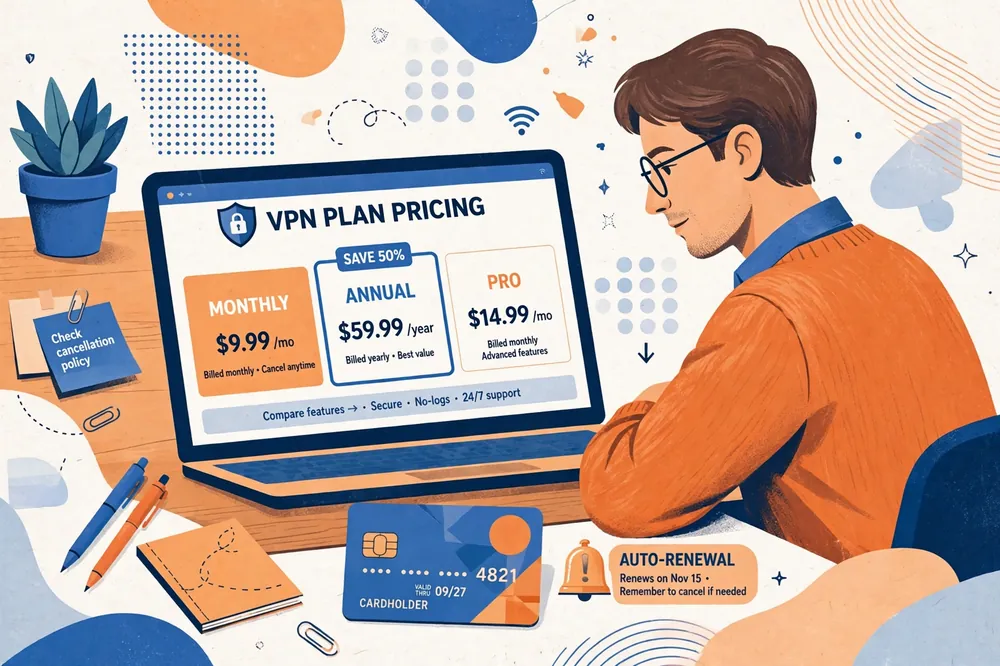
How to Cancel Before You Are Charged
Cancelling the web trial means logging in to your PureVPN account on the website, opening the subscription settings, and turning off auto-renewal before the seventh day ends. Do this at least a day early, because a cancellation made after the deadline is too late even if it is only a few hours over.
Cancelling the mobile trial is different, because the subscription lives in the app store rather than in your PureVPN account. On Android, open the Google Play Store, go to payments and subscriptions, find PureVPN, and cancel. On iPhone, open Settings, tap your Apple ID, open subscriptions, find PureVPN, and cancel there.
After cancelling, check that the cancellation actually took effect. The store or the website should show the subscription as cancelled, with an end date rather than a renewal date. Take a screenshot of that screen, because it is your evidence if a charge appears anyway.
If a charge appears after you cancelled in time, contact PureVPN support first, and your bank second. For the web trial, remember that the converted charge is non-refundable under PureVPN’s policy, so the time to act is before the deadline, not after the charge.
Who Should Try PureVPN, and Who Should Skip It
PureVPN’s trial suits readers who want a full week of testing before committing, and who are organised enough to cancel on time. The 0.99-dollar cost is trivial, the full feature set is included, and the server network is large enough to cover most needs, including Malaysia servers for readers who need a Malaysian IP.
It also suits readers who value the extras in PureVPN’s higher tiers, such as the password manager and file encryption in the Max plan. If those features matter to you, the trial is a fair way to test them before paying for a year or more.
Readers who often forget deadlines should skip the paid web trial and use the free mobile trial instead, or choose a provider with a simpler guarantee. The non-refundable conversion rule punishes forgetfulness, and a free trial that converts by accident is the worst possible outcome.
Readers who want a permanent free service should look elsewhere entirely, because PureVPN has no free plan and never has. Proton VPN’s free tier is the closest honest alternative, though it does not let you choose a server country. Our Surfshark free plan and trial guide and our NordVPN free plan and trial guide explain how the other major providers handle trials, so you can compare before deciding.
Pakistan-Specific Considerations
Readers in Pakistan face two practical issues that guides written elsewhere rarely mention: payment friction and the PTA’s VPN registration framework. International card payments can fail on Pakistani cards, so confirm your payment method works before the trial converts, and keep a note of the renewal date.
PureVPN accepts credit and debit cards, PayPal, AliPay, and CashU, according to current independent reporting. PayPal is often the most reliable option for Pakistani readers, because it avoids the card-decline problems that sometimes affect direct card payments to overseas merchants.
The Pakistan Telecommunication Authority operates a registration system for VPN use, and readers who use a VPN for work or business purposes should check the current PTA guidance for their situation. This guide does not give legal advice, but the regulatory position exists and it changes, so check the PTA’s own announcements rather than relying on old articles.
Internet quality in Pakistan also varies by provider and by time of day, so test PureVPN on your own connection during the trial week, at the times you actually use the internet. A trial tested only once tells you very little, and the money-back guarantee period is the time to find out whether the service suits your network.
Frequently Asked Questions
Does PureVPN Offer a Continuing Free Plan?
No, PureVPN does not offer a continuing free plan. It offers a 7-day trial for 0.99 dollars on its website and a free 7-day trial through its iOS and Android apps, but there is no permanent free tier, and access ends when the trial ends unless you pay for a subscription.
Does a PureVPN Trial Require Payment Details?
The 0.99-dollar web trial requires a credit card or PayPal, because you pay the trial fee at signup. The mobile free trial requires you to approve a store subscription when you sign up, so the App Store or Google Play holds your payment method, and the paid plan starts automatically unless you cancel before the deadline.
Is a Refund Guarantee Different From a Free Trial?
Yes, they are different. A free trial gives you access without paying first, while a money-back guarantee requires you to pay for a subscription first and then request a refund within the guarantee window. PureVPN’s 31-day guarantee covers eligible website purchases, and it is not extra free time added to a trial.
How Much Does the PureVPN Trial Cost?
The website trial costs 0.99 dollars for seven days, roughly PKR 280 at an approximate rate of PKR 280 per US dollar as of November 2026. The mobile trial through the iOS or Android app is free for seven days, but both trials convert automatically into a paid plan if you do not cancel in time.
Can I Use the PureVPN Trial on Desktop?
Yes, the web trial works on desktop through PureVPN’s apps for Windows and Mac, and the mobile trial also works on desktop once it is active on your account, because the trial applies to your account rather than to a single device. Sign in with the same account on each device.
What Happens if I Forget to Cancel the Trial?
Your account converts automatically into the plan you selected at signup, and you are charged its full price. PureVPN’s policy states that renewals following the paid web trial are non-refundable, so a forgotten cancellation can be an expensive mistake. Set a reminder when you start the trial and cancel at least a day early.
Conclusion
PureVPN offers no free plan, but it does offer two genuine ways to test the service for a week: a 0.99-dollar web trial and a free mobile trial, plus a 31-day money-back guarantee on eligible website purchases. Each route has its own rules, and the non-refundable conversion on the web trial is the detail that matters most.
The safest approach is to start with the free mobile trial, test the service properly on your own connection in Pakistan, and set a reminder to cancel before the deadline if you do not want to continue. If the service suits you, the two-year plan is the cheapest way to stay, at roughly PKR 600 per month.
For readers who prefer simpler trial terms and unlimited devices on one subscription, the recommended alternative in this guide is worth comparing before you pay. Whichever provider you choose, confirm the live price and the renewal terms at checkout, and test during the trial week rather than after it.
Surfshark — our recommended VPN for Pakistan
If you want one subscription for every device in your home, Surfshark keeps the setup simple and consistent.