
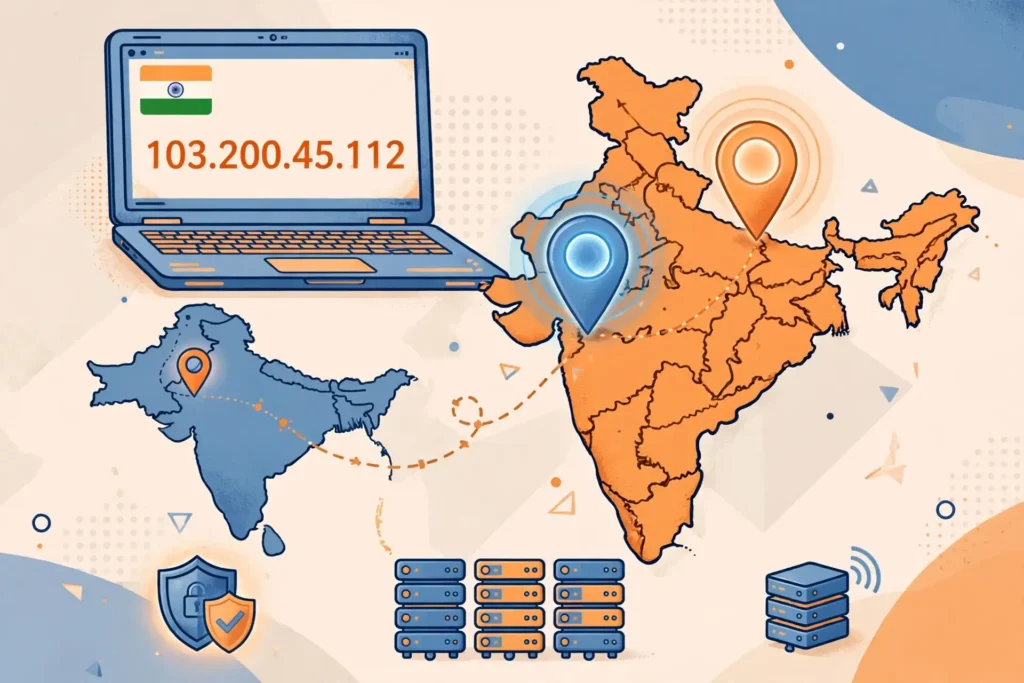
If you need an India IP address from Pakistan, Surfshark is the VPN we recommend, with 80% off for our users — and getting the address itself takes only a few minutes, because you sign up, install the app, pick the India location and connect, and your traffic then appears to come from India.
The short answer is that simple, but the details matter more than they used to. Since 2022, most major VPN providers no longer run physical servers inside India, so the India location in your app is almost certainly a virtual server: hardware sitting in another country, usually Singapore, that has been assigned an Indian IP address.
That distinction changes what you can expect. A virtual India location still gives you an Indian IP address, and it still works for most of the reasons people want one, such as reaching Indian websites, banking portals and streaming catalogues. But it can behave differently from a physical server, and some strict services detect it.
This guide walks through the whole process: choosing a provider that still offers an India location, connecting on Android, iPhone, Windows and macOS, verifying the exit IP properly, and fixing the common mismatches that make an IP checker show the wrong country. It also explains what an India IP cannot do, so you do not waste time on a problem a VPN cannot solve.
Everything here is verified against provider announcements and current reporting as of 20 November 2026. Where a detail changes often, such as which cities a provider lists or where its virtual servers are hosted, the guide says so rather than stating a number that may already be out of date.
The Short Answer: How to Get an India IP Address From Pakistan
Getting an India IP address from Pakistan has five steps. First, choose a VPN that still lists an India location in its app, and confirm the location is available on your plan before you pay. Second, sign up and install the official app on the device you will use. Third, open the server list, search for India and connect.
Fourth, verify the result. Open an IP checker in your browser and confirm it shows India, not Pakistan and not the country where the virtual server is physically hosted. Fifth, clear your browser cookies and cache, then sign in to the service you need. A stale cookie from a Pakistan session can override a correct IP address.
Do not skip the verification step. Some providers list India in their app but connect you to a location that IP databases still record as Singapore or the United Kingdom, and you will only discover that when a service refuses you. Checking takes thirty seconds and saves a support ticket.
If the checker shows the wrong country, the fix is usually to disconnect, pick a different India city in the app if one is offered, and reconnect. If the provider offers only one India location and it is consistently misdetected, try another provider, because that problem is on the provider’s side, not yours.
| Step | What to Do | What Success Looks Like |
|---|---|---|
| 1. Choose a provider | Confirm India is listed in the app before paying | India appears in the server list |
| 2. Sign up and install | Use the official app from the provider or app store | App installed and signed in |
| 3. Connect to India | Search for India and tap connect | App shows connected to India |
| 4. Verify the IP | Check two IP checkers in your browser | Both show India as the country |
| 5. Clear and sign in | Clear cookies, then open the service | Service shows the Indian version |
Why Most India VPN Servers Are Virtual Now
In April 2022, India’s Computer Emergency Response Team, CERT-In, issued directions under Section 70B of the Information Technology Act requiring VPN providers with infrastructure in India to keep customer names, addresses, contact details, IP addresses and declared purpose of use for five years, and to hand those records to the government on request.
The rule applied to any provider with servers physically located in India. For providers that market themselves on a no-logs promise, keeping five years of identity records was incompatible with the product they sell, so most of the major providers chose to remove their physical Indian servers rather than comply.
ExpressVPN removed its physical India servers on 2 June 2022, NordVPN removed its on 26 June 2022, and Surfshark followed on 27 June 2022. Proton VPN removed its Indian servers later, and Mullvad removed its Indian servers and never added virtual replacements. The dates come from the providers’ own announcements at the time.
What replaced the physical servers was the virtual location. A virtual India location runs on hardware in another country, most often Singapore, sometimes the United Kingdom or the Netherlands, and is assigned an Indian IP address. Your traffic leaves from that foreign hardware, but websites see an Indian address.
This matters for two reasons. First, the physical distance affects speed: a server in Singapore is close to India, so the extra hop is short, but a server in the United Kingdom is far away, and a reader in Pakistan connecting through London will feel that distance. Second, some IP databases and some strict services record the physical location rather than the assigned one.
A small number of providers did the opposite and kept physical servers in India, accepting the logging requirement. Those providers are mostly smaller brands, and using one means your identity records are kept under the CERT-In directions. This guide does not recommend them, and the providers named below are the ones that left.
Flagged: the hosting country of each provider’s virtual India location changes over time as providers move capacity. The locations named in this guide reflect reporting current in November 2026 and the providers’ own descriptions; check the provider’s server page or the IP checker result before you rely on a specific hosting country.
Which Providers Offer an India Location in 2026
Surfshark offers virtual India locations, with Delhi and Mumbai listed in its app, hosted in Singapore according to its own announcement and current reporting. It is our recommended provider for readers in Pakistan, it covers unlimited devices on one subscription, and its India locations are available on all of its plans.
NordVPN lists a Mumbai location, launched in January 2024, hosted on a server in Singapore. It is a virtual location, not a physical server in India, and NordVPN’s own reporting at launch described it that way. NordVPN is a solid alternative if you already use it for other countries.
ExpressVPN offers two India locations: India via UK, which serves a Chennai IP address, and India via Singapore, which serves a New Delhi IP address. The names in the app say where the hardware sits, which is unusually transparent, and the Singapore option is the better choice from Pakistan because the route is shorter.
Proton VPN offers an India location through Smart Routing, hosted in Singapore. Smart Routing is Proton’s name for the same virtual-location idea: the server is abroad, the IP address is Indian. Proton also has a free plan, but its free locations are limited and India is not among them, so an India IP needs a paid plan.
CyberGhost and IPVanish also list virtual India locations, Mumbai in CyberGhost’s case, and both are usable alternatives. PureVPN lists a virtual India location too. Mullvad is the exception among the majors: it removed its Indian servers and offers no India location at all, so it cannot give you an Indian IP address.
Before you pay any provider, open its server list or server page and confirm India is still listed. Providers add and remove virtual locations without announcement, and a review written six months ago may describe a location that no longer exists. The check costs a minute and prevents a refund request.
| Provider | India Location in the App | Where the Server Is Hosted |
|---|---|---|
| Surfshark | Delhi and Mumbai (virtual) | Singapore |
| NordVPN | Mumbai (virtual) | Singapore |
| ExpressVPN | India via UK / India via Singapore | United Kingdom / Singapore |
| Proton VPN | India via Smart Routing | Singapore |
| CyberGhost | Mumbai (virtual) | Not publicly disclosed |
| IPVanish | India (virtual) | Not publicly disclosed |
| Mullvad | No India location | Not applicable |
Choose a VPN With an India Location: What to Check First
Start with the server list, not the marketing page. A provider can advertise servers in 100 countries while its India location is available only on a higher plan, or only on some apps. Open the app’s location list, or the provider’s published server page, and search for India before you enter payment details.
Check whether the provider offers more than one India city. Two cities give you a fallback when one location is blocked or misdetected, and they let you test which one the service you need accepts. A provider with a single India location gives you no fallback at all.
Check the money-back guarantee and its length. Surfshark, NordVPN, ExpressVPN and Proton VPN all offer 30-day money-back guarantees, and CyberGhost offers 45 days. That window is your testing period: connect to India, verify the IP, try the service you need, and ask for a refund if it does not work.
Check the device limit. If you need an India IP on a phone, a laptop and a TV box, a provider that allows only five simultaneous connections may still be enough, but a household sharing one account will hit the limit quickly. Surfshark allows unlimited simultaneous connections, which is why it suits shared households.
Check the protocol options, because they matter on Pakistani networks. WireGuard is the fast default in most apps, OpenVPN over TCP on port 443 can get through networks that block VPN traffic, and an obfuscation or camouflage mode helps where an internet provider filters VPN connections. A provider with only one protocol gives you no fallback.
Finally, check the price in rupees, not just dollars. Providers bill in US dollars and your bank converts at its own rate, sometimes adding a foreign transaction fee. A two-year plan looks cheap per month but bills the full amount up front, so work out the total before you commit.
- India is listed in the app’s server list on your plan, not just on the marketing page.
- At least one India city is offered, and ideally two for a fallback.
- A money-back guarantee of 30 days or more covers your testing period.
- The device limit covers every device you plan to use at once.
- More than one protocol is available, including an obfuscated option.
- The total billed price, including your bank’s conversion, is acceptable.
Surfshark: Our Recommended VPN for an India IP Address
Surfshark is the VPN we recommend for readers in Pakistan who need an India IP address. It offers virtual India locations in Delhi and Mumbai, hosted in Singapore, so the route from Pakistan stays short. One subscription covers unlimited devices, which means the same account gives you an India IP on your phone, laptop and tablet without buying more accounts.
Surfshark’s app lists India in its location search on every platform, and its WireGuard-based protocol is the default, with OpenVPN available in settings and a Camouflage Mode on OpenVPN connections for networks that filter VPN traffic. That combination matters in Pakistan, where some networks block or throttle VPN connections.
Surfshark also keeps its pricing simple for a Pakistan reader: a single subscription, no device limit to manage, and a 30-day money-back guarantee, so you can test the India locations against the service you need and get a refund if they do not work. For the full cost picture, see the freevpn.pk homepage for our other Pakistan VPN guides.
If you already use NordVPN or ExpressVPN, there is no need to switch just for India. Both offer working virtual India locations, and the guide below works the same way in their apps. The steps are identical; only the location names and the number of India cities differ.
Surfshark — our recommended VPN for Pakistan
One subscription covers every device in your home, and the same account works on Windows, Android, iPhone and macOS.
Step-by-Step: Connect to an India VPN Server
Sign up on the provider’s website, not through an app store if you can avoid it, because a direct subscription is easier to refund and easier to manage. Create the account, choose a plan, and pay with a card or payment method that works from Pakistan. International cards and PayPal are accepted by all the major providers.
Download the official app for your device. On Windows and macOS, download from the provider’s own website. On Android and iPhone, use Google Play or the App Store, and check the publisher name matches the provider before you install. Fake VPN apps are common, and a lookalike app can steal your credentials.
Sign in with the account you just created. The app will ask for permission to install a VPN profile or certificate on first run; accept it, because the app cannot create a tunnel without it. On iPhone this appears as a system prompt asking to add VPN configurations, and on Android it asks to set up a VPN connection.
Open the server list and search for India. Tap the India entry, and if the app offers a choice of cities, pick Mumbai first: it is the most commonly listed and the most widely recognised by IP databases. Wait for the app to show connected, and give it thirty seconds to settle before you test anything.
If the app offers a fastest-server or auto-connect option, do not use it for this purpose, because it will connect you to the nearest server, which from Pakistan is usually in the United Arab Emirates or Singapore, not India. Always pick India explicitly from the list.
- Sign up on the provider’s website and choose a plan with a money-back guarantee.
- Download the official app from the provider’s site or your app store.
- Sign in and accept the VPN profile or certificate prompt on first run.
- Search the server list for India and connect, choosing Mumbai if cities are offered.
- Wait thirty seconds, then verify the IP before you open the service you need.
How to Get an India IP Address on Android
On Android, install the VPN app from Google Play and sign in. Open the app, tap the location search, type India, and tap the India entry to connect. Android will show a key icon in the status bar while the VPN is active, and the app itself will show a connected status with the India location name.
Android’s always-on VPN setting is worth turning on if you use the India IP for banking or streaming. Go to Settings, then Network and Internet, then VPN, tap the gear icon next to your VPN app, and enable Always-on VPN and Block connections without VPN. This stops traffic leaking outside the tunnel if the VPN drops.
If the app asks for location permission, you can deny it: a VPN app does not need your GPS location to give you an Indian IP address, and granting it gives the app data it does not need. The only permission the app genuinely needs is the VPN connection permission, which Android requests on first connect.
To verify on Android, open Chrome or your browser while the VPN is connected and visit an IP checker. Make sure you are checking in the browser, not inside the VPN app, because the app shows its own status rather than what websites see. The checker should show India and an address different from your normal one.
If the checker shows the wrong country, try the other India city if one is offered, then try switching protocol in the app settings from WireGuard to OpenVPN. On some Pakistani mobile networks, WireGuard’s UDP traffic is filtered, and OpenVPN over TCP connects where WireGuard cannot.
How to Get an India IP Address on iPhone
On iPhone, install the VPN app from the App Store and sign in. Open the app, search the location list for India, and tap to connect. iOS will ask you to allow the app to add VPN configurations the first time; accept, and enter your passcode or use Face ID if asked. A VPN icon appears in the status bar while connected.
iPhone’s location services need attention, because iOS apps that have location permission can see your real GPS position even while your IP address says India. Go to Settings, then Privacy and Security, then Location Services, and set the app you plan to use, such as a banking or streaming app, to Never or Ask Next Time if you do not want it to see your real location.
Note that changing the location permission does not change your GPS, and some apps refuse to work at all when location access is denied. That is a limit of the phone, not of the VPN, and it is covered in more detail in the GPS section below.
To verify on iPhone, open Safari while connected and visit an IP checker. Safari’s private browsing mode is useful here, because it starts with no cookies from earlier sessions, so a stale Pakistan cookie cannot override the Indian IP. The checker should show India.
If the connection fails on iPhone, check that the VPN app is up to date, because iOS updates sometimes break older app versions, and try switching protocol in the app settings. Also check that Low Data Mode is off on your Wi-Fi network, because it can interfere with VPN tunnels on some networks.
How to Get an India IP Address on Windows
On Windows, download the VPN app from the provider’s website and install it. Sign in, search the location list for India, and click connect. Windows may show a firewall prompt the first time the app runs; allow the app through, or the tunnel cannot establish. The app will show a connected status with the India location.
Windows has a built-in VPN client as well, but the provider’s own app is the better choice for this task, because it handles protocol selection, server switching and the kill switch for you. Manual setup through Windows settings is possible with OpenVPN configuration files, but it adds steps and gives you no kill switch unless you configure one.
To verify on Windows, open your browser and visit an IP checker, then check a second one. If you use a browser with a built-in VPN, such as Opera, turn it off first, because it can override your VPN app and show a different country. Also check that no other VPN app is running at the same time.
On macOS the steps are the same: install from the provider’s website, sign in, search for India and connect. macOS will ask for your system password to install the VPN helper the first time. The verification step is identical, using Safari or your usual browser.
If the Windows app connects but websites still show Pakistan, the usual cause is a DNS leak or a browser location setting. Run a DNS leak test, and check your browser’s location permission: in Chrome, go to Settings, then Privacy and Security, then Site Settings, then Location, and make sure it is not set to allow sites to see your location.
How to Verify Your India VPN IP Address
Verification is the step most people skip, and it is the step that catches almost every problem. An app that says connected is not proof that websites see an Indian IP address. The app reports its own tunnel status, while websites see the exit IP, and the two can disagree when the tunnel is misconfigured or the location is mislabelled.
Use two different IP checkers, not one. Good options are whatismyipaddress.com, ipleak.net and browserleaks.com. Open the first, note the country and city it shows, then open the second and compare. If both show India, you are done. If they disagree, the location is borderline, and the stricter service you need may reject it.
Check the city as well as the country. A result showing Mumbai or New Delhi is a good sign. A result showing Singapore while the country says India means the IP database has the address registered as Indian but the routing is visibly Singaporean, and some services will treat it as Singapore. A result showing London means you connected to the UK-hosted location by mistake.
Also run a DNS leak test at dnsleaktest.com or ipleak.net. Your DNS requests should go to your VPN provider’s DNS servers, not to your Pakistani internet provider. If the leak test shows PTCL, Jazz or your other provider, your DNS is leaking, and a service can use it to work out that you are in Pakistan even with an Indian IP.
Finally, check for WebRTC leaks in your browser. WebRTC can expose your real IP address to websites even through a VPN. Visit browserleaks.com and look at the WebRTC section: it should show the VPN’s Indian IP or nothing at all, never your real Pakistani address. If it shows your real address, disable WebRTC in your browser settings or use a browser extension that blocks it.
| Check | Tool | Pass Result |
|---|---|---|
| IP country | whatismyipaddress.com | Country shows India |
| IP city | ipleak.net | City shows Mumbai or New Delhi |
| DNS leak | dnsleaktest.com | No Pakistani ISP in the results |
| WebRTC leak | browserleaks.com | No real Pakistani IP exposed |
| Second checker | A different IP checker | Both checkers agree on India |
Why Your IP Checker May Show the Wrong Country
The most common cause is connecting to the wrong location. ExpressVPN’s two India entries look similar, and picking India via UK instead of India via Singapore gives you a Chennai IP routed through London, which some checkers record as the United Kingdom. Check the exact location name in the app before you assume the provider is at fault.
The second cause is a stale IP database. IP addresses are reassigned between countries, and the databases that checkers use update at different speeds. A virtual India location that was assigned its Indian IP recently may still be listed as Singapore in one database and as India in another. This usually corrects itself within weeks, and there is nothing you can do to speed it up.
The third cause is a DNS leak. If your DNS requests go to your Pakistani provider, some services combine the DNS result with the IP result and conclude you are in Pakistan. The fix is to use your VPN provider’s DNS, which the app should do by default, and to check the leak test result before you blame the server.
The fourth cause is your browser. A browser with location permission enabled can report your GPS position to a website, and a website that checks both IP and GPS will trust the GPS. A stale cookie can also show you the Pakistani version of a site even with a correct Indian IP. Clear cookies and turn off browser location for the site.
The fifth cause is the service itself. Some streaming and banking services keep their own blocklists of VPN IP addresses, and they will refuse a connection even when the IP checker shows India correctly. That is a blocklist problem, not a location problem, and the fix is to try a different India city or a different provider.
Flagged: IP database updates are outside any provider’s control, and a virtual India location can be listed under its hosting country in some databases for weeks after it is assigned. If two checkers disagree, treat the stricter result as the one that matters, because the service you need may use either database.
Does an India IP Change Your Device GPS?
No, and this is the most misunderstood part of getting an India IP address. A VPN changes the IP address that websites and apps see when they look at your network connection. It does not change the GPS position your device reports, and it does not change the location your phone’s operating system knows.
Your phone has a GPS receiver that works independently of the internet. When an app asks for your location and you grant permission, the phone gives the app your real coordinates in Pakistan. A VPN cannot intercept that, because the GPS data never travels through the VPN tunnel: it goes straight from the phone’s hardware to the app.
Many banking apps and some streaming apps check GPS as well as IP, precisely because they know a VPN can change an IP address. If the GPS says Pakistan and the IP says India, the app may refuse to work, show an error, or fall back to the Pakistani version. That is the app working as designed, not a VPN failure.
On Android, you can deny location permission to the app in Settings, under Apps, then the app name, then Permissions, then Location. On iPhone, the same control is under Settings, then Privacy and Security, then Location Services. Denying permission stops the app seeing your GPS, but some apps refuse to run without it, and that is their choice.
There is no legitimate VPN setting that changes GPS. Apps that claim to spoof GPS require developer options, mock location apps, or a rooted or jailbroken device, and they can break banking apps, trigger account security locks, and violate the terms of the service you are using. This guide does not recommend them.
The practical rule is simple. An India IP address changes what websites see on the network. It does not move your phone. If the service you need checks GPS, an India IP alone will not satisfy it, and you should check that before you pay for a subscription.

What to Check Before Using a Location-Sensitive Service
Before you sign in to a banking portal, a streaming service or any account that cares about your location, run the full checklist in this section. A failed sign-in can trigger a security lock on your account, and a lock is much harder to fix than a wrong IP address.
First, confirm the IP checker shows India on two different checkers, and that the city is Mumbai or New Delhi. Second, confirm the DNS leak test shows no Pakistani provider. Third, clear your browser cookies and cache, or open a private browsing window, so no stale Pakistan session overrides the Indian IP.
Fourth, check your account region. An account registered in Pakistan, or in any country other than India, may be restricted regardless of your IP address. Some services tie content and features to the country where the account was created, and no IP address changes that. Check the account settings before you connect.
Fifth, check your payment method. A Pakistani bank card used on an Indian service can trigger a fraud check, and some services refuse cards issued outside the country they serve. That is a payment rule, not a VPN problem, and the service’s support team is the only place to resolve it.
Sixth, read the service’s terms. Some services prohibit VPN use in their terms, and they can suspend an account for it. Using a VPN to reach a service that forbids it is a risk you take knowingly, and this guide does not guarantee access to any specific service, including JioHotstar, Indian banking portals or any other named platform.
- Two IP checkers agree the country is India and the city is Mumbai or New Delhi.
- The DNS leak test shows no Pakistani internet provider.
- Cookies and cache are cleared, or a private browsing window is used.
- Your account region matches the service you want to use.
- Your payment method is accepted for that country, if payment is involved.
- The service’s terms do not prohibit VPN use, or you accept the risk.
Troubleshooting: India Server Connection Problems
If the VPN app will not connect to India at all, try a different protocol first. Switch from WireGuard to OpenVPN in the app settings, and if OpenVPN is offered over both UDP and TCP, try TCP on port 443, which looks like ordinary web traffic and gets through networks that block VPN traffic. Restart the app after changing protocol.
If the app connects but the IP checker still shows Pakistan, the tunnel is not routing your traffic. Disconnect, wait a minute, and reconnect. If that fails, restart your device, because a stuck VPN profile can survive an app restart. On Windows, also check that no second VPN app is running at the same time.
If the app connects to India but the checker shows Singapore, you are on a virtual location whose IP database entry has not updated, or you picked a location the checker records under its hosting country. Try the other India city if one is offered. If the provider offers only one India location, try a different provider.
If the connection drops repeatedly, the cause is usually your own network rather than the India server. Mobile data in Pakistan is the least stable access type for VPN tunnels, and a weak signal or a congested cell tower will drop the tunnel again and again. Try Wi-Fi, move closer to the router, or test at a quieter time of day.
If one India city works and another does not, use the one that works and stop troubleshooting the other. Server availability changes daily, a city can be temporarily overloaded, and the provider may rotate its virtual locations without notice. The city that works today is the right choice today.
If nothing works, contact the provider’s support and tell them the exact India location you tried, the IP checker result, and the protocol you used. That information lets support check the server rather than asking you to repeat the steps in this guide. Live chat is usually faster than email for connection problems.
Free VPNs With India Servers: What to Expect
Most free VPN plans do not include an India location. Proton VPN’s free plan, for example, offers a small set of free locations, and India is not among them. TunnelBear’s free plan and other free tiers have the same limit: the free locations are usually the United States, the Netherlands and Japan, not India.
That is worth stating plainly, because many articles list free VPNs for India without checking whether the free plan actually includes an India server. A free plan that gives you a United States IP address does not solve a problem that needs an Indian one, whatever the article’s headline promises.
Some free VPNs do advertise India servers, but they are usually small providers with unclear logging policies, and some keep physical servers in India under the CERT-In rules. A free service that keeps your identity records for five years is a worse deal than a paid service that does not, even if the price is zero.
The practical route for most readers is a paid plan with a money-back guarantee. A 30-day guarantee is effectively a free test period: you pay, test the India location against the service you need, and get a refund if it does not work. That is safer than trusting a free provider you cannot verify.
If your budget is truly zero, the honest answer is that no ongoing free plan we could verify in November 2026 reliably offers an India location. That may change, and a provider may add India to a free tier, but check the provider’s own free-plan page before you believe any article that says otherwise.
Flagged: no ongoing free plan could be verified in November 2026 as offering a selectable India location. Free-plan location lists change without notice, so verify on the provider’s own pricing page rather than trusting a third-party list.
Is Getting an India IP Address Legal in Pakistan?
Using a VPN is not illegal in Pakistan for ordinary personal use, and getting an India IP address is simply what a VPN does when you connect to an India location. There is no Pakistani law that bans connecting to a foreign VPN server, and the PTA’s registration rules target VPN providers and commercial users, not individuals browsing with a VPN.
The Indian side is also straightforward for the individual reader. CERT-In’s 2022 directions apply to VPN providers that offer services to the public, not to individual citizens using a VPN. CERT-In’s own FAQ states that individual citizens are not covered by the directions, so connecting to a virtual India location does not put you under those rules.
What the law does not do is guarantee access to any service. A streaming platform or a bank can refuse VPN connections under its own terms, and it can block an IP address it believes belongs to a VPN. That is a private company’s decision, not a legal ruling, and it is enforced by blocking the connection rather than by any penalty.
Two practical cautions remain. First, do not use an India IP address to misrepresent your location for fraud, such as opening an account with false details or evading a payment rule. That is a problem with the act, not with the IP address, and no VPN makes it acceptable.
Second, keep your own records: if a service questions your location, you want to know which provider and which city you used.
This section is general information, not legal advice. If your use involves a regulated activity, such as business banking or a service with strict residency rules, check the service’s terms and, if needed, a lawyer, rather than relying on a general guide.
Limitations and What an India IP Cannot Do
An India IP address changes the IP address websites see, and that is all it changes. It does not change your GPS, it does not change your account region, it does not change your payment method’s country, and it does not change the language or currency a service shows you if those are set in your account.
It also does not guarantee access to any specific service. Streaming platforms, banks and government portals keep their own VPN blocklists, and they update them constantly. An India location that works for one service today can be blocked tomorrow, and a location that works for your neighbour may not work for you, because blocklists often target individual IP addresses.
Speed is a further limit. A virtual India location hosted in Singapore adds a hop between Pakistan and Singapore, and a UK-hosted location adds a much longer hop. Your connection will be slower than your connection without a VPN, and on a slow Pakistani plan the difference can be noticeable on video calls and large downloads.
The method in this guide is also untested with no measured Pakistan results. No speed tests were run for this article, and no download or latency numbers are published here, because none were measured. The steps describe a procedure, not results, and your own tests are the only evidence that matters for your network.
Finally, provider details change. Server lists, hosting countries, prices and money-back terms all change without notice, and a guide written in November 2026 will be out of date on some detail within months. Recheck the provider’s own pages before you pay, and treat this article as a method to follow rather than a fixed list of facts.
Surfshark — our recommended VPN for Pakistan
Test your chosen VPN inside its 30-day money-back guarantee window first, so a virtual India location that does not work for your service costs you nothing to discover.
Conclusion: Getting an India IP Address From Pakistan
Getting an India IP address from Pakistan is a five-step process: pick a provider with a virtual India location, sign up and install the official app, connect to India explicitly, verify the exit IP on two checkers, and clear your cookies before you sign in to the service you need. Each step is simple, and the verification step is the one that catches almost every problem.
Remember the key fact behind the whole guide. Since the CERT-In directions of April 2022, the major providers serve Indian IP addresses from virtual locations hosted abroad, usually in Singapore, not from physical servers in India. That is why the hosting country matters, why some checkers disagree, and why a second India city is a useful fallback.
Start with Surfshark on its Delhi or Mumbai virtual locations, verify the result, and test it against the service you need inside the 30-day money-back guarantee. If the location works, you have your India IP address. If it does not, the same method will show you whether another city or another provider does the job better.
For more Pakistan VPN guides, including provider reviews and setup tutorials, visit the freevpn.pk homepage.
Frequently Asked Questions
How Do I Confirm My IP Is Located in India?
Connect to the India location in your VPN app, then open an IP checker such as whatismyipaddress.com or ipleak.net in your browser. The country shown should be India, and the address should differ from the one you see with the VPN off.
Check two different IP checkers, because one database can be out of date, and confirm the city too: a Mumbai or New Delhi result is a good sign, while a Singapore result means the location is mislabelled or misdetected.
Does Selecting India Change Device GPS?
No. A VPN changes the IP address that websites and apps see, but it does not change your device GPS. Your phone still reports its real physical location to any app that asks for GPS permission, and many banking and streaming apps check GPS as well as IP.
On Android, an app with location permission can see that you are in Pakistan even while your IP address says India, and no VPN setting changes that.
What Should I Check Before Using a Location-Sensitive Service?
Check four things before you sign in: the IP checker shows India, your browser location permission is off or set correctly, you have cleared cookies and cache from earlier visits, and your account region matches the service.
A stale cookie from a Pakistan session can still show you the Pakistani version of a site even with an Indian IP, and an account registered in another country may be restricted regardless of which IP you use.



