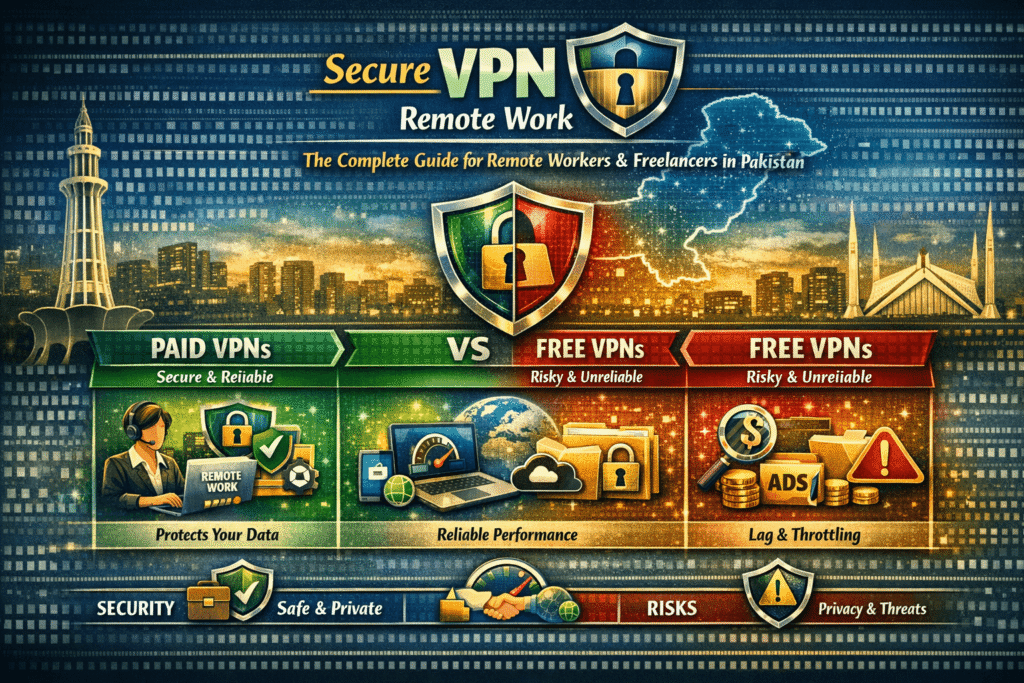
A secure VPN for remote work protects company data by encrypting internet connections, hiding IP addresses, and preventing unauthorized access. Remote workers in Pakistan can safely use VPNs to access corporate resources, secure file transfers, and work on public WiFi without compromising privacy or exposing sensitive information.
A secure VPN for remote work encrypts your internet connection, hides your IP address, and prevents hackers from intercepting company data. Remote workers and freelancers in Pakistan should use a trusted VPN with AES-256 encryption and a no-log policy to protect sensitive files, client communications, and confidential business information from cyber threats.
Why Secure VPN for Remote Work Is No Longer Optional
A secure VPN for remote work is not just a technical luxury for tech-savvy professionals. It is a fundamental layer of protection that every remote worker and freelancer needs. VPN stands for Virtual Private Network, and at its core, it creates an encrypted tunnel between your device and the internet, making it nearly impossible for hackers, internet service providers, or surveillance agencies to intercept your data. Whether you are sending confidential client proposals, logging into your company’s internal systems, or handling sensitive financial transactions, a VPN acts as your digital bodyguard.
This guide goes far beyond a simple product list. We will walk you through why VPN security for remote employees matters, how to choose the best VPN for remote work in Pakistan, exactly how to set one up, real scenarios where VPNs have saved professionals from catastrophic data breaches, and everything in between. By the end, you will have all the knowledge you need to work from home safely and securely, no matter where your office happens to be today.
What Is a VPN and How Does It Actually Work?
The Technical Reality Behind VPN Encryption for Remote Employees
Understanding what a VPN does mechanically is crucial to appreciating why it matters. Without this understanding, many professionals treat VPNs as an optional add-on rather than an essential tool.
When you browse the internet without a VPN, your device sends requests directly to websites through your ISP (Internet Service Provider). Your ISP can see every website you visit, every file you download, and every piece of unencrypted data you transmit. Anyone on the same network, such as on public Wi-Fi, can potentially intercept this traffic using widely available tools. Hackers at a coffee shop can capture your login credentials in seconds using packet sniffing software.
A VPN changes this entirely. When you connect to a VPN, your device first establishes an encrypted connection to a VPN server, usually located in a different city or country. All your internet traffic then passes through this encrypted tunnel before reaching the open internet. This means three powerful things happen simultaneously:
- Your actual IP address is hidden from websites and anyone monitoring network traffic
- Your data is encrypted using military-grade protocols, most commonly AES-256, which would take billions of years to crack with current technology
- Your ISP, government agencies, or hackers on your network can only see that you are connected to a VPN server, nothing more
For VPN security for remote employees, this matters enormously. Imagine logging into your company’s HR portal from a hotel Wi-Fi. Without a VPN, your credentials travel in a form that can be intercepted. With a VPN, that same transmission is wrapped in AES-256 encryption, making it completely unreadable to anyone without the decryption key.
The most common VPN protocols you will encounter include OpenVPN, WireGuard, IKEv2/IPSec, and L2TP/IPSec. OpenVPN is widely regarded as the gold standard for security, while WireGuard is newer, faster, and increasingly popular for its elegant code structure and performance. For remote work purposes, WireGuard or OpenVPN are generally the best choices.
Why Remote Workers in Pakistan Face Unique Risks
VPN Tips for Secure Remote Access Pakistan: Understanding the Local Landscape
While cybersecurity concerns are global, remote workers and freelancers in Pakistan face some specific challenges that make a secure VPN even more critical than in some other countries.
1. Heavy Reliance on Public Wi-Fi
Pakistan’s cafe culture is thriving, particularly in major cities like Lahore, Karachi, Islamabad, and Peshawar. Thousands of freelancers prefer working from coffee shops and restaurants because it provides a change of environment and often faster internet than home broadband. However, public Wi-Fi networks in Pakistan, as everywhere, are a major security risk. Many are completely open, meaning any data you transmit can be captured by anyone on that network.
2. ISP Monitoring and Internet Restrictions
Pakistan’s regulatory environment means that ISPs are legally required to maintain logs of user activity and can be compelled to share this data with authorities. For freelancers dealing with international clients or handling sensitive business information, this creates a real privacy concern. A VPN encrypts all traffic before it ever reaches your ISP, ensuring they cannot see what you are doing online.
3. Access to Global Platforms
Freelancers in Pakistan often need access to international platforms, tools, and resources that may have geographic restrictions. Certain payment platforms, research tools, or client-specific platforms may not function optimally from Pakistani IP addresses. A VPN for freelancers in Pakistan allows you to appear as though you are browsing from the United States, United Kingdom, or any other country, resolving many access issues seamlessly.
4. Client Confidentiality Obligations
Most international freelance contracts explicitly require confidentiality. When you work on software for a Silicon Valley startup or design branding for a European company, you are handling their intellectual property. A data breach caused by an insecure connection could cost you the client relationship, legal liability, and your professional reputation. Using a VPN to protect company data remotely is not just a best practice; it is often a contractual obligation.
How to Choose the Best VPN for Remote Work in Pakistan
Key Criteria for Evaluating a Secure Remote Connection VPN
Not all VPNs are created equal. There are hundreds of VPN services on the market, ranging from genuinely excellent to dangerously inadequate. Choosing the wrong one can give you a false sense of security while still leaving your data exposed. Here is what to look for:
AES-256 Encryption
This is non-negotiable. AES-256 is the encryption standard used by military and intelligence agencies worldwide. Any VPN that does not offer AES-256 encryption should be immediately disqualified, regardless of price or marketing claims.
Strict No-Log Policy
A reputable VPN should have an independently audited no-log policy, meaning they do not store records of your browsing activity, connection timestamps, or IP addresses. If a VPN keeps logs and is compelled by a government to hand them over, your privacy evaporates. Look for providers that have undergone third-party security audits, such as ExpressVPN, NordVPN, and Mullvad.
Kill Switch
A kill switch is a critical safety feature that automatically cuts your internet connection if the VPN drops unexpectedly. Without it, your real IP address could be exposed the moment the VPN falters. For remote workers handling sensitive data, a VPN without a kill switch is a serious liability.
Multi-Device Support
Modern remote workers use multiple devices: laptops, smartphones, tablets. The best VPN for remote work teams should allow simultaneous connections on at least 5 to 8 devices, with apps available for Windows, macOS, iOS, Android, and Linux.
Speed and Server Network
A VPN routes your traffic through additional servers, which can slow down your connection. Premium VPNs minimize this impact through optimized servers and protocols like WireGuard. For Pakistan-based users, look for VPNs with servers in nearby countries like Singapore, the UAE, and the UK, which will provide better speeds while still offering full protection.
Jurisdiction and Ownership
Where a VPN company is legally based matters enormously. Companies headquartered in countries with strong privacy laws and outside the intelligence-sharing alliances known as Five Eyes, Nine Eyes, and Fourteen Eyes offer stronger legal protections. Providers based in Panama, Switzerland, or the British Virgin Islands are generally preferred from a privacy standpoint.
VPN Comparison Table for Remote Workers in Pakistan
Here is a detailed comparison of the top VPNs commonly recommended for secure remote work and freelancing in Pakistan:
| VPN Service | Encryption | No-Log Policy | Jurisdiction | Kill Switch | Devices | Best For |
| ExpressVPN | AES-256 | Audited | British Virgin Islands | Yes | 8 | Speed & reliability |
| NordVPN | AES-256 | Audited | Panama | Yes | 6 | Security & value |
| Surfshark | AES-256 | Audited | Netherlands | Yes | Unlimited | Teams & families |
| Mullvad | AES-256 | Audited | Sweden | Yes | 5 | Privacy-first users |
| ProtonVPN | AES-256 | Audited | Switzerland | Yes | 10 | Free tier option |
| PIA | AES-256 | Audited | United States | Yes | 10 | Budget-conscious |
Note: All VPNs listed above have been independently audited by third-party security firms. Prices and features may change; always verify on the official website before subscribing.
Step-by-Step Guide — How to Use VPN Safely for Remote Work
A Practical Walkthrough for Beginners and Professionals Alike
Setting up a secure remote connection via VPN is much simpler than most people assume. This guide walks you through the entire process from zero to fully protected, covering Windows, Mac, and mobile platforms.
Step 1: Choose Your VPN Provider
Based on the comparison table above, select a VPN that suits your budget, security requirements, and device needs. For most Pakistani freelancers, NordVPN or Surfshark offer the best combination of price, speed, and security. For maximum privacy with no compromises, Mullvad or ProtonVPN are excellent choices. Avoid free VPNs entirely. Free VPN providers almost universally monetize user data, which is the exact opposite of what you need.
Step 2: Create Your Account and Download the App
Visit the official website of your chosen VPN. Always navigate directly to the official domain and double-check the URL in your browser. Cybercriminals create convincing fake VPN websites to distribute malware. After subscribing, download the official app for your operating system: Windows, macOS, iOS, or Android.
Step 3: Install and Launch the Application
Run the installer and follow the prompts. Most modern VPN apps are extremely user-friendly with minimal technical knowledge required. After installation, launch the app and log in with your credentials. For first-time setup, allow any firewall or network permissions the app requests, as these are necessary for it to function correctly.
Step 4: Enable the Kill Switch
Before connecting to any VPN server, go into the app settings and enable the kill switch feature. This is usually found under Security or Advanced settings. This single step could save you from an accidental IP leak if the VPN connection drops mid-session. Making this a habit from day one is one of the most important VPN tips for secure remote access in Pakistan.
Step 5: Select the Right Server
Choose a server based on your needs. If you need maximum speed for video calls and file uploads, select a server in a geographically close region such as Singapore, the UAE, or Turkey. If you need to access a client’s region-specific platform, select a server in their country. For general privacy and security without specific geographic requirements, let the app auto-select the optimal server based on your connection.
Step 6: Connect and Verify
Click Connect. The app will establish the encrypted tunnel in seconds. Once connected, open a browser and visit a site like ipleak.net or whatismyipaddress.com to verify that your IP address now shows the VPN server location, not your real location. This confirmation step ensures the VPN is working correctly before you begin any sensitive work.
Step 7: Keep the VPN Connected During All Work Sessions
The most common mistake remote workers make is connecting to the VPN only occasionally, for example only when accessing the company portal, while leaving it disconnected for email, messaging, and file transfers. All of these activities can leak sensitive data. The safest practice is to keep the VPN connected at all times during work hours and especially on any public Wi-Fi network.
Step 8: Regular Maintenance and Updates
Keep your VPN app updated at all times. Security vulnerabilities are discovered regularly, and VPN providers patch them through app updates. Set the app to auto-update where possible. Also periodically review your VPN provider’s transparency reports and independent audit results to ensure they maintain their security standards.
A Real-World Scenario — When Skipping the VPN Cost Everything
Consider this situation, which mirrors what happens to hundreds of freelancers every year. A digital marketing consultant based in Karachi was working on a high-value project for a UK-based e-commerce client. The project involved access to the client’s Google Analytics, Shopify backend, and a Slack workspace with confidential sales data.
One afternoon, working from a popular cafe in Clifton with strong Wi-Fi, the consultant decided not to enable the VPN. The connection was fast, the deadline was close, and it felt like an unnecessary extra step. What the consultant did not know was that another patron at the cafe was running a passive network monitoring tool, capturing packets transmitted over the open Wi-Fi network.
Within 24 hours, the client reported unauthorized logins to their Shopify account from a location in Eastern Europe. Products were deleted, discount codes were created in bulk, and customer data was accessed. The breach was traced back to the session at the cafe. The consultant lost the contract, faced potential legal action for a confidentiality breach, and spent weeks dealing with the fallout both professionally and personally.
This is not a hypothetical worst-case scenario. It is a pattern that security researchers document regularly. The fix would have been trivially simple: a few seconds to click Connect on a trusted VPN app before opening a single browser tab. This is precisely why using a VPN to protect company data remotely is not optional. The cost of a premium VPN subscription is measured in a few thousand rupees per year. The cost of a single data breach is measured in lost clients, destroyed trust, and potentially life-altering legal consequences.
The bottom line: No network is truly safe without a VPN. The few seconds it takes to connect could save you years of professional consequences.
Safest VPN for Remote Work Teams — Enterprise and Team Solutions
Individual freelancers are not the only ones who need VPN protection. If you manage a remote team in Pakistan, whether you run a digital agency, a software house, or a growing startup, coordinating secure remote access for multiple employees adds another layer of complexity.
Most premium VPN providers offer team or business plans that include centralized management dashboards, dedicated IP addresses for consistent access control, team-wide kill switches, and the ability to manage permissions for different users. Providers like NordLayer (the business arm of NordVPN), Perimeter 81, and Cisco Meraki are designed specifically for team environments.
For small teams of two to ten people, a business plan with a consumer VPN provider like Surfshark’s Teams plan is often the most cost-effective starting point. It gives every team member a VPN account, an admin dashboard to monitor connections, and the same AES-256 encryption and no-log protections as individual plans. For larger organizations, consider dedicated solutions that integrate with Active Directory, Single Sign-On systems, and SIEM platforms for comprehensive security monitoring.
Beyond VPN access, team security policies should include mandatory VPN use for any access to internal systems, multi-factor authentication on all accounts, regular security awareness training, endpoint protection on all company devices, and clearly defined incident response protocols in case of a breach. The VPN is the foundation, not the entirety, of a secure remote work ecosystem.
Frequently Asked Questions
1. Why do remote workers need a secure VPN?
Remote workers operate outside the protected network perimeters that corporate offices provide. Without a VPN, all internet traffic travels in a form that can be intercepted by anyone on the same network, including hackers on public Wi-Fi, ISPs that monitor traffic, and cybercriminals using relatively inexpensive tools. A secure VPN encrypts all this traffic with AES-256 encryption, hides your real IP address, and ensures that even if someone does intercept your data, it appears as meaningless encrypted noise. For anyone handling client data, company files, login credentials, or confidential communications, a VPN is the single most important security tool available.
2. Can a VPN prevent data leaks in remote work?
Yes, a properly configured VPN with a kill switch is extremely effective at preventing the most common forms of data interception and leakage. It prevents man-in-the-middle attacks on public Wi-Fi, stops ISPs from logging your activity, hides your browsing from surveillance tools, and ensures that even if your home router is compromised, the data leaving your device is already encrypted. However, it is important to note that a VPN does not protect against malware on your device, phishing attacks, or data breaches at the server end of the websites you visit. Think of a VPN as a security layer, a very important one, within a broader security posture.
3. Are all VPNs safe for remote work?
Absolutely not. This is one of the most important distinctions to understand. Free VPNs in particular are almost universally unsafe for professional use. Many free VPN providers generate revenue by logging and selling user data to advertisers and data brokers, which is the direct opposite of what a VPN is supposed to provide. Some free VPNs have been found to contain malware. Even among paid VPNs, quality varies significantly. Always choose a provider with an independently audited no-log policy, transparent ownership, a clear privacy policy, and a strong track record in the security community. The options listed in the comparison table in this article all meet these criteria.
4. How do I set up a secure VPN for my home office?
The process is straightforward. Start by selecting a reputable paid VPN provider based on the criteria outlined in this guide. Subscribe to their plan, download the official application for your device, and install it. Before doing anything else, go into the settings and enable the kill switch. Then select an appropriate server, connect, and verify your IP address has changed using a site like ipleak.net. Keep the VPN connected throughout your work sessions. Beyond the VPN, also consider updating your home router firmware, using a strong unique Wi-Fi password, and enabling WPA3 or WPA2 encryption on your home network for additional security layers.
5. Can freelancers use VPN safely in Pakistan?
Yes, using a VPN is legal and widely practiced in Pakistan among IT professionals, freelancers, and businesses. There are no laws prohibiting personal VPN use for privacy and security purposes. The best VPN for freelancers in Pakistan should offer servers in nearby regions for good speeds, robust encryption for client data protection, and compatibility with the platforms freelancers use daily including Upwork, Fiverr, Zoom, Google Workspace, and Slack. Most premium VPNs work reliably in Pakistan, and the investment pays for itself many times over in terms of professional security and peace of mind.
6. What are the risks if a remote worker uses an insecure VPN?
Using an insecure or free VPN can be worse than using no VPN at all. The risks include having your data actively logged and sold by the VPN provider, exposure to malware bundled in unofficial VPN apps, DNS leaks that reveal your actual browsing activity even while connected to the VPN, IP leaks that expose your real location, and susceptibility to man-in-the-middle attacks conducted by the VPN provider itself. On the professional side, using an insecure VPN to access client systems could result in data breaches for which you are legally liable, contract termination, and permanent damage to your professional reputation. Always use audited, paid VPN services from established providers.
7. How to choose the best VPN for remote work in Pakistan?
Focus on five key factors: security (AES-256 encryption and an independently audited no-log policy), reliability (99.9% uptime and a large server network), speed (WireGuard or OpenVPN protocols with servers in Southeast Asia, the Middle East, and Europe for Pakistan-based users), features (kill switch, split tunneling, multi-device support), and value (plans that fit your budget without compromising on essentials). Cross-reference reviews from independent security researchers rather than relying solely on marketing materials. ExpressVPN, NordVPN, and ProtonVPN consistently receive top marks across all these categories from credible security publications.
8. How to stay safe on public Wi-Fi for work?
Public Wi-Fi safety begins with the VPN but extends to several other practices. Always verify the exact name of the network with cafe staff before connecting, as hackers frequently create fake hotspots with similar names. Enable your VPN immediately upon connecting and before opening any app or browser. Avoid accessing banking or highly sensitive accounts on public networks even with a VPN if possible. Ensure your device’s firewall is enabled and that file sharing is turned off. Use HTTPS websites exclusively, and consider using a privacy-focused browser with tracker blocking enabled for additional protection.
Conclusion: Make a Secure VPN Your First Work Tool, Not Your Last
The digital workspace has no geographic boundaries, and neither do cyber threats. Whether you are a software developer building apps for overseas clients, a content writer producing work for international magazines, a virtual assistant managing a CEO’s schedule, or an agency owner running a full remote team, the security of your data is inseparable from the sustainability of your professional life.
A secure VPN for remote work is not an IT department luxury. It is a basic professional responsibility in the modern age. For remote workers and freelancers in Pakistan, where the freelance economy is growing rapidly, public Wi-Fi is widely used, and international client relationships depend on trust and confidentiality, a VPN is one of the most important professional investments you can make.
The good news is that setting one up is remarkably easy, the cost is modest, and the protection it provides is substantial. Choose a provider from the audited, reputable options in this guide, follow the step-by-step setup process, keep it connected during all work sessions, and you will have taken a giant step toward a more secure, more professional remote work practice.
Your clients trust you with their data. A secure VPN ensures you never give them a reason to regret it.