If you want to use Signal with a VPN in Pakistan, Surfshark is the VPN we recommend, with 80% off for our users
The honest answer comes first: a VPN can help Signal on some Pakistani networks, and it cannot guarantee access on any of them, because both Signal and many VPN connections are filtered in Pakistan, and the result varies by network, by hour, and by the protocol you choose.
That is the direct answer, and it is worth stating plainly before any setup steps. Signal’s own support pages say that if Signal is blocked in your country, you should use a proxy, and that a VPN is the next step if a proxy does not help.
That advice is real, but it is not a promise. It is a sequence of things to try, in order, until one of them works on your connection.
This guide is written for readers in Pakistan who rely on Signal for private messages and calls, and who find it failing, slow, or unreachable. It explains how a VPN affects Signal, which settings to verify on both the VPN and the app, and how to compare Signal with and without the tunnel so you can tell whether the VPN is actually helping.
Everything below is based on published test data and official support pages, current as of 23 November 2026. Where the evidence is thin or the sources disagree, this guide says so instead of asserting a fact. No speed measurements were made for this post, and none are published here.
One warning belongs up front. Signal’s availability in Pakistan is not settled. Recent test data suggests Signal is blocked on most Pakistani networks, but the picture varies by provider and by time, and older reports describe periods when it worked. Treat every claim in this guide about Signal’s status as a snapshot, not a permanent fact, and test it on your own connection.
A second warning matters just as much. VPN use in Pakistan is regulated, and the PTA registers business VPN use. Some networks began blocking many VPN connections in December 2025, so a VPN that worked last month may fail this month. Check the current local position before you rely on any VPN setup for Signal.
The Short Answer: a VPN Can Help Signal, but It Guarantees Nothing
A VPN can help Signal in Pakistan, but it guarantees nothing. That is the short answer, and it is the only honest one. A VPN changes the path your Signal traffic takes, which can get around a block that targets Signal’s servers directly. But the VPN connection itself can be blocked, and the exit server can be filtered, so the help is conditional, not certain.
The evidence for Signal being blocked in Pakistan is substantial but not uniform. One access tracker that runs daily Signal network tests reported in November 2026 that 99 percent of 358 Signal tests from Pakistan in the previous seven days showed signs of blocking, and that Signal has been blocked since at least August 2026. An earlier dataset reported that most Signal tests from Pakistan have failed since November 2024.
Those two datasets do not agree on every detail, and that disagreement is itself useful information. Blocking in Pakistan varies by network, by time of day, and by the method used to test it. A test that fails on one provider may pass on another, and a connection that works in the morning may fail in the evening. The pattern is real, but the details move.
The practical point is that you should not buy a VPN on the promise that it will fix Signal. Buy it, test it on your own network with the method in this guide, and use the refund window if it does not help. A VPN that works for Signal on your neighbour’s network may fail on yours, and only a test on your own connection settles the question.
It is also worth remembering what a VPN does not change. Signal’s messages are end-to-end encrypted whether or not you use a VPN, so a VPN adds no encryption to the messages themselves. What it changes is the network path, and therefore whether the messages can reach Signal’s servers at all. That is a connectivity question, not a privacy upgrade for the messages.
How Can a VPN Affect Signal?
A VPN affects Signal by changing where your traffic appears to come from and what your local network can see. Without a VPN, your internet provider sees a connection to Signal’s servers and can block it. With a VPN, your provider sees only encrypted traffic to the VPN server, and the connection to Signal happens from the VPN’s exit server instead.
That change of path is the whole mechanism. If the block targets Signal’s servers directly, routing around them through a VPN exit in another country can restore the connection. The messages still travel through Signal’s servers in the end, but they arrive there from the VPN’s address rather than from your Pakistani address.
The mechanism has limits. If your network blocks the VPN protocol itself, the tunnel never connects, and Signal never gets a chance. If the network blocks the VPN provider’s server addresses, the same thing happens. And if the exit server’s country also filters Signal, or the exit server’s address is itself blocked, the connection fails at the far end instead of the near end.
The choice of exit country matters less than most guides suggest. Signal is available in most countries, so almost any exit outside Pakistan can work in principle. A nearby exit such as the United Arab Emirates, Singapore or India usually gives a shorter path from Pakistan, which matters for voice calls, but the nearest exit is not always the one that works, so be ready to try two or three.
The protocol matters more than the country. WireGuard over UDP is the protocol most often reported as blocked on strict Pakistani networks, while OpenVPN over TCP on port 443 can be harder to filter because it looks like ordinary web traffic. Some providers offer obfuscated protocols that disguise the tunnel further. If one protocol fails, try another before you conclude the VPN cannot help.
A final point: a VPN does not change your Signal account, your phone number, or your registration. Signal still needs your number to register, and the registration SMS or call still has to reach your phone. A VPN cannot fix a registration problem, and it cannot make Signal accept a number it would otherwise reject. Those are account questions, not network questions.
Signal VPN Settings: What to Check Before You Test
Before you test Signal with a VPN, check the settings on both sides: the VPN app and the Signal app. A wrong setting on either side can make a working VPN look broken, and a few minutes of checking saves a lot of confusion. The table below lists the settings that matter most.
| Setting | Where to Find It | What to Check |
|---|---|---|
| VPN protocol | VPN app settings | Try WireGuard first, then OpenVPN TCP if it fails |
| Kill switch | VPN app settings | Turn it on so traffic stops if the tunnel drops |
| Split tunneling | VPN app settings | Keep Signal inside the tunnel, not outside it |
| DNS settings | VPN app settings | Use the VPN’s DNS, not your provider’s DNS |
| Signal proxy | Signal Settings, Data and Storage | Off, or set to a working proxy address |
| App version | App store | Update Signal and the VPN app to the latest version |
| Battery optimisation | Phone settings | Exclude Signal so the phone does not kill it |
The protocol is the first setting to check, because it decides whether the tunnel connects at all. Start with WireGuard, which is fast and is the default for most providers. If it fails on your network, switch to OpenVPN over TCP, and if your provider offers an obfuscated mode, try that next. Record which protocol you tried, because you will need that note when you compare results.
The kill switch is the second setting, and it matters for a different reason. If the tunnel drops while you are using Signal, the app may reconnect over your real connection and expose the fact that you are using Signal. A kill switch stops all traffic until the tunnel returns, which prevents that. Turn it on before you test, and leave it on.
Split tunneling is the third setting, and it is the one most often set wrong. Split tunneling lets you choose which apps use the VPN and which do not. If Signal is accidentally set to bypass the VPN, it will connect directly and hit the same block as before, while everything else works. Open the split tunneling list and confirm Signal is inside the tunnel.
On the Signal side, the proxy setting deserves a check. Signal has a built-in proxy option under Settings, then Data and Storage, then Proxy on Android, and under Settings, then Privacy, then Advanced, then Proxy on iOS.
If a proxy is set and it is dead, Signal will fail even with a working VPN. Turn the proxy off while you test the VPN, so you are testing one thing at a time.
Battery optimisation is the quiet culprit. Android phones in particular can kill Signal in the background to save battery, which delays messages and breaks calls. Exclude Signal from battery optimisation in your phone’s settings, and do the same for the VPN app, because a VPN app killed in the background drops the tunnel without warning.

Signal’s Built-In Proxy: the Option to Try First
Signal’s own support pages recommend a proxy before a VPN, and that advice is worth following. A proxy is simpler than a VPN, it is built into the Signal app, and it does not need a subscription. If a proxy works, you do not need a VPN at all for Signal, though a VPN may still be useful for other things.
Setting up the proxy is straightforward. On Android, open Signal Settings, then Data and Storage, then Use proxy, and enter the proxy address. On iOS, open Signal Settings, then Privacy, then Advanced, then Proxy. You can also set it up automatically by tapping a proxy link or scanning a QR code, if someone shares one with you.
Finding a proxy address is the hard part. Signal’s support page suggests searching for proxy links with the SignalProxy hashtag, getting a link or a QR code from friends and family, or setting one up yourself on a server with ports 80 and 443 available. Signal recommends sharing proxy addresses privately rather than posting them publicly.
A proxy has limits. Signal’s support page says that if a proxy is blocked, you will see indicators that it is disconnected, and you will be unable to send or receive messages.
The fix is to change to a proxy address that is not blocked, and there is no limit to how many Signal TLS proxies people can run. In practice, though, finding a fresh working proxy takes effort and luck.
The proxy and the VPN can also be combined, but do not test them together at first. Test the proxy alone, then test the VPN alone, and only then try both together if neither works on its own. Testing one thing at a time is the only way to know which one helped, and it is the method this guide recommends throughout.
One more note: the proxy option works on Signal for Android and iOS, but Signal’s support page says the desktop technique is still being explored, and the phone method is currently not possible on desktop. If you use Signal Desktop in Pakistan, a VPN is the more relevant option, because the built-in proxy is not available there.
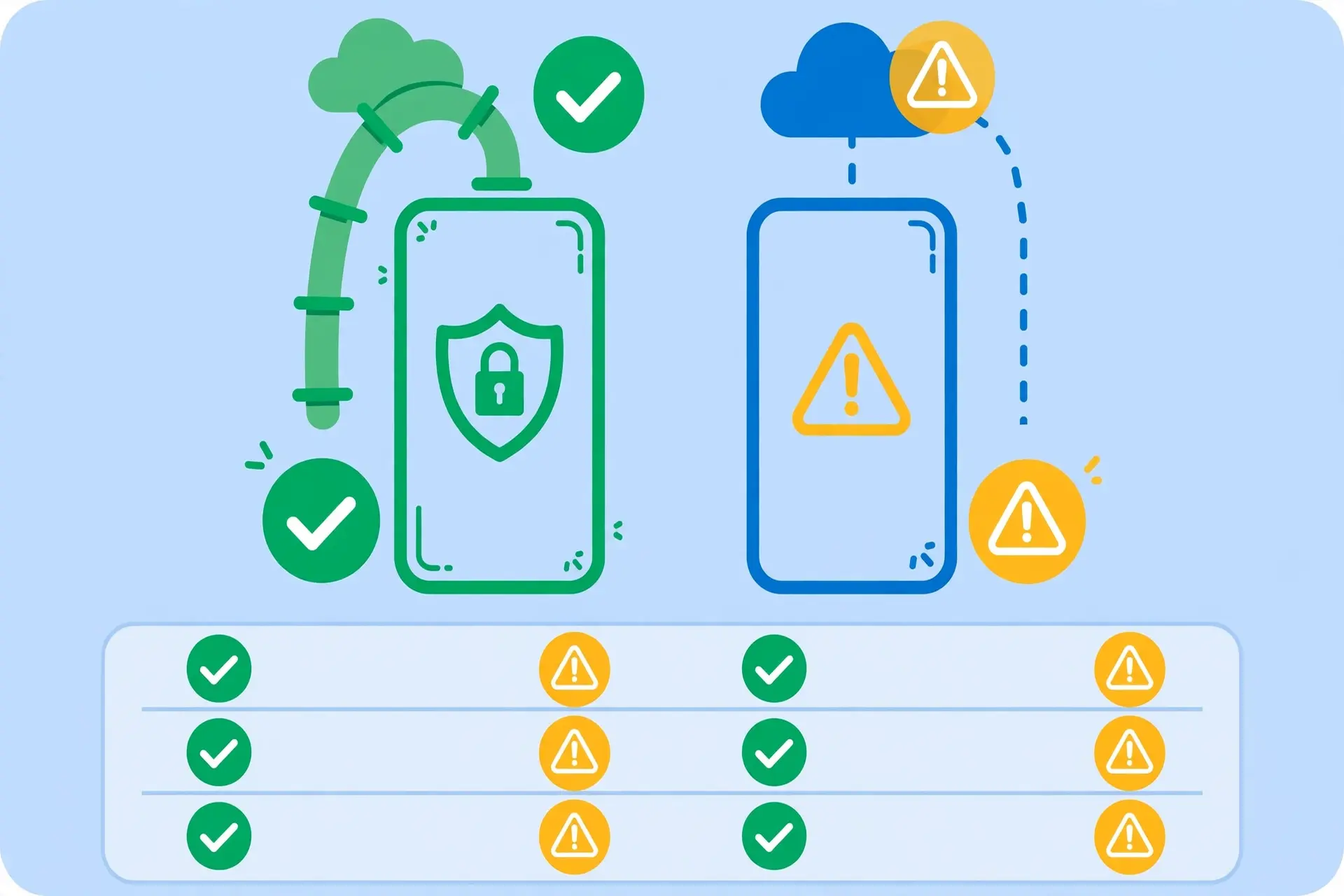
How to Compare Signal With and Without the Tunnel
The comparison test is the heart of this guide. It tells you whether the VPN is actually helping Signal on your connection, rather than leaving you to guess. The method is simple, but it needs discipline: test both conditions on the same device, on the same network, and record the result each time.
- Update Signal and the VPN app to the latest versions, then turn the VPN off and close Signal completely.
- Open Signal with the VPN off, send a message to a contact, and note whether it sends, how long it takes, and whether the reply arrives.
- Make a short voice call with the VPN off, and note whether it connects, whether the audio is clear, and whether it drops.
- Close Signal, turn the VPN on, confirm the tunnel is connected, and confirm your IP address with a lookup site.
- Open Signal again with the VPN on, send a message to the same contact, and record the same details as before.
- Make another short voice call with the VPN on, and record whether it connects, how clear it is, and whether it drops.
- Repeat the whole pair of tests at a different time of day, on the same network, and compare the two sets of results.
The details you record matter more than the headline result. A message that sends after thirty seconds is different from a message that never sends, and a call that connects but breaks up is different from a call that never connects. Write down what happened in each test, including the time, the network, the VPN protocol, and the exit country.
The time of day matters because filtering in Pakistan varies. A test at midday may give a different result from a test in the evening, when networks are busier and filtering may be tighter. That is why the method asks you to repeat the pair of tests at a different time. A single test at a single hour proves very little.
The network matters just as much. Test on your home broadband and on your mobile data separately, because the two may behave differently. Reports from Pakistan suggest that some mobile networks filter more strictly than home broadband, and that the strictest networks vary over time. A VPN that helps on Wi-Fi may fail on mobile data, or the other way round.
If Signal works without the VPN, you do not need the VPN for Signal on that network at that time, though you may still want it for other reasons.
If Signal fails without the VPN and works with it, the VPN is helping, and you should note which protocol and exit country worked. If it fails both ways, try a different protocol, a different exit country, and then the proxy option.
Messages, Calls and Registration: What a VPN Can and Cannot Fix
Signal has three different jobs: sending messages, making calls, and registering a new account. A VPN affects each of them differently, and it is worth separating them, because a fix for one may not fix the others. The sections below take each job in turn.
Messages With a VPN
Messages are the most forgiving part of Signal. They need only a brief connection to Signal’s servers, and they can wait in a queue if the connection is slow. If your VPN lets Signal connect at all, messages usually go through, even on a slow tunnel. The main symptom of a failing message connection is a message that stays on one tick for a long time.
If messages fail with the VPN on, check the split tunneling list first, then the proxy setting, and then try a different exit country. A message that fails on every exit country and every protocol is a sign that the VPN itself is blocked on your network, not that Signal is the problem.
Voice and Video Calls With a VPN
Calls are much more demanding than messages. A voice call needs a steady, low-delay connection, and a video call needs more bandwidth still. A VPN adds a hop to the path, which can add delay, and a distant exit server adds more. For calls from Pakistan, a nearby exit such as the United Arab Emirates or Singapore usually gives a shorter path than a European exit.
If calls connect but the audio breaks up, the problem may be the exit country rather than the block. Try a nearer exit, try a different protocol, and try the call on Wi-Fi instead of mobile data. If calls never connect at all, the problem is more likely the block itself, and the comparison test in this guide will show whether the VPN changes anything.
Signal calls can also use a relay server when a direct connection is not possible, and that relay adds another hop. The relay is a normal part of Signal’s design, not a fault, but it means a call may take a different path from a message. Do not assume that because messages work, calls will work too. Test both.
Registration and SMS Verification With a VPN
Registration is the part a VPN cannot fix. Signal needs your phone number to register, and the verification SMS or call has to reach your phone through your mobile network. A VPN does not change your phone number, and it does not change whether the SMS arrives. If the SMS never arrives, the problem is with the number or the network, not with the VPN.
Some readers try registering with the VPN on and then with it off, and that is a reasonable test, because a VPN can occasionally interfere with the registration check. But if the SMS does not arrive in either case, the VPN is not the cause, and you should check the number, the network coverage, and whether Signal registration is possible on that number at all.
Account eligibility is a separate question from connectivity. Signal may restrict accounts for reasons that have nothing to do with your network, and a VPN does not change your eligibility. No VPN can guarantee that Signal will accept a registration, and any guide that promises otherwise is overstating what a VPN can do.
Surfshark and Signal: The VPN We Recommend
Surfshark is the VPN we recommend for readers in Pakistan who want to test Signal through a tunnel, and the reason is practical. Its app offers WireGuard and OpenVPN, it includes Camouflage Mode on OpenVPN connections and a NoBorders mode, and one subscription covers unlimited devices, so the same account protects your phone, your laptop and your television.
The obfuscation features are the part that matters most for Signal in Pakistan. A plain WireGuard tunnel is the protocol most often reported as blocked on strict Pakistani networks, while an obfuscated OpenVPN connection can be harder for a filter to spot. That does not guarantee a connection, but it gives you a second option when the first one fails, and that second option is often the one that works.
The nearby exit countries are the second reason. Surfshark lists servers in the United Arab Emirates, Singapore and India, among others, which gives you a short path from Pakistan for Signal calls. Try the nearest exit first, and if it fails, try the next nearest, and record which one worked. The comparison test in this guide is built for exactly that kind of trial.
Surfshark also offers a 30-day money-back guarantee, which is the part that makes this test low risk. Subscribe, run the comparison test on your own network, and request a refund inside the 30 days if Signal still does not work through the tunnel. If it does work, you have a VPN that covers every device in the house for the price of the plan.
Check the current Surfshark price on the official site before you subscribe, and confirm the two-year rate and the rupee conversion there before you commit. Prices and promotions change, and the figure on the official site is the only one you should trust. The offer we promote is 80% off for our users, through the link in this guide.
Surfshark — our recommended VPN for Pakistan
One subscription covers unlimited devices, so the same account protects your phone, laptop and television while giving you nearby servers to test Signal through.
Signal VPN Performance in Pakistan: What the Reports Say
There are no reliable public speed or latency figures for Signal over a VPN in Pakistan, and this guide publishes none.
The reason is simple: the result depends on your network, your phone, the VPN protocol, the exit country, and the time of day, so a number measured on one connection would mislead a reader on another. What exists instead is a pattern of reports, and the pattern is worth describing honestly.
The pattern is that plain WireGuard over UDP often fails on strict Pakistani networks, with the app reporting a connection while no data moves, or the tunnel dropping after a minute. That pattern has been reported for several providers, and it is consistent with a filter that recognises WireGuard’s packet shape. OpenVPN over TCP, and obfuscated protocols, are reported to fare better on those networks.
The pattern also varies by provider. Reports from 2026 name Zong and PTCL among the strictest networks for VPN traffic, while other networks are reported to be more permissive. That ranking is based on published reports rather than on tests made for this guide, and it may have changed since those reports were written. Treat it as a starting point for your own test, not as a settled fact.
Latency is the number readers ask about most, and it is the number this guide will not invent. A VPN adds at least one hop to the path, and the added delay depends on the distance to the exit server and the quality of the underlying connection.
A nearby exit usually adds less delay than a distant one, but the exact figure on your connection can only be found by testing it yourself.
The honest way to think about performance is this. If Signal does not connect at all without a VPN, then a VPN that lets it connect is an improvement no matter how slow it is, because a slow connection beats no connection. If Signal already works without a VPN, then a VPN can only make it slower, and the question becomes whether the extra privacy is worth the extra delay.
Troubleshooting Signal With a VPN
When Signal fails with a VPN on, work through the causes in order, starting with the simplest. Most failures have a simple cause, and jumping to the hardest explanation first wastes time. The list below covers the failures reported most often, in the order you should check them.
- VPN not actually connected: check the VPN app’s status and confirm your IP address with a lookup site before you open Signal.
- Signal bypassing the VPN: open the split tunneling list and confirm Signal is inside the tunnel, not outside it.
- Dead proxy set in Signal: open Signal’s proxy setting and turn it off while you test the VPN, so you are testing one thing at a time.
- Wrong protocol for the network: switch from WireGuard to OpenVPN over TCP, or to your provider’s obfuscated mode, and test again.
- Exit server blocked: try a different exit country, starting with the nearest ones, and record which ones fail.
- App out of date: update Signal and the VPN app, because older versions can fail on networks that newer versions handle.
- Battery optimisation killing the app: exclude Signal and the VPN app from battery optimisation in your phone’s settings.
- Network itself blocking VPNs: test the same setup on a different network, such as home broadband instead of mobile data.
If Signal works on Wi-Fi but not on mobile data, the mobile network is the likely cause, and the fix is a different protocol or a different exit country on mobile data. If it works on mobile data but not on Wi-Fi, the home network or the home router may be filtering the connection, and the router settings are worth checking.
If messages work but calls do not, the problem is more likely performance than blocking. Try a nearer exit country, try Wi-Fi instead of mobile data, and try a voice call before a video call, because video needs more bandwidth. If the call connects but the audio breaks up, the tunnel is probably too slow for a call, not blocked.
If nothing works on any protocol, any exit country, or any network, consider the proxy option described earlier, or consider that the VPN provider itself may be blocked in Pakistan. Some providers’ server addresses are filtered, and a provider that worked last year may not work this year. Test a different provider inside its refund window before you conclude that no VPN can help.
If you contact support, give them the detail they need in the first message: your network, the protocol you tried, the exit countries you tried, the time of the test, and what happened in each case. That detail lets support help you in one reply instead of three, and it is the same detail the comparison test in this guide asks you to record.
Limitations and What This Article Does Not Claim
This article is a compatibility guide based on published test data and official support pages, not a report of tests that were run. No speed measurements, latency figures or call-quality numbers were made for this post, and none are published here. The Signal status figures come from published test datasets, current as of 23 November 2026, and they describe a pattern, not a permanent fact.
Three claims in this guide are flagged as unconfirmed or varying. Signal’s availability in Pakistan is reported as blocked in most recent tests, but the picture varies by network and by time, so the status should be treated as varying rather than settled.
The ranking of strict networks, naming Zong and PTCL among the strictest, comes from published reports and may have changed. And no VPN can guarantee Signal access, lower latency, or account eligibility, so none of those is promised here.
Flagged: Signal’s availability in Pakistan is reported as blocked in most recent tests but varies by network and time, so it is treated as varying rather than settled; the ranking of strict networks comes from published reports and may have changed; and no VPN can guarantee Signal access, lower latency, or account eligibility.
The test data also has limits. The datasets count network tests, not individual users, and a test that fails does not prove that every user on that network fails. A reader whose Signal works fine on their own network should trust their own experience over any dataset, and a reader whose Signal fails should test the methods in this guide rather than accept a dataset as the final word.
This guide also does not claim that a VPN makes Signal more private in the sense of message encryption. Signal’s messages are end-to-end encrypted with or without a VPN, and a VPN changes the network path, not the message encryption. The privacy benefit of a VPN for Signal is about hiding the fact that you use Signal from your network, not about encrypting the messages further.
Finally, this guide does not cover the legal position of VPN use in Pakistan. VPN use is regulated, and the PTA registers business VPN use, so check the current local position before you rely on any VPN setup for Signal.
Surfshark — our recommended VPN for Pakistan
Try the setup inside its 30-day money-back guarantee window first, so a VPN that never helps Signal on your network costs you nothing to replace.
Conclusion: Test Signal on Your Own Network
A VPN can help Signal in Pakistan, but it guarantees nothing, and that is the fact this whole guide is built around. Signal is reported as blocked on most Pakistani networks, the VPN connection itself can be blocked, and the result varies by network, by protocol, and by the time of day. The only way to know whether a VPN helps on your connection is to test it there.
The test is simple, and this guide gives you the method: check the settings on both apps, try the built-in proxy first, then run the with-and-without comparison on the same device and the same network, and repeat it at a different time of day. Record what happened each time, including the protocol and the exit country, so you can repeat the working combination.
Whatever you choose, verify it the way this guide describes: confirm the VPN is connected before you open Signal, confirm Signal is inside the tunnel, and confirm the result on a second network before you treat it as settled. A claim that cannot be checked on your own connection is not a fact.
For our other Pakistan VPN guides, the freevpn.pk homepage lists them all.
Frequently Asked Questions
How Can a VPN Affect Signal?
A VPN changes the network path your Signal traffic takes, which can help when a network blocks Signal’s servers directly. It routes your traffic through an exit server in another country, so the local network sees encrypted VPN traffic instead of a connection to Signal.
It does not change how Signal encrypts your messages, and it cannot guarantee access, because the VPN connection itself can also be blocked, and the exit server can be filtered too.
Which Settings Should I Verify?
Verify the VPN protocol, the kill switch, split tunneling, and the DNS settings before you test Signal. On the Signal side, check that the app is up to date, that its proxy setting is either off or set to a working proxy, and that battery optimisation is not killing the app in the background.
Also confirm the VPN is connected before you open Signal, and confirm your IP address with a lookup site.
How Do I Compare the App With and Without the Tunnel?
Test Signal twice on the same network and the same device, once with the VPN off and once with it on, and record what happens each time. Send a message, make a short voice call, and note whether each one works, how long it takes to connect, and whether anything fails.
Repeat the pair of tests at a different time of day, because network filtering in Pakistan varies by hour and by provider.