If you want a Sri Lanka IP address from Pakistan, Surfshark is the VPN we recommend, with 80% off for our users
The method is simple: choose a VPN that has a Sri Lanka server, install its official app, connect to Sri Lanka, and then verify the address with an IP lookup site, because the lookup is the only proof that the address you are showing the internet is really in Sri Lanka.
That is the whole process in one sentence, and the rest of this guide fills in the detail: which providers actually have a Sri Lanka server, how the setup differs on Android, iPhone and Windows, how to verify the result, and what to do when the address shows the wrong country or the service you need still refuses the connection.
This guide is written for readers in Pakistan who need a Sri Lanka IP address for a specific reason: reaching Sri Lankan streaming services, using Sri Lankan banking or government portals, testing a Sri Lankan website, or keeping in touch with family in Colombo. Each of those uses needs a real Sri Lanka exit server, not just any VPN.
Not many VPN providers have Sri Lanka servers, so the choice is smaller than for a popular country such as the United States or the United Kingdom. That is worth knowing before you subscribe, because a provider that looks good on every other measure is useless for this purpose if it has no Sri Lanka location at all.
Everything below is based on published provider server lists and setup guides, current as of 23 November 2026. Where sources disagree, this guide says so instead of picking the friendlier claim. No speed measurements were made for this post, and none are published here.
One warning belongs up front. A Sri Lanka IP address does not guarantee access to any particular service. Streaming services, banks and government portals each apply their own checks, and some of them detect VPN use even on a Sri Lanka server. Test the service you actually need, inside the refund window, before you rely on the setup.
The Short Answer: Connect to a Sri Lanka Server and Verify the IP
To get a Sri Lanka IP address from Pakistan, pick a VPN with a Sri Lanka server, install its official app, connect to Sri Lanka, and verify the address with an IP lookup site. That is the short answer, and it is the method every provider’s own guide describes, in the same four steps, with only the app’s menus differing.
The steps are easy, but each one has a trap. The provider may list Sri Lanka on its website but keep it on a paid plan. The app may show Sri Lanka in the list but grey it out for free users.
The server may be virtual, hosted outside Sri Lanka, so the address is Sri Lankan even though the hardware is not. And the lookup may show Sri Lanka while the service you need still refuses the connection.
The guide below works through each step in order, so you can check your own setup against it. It starts with choosing a provider, then gives the setup steps for each device, then explains verification, GPS, and the checks to run before you use a location-sensitive service. The troubleshooting section at the end covers the common failures.
If you only need a Sri Lanka IP address once, the 30-day money-back guarantee is the cheapest honest route. Subscribe, connect, test the service you need, and request a refund inside the 30 days if it does not work. That is a trial with a safety net, not a free plan, and the difference matters, because it needs a payment method up front.
If you need a Sri Lanka IP address every day, a paid subscription is the only ongoing way to keep one. No trustworthy ongoing free VPN plan offers a Sri Lanka server, so a free plan cannot give you this address. The companion free guide on this site explains that finding in full, and this guide focuses on the paid route that actually works.
Choose an Eligible Provider With a Sri Lanka Server
The first step is choosing a provider that actually has a Sri Lanka server, and the choice is smaller than most readers expect. Several well-known providers have no Sri Lanka location at all, and some that list one keep it behind a paywall or run it as a virtual server. The table below summarises the providers with published Sri Lanka pages, current as of November 2026.
| Provider | Sri Lanka Servers | Server Type |
|---|---|---|
| Surfshark | Sri Lanka location listed | Virtual server |
| Proton VPN | Sri Lanka servers listed | Check provider page for type |
| ExpressVPN | 1 Sri Lanka location | Check provider page for type |
| CyberGhost | 35 servers in Colombo | Check provider page for type |
| Private Internet Access | Sri Lanka location listed | Virtual, hosted outside Sri Lanka |
| NordVPN | Conflicting reports | Unconfirmed, see below |
Surfshark is the provider this guide recommends, and its Sri Lanka page describes the setup in three steps: get Surfshark, download the VPN, and connect to a Sri Lanka server.
Its Sri Lanka IP address comes from a virtual server, which means the address is registered as Sri Lanka even though the hardware sits elsewhere. That is the same arrangement most providers use for Sri Lanka, and it matters only if physical server location matters to you.
Proton VPN also lists Sri Lanka servers on its own page, and it describes connecting in three steps: sign up, download the app, and connect to a Sri Lanka server.
Its page says you can select the Sri Lanka marker on a map in the app, or use the quick connect button next to Sri Lanka to reach the fastest server for your location. Proton’s Sri Lanka servers are on its paid plans, not on its free plan.
ExpressVPN lists one Sri Lanka location, and CyberGhost lists 35 servers in Colombo, which is the largest Sri Lanka fleet in this comparison. Both are paid providers, and both describe the same setup shape: subscribe, install the app, and connect to Sri Lanka. The number of servers matters less than whether any of them works for the service you need, so treat the count as background, not as a ranking.
Private Internet Access also lists a Sri Lanka location, and it says openly that the location is virtual and hosted outside the country. That honesty is useful, because it tells you exactly what you are getting. If physical server location matters to you, check the provider’s own disclosure rather than assuming that a Sri Lanka label means the hardware is in Sri Lanka.
NordVPN is the provider this guide cannot settle. One guide says NordVPN has servers in Sri Lanka and recommends it as the best choice, while another guide says NordVPN does not have Sri Lanka servers at all, and lists it only for nearby countries.
That is a direct conflict between published sources, so this guide flags NordVPN’s Sri Lanka availability as unconfirmed and recommends checking its current server list before you subscribe.
The free-plan question deserves a direct answer. No trustworthy ongoing free VPN plan offers a Sri Lanka server. Proton VPN Free covers ten countries, Windscribe Free covers ten or eleven, hide.me Free covers seven or eight, and none of those lists includes Sri Lanka. A free plan can protect your connection, but it cannot give you a Sri Lanka IP address.
How to Get a Sri Lanka IP Address: the Setup Steps
The setup steps are the same in shape for every provider, and they take about ten minutes from start to finish. The ordered list below gives the general flow, and the sections after it give the device-specific detail for Android, iPhone and Windows, where the menus differ.
- Choose a provider from the table above and confirm on its own server list that Sri Lanka is currently offered on the plan you will buy.
- Create the account and subscribe, using the provider’s official website rather than a reseller or an app store link you cannot verify.
- Download the provider’s official app for your device, from its website or from your phone’s app store, and sign in.
- Open the server list or the map in the app, search for Sri Lanka or Colombo, and select the Sri Lanka location.
- Connect, wait for the app to report the tunnel as connected, and note the server name or number it shows.
- Open an IP lookup site and confirm the country shown is Sri Lanka, then open the service you need and test it.
Confirm the Sri Lanka server before you pay, not after. Open the provider’s server list on its website and look for Sri Lanka in the plan you are buying, because a country can be listed on the full network page while being absent from the plan you chose. If the list is unclear, ask the provider’s support in writing before you subscribe.
Use the official app, not a manual configuration, for your first setup. The official app handles the protocol, the certificates and the reconnection for you, and it shows the connection status clearly. Manual OpenVPN or WireGuard configuration is useful later, for a router or for a device with no app, but it adds ways to fail on a first attempt.
Note the server name or number the app shows after you connect. If the connection fails later, that detail tells support exactly which server you used, and it lets you try a different Sri Lanka server if the provider offers more than one. CyberGhost, for example, lists 35 servers in Colombo, so a second server is a real option there.
If the app shows Sri Lanka but the location is greyed out or marked as a paid location, the plan you bought does not include it. That is the most common surprise for readers who buy the cheapest plan without checking. Upgrade the plan, or choose a different provider, rather than assuming the greyed-out location will unlock itself.
Sri Lanka IP Address on Android
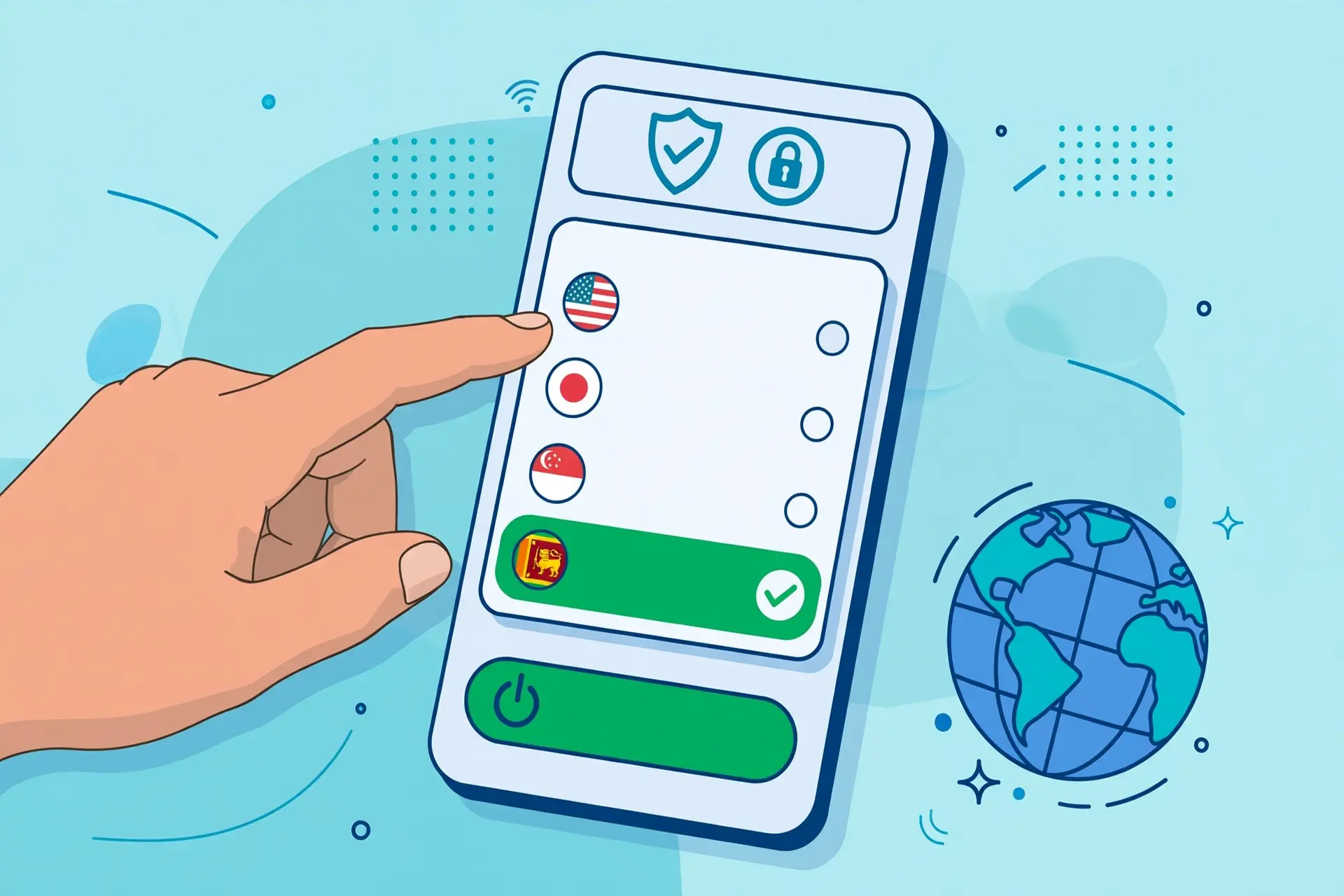
On Android, the setup follows the same four steps as everywhere else, with the menus in the provider’s app. Download the app from the Google Play Store or from the provider’s website, sign in, open the server list, search for Sri Lanka, and tap to connect. The app should show a key icon or a notification confirming the VPN is active.
Android adds one setting worth checking: battery optimisation. Android can kill the VPN app in the background to save battery, which drops the tunnel without warning and leaves your real IP address exposed. Exclude the VPN app from battery optimisation in your phone’s settings, and do the same for any app you need to use through the tunnel, such as a banking app.
The permission prompt is normal. Android asks you to approve the VPN connection the first time an app requests it, and you should approve it only for the provider’s official app. If a different app asks for VPN permission while you are setting this up, decline it, because a VPN app you did not install should never be given that permission.
After connecting, verify the address before you open the service you need. Open a browser on the phone, visit an IP lookup site, and confirm the country shown is Sri Lanka. Then open the service itself. If the service still shows the wrong content, clear the browser cache and cookies and try again, because a cached location can survive the VPN connection.
If the VPN will not connect on Android, try the steps in order: switch the protocol in the app settings, try a different Sri Lanka server if one is offered, restart the phone, and then reinstall the app. If it still fails, test the same account on a different network, such as home Wi-Fi instead of mobile data, to find out whether the network or the app is the problem.
Sri Lanka IP Address on iPhone
On iPhone, the setup is the same shape as Android, with Apple’s menus in place of Android’s. Download the provider’s app from the App Store, sign in, open the server list, search for Sri Lanka, and tap to connect. iOS asks you to approve the VPN configuration the first time, and you should approve it only for the provider’s official app.
iOS handles VPN connections through its own settings as well as through the app. You can check the connection in Settings, then VPN, where the active configuration should show as connected, with the provider’s name beside it. If the app says connected but the iOS settings show disconnected, trust the iOS settings and reconnect from the app.
The kill switch on iOS works differently from Android. iOS does not offer the same always-on kill switch in every VPN app, so check what your provider’s app offers and turn on whatever leak protection it has. If the tunnel drops on an iPhone, the phone may briefly use your real connection, so verify the IP address again after any reconnection.
Background behaviour matters on iPhone too. iOS can suspend the VPN app in the background, and a suspended app may drop the tunnel. Keep the app updated, and if the connection drops often, try a different protocol in the app settings. OpenVPN over TCP is often more stable on iOS than WireGuard on networks that filter VPN traffic.
Verification on iPhone is the same as on Android: open a browser, visit an IP lookup site, and confirm the country shown is Sri Lanka before you open the service you need. Then test the service itself, and clear the browser cache and cookies if the service still shows the wrong content after the VPN connects.
Sri Lanka IP on Windows and Mac
On Windows, download the provider’s app from its official website, install it, sign in, and connect to Sri Lanka from the server list. The app should show a clear connected status, with the server name and the new IP address. Windows also shows a VPN icon in the taskbar when a VPN is active, which is a quick visual check.
Windows adds a setting worth checking: the kill switch. Turn it on in the app settings before you connect, so that traffic stops if the tunnel drops instead of leaking over your real connection. Also check the app’s split tunneling list, and confirm that the browser or app you need is inside the tunnel rather than bypassing it.
On Mac, the setup is the same, with the app downloaded from the provider’s website or the Mac App Store. macOS asks you to approve the VPN configuration the first time, and you should approve it only for the provider’s official app. Check the connection in System Settings, then VPN, where the active configuration should show as connected.
On both Windows and Mac, the verification step is the same: open a browser, visit an IP lookup site, and confirm the country shown is Sri Lanka. Then open the service you need. If the service still shows the wrong content, clear the browser cache and cookies, try a private browsing window, and try a different Sri Lanka server if the provider offers one.
If the VPN will not connect on a desktop, the cause is often the firewall or an older app version. Update the app, check that your firewall allows it, and try a different protocol in the app settings. If it still fails, test the same account on your phone on the same network, which tells you whether the problem is the desktop or the network.
Verify Sri Lanka VPN IP: the Check That Proves It Worked
Verification is the step that turns a guess into a fact. A VPN app that says connected is not proof that your visible address is in Sri Lanka. The proof is an IP lookup site that reports Sri Lanka, and you should run that check every time you connect, not just the first time, because servers and databases change.
- Connect to the Sri Lanka server and wait for the app to report the tunnel as connected.
- Open a reputable IP lookup site in your browser and note the country it reports, the city if it shows one, and the IP address itself.
- Open a second lookup site and compare the country it reports, because different services use different location data.
- Check that the IP address shown is different from your real Pakistani address, which you can find by disconnecting and looking again.
- Open the service you need and confirm it treats you as being in Sri Lanka, rather than relying on the lookup alone.
The second lookup is not optional. Location databases disagree, and a single wrong entry can make a Sri Lanka address look like it belongs elsewhere, or make a Singapore address look like Sri Lanka. If two independent lookup sites both report Sri Lanka, the result is much more reliable than a single check.
The city matters too. A lookup that reports Colombo is a stronger result than one that reports only Sri Lanka, because Colombo is the city where most Sri Lanka servers are located. A lookup that reports a different country, or a city in another country, means the server is not doing what you need, even if the app says connected.
The comparison with your real address is the check that catches a leak. Disconnect the VPN, note your real IP address and country, then reconnect and note the new ones. If the address does not change, the tunnel is not carrying your traffic, and you should check the app’s status and the split tunneling list before you use the connection.
Keep a note of the working server. If one Sri Lanka server works and another does not, the note saves you from repeating the trial. Record the server name, the date, the lookup result, and whether the service you needed accepted the connection, because that record is what you will rely on next time.
Does Selecting Sri Lanka Change Device GPS?
No, selecting Sri Lanka in a VPN app does not change your device GPS. A VPN changes your IP address, which is the address websites see, but your phone’s GPS still reports your real location in Pakistan. That distinction matters, because some apps use GPS rather than IP address to decide where you are.
Most websites use the IP address, so a VPN is enough for them. A streaming site that checks your IP address will see Sri Lanka, and that is the end of its check. But an app on your phone can ask the operating system for the GPS location, and the operating system will answer with your real position, regardless of the VPN.
Banking apps and government portals are the services most likely to check both. A banking app may compare the IP address with the GPS, and a mismatch can trigger a security check or a refusal. A ride-hailing or delivery app will use GPS for its core job, and a VPN cannot change that. Check how the service you need decides your location before you rely on the VPN alone.
There are ways to change the GPS reading on a phone, but they are not part of this guide, because they need developer options, mock location apps, or a rooted device, and they can break other apps or breach the service’s terms. A VPN is the honest, supported method for changing your IP address, and this guide does not recommend GPS spoofing as a companion to it.
The practical rule is simple. If the service you need works in a browser and checks only the IP address, a VPN is enough. If it is a phone app that uses GPS, a VPN alone may not be enough, and you should test the app itself, with the VPN connected, before you rely on the setup. The test is the answer, not the theory.
What to Check Before Using a Location-Sensitive Service
A location-sensitive service is any service that changes what it shows, or whether it works at all, based on where you appear to be. Streaming services, banks, government portals and online shops all fall into this group, and each of them applies its own checks. The list below gives the checks to run before you rely on a Sri Lanka IP address for one of them.
- Confirm the provider currently offers a Sri Lanka server on the plan you bought, and confirm the server is not greyed out in the app.
- Verify the IP address with two lookup sites and confirm both report Sri Lanka, ideally with Colombo as the city.
- Read the service’s terms to check whether VPN use is allowed, because some services prohibit it and may suspend an account that uses one.
- Check whether the service uses GPS as well as IP address, and test the service itself rather than assuming the lookup result is enough.
- Clear the browser cache and cookies before you test, because a cached location from an earlier session can survive the VPN connection.
- Test the service inside the VPN’s refund window, so a service that refuses the VPN address costs you nothing to walk away from.
The terms check is the one readers skip most often, and it is the one with the highest stakes. A streaming service may simply refuse a VPN address, which is annoying but harmless.
A bank or a government portal may treat VPN use as suspicious activity, which can lock an account or trigger a verification process. Read the terms, and do not use a VPN for a service that prohibits it.
The cache check is the most common cause of a false failure. A browser that remembers your earlier location can keep showing Pakistani content even after the VPN connects, because it serves a cached page rather than fetching a fresh one. Clear the cache and cookies, or open a private browsing window, and test again before you conclude the VPN is not working.
The account region is a separate question from the IP address. Some services decide what you can see based on the country you chose when you created the account, not the country your IP address shows today. A Sri Lanka IP address will not change an account that was registered in Pakistan, and the service may keep showing Pakistani content for that reason.
Payment methods are another separate question. A service that asks for a Sri Lankan payment method will not accept a Pakistani card just because the IP address is in Sri Lanka, and a VPN cannot change that. Check the payment requirements as well as the location requirements before you subscribe to anything.
Surfshark and Sri Lanka Servers: The Route We Recommend
Surfshark is the VPN we recommend for readers in Pakistan who need a Sri Lanka IP address, and the reason is practical. Its own Sri Lanka page describes the setup in three steps, its app covers Android, iPhone, Windows and Mac, and one subscription covers unlimited devices, so the same account protects every screen in the house as well as giving you a Sri Lanka server to choose.
The Sri Lanka location is a virtual server, which means the address is registered as Sri Lanka even though the hardware sits elsewhere. That is the same arrangement most providers use for Sri Lanka, including Private Internet Access, which discloses it openly. The address still shows as Sri Lanka to lookup sites and to services that check the IP address.
Surfshark’s app also includes Camouflage Mode on OpenVPN connections and a NoBorders mode, which can help on networks that filter VPN traffic. That is a real consideration for readers in Pakistan, where some networks restrict VPN connections, and it is one of the reasons this guide recommends Surfshark over a cheaper plan that lacks those features.
Surfshark also offers a 30-day money-back guarantee, which is the part that makes the Sri Lanka test low risk. Subscribe, connect to Sri Lanka, open the service you need, and check that it works. If it does not, request a refund inside the 30 days. If it does work, you have a Sri Lanka server for the price of the plan, with no device limit to worry about.
Check the current Surfshark price on the official site before you subscribe, and confirm the two-year rate and the rupee conversion there before you commit. Prices and promotions change, and the figure on the official site is the only one you should trust. The offer we promote is 80% off for our users, through the link in this guide.
Surfshark — our recommended VPN for Pakistan
One subscription covers unlimited devices, so the same account protects your phone, laptop and television while giving you a Sri Lanka server to choose.
Troubleshooting a Sri Lanka IP Address That Shows the Wrong Country
The most common failure is a lookup that shows the wrong country after the VPN connects, and it usually has a simple cause. Work through the list below in order, and test the lookup again after each step, because the first step often fixes it and saves the rest of the trial.
- Wrong server selected: open the server list again and confirm Sri Lanka is the location you actually connected to, not a nearby country.
- Cached location in the browser: clear the cache and cookies, or open a private browsing window, and run the lookup again.
- Split tunneling bypass: check the app’s split tunneling list and confirm the browser is inside the tunnel, not outside it.
- VPN not actually connected: check the app’s status and confirm the IP address changed from your real Pakistani address.
- Leaking DNS: run a DNS leak test and confirm the DNS servers shown belong to the VPN provider, not your internet provider.
- Virtual server database entry: try a second lookup site, because one database may list the virtual server’s address under the wrong country.
If the lookup shows Singapore or India instead of Sri Lanka, the cause is often the virtual server. A virtual Sri Lanka server is hosted outside Sri Lanka, usually in Singapore, and some location databases list the address under the hosting country rather than the registered country. A second lookup site that reports Sri Lanka is a better guide than a single database that disagrees.
If the lookup shows your real Pakistani address, the tunnel is not carrying your traffic at all. Check the app’s connection status, check the split tunneling list, and check whether the kill switch is on. A browser that bypasses the tunnel will always show your real address, no matter which server you selected.
If the lookup shows Sri Lanka but the service you need still refuses the connection, the service is likely detecting the VPN itself. Some services keep lists of known VPN addresses and block them regardless of the country. Try a different Sri Lanka server if the provider offers one, and if that fails, the service may simply not accept VPN traffic, and no server change will fix it.
If nothing works, test the same account on a different device and a different network. That test separates a device problem from a network problem, and it gives you the detail to take to the provider’s support: the server you tried, the lookup results, the time of the test, and what the service itself showed.
Limitations and What This Article Does Not Claim
This article is a procedural guide based on published provider server lists, not a report of tests that were run. No speed measurements were made for this post, and it publishes no speed numbers, latency figures or connection results of its own. The provider details come from official pages and published guides, current as of 23 November 2026.
Two claims in this guide are flagged as unconfirmed. NordVPN’s Sri Lanka availability is reported both ways by published sources, so it is flagged as unconfirmed and readers should check its current server list. The exact server type for Proton VPN, ExpressVPN and CyberGhost in Sri Lanka is not stated in the sources used here, so this guide does not claim whether those servers are physical or virtual.
Flagged: NordVPN’s Sri Lanka availability is reported both ways by published sources and is treated as unconfirmed; and the physical or virtual status of the Proton VPN, ExpressVPN and CyberGhost Sri Lanka servers is not stated in the sources used here, so no claim is made about it.
Server lists also change. Providers add and remove locations over time, and a Sri Lanka server that exists today could be removed later, just as a provider with no Sri Lanka server today could add one. If you read this guide months after publication, check the provider’s current server list in its app before you rely on any location named here.
This guide also does not claim that a Sri Lanka IP address will unblock every Sri Lankan service. Streaming services, banks and government portals each apply their own checks, and some detect VPN use even on a Sri Lanka server. The result depends on the service, the server and the date, so test it inside the refund window.
Finally, this guide does not cover the legal position of VPN use in Pakistan or in Sri Lanka. VPN use is regulated in Pakistan, and the PTA registers business VPN use, so check the current local position before you rely on any VPN setup.
Surfshark — our recommended VPN for Pakistan
Try the Sri Lanka server inside its 30-day money-back guarantee window first, so a location that never works for your purpose costs you nothing to replace.
Conclusion: Pick a Provider, Connect, and Verify
Getting a Sri Lanka IP address from Pakistan comes down to three steps: pick a provider that actually has a Sri Lanka server, connect to it in the official app, and verify the address with an IP lookup site. Surfshark, Proton VPN, ExpressVPN, CyberGhost and Private Internet Access all publish Sri Lanka locations, and the choice between them should turn on which one works for the service you need.
Before you subscribe, confirm the Sri Lanka server is on the plan you are buying, and remember that no trustworthy free plan offers one. After you connect, verify the address with two lookup sites, check the GPS question for the service you need, and test the service itself inside the refund window. A claim that cannot be checked in a lookup is not a fact.
Whatever you choose, keep a note of the working server, the date, and the lookup result, because that record is what you will rely on next time. And if the service you need still refuses the connection on a verified Sri Lanka address, accept that the service may not accept VPN traffic at all, rather than trying server after server in the hope that one of them slips through.
For our other Pakistan VPN guides, the freevpn.pk homepage lists them all.
Frequently Asked Questions
How Do I Confirm My IP Is Located in Sri Lanka?
Connect to the Sri Lanka server in your VPN app, then open a reputable IP lookup site and check the country it reports. If it reports Sri Lanka, that service associates the VPN’s visible public address with Sri Lanka. Check with a second lookup service as well, because different services use different location data, and a second result guards against a single wrong database entry.
Does Selecting Sri Lanka Change Device GPS?
No. Selecting Sri Lanka in a VPN app changes your IP address, not your device GPS. Your phone’s GPS still reports your real location in Pakistan, and apps that use GPS will see Pakistan, not Sri Lanka. Some apps check both the IP address and the GPS, so a VPN alone may not be enough for them, and you should check how the app you need decides your location.
What Should I Check Before Using a Location-Sensitive Service?
Check that the VPN currently offers a Sri Lanka server, that the IP lookup shows Sri Lanka, and that the service you need accepts the VPN address. Check the service’s terms as well, because some services prohibit VPN use, and a location check is not a guarantee of access. Test with the service itself, inside the VPN’s refund window, before you rely on the setup.