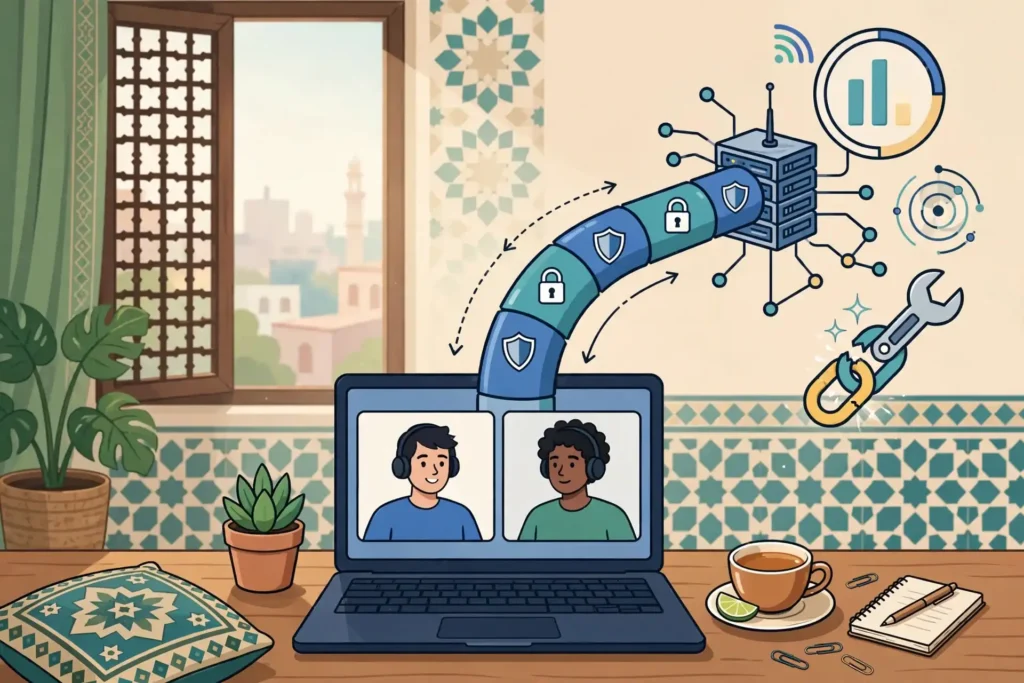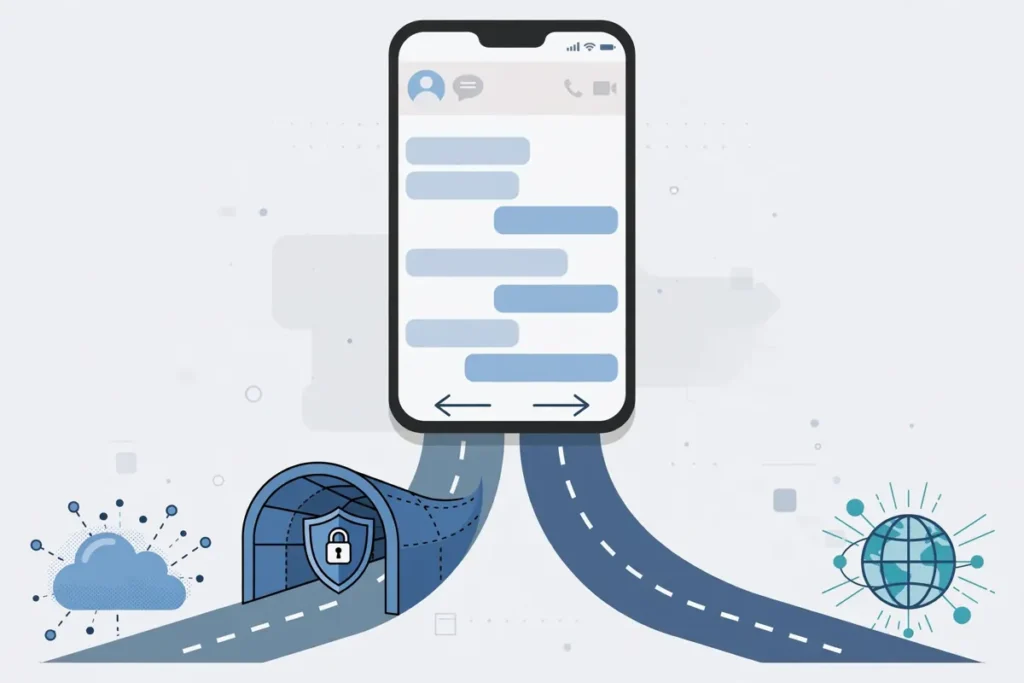
WhatsApp can travel through your VPN tunnel, or it can bypass the tunnel and connect directly — and the right choice depends on what you are doing. Surfshark is our recommended VPN for Pakistan, with 80% off for our users, and this guide explains how to route WhatsApp either way, which platforms support it, and how to test both routes yourself.
Split tunnelling is the feature that makes this choice possible. It lets you send only certain traffic through the VPN server while the rest stays on your usual internet connection. You can put WhatsApp inside the tunnel for privacy on public Wi-Fi, or outside it for the fastest, most reliable calls on your home network.
The complication is that support varies by platform and by provider. Android and Windows support per-app routing well, iOS supports it only in limited form, and macOS barely supports it at all. A guide that tells you to exclude WhatsApp from your VPN is useless if your device cannot do it.
This guide covers each platform honestly, shows the exact steps for the provider we recommend, and gives you a comparison test you can run yourself — with no invented speed numbers and no claim about which route is faster on your network, because that is something only your own test can answer.
The Short Answer: Should WhatsApp Go Inside or Outside the VPN?
Route WhatsApp through the VPN when you are on public or untrusted Wi-Fi, when you want your traffic hidden from the local network, or when you are using the VPN for everything else and have no reason to make an exception. The tunnel encrypts the connection, hides your IP address from the network, and WhatsApp’s own end-to-end encryption stays in place on top of it.
Bypass the VPN for WhatsApp when calls keep dropping, messages are delayed, or the app struggles to connect while the VPN is on. A congested VPN server, a blocked protocol, or a flagged exit IP can all make WhatsApp worse through the tunnel, and routing it directly through your ISP usually fixes those symptoms immediately.
There is no universal right answer, because the result depends on your network, your VPN server, and the time of day. A route that works well in the morning can struggle in the evening peak, and a server that is fast today can be crowded tomorrow. The comparison test in this guide is the way to decide for your own connection, not a ranking we can give you.
One thing is fixed either way: a VPN does not remove WhatsApp’s end-to-end encryption, and excluding WhatsApp from the VPN does not remove it either. Your messages stay encrypted between you and the recipient in both cases. The VPN adds a second layer of protection for the connection itself, and split tunnelling lets you choose where that layer applies.
How Split Tunnelling Works
Split tunnelling breaks the all-or-nothing rule of a VPN. Instead of pushing every byte through the VPN, it lets you choose which apps or websites get encrypted and which ones connect directly through your ISP. The rest of your traffic stays protected, and the excluded apps get the fastest, most direct route.
Two modes show up depending on the app. Include mode, sometimes called Route via VPN, sends only the listed apps through the VPN, and everything else bypasses it. Exclude mode, sometimes called Bypass VPN, sends everything through the VPN except the listed apps, which bypass it. For most WhatsApp setups, exclude mode is the more practical choice, because you keep the VPN on for everything and make a single exception for WhatsApp.
Android has exposed per-app VPN routing natively since Android 5.0 Lollipop, through the VpnService API, which is why Android support is the best. Windows supports it through the VPN app’s own driver. iOS restricts it heavily, because Apple’s system does not expose the same per-app routing to third-party VPN apps. macOS supports it least of all, and most providers do not offer it there.
Some providers also support split tunnelling by website or IP address, not just by app. Surfshark’s Bypasser, for example, can whitelist sites and specific IP addresses as well as apps, which is useful if a website rather than an app is the problem. Most providers control routing by application only, so check what your provider actually offers before you plan around it.
Split tunnelling is a feature in advanced VPN services, and not all VPNs offer it. Even those that do vary in how much you can use it and on which devices. A free VPN that does not offer split tunnelling cannot route WhatsApp separately at all, and the only choice is to turn the whole VPN on or off.
Split Tunnelling Support by Platform
On Android, support is good. Surfshark, NordVPN, and ExpressVPN all offer split tunnelling on Android, and the setup is a few taps in the app settings. Android’s built-in Always-on VPN setting also has an option to allow apps to bypass the VPN, which is a system-level version of the same idea.
On Windows, support is good. Surfshark offers Bypasser on Windows, with routing by app, website, and IP address, and NordVPN and ExpressVPN offer their own split tunnelling on Windows as well. The Windows apps give you the most control, because you can exclude a specific app, a specific website, or a specific IP range.
On iOS, support is limited and contested. Apple’s iPhones and iPads do not support per-app VPN routing in the way Android does, and most providers do not offer split tunnelling on iOS at all. Some 2026 guides report that Surfshark offers a Route via VPN option for specific apps on iOS, which would be unusual among premium VPNs, but that claim comes from third-party guides rather than Surfshark’s own documentation, and we have not verified it.
On macOS, support is effectively absent. Most providers state plainly that split tunnelling is not supported on macOS, and macOS users can only use browser extensions for partial control. If you use a Mac and need to route WhatsApp separately, the realistic options are to run the VPN on your router, or to use a different device for the calls that need to bypass the tunnel.
On routers, split tunnelling depends on the firmware and the setup, not on the VPN app. A router running a VPN can route some devices through the tunnel and others directly, but that is a network configuration, not a per-app choice, and it requires a router that supports policy-based routing.
| Platform | Split Tunnelling? | Best Option | Limitation |
|---|---|---|---|
| Android | Yes, per app | Surfshark Bypasser, NordVPN, ExpressVPN | Battery optimisation can kill the tunnel |
| Windows | Yes, per app, site and IP | Surfshark Bypasser | Needs the full app, not a browser extension |
| iOS | Limited, unverified | Surfshark Route via VPN reported | Apple restricts per-app routing |
| macOS | No, for most providers | Browser extension only | No per-app routing in the app |
| Router | Depends on firmware | Policy-based routing | Per device, not per app |
Flagged: the claim that Surfshark offers per-app split tunnelling on iOS is reported by third-party 2026 guides but not confirmed in Surfshark’s own support documentation that we checked. Treat iOS split tunnelling as unverified until you have confirmed the option yourself in the Surfshark iOS app. Do not buy a subscription for iOS split tunnelling alone.
How a VPN Affects WhatsApp
A VPN changes three things about WhatsApp’s connection: the route, the IP address, and the delay. The route goes from your device to the VPN server and then to WhatsApp, instead of directly to WhatsApp. The IP address WhatsApp sees becomes the VPN server’s address instead of your own. And the extra hop adds delay, which matters most on voice and video calls.
Messages are the least affected. A text message is small, it is not time-sensitive in the way a call is, and a slow or congested tunnel will delay it by a second or two at most. If your messages are arriving late, the cause is more likely a blocked connection or a dead tunnel than a slow one.
Voice and video calls are the most affected. A call needs a steady, low-delay connection, and a congested VPN server, a distant exit location, or a protocol that adds overhead can all make the audio break up or the video freeze. Packet loss is the worst of these: even a small amount triggers retransmissions, and on a call that sounds like stuttering or silence.
WhatsApp calls also use a direct peer-to-peer path when possible, and a VPN can interfere with that. The call may be relayed through a server instead of going directly, which adds delay and can reduce quality. That is not a fault in WhatsApp or in the VPN — it is a consequence of routing the call through an extra hop.
WhatsApp’s own encryption is unaffected. Messages and calls are end-to-end encrypted between you and the recipient, and the VPN sits underneath that encryption. Excluding WhatsApp from the VPN removes the tunnel’s protection for the connection, but it does not remove the message encryption, and your messages are not readable by your ISP in either case.
What the VPN does change is what your ISP and your local network can see. With WhatsApp inside the tunnel, the network sees only encrypted VPN traffic, not that you are using WhatsApp at all. With WhatsApp outside the tunnel, the network can see that you are connecting to WhatsApp’s servers, though not the content of your messages.
When to Route WhatsApp Through the VPN
Route WhatsApp through the VPN on public Wi-Fi. A hotel, airport, cafe, or university network is untrusted, and the tunnel hides your traffic from anyone else on that network. WhatsApp’s encryption protects the content, but the tunnel also hides the fact that you are using WhatsApp, your IP address, and your location from the network operator.
Route it through the VPN when you are already using the VPN for everything else and have no problem with it. If your calls are clear, your messages arrive promptly, and the app connects quickly, there is no reason to make an exception. The simplest configuration is the one with the fewest exceptions, and every exception is a rule you have to maintain.
Route it through the VPN when your network blocks or throttles WhatsApp directly. Some networks restrict messaging apps, and a VPN can carry the traffic past that restriction. In that case the tunnel is not a choice — it is the only way the app works at all on that network.
Route it through the VPN when you want a consistent IP address for the app. If a service you use alongside WhatsApp expects a particular country, keeping WhatsApp in the tunnel keeps its IP address consistent with the rest of your traffic, which can avoid verification challenges.
Do not route it through the VPN just because the VPN is on. The tunnel is a tool, not a rule, and if it makes WhatsApp worse, the right response is to exclude the app, not to suffer through bad calls for the sake of consistency.
When to Exclude WhatsApp From the VPN
Exclude WhatsApp when calls keep dropping or breaking up while the VPN is on, and work fine when it is off. That is the clearest signal that the tunnel is the problem, and the comparison test in this guide will confirm it in a few minutes. A call that works without the VPN and fails with it has told you everything you need to know.
Exclude it when messages are delayed by minutes rather than seconds. A message that takes a long time to send, or shows a single tick for far longer than usual, suggests the tunnel is congested or the connection is being throttled. Routing directly through your ISP removes the congested hop.
Exclude it when WhatsApp cannot connect at all while the VPN is on. Some networks block VPN protocols, and when the tunnel cannot establish itself, WhatsApp has no route at all. Excluding the app lets it connect directly while the rest of your traffic stays protected — though if the VPN cannot connect at all, the rest of your traffic is not protected either, and you should fix the VPN first.
Exclude it when a local service needs your real location. A delivery app, a banking app, or a local service that checks your IP address may refuse a VPN exit IP. WhatsApp itself does not usually need your real location, but if you use WhatsApp to share your live location, that location comes from GPS, not from the VPN, and excluding the app does not change the GPS reading.
Exclude it when you are on a trusted home network and want the lowest delay for calls. Your home Wi-Fi is a network you control, the ISP is one you chose, and the extra hop of a VPN adds delay without adding much protection. On a trusted network, the direct route is the sensible default for calls.
Flagged: WhatsApp availability in Pakistan varies over time, and we have not independently verified the current status of WhatsApp access on Pakistani networks in November 2026. Earlier guides flagged outages and restrictions, and the situation may have changed. If WhatsApp itself is unavailable on your network, split tunnelling will not fix it — test the app without any VPN first to separate a WhatsApp outage from a VPN problem.
Setting Up Split Tunnelling for WhatsApp: Surfshark Bypasser
Surfshark calls its split tunnelling feature Bypasser, and it is available on Windows and Android. The setup below follows Surfshark’s own support documentation for Android TV and the app’s settings, and the steps are the same in principle on Android phones and on Windows.
Open the Surfshark app, go to Settings, then VPN Settings, and find Bypasser. Turn it on, and you will see two modes: Bypass VPN, and Route via VPN. Choose the mode first, because it changes what the app list means.
To exclude WhatsApp from the VPN, choose Bypass VPN. Then select WhatsApp from the list of installed apps. WhatsApp’s traffic will now connect directly to the internet, while everything else stays protected by Surfshark. That is the mode to use when calls drop or messages lag through the tunnel.
To route only WhatsApp through the VPN, choose Route via VPN. Then select WhatsApp from the list, and only WhatsApp will use the VPN — everything else connects directly. That is the mode to use when you want WhatsApp protected on a public network but do not want the VPN on for everything.
Bypasser can also exclude websites and IP addresses, not just apps. In the Bypasser settings, open the websites and IPs section, turn it on, and add the site or address you want to bypass. That is useful if a website rather than an app is the problem, for example a local banking site that refuses VPN addresses.
After you change the setting, disconnect and reconnect the VPN, then test WhatsApp immediately. A routing change does not always apply to an existing connection, and testing on a stale connection will give you a misleading result. Reconnect first, then run the comparison test below.
- Open the Surfshark app and go to Settings, then VPN Settings, then Bypasser.
- Turn Bypasser on and choose Bypass VPN to exclude WhatsApp, or Route via VPN to include only WhatsApp.
- Select WhatsApp from the list of installed apps and confirm the choice.
- Disconnect the VPN completely, then reconnect to your chosen server.
- Open WhatsApp, send a test message, and make a short test call to confirm the routing works.

Setting Up Split Tunnelling: Other Providers
ExpressVPN on Android offers split tunnelling in Settings, under Split Tunneling. It gives you the same two choices: all apps use the VPN except those you select, or only the apps you select use the VPN. Choose the first, add WhatsApp to the exception list, and WhatsApp bypasses the tunnel.
NordVPN on Android offers split tunnelling in Settings, and it defaults to exclude mode. You add apps to a bypass list rather than choosing a mode first. Add WhatsApp to the list, and its traffic goes directly while everything else stays in the tunnel.
On Android, you can also use the OpenVPN app with a provider’s configuration files, and set Allowed Apps to include only the apps you want in the tunnel. That requires no root access, but it is a manual setup, and it is worth doing only if your provider’s own app does not offer split tunnelling.
On iOS, the options are thin. Most providers do not offer split tunnelling on iOS at all, and the only reported exception is Surfshark’s Route via VPN, which we flagged above as unverified. If your provider does not offer it on iOS, the choice is the whole VPN on or the whole VPN off, and there is no per-app setting to change.
On Windows, the setup is similar to Android, and Surfshark’s Bypasser on Windows adds website and IP routing as well. Open VPN Settings, find Bypasser, and follow the same steps as on Android. The Windows app is the most flexible of the four platforms for split tunnelling.
Whichever provider you use, test the setting after you change it. A routing rule that looks correct in the settings is not proof that the traffic follows it, and the comparison test below is the only way to confirm that WhatsApp is actually taking the route you chose.
How to Compare WhatsApp With and Without the Tunnel
Do not rely on a single test, and do not rely on a feeling. Run the same actions in both states, record what happened, and repeat the test at a different time of day before you decide. A route that is fast in the morning can be congested in the evening, and one test proves nothing.
First, test with WhatsApp routed through the VPN. Send a text message to a contact and note how long it takes to show two ticks. Make a one-minute voice call and note whether it connected quickly, whether the audio was clear, and whether it dropped. Make a one-minute video call and note the same things.
Then switch the routing, disconnect and reconnect the VPN, and repeat the exact same actions with WhatsApp bypassing the VPN. Send a message to the same contact, make a voice call of the same length, and make a video call of the same length. Record the same observations.
Compare the two sets of results. If the bypassed route connects faster, holds calls without breaking up, and delivers messages promptly, while the tunnelled route drops calls or delays messages, the direct route is better on your network. If both routes work equally well, keep WhatsApp in the tunnel, because the protection costs you nothing.
Repeat the test in the evening peak, when networks are busiest, and again on a different day. A result that holds across two time slots and two days is a reliable one. A result from a single test at a single time is a snapshot, not a conclusion.
Do not record speed numbers from a speed test app and present them as WhatsApp performance. A speed test measures throughput to a test server, not the quality of a WhatsApp call, and the two are different things. Judge the comparison on whether messages arrive, calls connect, and audio stays clear — the outcomes that matter to you as a user.
Flagged: this guide contains no measured speed or latency figures for WhatsApp through a VPN from Pakistan, because we have not run those tests ourselves. Any figure you see in another guide that claims a specific speed or latency for WhatsApp over a VPN from Pakistan should be treated as unverified unless the guide shows its test method, its test dates, and its raw results.

Troubleshooting WhatsApp With a VPN
If WhatsApp will not connect at all while the VPN is on, first check whether the VPN itself is connected. A tunnel that failed to establish gives WhatsApp no route, and the fix is to fix the VPN — switch protocols, try another server, or use Stealth — not to change WhatsApp’s settings.
If WhatsApp connects but messages are delayed, check the VPN server load. A crowded server delays everything, and switching to a less crowded server in the same country often fixes it immediately. Try a server in a nearby country as well, because the closest server is not always the least loaded one.
If calls drop but messages work, the problem is likely packet loss or jitter on the tunnel, not a complete failure. Try a different protocol — WireGuard is usually fastest on an open network, while WireGuard TCP or an obfuscated mode works better on a filtered one — and test the call again after each change.
If WhatsApp works on mobile data but not on Wi-Fi with the VPN, the Wi-Fi network may be blocking VPN traffic, or the VPN may be conflicting with the network’s own settings. Test on mobile data to isolate the network, and check whether the Wi-Fi network has a captive portal that needs completing with the VPN off.
If WhatsApp works when it bypasses the VPN but the rest of your apps lose protection, check whether the kill switch is interfering. Some kill switch implementations block all traffic when the VPN drops, including bypassed apps, depending on how the provider implemented it. Check the provider’s documentation for how its kill switch interacts with split tunnelling.
If nothing works, update both apps. An old WhatsApp version can fail against a new server configuration, and an old VPN app can fail against a server that has been upgraded. Update both, restart the phone, and test again before you conclude that the combination is broken.
The Paid Alternative: Surfshark for WhatsApp Routing
If your current VPN does not offer split tunnelling, or offers it only on one platform, switching providers is the practical fix. Surfshark is our recommended VPN for Pakistan, and its Bypasser feature is the most flexible split tunnelling option we found, with routing by app, website, and IP address on Windows and Android, and a reported Route via VPN option on iOS.
Surfshark’s long-term Starter plan starts at around $2.19 per month, which converts to roughly PKR 606 per month at the November 2026 reference rate, with a total two-year bill of around $53 before tax. It allows unlimited devices on one subscription, so the same Bypasser rules can cover your phone, your laptop, and your family’s devices.
Surfshark also offers a 7-day free trial on mobile and a 30-day money-back guarantee, so you can test Bypasser with WhatsApp from your own network in Pakistan before the subscription becomes final. Set up the routing, run the comparison test in this guide, and cancel if the feature does not work the way you need it to.
You can read our full assessment on the Surfshark review page on freevpn.pk, which covers pricing, server coverage, and the features that matter from Pakistan. Split tunnelling is one feature among many, but for a reader who needs to route WhatsApp separately, it is the feature that decides the purchase.
Surfshark — our recommended VPN for Pakistan
Split tunneling that actually works on Android and Windows, unlimited devices, and 80% off for our users.
Limitations and Things Split Tunnelling Cannot Fix
Split tunnelling cannot fix a WhatsApp outage. If WhatsApp itself is unavailable on your network, routing it inside or outside the tunnel makes no difference, because the app cannot reach its servers either way. Test WhatsApp without any VPN first, and check whether other users on the same network have the same problem.
Split tunnelling cannot change your GPS location. If you share your live location on WhatsApp, that location comes from your phone’s GPS receiver, and neither the tunnel nor the bypass changes it. A VPN changes your IP address, not your GPS coordinates.
Split tunnelling cannot fix a slow internet connection. If your underlying connection is slow, congested, or dropping packets, both routes will be slow, and the difference between them will be small. Fix the underlying connection first — switch from Wi-Fi to mobile data, move closer to the router, or test at a quieter hour — before you blame the routing.
Split tunnelling cannot protect an excluded app. When WhatsApp bypasses the VPN, its traffic is visible to your ISP and your local network as WhatsApp traffic, though the message content stays end-to-end encrypted. Do not exclude an app on a public network unless you have a specific reason to, because the exclusion removes the tunnel’s protection for that app.
Split tunnelling is not available everywhere. On iOS and macOS, the feature is limited or absent, and a guide that assumes you can exclude WhatsApp on any device is wrong. Check your platform’s support in the table above before you plan around the feature.
Finally, split tunnelling rules can break silently. An app update can reset the routing, a VPN app update can change how the feature works, and a network change can make a rule that worked yesterday fail today. Test the routing after every app update, and do not assume a rule you set months ago is still in effect.
Surfshark — our recommended VPN for Pakistan
Try the recommended VPN for Pakistan with a 30-day money-back guarantee — and save 80% on the long-term plan.
Our Verdict: Test Both Routes, Then Choose for Your Network
Routing WhatsApp inside or outside a VPN is a practical choice, not a matter of principle. On a trusted network with good calls, keep it in the tunnel. On a network where calls drop or messages lag, exclude it. On a public network, the tunnel is worth keeping unless it breaks the app.
The platform decides whether you have the choice at all. Android and Windows support split tunnelling well, iOS supports it only in a limited and unverified form, and macOS barely supports it. Check the table in this guide before you assume your device can do what the guide describes.
Run the comparison test yourself, at two different times, and trust your own results over any guide’s recommendation — including this one. Your network, your server, and your time of day decide which route works, and no guide can test those for you.
If your current VPN cannot route WhatsApp separately, Surfshark is the cheapest reliable option that can: Bypasser on Android and Windows, unlimited devices, and a 30-day money-back guarantee that lets you test it from your own connection in Pakistan.
Frequently Asked Questions
How Can a VPN Affect WhatsApp?
A VPN routes WhatsApp’s traffic through an encrypted tunnel to a server in another country, which can change the IP address WhatsApp sees and add delay to calls. It does not remove WhatsApp’s own end-to-end encryption, and it does not change your phone number or account. Problems appear when the VPN server is congested, when the exit IP is flagged, or when the network blocks VPN traffic.
Which Settings Should I Verify?
Verify the split tunneling mode and the app list, the protocol, the kill switch, and Android’s battery optimisation and Private DNS settings. Also check that WhatsApp itself is up to date and that no second VPN, proxy, or privacy relay is running at the same time, because any of those can override the routing rule.
How Do I Compare the App With and Without the Tunnel?
Test the same actions in both states: send a message, make a one-minute voice call, and make a one-minute video call, first with WhatsApp routed through the VPN and then with it bypassing the VPN. Record whether each action completed, whether the call connected, and whether the audio or video broke up, and repeat the test at a different time of day before deciding.