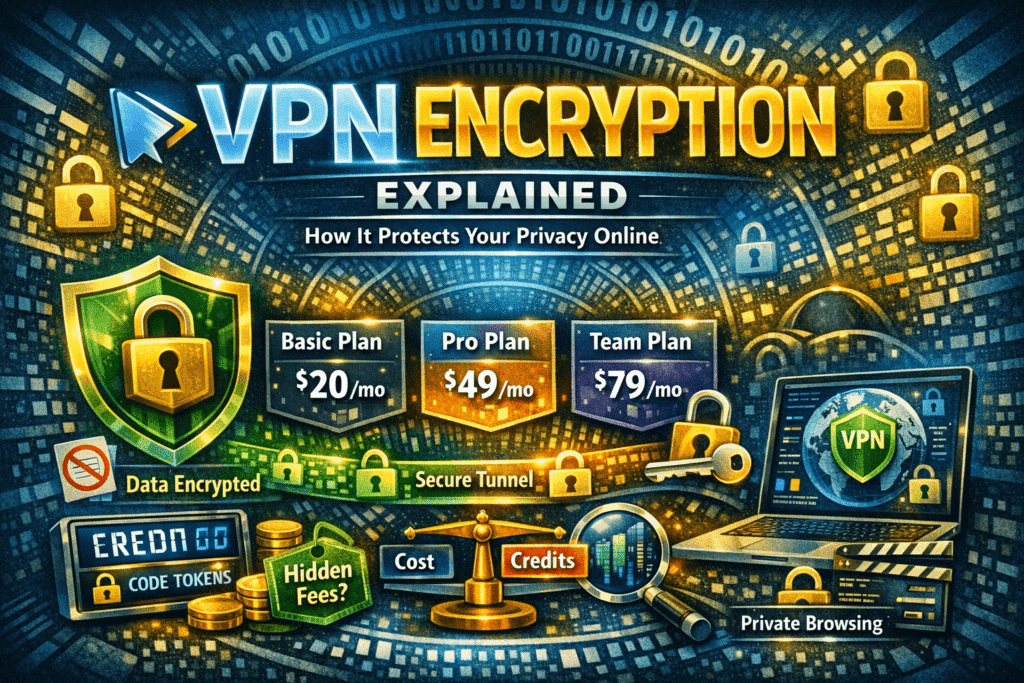
VPN encryption works by creating a secure, encrypted tunnel between your device and a VPN server, scrambling your internet traffic so that no one — including your ISP, hackers, or government agencies — can read it. It uses protocols like AES-256, OpenVPN, and WireGuard to ensure that all data transmitted remains private, authenticated, and tamper-proof.
VPN encryption secures your internet connection by encoding your data, making it unreadable to outsiders. It hides your IP address, protects sensitive information on public Wi-Fi, and ensures privacy online. Modern VPNs use protocols like AES-256, combining speed and security, making browsing, streaming, and online transactions safer globally.
In today’s digital world, online privacy is no longer optional—it’s essential. Whether you’re working remotely, streaming your favorite show, or managing sensitive personal or business data, the risk of hackers, surveillance, and cyberattacks is ever-present. This is where VPN encryption comes into play.
VPNs, or Virtual Private Networks, are more than just tools to change your online location—they encrypt your data, creating a secure tunnel between your device and the internet. This article dives deep into VPN encryption, explaining how it works, the protocols involved, real-life scenarios of protection, and the best practices for choosing the right VPN setup.
By the end of this guide, you’ll understand why encryption is critical for privacy, how it functions in everyday online activities, and what to consider when using a VPN responsibly.
What is VPN Encryption?
When you connect to the internet without any protection, your data travels in plain text — or lightly formatted packets that are surprisingly easy to intercept. Your Internet Service Provider (ISP) can see every site you visit. Hackers on the same public Wi-Fi network can potentially capture login credentials. Even advertisers build detailed behavioral profiles from your browsing habits without your explicit consent.
A Virtual Private Network (VPN) addresses this by encrypting your data before it ever leaves your device. Encryption, in this context, means converting readable data into an unreadable format using a mathematical algorithm and a key. Only the VPN server — which holds the matching decryption key — can reverse the process and read the original content. To anyone watching the traffic in between, it looks like meaningless noise.
This is not a niche concern for hackers or journalists. In 2025, a joint report from cybersecurity researchers found that over 40% of free public Wi-Fi hotspots in major cities showed signs of active packet sniffing. VPN encryption is a practical, everyday defense.
VPN encryption is the process of transforming your online data into unreadable code that only authorized endpoints can decipher. Imagine sending a letter in a locked box instead of a standard envelope—VPN encryption ensures that even if someone intercepts your data, they cannot understand it.
How It Works
Understanding VPN encryption requires breaking it into three components: the encryption algorithm, the key exchange mechanism, and the tunneling protocol. Together, these form a layered system that’s difficult to penetrate.
Most premium VPN providers use AES-256 (Advanced Encryption Standard with a 256-bit key). This is the same standard used by the U.S. government for top-secret communications. To brute-force a single AES-256 key, even the most powerful computers in the world would need longer than the current estimated age of the universe. In practical terms, it’s computationally infeasible to break.
Some providers also offer ChaCha20, a stream cipher that performs particularly well on mobile devices and lower-powered hardware where AES acceleration isn’t available in the CPU. Both are considered secure for the foreseeable future.
When you connect to a VPN:
-
Your device initiates a connection to a VPN server.
-
Data leaving your device is encrypted using a secure protocol.
-
The VPN server decrypts the data and forwards it to the internet.
-
The response from websites or services is encrypted by the VPN server and sent back to you.
This process hides your IP address, location, and online activity, creating a private channel for communication.
Authentication matters too. Encryption alone doesn’t confirm you’re talking to a legitimate server. VPNs also use digital certificates and HMAC (Hash-based Message Authentication Code) to verify that the server is genuine and that packets haven’t been tampered with in transit — a defense against man-in-the-middle attacks.
Common Encryption Protocols
-
AES (Advanced Encryption Standard) – Often AES-256, known for military-grade security.
-
Blowfish – Lightweight, faster than AES but less secure.
-
ChaCha20 – A modern alternative, fast on mobile devices with high security.
Encryption strength is typically measured in bits: higher bits mean stronger encryption but may slightly impact speed.
How VPN Encryption Protects Your Online Privacy
VPN encryption safeguards privacy in several critical ways:
Masking Your IP Address
Your IP address identifies your location and device online. VPN encryption hides it, replacing it with the VPN server’s IP. This prevents websites, advertisers, and even your internet provider from tracking your browsing activity.
Secure Public Wi-Fi Use
Using public Wi-Fi is risky because hackers can intercept unencrypted data. VPN encryption ensures that even if someone is spying on the network, your passwords, messages, and sensitive information remain unreadable.
Example: Imagine working from a café without a VPN: hackers on the same network could steal login credentials. With VPN encryption, your data is scrambled and useless to them.
Protection Against ISP and Government Tracking
Some ISPs log browsing habits or sell them to advertisers. VPN encryption ensures your ISP only sees encrypted traffic, not your activity. In countries with internet censorship, VPNs allow access to blocked content safely.
VPN Protocols and Their Security Levels
Different VPN protocols dictate how encryption is applied and affect speed, reliability, and security. Here’s a breakdown:
| Protocol | Security Level | Speed | Best Use Case | Notes |
|---|---|---|---|---|
| OpenVPN | Very High | Moderate | Secure browsing, remote work | Open-source, widely trusted |
| WireGuard | High | Very Fast | Streaming, mobile use | Lightweight, modern, easy to configure |
| IKEv2/IPSec | High | High | Mobile & VPN reconnecting | Stable on mobile networks |
| L2TP/IPSec | Medium-High | Moderate | General use | Older protocol, slower but secure |
| PPTP | Low | Very Fast | Legacy devices | Not recommended for sensitive data |
Scenario:
While streaming video, speed matters more than absolute military-grade encryption. WireGuard provides fast, secure connections. For confidential banking, OpenVPN with AES-256 ensures maximum safety.
Practical Scenarios for VPN Encryption
Encryption isn’t just technical jargon—it has real-world applications:
Traveling Abroad
When accessing services like banking or streaming from another country, VPN encryption hides your real location and secures your connection.
Remote Work Security
Businesses rely on VPNs to protect internal communication. An employee connecting to a corporate network remotely can safely exchange sensitive files without risk of interception.
Avoiding ISP or Government Tracking
For users concerned about privacy or restrictive censorship, VPN encryption ensures their activity is hidden from third parties monitoring the network.
Types of VPN Encryption Protocols
VPN encryption protocols are the rules and technologies that secure your internet traffic inside a VPN tunnel. Different protocols balance speed, security, and compatibility differently. Here are the main types you should know:
Not all VPN connections use the same protocol. The protocol defines how the encryption is implemented, how connections are established, and the trade-offs between speed and security. Choosing a VPN service without understanding its protocol options is like buying a car without knowing if it has safety airbags.
🔐 1. OpenVPN
- Developed by: OpenVPN Project
- Encryption: Strong (uses SSL/TLS)
- Ports: Flexible (TCP & UDP)
- ✅ Pros:
- Very secure and open-source
- Works on almost all devices
- Highly configurable
- ❌ Cons:
- Slightly slower than newer protocols
👉 Best for: Security + reliability
⚡ 2. WireGuard
- Developed by: Jason A. Donenfeld
- Encryption: Modern (ChaCha20)
- ✅ Pros:
- Extremely fast
- Lightweight codebase
- Strong modern cryptography
- ❌ Cons:
- Still evolving in some implementations
👉 Best for: Speed + modern security
🛡️ 3. IKEv2/IPSec
- Developed by: Microsoft & Cisco
- Encryption: Strong (IPSec suite)
- ✅ Pros:
- Very stable, especially on mobile
- Automatically reconnects if connection drops
- ❌ Cons:
- Can be blocked by firewalls
👉 Best for: Mobile users
🔄 4. L2TP/IPSec
- Encryption: Uses IPSec (L2TP itself has no encryption)
- ✅ Pros:
- Widely supported
- ❌ Cons:
- Slower due to double encapsulation
- Considered less secure than newer options
👉 Best for: Older systems compatibility
⚠️ 5. PPTP (Outdated)
- Developed by: Microsoft
- Encryption: Weak
- ✅ Pros:
- Very fast
- ❌ Cons:
- Easily cracked
- Not recommended anymore
👉 Best for: Avoid using
🔒 6. SSTP (Secure Socket Tunneling Protocol)
- Developed by: Microsoft
- Encryption: SSL/TLS
- ✅ Pros:
- Good for bypassing firewalls
- Secure
- ❌ Cons:
- Mostly works on Windows
👉 Best for: Windows users behind strict firewalls
VPN Encryption vs Other Security Methods
| Security Method | Protection Level | Use Case | Limitation |
|---|---|---|---|
| VPN Encryption | High | Browsing, streaming, public Wi-Fi | Requires subscription or setup |
| HTTPS Websites | Medium | Secure forms, payments | Only protects that site, not full traffic |
| Firewalls | Medium | Blocks incoming attacks | Doesn’t hide activity or IP |
| Proxies | Low | Location masking only | No encryption, easily intercepted |
Insight: VPN encryption is the only method that encrypts all traffic, not just individual websites or apps.
Choosing the Right VPN Encryption Setup
Even without comparing brands, you can focus on these criteria:
-
Encryption Protocol: AES-256 is standard; ChaCha20 for mobile.
-
No-Log Policy: Ensure no browsing data is stored.
-
Server Locations: More servers mean better speed and access.
-
Speed vs Security Balance: WireGuard or IKEv2 for fast connections, OpenVPN for sensitive data.
Common VPN Encryption Myths
Myth 1: VPNs make me completely anonymous.
-
Reality: VPNs protect privacy, but digital footprints like cookies, accounts, and device identifiers still exist.
Myth 2: All VPNs use the same encryption.
-
Reality: Encryption protocols and implementation vary widely. Not all VPNs are equally secure.
Myth 3: VPNs always slow down internet speed.
-
Reality: While encryption adds overhead, modern protocols like WireGuard offer minimal speed loss.
The Future of VPN Encryption
As technology evolves:
-
Quantum-safe encryption is being developed to withstand future quantum computers.
-
AI-based monitoring may detect vulnerabilities in VPN tunnels automatically.
-
IoT integration will require VPN encryption across smart devices, not just computers or phones.
Privacy-conscious users need to adapt to emerging threats while continuing to use strong VPN encryption today.
VPN Protocol Comparison Table
| Protocol | Encryption | Speed | Security | Best For | Status |
|---|---|---|---|---|---|
| WireGuard | ChaCha20 | Very fast | Excellent | Streaming, gaming | Recommended |
| OpenVPN (UDP) | AES-256 | Fast | Excellent | Privacy-focused use | Recommended |
| OpenVPN (TCP) | AES-256 | Moderate | Excellent | Stability, bypassing firewalls | Recommended |
| IKEv2/IPSec | AES-256 | Fast | Very good | Mobile devices | Recommended |
| L2TP/IPSec | AES-128/256 | Moderate | Fair | Legacy setups | Use with caution |
| PPTP | 128-bit | Fast | Poor | Nothing sensitive | Avoid |
| SSTP | AES-256 | Moderate | Good | Windows environments | Situational |
FAQ Section
1. What is the strongest VPN encryption?
AES-256 is widely regarded as the strongest currently used in commercial VPNs.
2. Does VPN encryption slow my internet?
Modern protocols like WireGuard have minimal speed impact, often less than 10%.
3. Can VPNs protect me from hackers?
They significantly reduce risk, especially on public Wi-Fi, but do not replace antivirus or secure passwords.
4. Is VPN encryption legal worldwide?
Most countries allow VPN use, but a few, like China or Russia, regulate or restrict it. Always check local laws.
5. How do I know if my VPN is secure?
Look for AES-256 encryption, reputable protocols, a strict no-log policy, and independent audits.
Conclusion
VPN encryption is an essential layer of online security. It protects your data from hackers, secures your connections on public networks, hides your IP, and ensures safe remote work or streaming. By understanding protocols, use cases, and common myths, you can make informed decisions for a safer digital life.
Many free VPN services monetize users by logging and selling their data — the exact behavior people use VPNs to avoid. Some have also been found to inject tracking pixels and ads into unencrypted traffic. When choosing a VPN, look for independently audited no-log policies, open-source clients, and a transparent privacy policy. Providers like Mullvad, ProtonVPN, and IVPN have published third-party audit reports verifying their claims.
Prioritize strong encryption, responsible usage, and awareness of emerging threats to maintain privacy and security in today’s increasingly connected world.