

How should you test a UK VPN server’s speed from Pakistan? Run a clean baseline without the VPN, connect to a UK server, then repeat latency and throughput tests at least three times across different times of day — and compare everything against your own baseline, not against anyone else’s published numbers. This guide gives you the full method: which tools measure what, how Pakistan’s access networks skew results, and how to interpret UK VPN ping, loss, and jitter honestly. Surfshark maintains UK servers you can use as your test target, and readers can Claim 80% off with Surfshark — 80% off for our users, with unlimited devices on one plan.
This is a method guide, not a results table. We have not run a lab benchmark of every provider’s UK servers from Pakistan, and this article will not pretend otherwise — you will find no fabricated megabits-per-second figures, no “fastest country” claims, and no provider ranking dressed up as science. What you will find is the exact procedure professionals use to measure UK VPN server performance from Pakistan, so you can produce trustworthy numbers for your own connection and make decisions based on evidence.
Why a UK VPN Speed Test From Pakistan Needs Its Own Method
Testing a VPN server across continents is not the same as testing your raw broadband. When you connect from Pakistan to a UK VPN server, your traffic crosses thousands of kilometres of submarine cable systems linking South Asia to Europe, passes through international gateways, and then exits in the UK before heading to its final destination. Every one of those legs adds latency that has nothing to do with your VPN provider’s quality.
That is why generic speed-test advice falls short here. A guide written for someone testing a London server from Manchester assumes a baseline latency in the tens of milliseconds; from Karachi or Lahore, the speed of light alone guarantees a floor well above that, before encryption overhead, server load, or local congestion enter the picture. If you judge your UK VPN latency from Pakistan against a UK domestic benchmark, everything will look broken — when in fact the physics of distance explains most of the gap.
The honest approach is comparative, not absolute: measure your connection without the VPN, measure it with the UK server connected, and evaluate the difference. The tunnel’s cost is the delta between those two readings. This article builds that method step by step, with Pakistan-specific variables — PTCL, Jazz, Zong, Telenor, and Nayatel routing behaviours, peak-hour congestion, and mobile-versus-fibre differences — accounted for at each stage.
Set Your Baseline: Test Without the VPN First
No UK VPN speed test means anything without a baseline. The baseline is your connection’s native performance with the VPN completely disconnected, and every later reading gets judged against it. Skip this step and you cannot tell whether a slow result is the VPN’s fault, your ISP’s fault, or just the distance to London.
Prepare the test environment first. Use a wired Ethernet connection if possible — Wi-Fi adds variability from interference, distance to the router, and competing devices that pollutes every reading. Close background downloads, pause cloud backups, stop streaming on other devices, and disable auto-updates during the test window. On a phone, turn off background app refresh temporarily and stay in one spot with a stable signal.
Then run your baseline measurements:
- Disconnect the VPN entirely. Not paused, not on another server — fully disconnected, so no tunnel overhead contaminates the reading.
- Restart your router if it has been running for weeks. Long uptimes can quietly degrade throughput for reasons unrelated to anything you are about to test.
- Run three baseline tests using an independent tool (details in the next section), spaced a few minutes apart, and record download speed, upload speed, and latency from each.
- Repeat at a second time of day. Pakistani networks show strong peak-hour effects, roughly 7 p.m. to 11 p.m. A baseline taken at noon will not represent your evening experience.
- Write the numbers down. Do not trust memory — you will be comparing against these figures repeatedly, and small differences matter.
Your baseline also reveals your connection’s ceiling. A VPN cannot deliver more than your underlying line provides; on a modest DSL line, even a perfect tunnel looks slow in absolute terms. Knowing the ceiling keeps expectations honest and stops you blaming the VPN for limits your ISP set.
UK VPN Speed Test Tools: What Each One Measures
Different tools measure different things, and using the right one for each question is what separates a real test from button-mashing. Here are the four tools this method relies on, and what each actually tells you.
Speedtest by Ookla (speedtest.net) measures download speed, upload speed, and latency in one run. It is the workhorse of VPN testing. One critical setting: manually choose a test server close to your VPN’s exit location — for a UK VPN server, pick a UK test server — so you measure the tunnel’s performance rather than adding an extra transatlantic leg on top of it. Run it with a single connection stream for consistency, and prefer its desktop app or a wired browser session over a phone on Wi-Fi.
Fast.com (Netflix’s tool) measures download speed with a deliberately simple interface. Its value in VPN testing is cross-checking: if Ookla and Fast.com disagree wildly on the same connection, something in the path — throttling, a congested peering point — deserves investigation rather than a shrug.
Ping measures round-trip latency to a specific host and is the purest test of UK VPN latency from Pakistan. Open a terminal or command prompt and ping a stable UK endpoint with the VPN disconnected, then again with the UK server connected. The difference is the tunnel’s latency cost in its cleanest form, uncontaminated by throughput variables. Ping a host you know is genuinely in the UK; pinging a CDN edge node that actually sits in Singapore tells you nothing about your UK route.
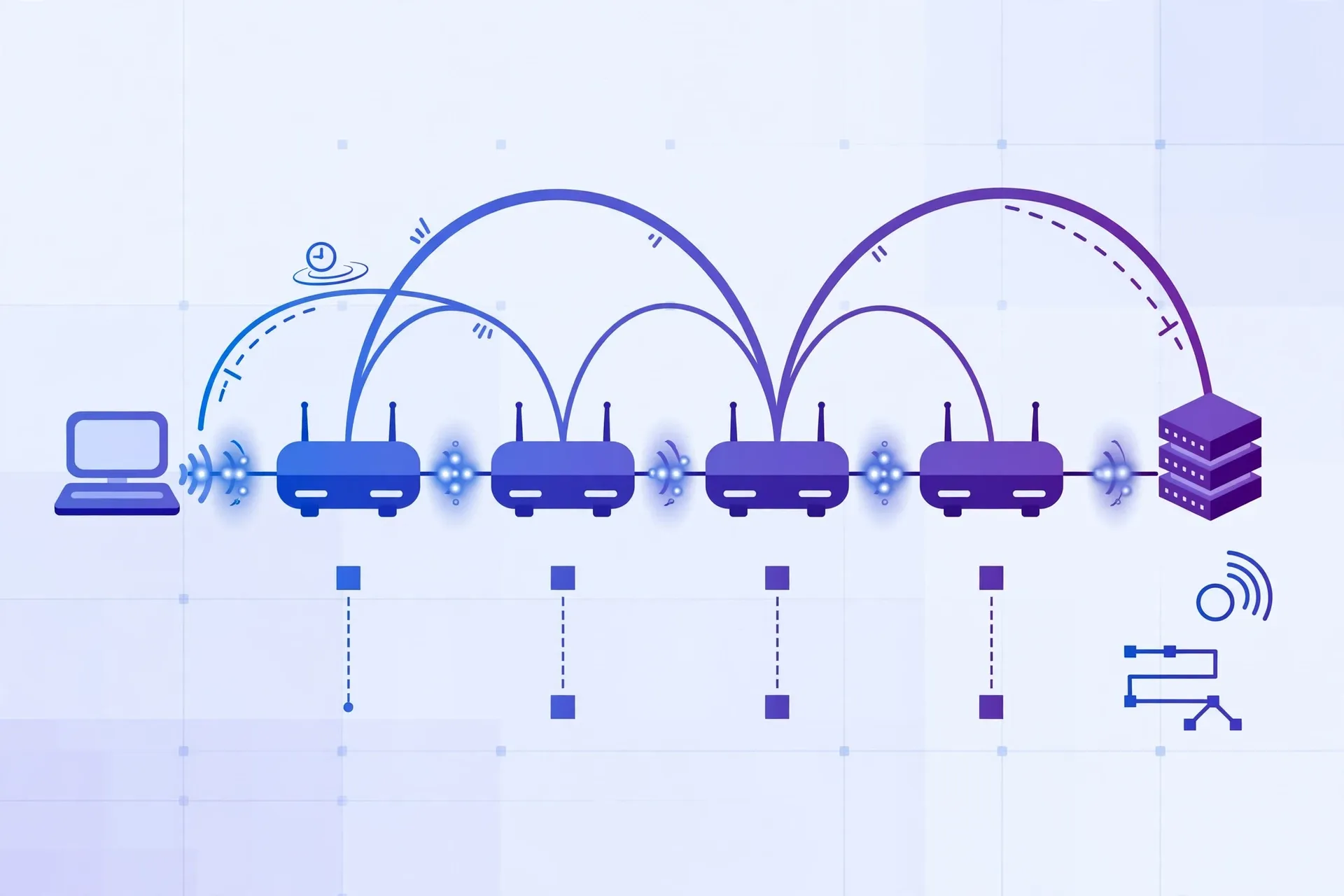
Traceroute (tracert on Windows) and MTR reveal the path your packets take — every hop between you and the destination, with per-hop latency. This is your diagnostic tool when numbers look wrong: it shows whether your traffic to the UK takes a sensible submarine-cable path or a bizarre detour, and which hop introduces the delay. MTR combines ping and traceroute into a running report and is the better tool for sustained observation.

A note on provider-built speed tests: prefer independent tools over any speed checker built into your VPN app. A provider’s own tooling can be tuned — intentionally or not — to flatter its results, while an independent tool has no stake in the outcome. The few extra seconds of setup buy you credibility.
How to Repeat UK VPN Latency and Throughput Tests Properly
One test run proves nothing. Connections fluctuate, servers get busy, and a single reading can catch an unlucky moment. The method below is the minimum for results you can trust.
- Connect to the UK server and wait. Give the tunnel 30–60 seconds to stabilise before testing. Fresh connections can show transient behaviour that settles quickly.
- Run the full toolset: an Ookla test against a UK test server (download, upload, latency), a Fast.com cross-check, and a ping series to a UK host. Record all four numbers plus the time.
- Repeat twice more, spaced at least 10–15 minutes apart. Three runs smooth out transient spikes and reveal whether the first reading was representative.
- Test at a different time of day. Run the same three-test sequence during evening peak hours (roughly 7–11 p.m. Pakistan time) and again off-peak. Note how the tunnel’s cost changes — congestion affects the underlying path, not just the VPN.
- Try a second UK server location if your provider offers more than one (London versus Manchester, for example). Providers’ UK servers can perform very differently on the same connection, and server load varies by the hour.
- Compare every VPN reading against the same-time baseline. A VPN test at 9 p.m. must be compared with a 9 p.m. baseline, not a noon one — otherwise you are measuring peak-hour congestion and blaming the tunnel.
Record results in a simple table — date, time, server, download, upload, ping — so patterns emerge across days. After a week of casual retests, you will know your connection’s normal UK-tunnel behaviour better than any review site could tell you, because it is yours: your ISP, your router, your hours.
Why Different Pakistan Networks Produce Different Results
Two users in Pakistan testing the same UK VPN server at the same hour can get very different numbers, and the reasons are structural. Understanding them stops you from misreading your results — or someone else’s.
Access network type dominates. Fibre-to-the-home (Nayatel in its coverage areas, PTCL Flash Fibre where available) gives you low baseline latency and high headroom, so the VPN’s percentage cost stays small in absolute terms. DSL and older copper lines start with higher latency and less headroom, so the same tunnel looks worse. Mobile networks (Jazz, Zong, Telenor) add their own variability: signal strength, tower congestion, and whether you are on 4G or 5G all shift readings between runs. A UK VPN speed test on mobile data will naturally scatter more than one on fibre — that scatter is the network, not necessarily the VPN.
International routing differs by ISP. How your ISP hands traffic to submarine cable systems on the Pakistan–Europe path affects everything downstream. Some ISPs peer efficiently toward European exchanges; others route through longer paths or congested transit links. Traceroute exposes this: compare the hop count and per-hop latency to the UK with the VPN off, and you will see your ISP’s native path quality before the tunnel enters the picture.
Peak-hour congestion is real and local. Evening demand in Pakistan (roughly 7–11 p.m.) congests access networks and international gateways alike. A UK VPN latency reading taken at 9 p.m. can look dramatically worse than the same test at 10 a.m. for reasons entirely unrelated to the provider. Always compare same-time readings, and treat single evening tests with suspicion.
Throttling and protocol interference. Some networks deprioritise or throttle VPN protocols during congestion. If your UK VPN download speed collapses while your baseline stays healthy, try switching protocols (WireGuard versus OpenVPN, for instance) and retest — a protocol change that restores speed points at network interference, not server quality.
The practical takeaway: never compare your numbers with a friend on a different ISP and conclude your VPN is worse. Compare your tunnel against your own baseline, on your own network, at the same hour. That is the only comparison that isolates the VPN’s contribution.
Interpreting UK VPN Packet Loss, Jitter, and Routing
Download speed gets the headlines, but for real-time uses — calls, gaming, live streams — loss and jitter matter more. Here is how to read them from your test results.
Packet loss is the percentage of data packets that never arrive. Most consumer speed tests do not display it prominently, yet even 1–2% sustained loss makes video calls stutter and games rubber-band, regardless of how healthy the headline download figure looks. Measure it with MTR over several minutes to a UK host, with and without the VPN. If loss appears only with the tunnel connected, the VPN path — server load or a congested tunnel endpoint — is implicated. If it appears in both, your underlying ISP path is the problem.
Jitter is the variation in latency between packets. A connection with 200 ms latency but zero jitter feels more stable on a call than one averaging 120 ms with wild swings. Ping series show jitter directly: look at the spread between minimum and maximum round-trip times, not just the average. Rising jitter under the VPN suggests the tunnel endpoint is congested or your packets are queueing somewhere on the path.
Reading traceroute output. Run traceroute to a UK host with the VPN connected and read it hop by hop. The early hops are your ISP; the middle hops are international transit; the late hops are the VPN provider’s network and the destination. A sudden latency jump at a specific hop locates the bottleneck. If the jump sits inside your ISP’s network, no VPN setting will fix it. If it sits at the tunnel endpoint, try a different UK server. If the path takes a geographically absurd detour — traffic to London routing via an unexpected continent — note it, because some virtual server locations do exactly this, and it explains latency no protocol tweak can remove.
The sanity check. Ping a UK host and apply basic physics: light in fibre travels roughly 200 km per millisecond of round-trip time, so Pakistan-to-UK distance alone accounts for a substantial floor. If your measured latency is far above that floor, the excess is routing, congestion, or server load — and your traceroute will show you where.
What Counts as Good Enough: UK VPN Thresholds for Streaming and Calls
This section gives general-purpose thresholds — the kind of guidance that applies to any long-distance VPN connection — without claiming measured results or ranking countries. Use your own test numbers against these bands to judge whether your UK tunnel serves your actual needs.
| Use case | Download (general guidance) | Latency (general guidance) | Loss and jitter |
|---|---|---|---|
| HD video streaming | 5–10 Mbps sustained | Latency-tolerant; buffering covers delay | Occasional loss hidden by buffering |
| 4K video streaming | 25 Mbps sustained | Latency-tolerant | Sustained loss causes quality drops |
| Video calls (Zoom/Teams) | 2–4 Mbps up and down | Under ~150 ms preferred; higher workable | Under 1% loss; low jitter matters most |
| Online gaming | Modest; latency dominates | Under ~100 ms preferred | Minimal loss; jitter causes rubber-banding |
| General browsing | 5 Mbps comfortable | Noticeable above ~300 ms | Tolerant |
How to use this table honestly: compare your UK-tunnel readings (not your baseline) against the row matching your use case. If your tunnelled download clears the streaming band and your ping sits in the acceptable range, the UK server serves that purpose — regardless of how the numbers compare to someone else’s fibre connection in another country. “Good enough” is defined by the task, not by a leaderboard.
Two caveats. First, sustained versus burst: a speed test measures a short burst, while a two-hour 4K stream needs sustained throughput. If your burst reading barely clears the band, real-world streaming may still buffer during congestion dips. Second, upload is the forgotten metric: video calls need symmetric-ish performance, and some tunnels degrade upload far more than download. Always check the upload column, not just the headline download.
Testing With Surfshark’s UK Servers From Pakistan
When you need a concrete test target, Surfshark’s UK server locations work well for this method. The provider operates servers in the UK as part of a 100-country network, and its apps let you pick specific UK locations — useful for the multi-server comparison step, since London and other UK endpoints can behave differently on the same Pakistani connection. WireGuard is available in Surfshark’s apps and is the sensible default protocol for speed testing: it typically retains the most throughput with the least latency overhead.
A practical testing sequence with Surfshark looks like this: record your no-VPN baseline, connect to a UK server over WireGuard, wait for the tunnel to stabilise, run the Ookla test against a UK test server plus a ping series, then repeat on a second UK location and during evening peak hours. If one UK location consistently underperforms the other on your connection, server load or routing — not the provider as a whole — is the likely explanation, and you have identified your better endpoint with evidence.
For readers in Pakistan who want to run this method themselves, Surfshark is our recommended starting point: readers can Claim 80% off with Surfshark — 80% off for our users, with unlimited simultaneous connections and a 30-day money-back guarantee if the numbers do not satisfy you.
Surfshark — our recommended VPN for Pakistan
Take 80% off as our reader — unlimited simultaneous connections and a 30-day money-back guarantee.
Limitations of a Home UK VPN Speed Test and When to Retest
A home testing method has honest limits, and stating them is what keeps this guide trustworthy. First, you are measuring one path at specific moments — your results describe your connection, not the provider’s network as a whole, and they say nothing about how the same servers perform for someone on a different ISP. Second, VPN server load changes by the hour and the day; a server that tests well on a quiet Tuesday morning may sag on a busy Sunday evening. Third, your own equipment intrudes: an old router, a busy Wi-Fi channel, or a phone thermal-throttling its processor can all masquerade as VPN slowness.
Retest on a schedule rather than reacting to single bad days. A sensible cadence: a full baseline-plus-tunnel sequence monthly, a quick ping check weekly, and a retest after any change — new router, ISP package upgrade, VPN app update, or protocol switch. Keep your log table running; trends across weeks are more informative than any single session.
Also recognise when testing stops being useful. If your UK tunnel consistently clears the thresholds for everything you actually do — streams play, calls are clean, pages load — further optimisation is hobbyism, not necessity. The method exists to answer a question (“is this server good enough for my needs?”), not to produce an endless leaderboard. Answer the question, then get on with using the connection.
One more limitation worth naming: no home test can separate every variable. If both your baseline and your tunnelled readings degrade simultaneously, the cause sits below the VPN — ISP congestion, a failing router, local interference — and no amount of server-hopping will fix it. Test the baseline first, always; it is the control group your whole method depends on.
Frequently Asked Questions
How Should I Test a UK VPN Connection?
Test a UK VPN connection in five steps: record a clean baseline with the VPN disconnected, connect to the UK server and let the tunnel stabilise, run Ookla Speedtest against a UK test server plus a ping series to a UK host, repeat at least three times across different times of day, and compare every tunnelled reading against a same-time baseline. Log date, time, server, download, upload, and ping so patterns emerge.
Which Latency and Loss Results Matter?
For latency, compare your tunnelled ping against your own baseline — the tunnel’s added cost is the difference, not the absolute number. For loss, sustained packet loss above 1–2% degrades calls and gaming regardless of download speed; measure it with MTR over several minutes. For jitter, watch the spread between minimum and maximum ping times — low, stable latency beats a lower average with wild swings for real-time uses.
Can Different Pakistan Networks Produce Different Results?
Yes, significantly. Fibre connections (Nayatel, PTCL Flash Fibre) give lower baselines and steadier readings than DSL or mobile data (Jazz, Zong, Telenor), whose signal and tower congestion add variability. ISPs also route international traffic differently, and evening peak-hour congestion (roughly 7–11 p.m.) affects all networks. Only compare your tunnel against your own baseline on your own network at the same hour.
Should I Use My VPN App’s Built-In Speed Test?
Prefer independent tools like Ookla Speedtest or Fast.com. A provider’s built-in tester can be tuned — intentionally or not — to flatter results, while an independent tool has no stake in the outcome. Also set the test server manually near your VPN exit location (a UK test server for a UK VPN server) so you measure the tunnel rather than adding extra distance.
Why Is My UK VPN Ping So Much Higher Than My Baseline?
Distance is the largest component: Pakistan-to-UK traffic crosses thousands of kilometres of submarine cable, which sets a latency floor no provider can beat. On top of that come encryption overhead, server load, and your ISP’s international routing. Run a traceroute to see where the delay accumulates — if the jump sits inside your ISP’s network or on a congested transit hop, switching VPN servers will not fix it.
How Often Should I Retest My UK VPN Server?
Run a quick ping check weekly, a full baseline-plus-tunnel sequence monthly, and retest after any change: new router, ISP package upgrade, VPN app update, or protocol switch. Keep a running log; trends across weeks reveal your connection’s normal behaviour far better than any single session, and they tell you whether a bad evening is an anomaly or a pattern.
Surfshark — our recommended VPN for Pakistan
Get 80% off for our users and unlock smooth streaming, strong privacy and 24/7 support.
Conclusion: Test the Tunnel, Trust Your Own Numbers
A UK VPN speed test from Pakistan is only as honest as its method: baseline first, independent tools, repeated runs across times of day, same-time comparisons, and no borrowed numbers. Follow the procedure in this guide and you will know exactly what a UK tunnel costs your connection — in latency, throughput, loss, and jitter — and whether it clears the bar for streaming, calls, and everyday use. For more hands-on VPN testing guides built for Pakistani connections, explore Free VPN Pakistan.



