

If you want a Taiwan IP address from Pakistan, the question is not whether a VPN claims Taiwan servers — it is whether those servers are fast from your connection, and Surfshark, the VPN we recommend for readers in Pakistan with 80% off for our users, lists more than 30 servers in Taipei. This guide shows you how to measure a Taiwan VPN route properly, step by step.
A Taiwan VPN speed test from Pakistan is a measurement exercise, not a marketing claim. Two providers can both list servers in Taipei and still give you very different results, because the route from Lahore or Karachi to Taiwan depends on your internet provider, the time of day, the protocol, and how loaded the server is when you test it.
This guide is deliberately method-led. It gives you a repeatable test procedure, explains how to read latency, loss, jitter and throughput, and shows you what good and bad results look like in principle. It does not claim any original Pakistan measurements, because none were run for this article — the numbers you see here will be your own, produced by following the method.
That distinction matters. A guide that invents speed figures for a route it never tested is worse than useless, because it teaches you to trust a number that was never measured. What follows teaches you to produce trustworthy numbers yourself, so you can compare providers and servers on evidence rather than on promises.
You need no paid software for any of this. A free speed test site, your operating system’s ping tool, a free packet-loss test, and a notes file are enough. The whole procedure takes about half an hour the first time, and about ten minutes once you know the steps.
The Short Answer: How to Test a Taiwan VPN Server From Pakistan
First, measure your connection without the VPN: run a speed test and record download speed, upload speed and ping. Then connect to a Taiwan server, wait a few seconds, and run the same tests again. The difference between the two sets of numbers is the cost of the VPN route.
Repeat each test at least three times, at the same time of day and on the same network, and write every result down. One fast run can be luck, and one slow run can be a busy moment on the server. Three runs in a row reveal the pattern, and the pattern is the answer.
Record five numbers for every run: latency in milliseconds, download speed, upload speed, packet loss as a percentage, and jitter in milliseconds. Latency and loss matter more than raw download speed for most real uses, because a connection that drops packets will stutter no matter how fast its headline number looks.
Test on the network you actually use. A result measured on office Wi-Fi tells you nothing about the mobile data connection you use at home in the evening, and the two can differ enormously. If you use both fibre and mobile data, test both, and keep the results separate.
Test Conditions and Baseline First
A speed test is only meaningful if the conditions are controlled, and the first condition is the baseline. Before you connect to any VPN, close every app that uses the internet: cloud backups, app updates, video streams and large downloads. A single background download can halve your measured speed and make a good VPN look bad.
Use a wired Ethernet connection for the baseline if you can, or sit close to your Wi-Fi router. A weak Wi-Fi signal is the most common reason a speed test under-reports, and it has nothing to do with the VPN. If you must test on Wi-Fi, use the 5 GHz band and stay in the same room as the router.
Pick one speed test service and use the same one for every run. Different test services use different test servers, and switching between them introduces differences that look like VPN problems but are only differences between the test servers themselves.
Choose a test server in the same region for every run if the service lets you, and note which one you used. A test against a server in Singapore will give different numbers from a test against a server in London, and mixing them makes your results impossible to compare.
Write down the time, the network, the device, and the app version before you start. These four details are the conditions of your test, and without them you cannot tell whether a change in results came from the VPN, the network, or the time of day.
- Close background downloads, cloud sync and streaming before every test run.
- Use the same speed test service and the same test server for every run.
- Test on a wired connection or close to the router, not on weak Wi-Fi.
- Record the time, network, device and VPN app version for every run.
- Run the baseline first, then the VPN tests, under identical conditions.
How to Measure Latency to a Taiwan VPN Server
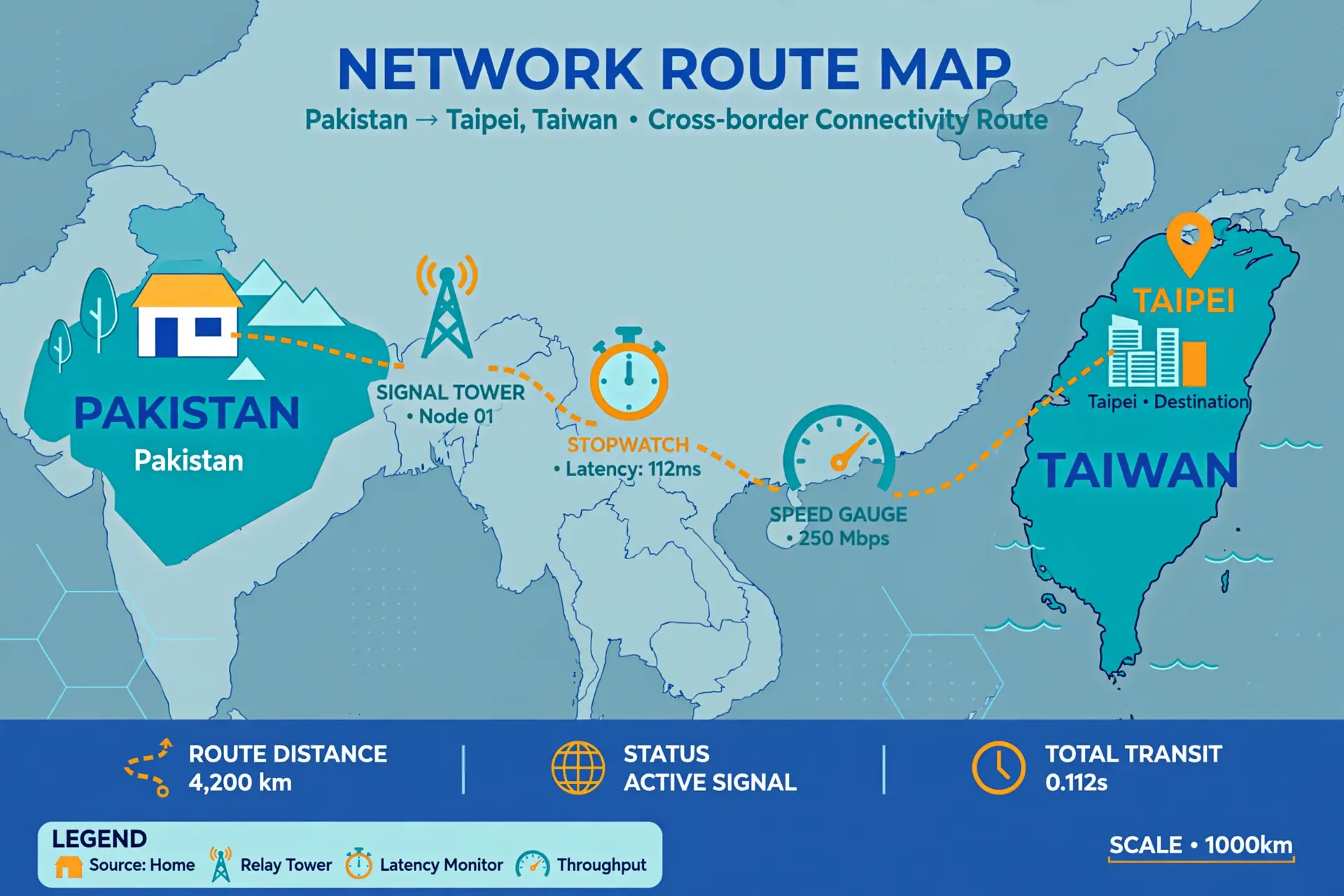
Latency, usually called ping, is the time a small packet takes to travel from your device to a server and back, measured in milliseconds. It is the single most important number for a Taiwan route from Pakistan, because the distance alone guarantees a long round trip, and every extra hop adds more.
To measure it, open a command prompt or terminal and ping a reliable address while connected to the Taiwan server. Run the ping for at least twenty packets rather than four, because a short ping hides the variation that matters. Note the average, the lowest, the highest, and how much the values jump around.
Do not expect a low number. A round trip from Pakistan to Taiwan crosses several networks and thousands of kilometres, so the result will always be far higher than a ping to a server in your own city. What matters is the comparison: the same test on another Taiwan server, another provider, or another protocol, under the same conditions.
Latency also tells you about routing. If two Taiwan servers show very different ping from the same connection, one of them is probably routed through a longer path, or hosted in a different place from the country it claims. A server that claims Taiwan but pings like a server in Europe is worth investigating.
Repeat the ping test at a different time of day, ideally in the evening when Pakistani networks are busiest. A route that is fast at noon and slow at 9 pm is congested, and congestion is a property of the route and the hour, not of your device, so the evening test is the one that reflects your real experience.
How to Measure Download and Upload Speed
Download speed is the number most people quote, but it is also the easiest to misread. Run the speed test three times in a row while connected to the Taiwan server, with a short pause between runs, and write down all three results. If they differ wildly, the server or the route is unstable, and that instability is itself a finding.
Test download and upload separately, and do not ignore the upload number. Video calls, cloud backups and sending files all depend on upload speed, and a Taiwan route that downloads well but uploads poorly will still feel broken on a call. A good test records both, every time.
Use a test that measures over several seconds rather than a quick burst. A short test can report a high speed that the connection cannot sustain, because it measures the first burst before congestion kicks in. A longer test shows the speed the route can actually hold.
Compare each VPN result with your baseline, not with the provider’s marketing. If your baseline is 50 Mbps and the Taiwan server gives you 30 Mbps, the VPN costs you 40 percent of your speed on that route. That percentage, repeated across three runs, is a fair basis for comparing one provider with another.
Do not test while another device on your network is streaming or downloading. Shared bandwidth is the most common cause of a mysteriously slow test, and it is also the easiest to rule out: test when the house is quiet, or ask others to pause for five minutes.
Packet Loss and Jitter: The Numbers That Matter Most
Packet loss is the share of data packets that never arrive, and even a small percentage ruins real-time use. A connection with 2 percent loss will stutter on video calls and online games, no matter how fast its download speed looks, because the missing packets have to be sent again and the conversation keeps breaking up.
Jitter is how much the latency varies from one packet to the next. A route with steady latency of 200 milliseconds feels smooth, while a route that swings between 120 and 400 milliseconds feels broken, even though its average looks similar. Jitter is the number that explains why a call freezes on a connection that tests well.
Measure both with a dedicated test rather than guessing from a speed test. Free tools such as packet loss test sites and the ping command with a longer run will show you loss and jitter directly. Run at least fifty packets for a meaningful loss figure, because a short run can easily miss a problem that appears once every thirty packets.
Treat any loss above zero as worth investigating, and loss above 1 percent as a real problem for calls and games. For browsing and streaming, a little loss is less noticeable, because those uses can wait for a retransmission. The threshold depends on what you do with the connection, so record what you use it for alongside the numbers.
If loss appears on the VPN route but not on the baseline, the problem is in the VPN path: a congested server, a bad route, or a protocol that your network handles poorly. Try another Taiwan server, then another protocol, and record whether the loss follows the server or the protocol, because that distinction tells you what to change.
Which VPNs Offer Taiwan Servers for Pakistan Users
Several major providers list Taiwan servers, and knowing who offers what helps you choose which ones to test. Surfshark lists more than 30 servers in Taipei, on a network of over 4,500 servers in 100 countries, with unlimited simultaneous connections, so one subscription covers every device in the house while you test the Taiwan route.
Private Internet Access also lists Taiwan among its server countries, and its apps support both WireGuard and OpenVPN, which gives you two protocols to compare on the same route. NordVPN lists more than 100 servers in Taipei according to recent independent testing, which makes it another candidate worth including in a comparison.
Do not choose a provider on server count alone. A provider with a hundred Taiwan servers can still be slow from Pakistan if its route is congested, and a provider with thirty can be fast if its route is clean. Server count tells you how many options you have to test, not how fast any of them will be from your connection.
Check the provider’s own server page before you pay, and confirm that Taiwan is actually available in the app for your account and region. Some providers restrict certain locations by plan, and a location listed on a marketing page is not a promise that your subscription can use it.
For the price of the provider we recommend, see our Surfshark pricing guide for Pakistan, and for background on the protocols you will compare in this test, see our WireGuard explained guide.
Flagged: the exact number of Surfshark servers in Taipei could not be verified against one official source in November 2026 — independent reviews report figures ranging from more than 30 to 82 servers, so this guide uses the conservative figure of more than 30. Check the provider’s server page in the app for the current count before you buy.
Surfshark — our recommended VPN for Pakistan
Surfshark lists more than 30 servers in Taipei, so you can repeat this test on several of its Taiwan servers from Pakistan and keep the fastest, with a 30-day money-back guarantee.
Compare Pakistan Access Networks
Your access network shapes your Taiwan VPN results as much as the VPN itself does. Home fibre, DSL and mobile data take different routes out of Pakistan, and each one has its own congestion pattern. A Taiwan server that is fast on fibre can be slow on mobile data, and that difference is normal, not a fault in the VPN.
Fibre connections usually give the most stable results, because the local link is fast and the bottleneck sits further along the route. If your fibre baseline is strong but the Taiwan VPN result is poor, the problem is almost certainly in the international route or the VPN server, not in your home connection.
Mobile data is the least predictable. Signal strength, tower load and the mobile operator’s routing all vary through the day, and a test run at noon can look very different from one run at 9 pm. If you mainly use mobile data, test on mobile data, and repeat the test on different days before drawing a conclusion.
Test the same Taiwan server on two different networks if you can — for example, home fibre and mobile data — and keep the results in separate columns. If the server is slow on both, the server or the route is the problem. If it is slow on only one, the access network is the problem, and switching VPN provider will not fix it.
Evening congestion is a real factor in Pakistan, when many households stream video at once. A route that tests well at midday and poorly at 9 pm is congested at peak hours, and the honest conclusion is that the route is fine off-peak and weak at peak, not that the provider is simply fast or simply slow.
Interpret Your Results: What Good Looks Like
Good results have a shape, not a single magic number. A good Taiwan route from Pakistan shows latency that is stable across three runs, download speed that holds most of your baseline, near-zero packet loss, and jitter low enough that the latency does not swing wildly from one packet to the next.
Bad results also have a shape. A route with high or wildly varying latency, download speed that collapses on the second and third runs, or any packet loss above 1 percent is a poor route for real-time use, even if one single test happened to look fast. The pattern across runs matters more than any one run.
Compare providers on the same terms: same network, same time of day, same test service, three runs each. A provider that wins on one run and loses on the next two has not won. Only a provider that is consistently better across repeated runs under identical conditions has earned the comparison.
Remember that your baseline caps everything. No VPN can make your connection faster than the underlying line, and a Taiwan server cannot give you more speed than your fibre or mobile connection already has. If your baseline is 20 Mbps, a VPN result of 18 Mbps on the same route is excellent, not disappointing.
| Result | What It Means | What to Do |
|---|---|---|
| Stable latency, near-zero loss | Route is healthy | Keep the server; retest weekly |
| High but stable latency | Long route, no congestion | Acceptable for browsing and streaming |
| Latency swings widely | High jitter; unstable route | Try another server or protocol |
| Packet loss above 1% | Real-time use will stutter | Change server; report to support if it persists |
| Speed collapses on repeat runs | Server or route congestion | Test at off-peak hours; try another server |
| Slow on one network only | Access network is the bottleneck | Test the other network; provider switch will not help |
Why Results Vary Between Providers
Providers differ in ways that show up directly in your test numbers. Server load is the biggest: a popular Taiwan server at peak hours will be slower than a quiet one, which is why testing several servers from the same provider is worth doing before you judge the provider itself.
Protocol matters too. WireGuard is usually faster than OpenVPN on the same route, because it is lighter and simpler, but some Pakistani networks handle one protocol better than the other. Test both protocols on the same server and record the difference, because the faster protocol on your network is the one to use.
Some Taiwan locations are virtual, meaning the server hardware sits in another country while the IP address is registered in Taiwan. A virtual location can add an extra hop and extra latency, and it can also explain a ping result that looks wrong for Taiwan. Providers do not always label virtual locations clearly, so treat an odd result as a reason to ask support.
Routing is the last variable. Your internet provider’s path to the VPN server, and the VPN provider’s path onward to Taiwan, both change over time as networks adjust their routes. A route that was fast last month can be slow this month without anything changing on your device, which is why a one-off test ages quickly.
None of this means you should chase a single perfect number. It means you should test methodically, compare like with like, and accept that the honest answer for a Pakistan-to-Taiwan route is a range of results with a pattern, not a single figure you can quote forever.
Repeat Tests and Keep a Log
A test log turns a one-off experiment into evidence you can act on. For every run, record the date and time, the network, the device, the provider, the server, the protocol, and the five numbers: latency, download, upload, loss and jitter. One line per run is enough.
Keep the log in a single file and add to it over a week or two. A provider that is fast on Monday and slow on Friday has a congestion problem, and only a log spanning several days will show it. A single evening of testing can miss a pattern that appears only at weekends, when usage peaks.
Retest after any change: a new app version, a new protocol setting, a different server, or a switch of internet provider. Each change is a new test condition, and comparing results across a change you forgot to record is guesswork. Write the change down before you test, not after.
Use the log when you contact support, too. A report that says the Taiwan server shows 3 percent loss on three evenings in a row, with dates and times, gets a useful answer. A report that says the VPN is slow gets a generic reply. The log is what turns a complaint into a diagnosis.
Share the method, not just the numbers, if you compare notes with anyone else. Two people testing the same provider will get different results from different networks, and without the conditions attached, the numbers are meaningless. The method is the part that travels.
Limitations and Retest Dates
This guide gives you a method, not a set of results, and that is a deliberate limit. No original Pakistan-to-Taiwan measurements were run for this article, so nothing here claims that a particular provider or server is fastest from Pakistan. Any guide that makes that claim without showing its method and its dates should be treated with suspicion.
Your results will also age. Routes change, servers fill up, and providers add or remove locations, so a test from November 2026 will not describe the same route in March 2027. Retest whenever you change provider, change network, or notice the connection getting worse, and treat old results as history, not as current fact.
The method has blind spots. It measures what you can observe from your own connection — latency, speed, loss and jitter — and it cannot measure what happens inside the provider’s network, or whether a Taiwan IP is physical or virtual. Those questions belong to the provider’s documentation and to support, not to a speed test.
Finally, speed is not the whole story. A fast Taiwan server from a provider with weak privacy practices is a bad choice, and a slightly slower server from a provider with an audited no-logs policy may be the better one. Test the speed, but judge the provider on the whole package, and read its privacy policy before you commit to a long subscription.
Flagged: whether any given provider’s Taiwan servers are physical or virtual could not be verified from official sources during this guide’s research in November 2026, so no claim is made here either way. Ask the provider’s support team directly if the distinction matters for your use.
Surfshark — our recommended VPN for Pakistan
If your Taiwan VPN test results stay poor on every server and every network, the route — not your settings — is the problem, and switching provider or exit country is the honest next step.
Our Verdict: Test the Method, Not the Marketing
A Taiwan VPN speed test from Pakistan is only as good as its method. Set a baseline, control the conditions, repeat each test three times, and record latency, download, upload, loss and jitter. That procedure will tell you more in half an hour than any marketing page ever will.
Judge providers on repeated results under identical conditions, not on a single fast run. A provider that is consistently decent across several evenings is a better choice than one that is brilliant once and mediocre the rest of the week, because consistency is what your calls and streams actually need.
Remember what the numbers cannot tell you. They cannot prove a server is physical, they cannot prove a no-logs policy, and they cannot tell you whether a provider will still be fast next month. Test the speed, read the policy, and retest whenever something changes.
Start with the provider we recommend and the method in this guide, then compare one or two alternatives the same way. The comparison will take an evening, and at the end of it you will know, from your own evidence, which Taiwan route is actually fastest from your connection in Pakistan.
Frequently Asked Questions
How Should I Test a Taiwan VPN Connection?
Set a baseline without the VPN, then connect to a Taiwan server and repeat the latency and throughput tests three times, at the same time of day and on the same network. Record ping, download speed, upload speed, packet loss and jitter for each run, and compare the VPN results with the baseline. A single test proves nothing; repeated results under the same conditions are the real answer.
Which Latency and Loss Results Matter?
Latency tells you how long a round trip to Taiwan takes, packet loss tells you how much data never arrives, and jitter tells you how much the latency varies. For browsing and streaming, steady latency with near-zero loss matters more than a single fast download. For gaming and video calls, low jitter and no loss matter most, because a connection that stutters is worse than one that is simply slower.
Can Different Pakistan Networks Produce Different Results?
Yes. Fibre, DSL and mobile data take different routes to Taiwan, and evening congestion affects each one differently. A Taiwan server that is fast on home fibre can be slow on mobile data, and a server that is fast at noon can be slow at 9 pm. Always test on the network you actually use, and repeat the test on a second network before blaming the VPN provider.



