

If you want a South Korea IP address without paying, the honest answer is that no major free VPN plan reliably gives you one. Surfshark is the cheapest reliable way to get a Seoul server from Pakistan, with 80% off for our users, and this guide explains why the free options fall short before you waste time on them.
That is not the answer most free VPN guides give. Many of them list providers as offering a free South Korea server when the provider’s own free plan does not let you select the country, or when another guide reports the opposite. This guide checks each claim against more than one source, and flags the conflicts instead of hiding them.
The distinction that matters is between a free plan that lists South Korea and a free plan that lets you choose South Korea. Several free plans list the country on a marketing page, but connect free users to a random server or to the fastest server for their location. From Pakistan, that server is almost never in Seoul.
Read this guide before you install anything. It will save you the usual cycle of installing a free app, finding no South Korea option, uninstalling it, and trying the next one, and it will show you the alternatives that actually work.
The Short Answer: Free VPNs With South Korea Servers
No major free VPN plan reliably offers a selectable South Korea server. TunnelBear, PrivadoVPN and hide.me are each reported by some 2026 guides as offering a free South Korea server, and by other guides as not offering one, and the conflict is unresolved. Proton VPN and Windscribe do not list South Korea on their free plans at all.
Gizmodo’s November 2026 testing found that none of the free tiers it tested lists Seoul: Windscribe, PrivadoVPN and hide.me cover Europe and North America on their free plans, Proton VPN’s free tier assigns one of ten countries with Korea excluded, and TunnelBear offers free users no country choice. That is the most recent independent test we found, and it is the basis for the direct answer in this guide.
Smaller free apps such as VPN.lat claim to offer free South Korea servers with no signup and no data cap, but those claims are not independently verified, and the provider is far less established than the major names. We cover them separately below, with the warning they deserve.
If you need a South Korea IP address you can select and rely on, the practical answer is a low-cost paid plan or a money-back guarantee trial, not an ongoing free plan. The paid alternative section below shows the cheapest reliable option.
Which Free Plans Include South Korea Servers?
The table below summarises what we found for each free plan. Free Korea server means the provider’s free plan is reported to include a South Korea server. Country choice means a free user can actually select South Korea in the app.
The two are different, and the table shows both, because a free plan that lists a country without letting you choose it does not give you a South Korea IP address.
| Free Plan | Free South Korea Server? | Free User Can Select It? | Data Cap | Verdict |
|---|---|---|---|---|
| TunnelBear Free | Reported yes and no | Reported no by Gizmodo | Reported 500 MB to 2 GB | Conflict, do not rely on it |
| PrivadoVPN Free | Reported yes and no | No, 10 countries without Korea | 10 GB per month | Conflict, do not rely on it |
| hide.me Free | Reported yes and no | No, 5 locations only | 10 GB per month | Conflict, do not rely on it |
| Proton VPN Free | No | No, 10 countries, Korea excluded | Unlimited | No Korea server on free plan |
| Windscribe Free | No | No, Korea excluded | 10 GB per month with email | No Korea server on free plan |
| VPN.lat Free | Claimed yes, unverified | Claimed yes, unverified | Claimed no cap, unverified | Unverified, use with caution |
The pattern in the table is the finding of this guide: the three providers most often named as free South Korea options are exactly the three where the sources disagree, and the two providers with the clearest free plans both exclude South Korea.
That is not a coincidence. Free plans are designed to convert users to paid plans, and a popular country such as South Korea is one of the features held back for paying customers.
The sections below take each provider in turn, show what each source says, and explain why the conflict exists. Read the provider you were considering before you install it, because the detail matters more than the table.
TunnelBear Free: The Country-Picker Conflict
TunnelBear is the most commonly named free South Korea option, and it is also the one with the clearest conflict. Cloudwards reports that TunnelBear offers servers in more than 40 countries, including South Korea, and that the free plan can access all server locations. Techshielder reports the same: TunnelBear has a server in South Korea and free users can use it.
Gizmodo’s November 2026 testing reports the opposite: TunnelBear offers free users no country choice. That means a free user cannot select South Korea even if the provider has a server there, because the app picks the server for you. The two claims cannot both be true for the same free plan at the same time, and we cannot resolve the conflict from the sources alone.
Flagged: TunnelBear’s free country-picker is reported differently across sources, and the conflict is not new. Our own earlier guides flagged the same disagreement between TunnelBear articles, and it remains unresolved in November 2026. Do not rely on TunnelBear Free for a South Korea IP address until you have verified the country choice yourself in the app, with a free account, before you depend on it.
TunnelBear’s free data allowance is also reported differently. Some sources report 500 MB, others report 2 GB, and the figure has changed over time as the provider has adjusted its free plan. Check the official pricing page for the current figure before you rely on it, because a 500 MB allowance covers very little use.
TunnelBear is owned by McAfee and is based in Canada, and its apps are well designed and easy to use. Those are genuine strengths.
But for the specific job of getting a South Korea IP address for free, the conflicting reports mean you cannot trust it, and the honest answer is to test it yourself with a free account and confirm the country choice in the app before you depend on it.
PrivadoVPN Free: The Server-List Conflict
PrivadoVPN is the second most commonly named free South Korea option, and it has the same problem. Techshielder reports that PrivadoVPN’s free plan includes access to a South Korean server, with 10 GB of data per month, and calls it a standout choice for a free South Korea IP address.
Cloudwards reports the opposite: PrivadoVPN has no free Korean servers, and its free plan covers 10 countries — France, India, Mexico, the Netherlands, the United States, Canada, Argentina, Brazil, Germany and the United Kingdom — with South Korea absent from the list. Gizmodo’s November 2026 testing agrees: PrivadoVPN’s free plan covers Europe and North America, with Korea excluded.
The two sides disagree on a factual question, the free server list, and the most recent independent test sides with the no-Korea answer. PrivadoVPN’s own free plan page is the place to check, because the provider can change its free server list at any time, and a guide written months ago may describe a list that no longer exists.
Flagged: PrivadoVPN’s free South Korea server is reported as available by one 2026 guide and as unavailable by two others, including the most recent independent test. We treat the no-Korea reports as the more reliable answer, because they are more recent and they agree with each other, but the conflict itself is the finding: do not rely on PrivadoVPN Free for a South Korea IP address.
PrivadoVPN’s free plan is otherwise a reasonable free option, with 10 GB of data per month and apps for Windows, macOS, Android and iOS. It is a credible free VPN for general use in South Korea, where you want to secure your connection while you are in the country. It is not a reliable way to get a South Korea IP address from Pakistan.
hide.me Free: The Five-Location Limit
hide.me is the third provider in the conflict group. Techshielder reports that hide.me has a server in Seoul and that free users can use it, with a 10 GB monthly data cap. Cloudwards and Gizmodo report that hide.me’s free plan covers a small set of locations in Europe and North America, with Korea excluded.
The detail that explains part of the conflict is the location limit. hide.me’s free plan gives free users only five server locations, and the list of those five has changed over time. A guide that reports a free Seoul server may have been written when Seoul was among the five, and a guide that reports no Seoul server may have been written after it was removed.
That is the risk with every free plan: the server list is not fixed. A provider can add or remove a free location without notice, and a guide that was accurate when it was written can become wrong within months. The only reliable check is the app itself, with a free account, on the day you need it.
hide.me is based in Malaysia, offers a strict no-logs policy, and its free plan is one of the more generous free options, with 10 GB per month and no speed limit advertised. Those are genuine strengths for general free use. For a South Korea IP address, the same warning applies: verify the location list in the app before you depend on it.
Proton VPN Free: Unlimited Data, No South Korea
Proton VPN has the strongest free plan in the VPN market, and it is also the clearest case in this guide: its free tier does not offer a South Korea server. The free plan gives you unlimited data, which is rare among free VPNs, but it limits you to a small set of countries, and South Korea is not among them.
Cloudwards reports that Proton VPN’s free plan covers 10 countries, with Korea excluded, and that you need an upgrade to access the South Korean server. Gizmodo’s November 2026 testing agrees: Proton VPN’s free tier assigns one of ten countries, Korea excluded, and the app does not let you choose the country manually.
The free plan connects you to the fastest free server for your location, or picks another country at random when you change servers. From Pakistan, that is unlikely to land on South Korea, and it is not a reliable way to get a Korean IP address. Proton VPN’s free plan is excellent for securing your connection, but it is not a South Korea VPN.
Proton VPN’s paid Plus plan does include South Korea, with 66 servers in Seoul according to Gizmodo’s November 2026 testing, at around $2.99 per month on a two-year term. That is the upgrade path if you like Proton VPN and need a Seoul server, and our paid South Korea guide covers it in full.
Windscribe Free: No South Korea on the Free Plan
Windscribe is a popular free VPN, and it is also a clear no for South Korea. Gizmodo’s November 2026 testing found that Windscribe’s free plan covers Europe and North America, with Korea excluded, and Cloudwards lists Windscribe among the free plans that do not offer a South Korea server.
Windscribe’s free plan gives you 10 GB of data per month when you confirm an email address, and 2 GB without one, with servers in a limited set of countries. That is a generous free allowance, and Windscribe is a credible free VPN for general use, but it does not solve the South Korea problem.
Windscribe also offers a Build a Plan option, where you pay a small monthly amount for access to a single location, which is a middle ground between a free plan and a full subscription. If you only need South Korea, that option is worth checking, but it is a paid option, not a free one, and the price and availability change over time.
VPN.lat and Other No-Signup Free Apps
VPN.lat is a free VPN app that claims to offer free servers in South Korea, with no account, no email, no card and no data cap. The app’s own page says you download it, pick South Korea, and you have a Korean IP address, with 84 countries available free.
That claim is not independently verified. VPN.lat is far less established than the major providers in this guide, and we found no independent test of its South Korea servers, its speeds, its logging policy, or its security. The app’s own page also warns that platforms detect and block VPN IP ranges continuously, and that what works this month may stop next month.
Free apps with no signup and no data cap should be treated with caution. Running a VPN network costs money, and a provider that charges nothing and collects no account details has to fund the service somehow. That does not prove VPN.lat is unsafe, but it does mean you should not trust it with sensitive traffic until you have checked its privacy policy and its reputation.
The same warning applies to other small free VPN apps in the app stores, including apps that promise a Korean IP address in one tap. Many of them are ad-supported, some log activity, and a few have been found to sell user data. Check the privacy policy, the developer name, and independent reviews before you install any free VPN app you have not heard of.
Trials Versus Ongoing Free Plans
A trial is not a free plan, and the distinction matters for this guide. A 7-day free trial on mobile, or a 30-day money-back guarantee, gives you full access to a paid provider’s servers, including Seoul, for a fixed period, and then it ends. An ongoing free plan gives you limited access forever, but with the limits in the table above.
Trials are the practical answer if you need a South Korea IP address for a short period. Surfshark, NordVPN and ExpressVPN all offer a 7-day free trial on mobile in some regions, and all three offer a 30-day money-back guarantee on paid plans. During the trial or the guarantee period, you can select Seoul, test the connection, and cancel if it does not work for you.
Do not confuse a trial with a free plan when you read a guide. A guide that says a provider is free for South Korea may be describing a trial, and a trial that requires a payment method is not the same as a free plan that does not. Check whether the offer needs a card, and when it ends, before you sign up.
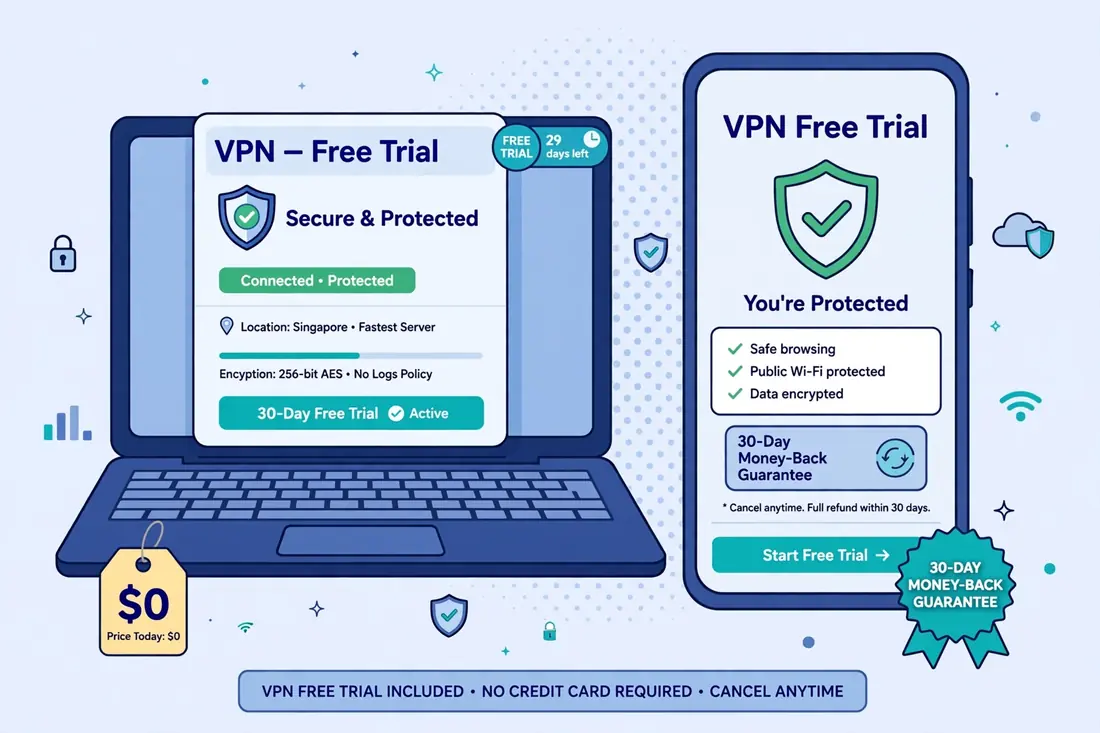
Also note that a money-back guarantee is not free if you forget to cancel. Set a reminder before the guarantee period ends, and cancel in time if you do not want to keep the subscription. The guarantee is a test window, not a free subscription.
Data Limits and What They Mean in Practice
Free plans cap data, and the cap decides what you can actually do with the VPN. A 10 GB monthly allowance, which PrivadoVPN, hide.me and Windscribe all offer, covers light browsing, messaging and email for a month, but it does not cover regular video streaming, large downloads, or all-day use.
A 2 GB allowance, which is what Windscribe offers without an email confirmation, covers even less, and a 500 MB allowance covers almost nothing beyond a few hours of browsing. The exact figure matters less than the pattern: free plans are designed for light, occasional use, not for daily streaming or for keeping the VPN on all day.
Free plans also limit devices, usually to one, and they often limit speeds or show ads. Some free plans also restrict the countries you can choose, which is the limit that matters most for this guide.
A free plan with unlimited data but no South Korea server does not help you, and a free plan with a South Korea server but a 2 GB cap does not help you for long.
Before you choose a free plan, work out how much data you actually need. If you only need a South Korea IP address for a single task, such as checking a website or creating an account, a small allowance may be enough. If you need it every day, a free plan will run out, and a paid plan is the honest answer.
Privacy and Retention Risks of Free VPNs
Free VPNs carry risks that paid VPNs do not, and the risks matter more than the price. A VPN provider sees all of your traffic, so a provider that logs activity, sells data, or shows intrusive ads can be worse than no VPN at all.
The major free plans in this guide — Proton VPN, Windscribe, PrivadoVPN, hide.me and TunnelBear — all publish no-logs policies and have been independently reviewed, which is why they are the ones we discuss.
Smaller free apps are a different matter. Many of them do not publish a clear privacy policy, do not disclose their ownership, and do not submit to independent audits. Some have been found to embed trackers, sell browsing data, or inject ads into web pages. The app store rating is not a reliable guide to privacy, because users rate ease of use, not data handling.
The safest rule is to use a free plan only from a provider you recognise, with a published privacy policy and an independent audit or review. Do not enter passwords, banking details or other sensitive information while connected to a free VPN you have not vetted, and do not use a free VPN for anything you would not do on a public Wi-Fi network.
Retention is a related risk. A free plan can disappear, change its server list, or add new limits without notice, and a South Korea server that is available today can be removed tomorrow. That is why the conflicts in this guide matter: they are not just disagreements between guides, they are evidence that free server lists change.
How to Check a Free Plan’s South Korea Server Yourself
The only reliable way to answer the question for yourself is to test the app with a free account. The steps below take about ten minutes, and they give you an answer that no guide can give you, because they test the plan as it exists today.
- Install the app from Google Play or the App Store, and create a free account with an email address you control.
- Open the server list and look for South Korea. If it is not listed, the free plan does not offer it, and you can stop.
- If South Korea is listed, tap it and try to connect. If the app connects you to a different country, or says the location is for paid users, the free plan does not let you select it.
- If the app connects to South Korea, open an IP lookup site and confirm the exit IP shows South Korea and the provider name.
- Use the app for a day and check the data allowance, the speed, and whether the server stays available.
Record the result with a screenshot, including the date, because the answer can change. A free plan that offers South Korea today may not offer it next month, and a guide that cites your test will be out of date just as quickly as the guides we cite in this article.
If the app does not offer South Korea, uninstall it and move on. Do not keep a free VPN installed that you do not use, because an unused VPN app can still run in the background, and it is one more app with access to your network traffic.
The Paid Alternative: Surfshark for South Korea
If you need a South Korea IP address you can select and rely on, the cheapest reliable option is a low-cost paid plan. Surfshark is our recommended VPN for Pakistan, and it is also the cheapest credible South Korea VPN in our paid guide, with 12 servers in Seoul, unlimited devices on one subscription, and a long-term Starter plan starting at around $2.19 per month.
That price converts to roughly PKR 606 per month at the November 2026 reference rate, with a total two-year bill of around $53 before tax. Surfshark also offers a 7-day free trial on mobile and a 30-day money-back guarantee, so you can test the Seoul servers from Pakistan before the subscription becomes final.
In Gizmodo’s 2026 Korea testing, Surfshark’s Seoul servers unblocked TVING, Wavve and Netflix Korea, with about 9.6 percent average speed loss from the test location. We have not independently measured Surfshark’s speeds from Pakistan, so treat that figure as an independent test result, not our own measurement.
Surfshark — our recommended VPN for Pakistan
Unlimited devices, Seoul servers, and our readers save 80% — the cheapest reliable way to get a South Korea IP.
Limitations of Free South Korea VPNs
A free VPN with a South Korea server solves one problem, a South Korea exit IP, and it does not solve several others. It does not change your device’s GPS location, so an app that reads GPS rather than IP address will still see Pakistan.
It does not change your account region on services such as Google Play, the App Store or Netflix, which use your account’s registered country and payment method as well as your IP address. It does not guarantee access to any particular Korean streaming service, because those services actively block VPN IP addresses and the block list changes constantly.
Free plans also come with the limits in this guide: data caps, one device, no country choice, and a server list that can change without notice. A free plan that works today can stop working tomorrow, and the provider has no obligation to keep the free server available.
Finally, a free VPN does not give you a Korean identity. Many Korean services require local identity verification, and a VPN gives you an IP address, not an identity. If a Korean service asks for that kind of verification, the VPN is not the missing piece, and no VPN will be.
Surfshark — our recommended VPN for Pakistan
Try the Seoul servers from Pakistan with a 30-day money-back guarantee — and save 80% on the long-term plan.
Our Verdict: Can You Get a South Korea IP Address for Free?
The honest answer is that no major free VPN plan reliably gives you a selectable South Korea server. TunnelBear, PrivadoVPN and hide.me are each reported both ways by 2026 guides, and the most recent independent test finds none of them offering a free Seoul server you can select. Proton VPN and Windscribe do not list South Korea on their free plans at all.
If you want to test the conflicting claims yourself, install the app with a free account and check the server list in the app, because that is the only answer that counts. Do not rely on a guide, including this one, for a free server list that can change at any time.
For most readers in Pakistan, the practical answer is a low-cost paid plan or a money-back guarantee trial. Surfshark is the cheapest reliable option: Seoul servers, unlimited devices, and a 30-day money-back guarantee that lets you test it from your own connection.
A South Korea IP address you can rely on is worth the price of a coffee a month, and a free plan that does not offer one is worth nothing for this job.
Frequently Asked Questions
Which Ongoing Free Plans Include South Korea Servers?
No major free plan reliably includes a selectable South Korea server. TunnelBear, PrivadoVPN and hide.me are all reported by some guides as offering a free South Korea server, and by other guides as not offering one, and the conflict is unresolved. Proton VPN and Windscribe do not list South Korea on their free plans.
Can Free Users Select a South Korea Location?
In most cases, no. Free plans that list South Korea usually do not let free users choose the country: the app connects you to the fastest free server for your location, or picks another country at random. A free plan that lists a country is not the same as a free plan that lets you select it.
What Data Limits or Account Requirements Apply?
Free plans typically cap data at 2 GB to 10 GB per month, allow one device, and require an account with an email address. Some free plans also show ads, limit speeds, or restrict the countries you can choose. Trials and money-back guarantees are not free plans, and they end after a fixed period.



