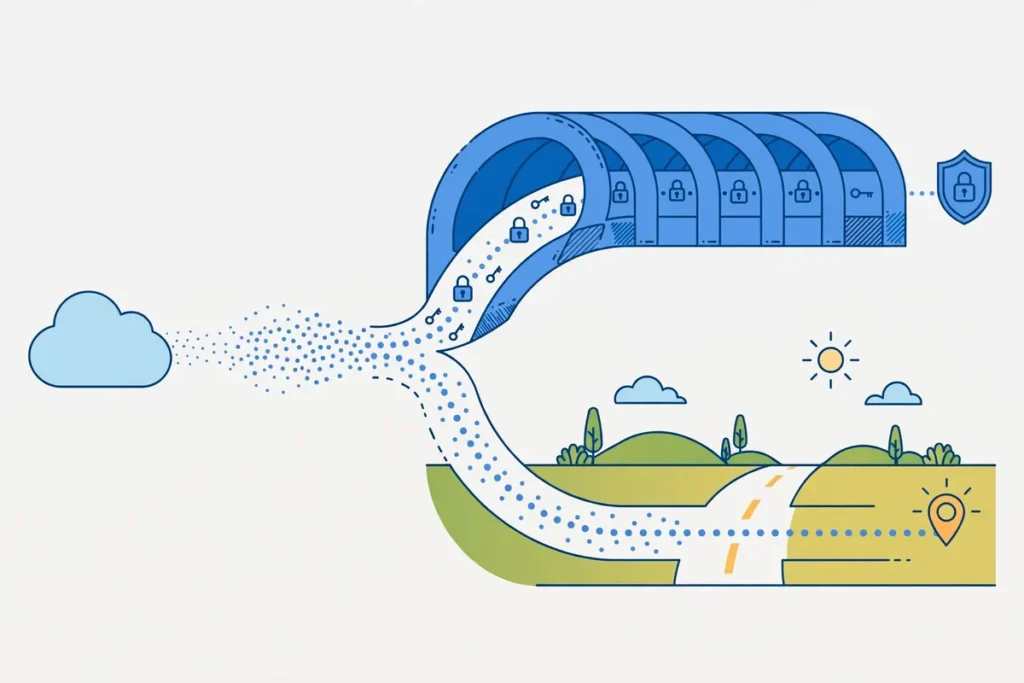
Onion over VPN is a setup that routes your internet traffic through a VPN first and then through the Tor network, adding layers of protection that neither tool provides on its own. Surfshark, our recommended VPN for Pakistan, does not offer a dedicated Onion over VPN mode, but it works well with the Tor Browser, and you can try it with 80% off for our users.
The idea is simple: the VPN hides your Tor use from your internet provider, and Tor hides your destination from the VPN provider. Together, they cover each other’s blind spots.
This guide explains exactly what onion over VPN means, how the routing works, which providers offer it, when it is worth using, and where its limits lie. You will also learn the difference between VPN then Tor and Tor then VPN, why the setup is slow, and what it cannot guarantee, even when it is configured correctly.
What Is Onion Over VPN?
Onion over VPN is a combination of two privacy tools used in a specific order: a VPN connection first, then the Tor network. Your traffic is encrypted by the VPN, sent to a VPN server, and then handed into the Tor network, where it passes through a series of volunteer-run relays before reaching its destination.
Each layer peels back one piece of information about you, which is why the network is named after an onion.
The order matters. When the VPN comes first, your internet service provider, or ISP, sees only an encrypted connection to the VPN server. It cannot see that you are using Tor, which websites you visit, or what you send. The first Tor relay, called the entry node, sees the VPN server’s address instead of your real address. Neither side of the chain sees the full picture.
This is different from using Tor alone. With Tor alone, your ISP can see that you are connecting to the Tor network, even though it cannot see your destinations. In Pakistan, where internet use is monitored and the PTA has issued VPN registration rules, that visibility can matter. A VPN first removes the visible sign that Tor is in use.
It is also different from using a VPN alone. With a VPN alone, the VPN provider can see your traffic’s destination, even if your ISP cannot. Adding Tor means the VPN provider sees only that you connected to Tor, not which sites you visited. Each tool limits what the other can observe.
Onion Over VPN Meaning in Plain Words
In plain words, onion over VPN means stacking two anonymising systems so that no single party sees both who you are and where you are going. The VPN knows who you are but not where you are going. The Tor network knows where you are going but not who you are. Your ISP knows neither.
That separation is the whole point. Privacy tools fail when one party can connect your identity to your activity. Onion over VPN is designed so that the connection between the two is broken at two different points, and an observer would need to compromise both systems to put it back together.
It is worth stating plainly what this setup is not. It is not invisibility, and it is not a guarantee of anonymity. It raises the cost and difficulty of identifying you, but it does not make identification impossible. Anyone who promises otherwise is overselling the tool.
How the Mechanism Works
To understand onion over VPN, it helps to follow a single request through the whole chain. Each step adds a layer of encryption or removes a piece of identifying information, and the order of those steps is what creates the protection.
The VPN Layer Comes First
When you connect to the VPN, your device creates an encrypted tunnel to a VPN server. Everything leaving your device travels inside that tunnel. Your ISP sees encrypted traffic going to one address, the VPN server, and nothing else. It cannot read the contents, see your destinations, or tell that Tor is involved.
The VPN server decrypts the outer layer and sees your traffic heading for the Tor network. At this point, the VPN provider knows your real IP address, because you connected to it directly, and it knows you are using Tor. It does not know your final destination, because the traffic is still wrapped in Tor’s layers of encryption.
The Tor Layers Come Next
From the VPN server, your traffic enters the Tor network through an entry node, also called a guard relay. The entry node sees the VPN server’s address as the source, not your real address. It peels off one layer of encryption and passes the traffic to a middle relay.
The middle relay knows only the entry node and the exit node. It cannot see your address or your destination. The exit node peels off the final layer and sends your request to the website. The exit node can see the destination and the unencrypted content of the request, if the site does not use HTTPS, but it cannot see who made the request.
The website sees only the exit node’s address. When the response comes back, it travels the same chain in reverse: exit node, middle relay, entry node, VPN server, and then through the encrypted tunnel to your device. At no point does any single relay hold both ends of the connection.
What Each Party Can and Cannot See
Your ISP sees an encrypted VPN connection and nothing else. It cannot see Tor, your destinations, or your activity. The VPN provider sees your real address and that you are using Tor, but not your destinations. The Tor entry node sees the VPN address, not yours. The exit node sees the destination, but not who you are.
The website sees the exit node’s address. That is why sites sometimes treat Tor traffic with suspicion: thousands of users share the same small set of exit nodes, and some sites block them or demand extra verification.
This layered blindness is the mechanism’s strength. An attacker who compromises one layer learns only what that layer knows. To identify you, they would need to connect information across layers, which is far harder than attacking a single system.
VPN Then Tor Versus Tor Then VPN
Onion over VPN, as described in this guide, means VPN then Tor: the VPN runs first, and Tor runs inside the VPN tunnel. There is a second arrangement, Tor then VPN, in which Tor runs first and the VPN runs inside Tor. The two setups protect different things, and they are not interchangeable.
In the Tor then VPN arrangement, your ISP sees that you are using Tor, which is the opposite of what most users want. The VPN provider, sitting after Tor, sees your traffic after it leaves the Tor network, which can be useful if you want to reach services that block Tor exit nodes.
But this setup is harder to configure, most commercial VPN apps do not support it directly, and it requires running Tor before the VPN connects.
For most readers in Pakistan, VPN then Tor is the practical choice. It hides Tor use from the ISP, it is supported by providers with dedicated servers, and it can be set up with a normal VPN app plus the Tor Browser. The rest of this guide assumes the VPN then Tor order unless it says otherwise.

Use Cases and Trade-Offs
Onion over VPN is a specialist tool. It suits some situations well, and it is unnecessary or even counterproductive in others. Understanding the trade-offs is more useful than a simple recommendation, because the right choice depends on what you are trying to protect.
When Onion Over VPN Makes Sense
The clearest use case is hiding Tor use from your internet provider. If you want to use Tor, but you do not want your ISP, or anyone observing your connection, to know that you are using it, onion over VPN is the standard answer. The VPN tunnel makes Tor traffic look like ordinary VPN traffic.
It also makes sense for readers who want to visit .onion sites, the special addresses that exist only inside the Tor network. Some providers with dedicated Onion over VPN servers let you open .onion addresses in an ordinary browser, without installing the Tor Browser separately.
However, reports differ: some reviewers in 2026 found .onion sites still required the Tor Browser even on these servers, so the Tor Browser remains the reliable way to reach them.
Journalists, researchers, and activists working with sensitive material are the classic audience for this setup. When the threat is a capable observer watching the network, the layered protection is worth the cost in speed. The same applies to anyone researching a topic they would rather not have associated with their address.
It can also help when a network blocks Tor directly. Some workplaces, universities, and public networks block Tor entry nodes. A VPN tunnel can carry Tor traffic through such a network, because the network sees only the VPN connection.
When Ordinary VPN Use Is Enough
For everyday privacy, streaming, and general browsing, a standard VPN connection is enough, and onion over VPN adds cost without benefit. The extra Tor layers slow everything down, and most readers will find the experience frustrating for video, downloads, and even ordinary web pages.
Streaming services are a good example. They often block Tor exit nodes, so combining a VPN with Tor can make a service that worked with the VPN alone stop working. If your goal is watching regional content, onion over VPN is the wrong tool.
Online banking and account logins are another case where the setup causes trouble. Banks watch for logins from unusual locations and shared addresses, and Tor exit nodes are both. You may face extra verification steps, or find your account temporarily locked, when you log in through Tor.
The Speed Cost Is Real
Tor is slow by design. Each relay adds delay, and the relays are run by volunteers on varied hardware and connections. Adding Tor on top of a VPN means your traffic crosses at least three extra hops after the VPN server, and each one adds latency.
As general guidance, expect a large drop in speed compared with a VPN alone. Browsing ordinary websites will feel noticeably slower, video will take longer to load, and large downloads will take much longer. This is normal for the setup, not a sign that something is broken, and no provider can remove the cost entirely.
Some of the slowdown depends on the Tor circuit your traffic is assigned. Circuits change periodically, so performance can vary from one browsing session to the next. If a session feels unusually slow, closing and reopening the Tor Browser can assign a fresh circuit, which sometimes helps.
Everyday Tasks That Suffer
Video calls are among the worst uses for onion over VPN. The added latency and jitter make calls laggy and prone to freezing. If you need to make a call, disconnect from Tor and use the VPN alone.
Online gaming is similarly unsuitable. Games need low, stable latency, and Tor provides the opposite. File downloads work, but slowly, and large files are better fetched through the VPN alone.
General web browsing is usable, if slower. Reading news, checking email, and researching are the kinds of tasks where the trade-off is acceptable, because a few extra seconds of loading time matter less than the added privacy.
Compatibility and Limitations
Onion over VPN is not a feature every VPN offers, and even where it exists, it comes with restrictions. Knowing which providers support it, and what they do not support, prevents wasted money and failed setups.
Which Providers Offer Onion Over VPN
As of November 2026, NordVPN is the main commercial provider with dedicated Onion over VPN servers. Its specialty servers route traffic through the VPN first and then into the Tor network automatically, and they are listed in its apps under the Onion over VPN category. The servers are located in the Netherlands, Sweden, and Switzerland, and they run over the OpenVPN protocol rather than NordVPN’s faster NordLynx protocol.
Proton VPN also offers Tor support through servers marked with an onion icon in its apps. Connecting to one of these servers routes traffic through Proton’s network and then through Tor, which is the same VPN then Tor order. Proton’s implementation is a close alternative for readers who prefer its service.
Surfshark does not offer a dedicated Onion over VPN mode. Its closest features are MultiHop, which chains two VPN servers, and its Camouflage mode, which disguises VPN traffic. Neither is Tor. Surfshark users who want onion over VPN can still achieve the VPN then Tor setup by connecting to Surfshark and then opening the Tor Browser, which works with any VPN provider.
That manual combination, a VPN plus the Tor Browser, is in fact how most people use onion over VPN. It works with almost any provider, it costs nothing extra, and it gives you the same layered protection as a dedicated server. The dedicated servers are mainly a convenience, not a different kind of protection.
For a detailed look at the provider with the dedicated feature, see our NordVPN review. For the provider we recommend for most readers in Pakistan, see our Surfshark review.
Device and App Compatibility
The Tor Browser is available for Windows, macOS, Linux, and Android. On those platforms, the manual VPN plus Tor Browser setup works well. On iOS, the situation is more limited: Apple restricts how VPN apps and network tools interact, and the official Tor Browser is not available for iPhone and iPad in the same form.
NordVPN’s dedicated Onion over VPN servers work through its own apps, so no Tor Browser is needed to start the routing. However, as noted above, some 2026 reviews found that .onion sites still required the Tor Browser even when connected to these servers, so the dedicated servers do not fully replace the browser for every use.
Smart TVs, routers, and game consoles cannot run the Tor Browser, and most cannot run an Onion over VPN server mode either. If you need Tor-level protection on those devices, the realistic option is to run the Tor Browser on a computer and use that device for the sensitive task.
What Onion Over VPN Does Not Hide
The exit node is the weakest point in the chain. Traffic leaving the exit node towards its destination is not protected by Tor’s encryption. If the destination site uses HTTPS, the content stays encrypted, and the exit node sees only the site’s address. If the site uses plain HTTP, the exit node can read the traffic, including anything you type into a form.
Always check for HTTPS when using Tor, and never enter passwords or payment details on a site without it. The padlock in the browser address bar is the minimum check, and the Tor Browser warns about insecure connections for exactly this reason.
Onion over VPN also does not protect you from yourself. Logging into a personal account, such as an email or social media account, while using Tor can connect your real identity to the Tor session. Browser fingerprinting, cookies, and downloaded files can do the same. Privacy depends on behaviour as much as on tools.
Malicious exit nodes are a documented risk. Most exit nodes are run honestly, but a hostile operator can observe traffic and attempt attacks, including replacing download links or injecting content into unencrypted pages. Keeping your browser updated, using HTTPS, and downloading software only from official sources reduces this risk.
What It Does Not Guarantee
No VPN and no Tor setup can guarantee anonymity. A well-resourced observer who can watch traffic entering and leaving the Tor network can use timing analysis to connect the two ends. This kind of attack is expensive and difficult, but it is possible, and honest guides should say so.
The setup also does not protect against malware on your own device, a compromised VPN provider, or a legal request served on a provider that keeps logs. Choosing a provider with a verified no-logs policy matters, because the VPN provider is the one party that knows your real address.
In Pakistan, readers should also remember that VPN use itself is regulated. The PTA has required VPN registration for certain users, and the rules have changed over time. This guide does not give legal advice, and readers should check the current PTA position before relying on any VPN setup. Onion over VPN hides Tor use from the network, but it does not change the legal position of VPN use itself.
Security Habits That Matter More Than the Tool
Keep the Tor Browser updated, and do not install add-ons or change its settings unless you understand the effect. The Tor Browser is configured to resist fingerprinting, and changing settings can make you more identifiable, not less.
Use a kill switch in your VPN app so that traffic stops if the VPN connection drops. Without one, a dropped VPN connection can expose your real address to the Tor entry node, or expose your traffic to your ISP. Both Surfshark and NordVPN include a kill switch, and it should be switched on before you start.
Separate your identities. Do not use the same browser session for anonymous browsing and for logged-in personal accounts. The Tor Browser’s design assumes you will treat it as a separate space, and mixing the two undermines the protection it provides.
How to Set Up Onion Over VPN
The manual setup takes about five minutes, and it works with almost any VPN provider. The dedicated-server setup is even simpler where it exists, but the manual route is the one most readers will use, and it is worth describing step by step.
Option One: VPN Plus Tor Browser
First, connect to your VPN as normal, choosing any server location you like. Check that the VPN is connected and that the kill switch is on. Then open the Tor Browser and wait for it to connect to the Tor network. That is the whole setup: VPN first, Tor second.
Confirm the order is working by checking your visible address inside the Tor Browser. It should show the Tor exit node’s address, not your own, and not the VPN server’s address. If it shows your real address, the VPN is not connected, and you should stop and fix that before doing anything sensitive.
Use the Tor Browser for the sensitive task, and keep your ordinary browsing in your regular browser outside the VPN and Tor chain, or in a separate VPN-only session. Mixing the two in one browser session is the most common beginner mistake.
Option Two: Dedicated Onion Over VPN Servers
If your provider offers dedicated servers, open the app, find the specialty server list, and choose Onion over VPN. NordVPN lists these servers in its apps, and you can pick a location or let the app choose the fastest one. Once connected, your traffic is routed through Tor automatically.
Remember the limitations noted earlier. These servers run over OpenVPN, not the provider’s fastest protocol, so they are slower than standard servers. The server choice is limited to a handful of countries. And some reviewers have found that .onion sites still need the Tor Browser even on these servers, so keep the browser installed as a backup.
Checking That the Setup Works
After connecting, run three quick checks. First, confirm the VPN is active by checking your visible address in a normal browser, which should show the VPN server’s location. Second, open the Tor Browser and confirm its address is different again, showing the Tor exit node. Third, test for DNS leaks with a leak test site, and confirm that DNS requests go through the tunnel rather than to your ISP.
If any check fails, disconnect and reconnect, and do not proceed until all three pass. A setup that looks connected but leaks DNS requests gives a false sense of protection, and the checks take less than a minute.
Surfshark — our recommended VPN for Pakistan
No dedicated Onion over VPN mode, but Surfshark pairs cleanly with the Tor Browser for the same VPN-then-Tor protection.
Limitations and Honest Expectations
Onion over VPN is a strong tool with clear limits, and the honest summary is that it is worth the cost only when you genuinely need to hide Tor use or reach .onion sites. For most readers, most of the time, a good VPN used correctly is enough, and Tor adds friction without a matching benefit.
Weigh the trade-offs each time. If the task is sensitive, slow browsing is a fair price. If the task is ordinary, the same slowness is wasted effort, and the blocked sites and extra verification steps will annoy you for no gain. The best privacy setup is the one you will actually use consistently, and a setup that frustrates you into turning it off protects nothing.
Revisit the decision when circumstances change. A provider may add or remove Onion over VPN servers, Tor may change, and the PTA’s rules may change. This guide was written in November 2026, and the provider facts stated here were checked against sources available at that time. The mechanism itself is stable, but server lists and app features should be checked again before you rely on them.

Conclusion
Onion over VPN means routing traffic through a VPN first and then through Tor, so that your ISP cannot see you using Tor, the VPN provider cannot see your destinations, and Tor cannot see your real address. NordVPN offers dedicated servers for it, Proton VPN offers Tor servers, and any provider can be combined with the Tor Browser for the same result.
Use it when the task justifies the speed cost and the extra friction, and use a plain VPN connection when it does not. Keep your expectations honest: the setup raises the bar for identifying you, but it cannot guarantee anonymity, and it does not protect against mistakes, malware, or unencrypted traffic at the exit node.
Surfshark — our recommended VPN for Pakistan
Pair our recommended VPN with the Tor Browser for layered protection, or use it alone for fast everyday privacy in Pakistan.
Frequently Asked Questions
What Does Onion Over VPN Do?
Onion over VPN routes your traffic through a VPN first and then through the Tor network. Your ISP sees only an encrypted VPN connection and cannot tell you are using Tor. The VPN provider sees that you are using Tor but not your destinations. The Tor network sees the VPN server’s address instead of your real address.
The result is layered protection in which no single party sees both who you are and where you are going. It does not make you invisible, and it does not guarantee anonymity, but it raises the difficulty of identifying you well above what either tool achieves alone.
Which Use Cases Require It?
It is worth using when you need to hide Tor use from your internet provider, when you want to visit .onion sites, or when you are handling sensitive material and the threat is a capable network observer. Journalists, researchers, and activists are the classic users.
It is not required for everyday browsing, streaming, banking, or video calls, where a standard VPN connection is enough and Tor’s speed cost and blocked exit nodes cause more problems than the extra layer solves. Choose it for the task, not as a default for everything.
What Does This Feature Not Guarantee?
It does not guarantee anonymity. A well-resourced observer can use timing analysis to connect traffic entering and leaving Tor. It does not protect traffic after it leaves the Tor exit node, so sites without HTTPS can be read by the exit node operator. It does not protect against malware on your device, browser fingerprinting, or logging into personal accounts while using Tor, all of which can reveal your identity.
It also does not change the legal position of VPN use in Pakistan, and readers should check the current PTA rules. Treat onion over VPN as a strong layer of protection, not as a promise that you cannot be identified.