The Short Answer: The Best Paid VPN for Google TV in Pakistan
The best paid VPN for Google TV in Pakistan is Surfshark, currently offering 80% off for our users, because it combines a native Google TV app, unlimited simultaneous devices, and the lowest long-plan price among the major providers at about $2.49 a month, roughly PKR 697 a month, on its two-year Starter plan.
If your household has more than one television, a phone, and a laptop, one Surfshark subscription covers every screen without counting devices. NordVPN is the strongest alternative for viewers who want the most polished remote-friendly TV app, while ExpressVPN suits beginners who want the simplest setup.
All three install directly from the Google Play Store on Google TV, so none of them needs sideloading or a router. This guide compares seven paid providers in detail, converts every price to Pakistani rupees, and explains exactly how to check that the connection is working on your television.
Google TV is the interface that runs on top of Android TV, and Google confirms that every app built for Android TV works on Google TV. That matters for buyers in Pakistan, because it means the choice is wider than it looks.
Chromecast with Google TV, the Google TV Streamer, and Google TV sets from Sony, TCL, and Hisense all run the same Play Store, so the same VPN apps work across all of them. Older casting-only Chromecast dongles are the exception, because they cannot install apps at all and need a router instead.
Prices in this guide were checked against provider pricing pages and independent comparisons in November 2026, and every rupee figure uses an exchange rate of PKR 280 per US dollar.
Which VPNs Have a Native Google TV App in November 2026
Seven major paid VPNs publish a native Android TV app on the Google Play Store, and each one installs directly on Google TV. Surfshark, NordVPN, ExpressVPN, Proton VPN, CyberGhost, Private Internet Access, and IPVanish all appear in television search results on the Play Store, which only lists apps built for a television.
Phone versions of VPN apps are hidden from TV search results, so if an app appears when you search on your Google TV, it is a genuine television build. This is the first test any provider must pass, because a VPN without a native TV app forces you into sideloading or router configuration.
Surfshark, NordVPN, and ExpressVPN lead the group because their TV apps are built specifically for remote navigation rather than adapted from a phone layout. Proton VPN and CyberGhost also ship dedicated Google TV apps with clean remote-friendly menus. Private Internet Access and IPVanish both offer native Android TV apps, although their television interfaces carry fewer of the extras found in their desktop apps.
Every provider in this comparison therefore clears the basic requirement, and the real differences appear in pricing, device limits, and how much of the full feature set survives on the television.
One change worth knowing is that Surfshark discontinued its Smart DNS service in February 2026. That matters only if you own a television that cannot install apps, because Smart DNS was the old workaround for such sets. On Google TV itself the change is irrelevant, since the native app is the better route anyway.
NordVPN still offers its SmartPlay feature, and ExpressVPN still offers its MediaStreamer Smart DNS, but neither is needed on a Google TV device with a Play Store.
Google TV VPN Paid Comparison at a Glance
The table below summarises the seven paid options on the facts that matter most to a buyer in Pakistan. Prices are first-term long-plan rates in US dollars, checked in November 2026, with the Pakistani rupee equivalent at PKR 280 per dollar. Renewal prices are usually higher than first-term prices, so treat the rupee figures as the cost of the first term and confirm the renewal price before you pay.
| Provider | Native Google TV App | Long-Plan Price | Price in PKR | Simultaneous Devices | Money-Back Guarantee |
|---|---|---|---|---|---|
| Surfshark | Yes | $2.49/month (24 months) | About PKR 697/month | Unlimited | 30 days |
| NordVPN | Yes | $3.49/month (2 years) | About PKR 977/month | 10 | 30 days |
| ExpressVPN | Yes | From $2.99/month (2 years) | About PKR 837/month | 10 to 14 | 30 days |
| Proton VPN | Yes | $3.49/month (24 months) | About PKR 977/month | 10 | 30 days |
| CyberGhost | Yes | $2.19/month (26 months) | About PKR 613/month | 7 | 45 days |
| Private Internet Access | Yes | $2.03/month (39 months) | About PKR 568/month | Unlimited | 30 days |
| IPVanish | Yes | $2.19/month (24 months) | About PKR 613/month | Unlimited | 30 days |
Surfshark stands out on value because it pairs the second-lowest price with unlimited devices. Private Internet Access and IPVanish are cheaper per month, but both ask you to pay for a longer first term, and neither matches Surfshark or NordVPN for streaming reliability on television. CyberGhost is the cheapest option with the longest refund window at 45 days, which suits cautious buyers.
ExpressVPN costs the most on its monthly plan, yet its two-year rate is competitive, and its app is widely regarded as the easiest to use with a remote.
Surfshark: Best Paid VPN for Google TV in Pakistan
Surfshark earns the top recommendation for Google TV in Pakistan because it removes the two limits that frustrate households most: the device count and the price. Its Starter plan costs about $2.49 a month on a 24-month term, roughly PKR 697 a month, with two extra months included, and a single subscription covers an unlimited number of simultaneous connections.
That means the Google TV in the living room, a second television in the bedroom, every phone, and every laptop in the house all run under one payment. No other provider in this comparison combines unlimited devices with a price this low.
The Surfshark Android TV app installs from the Google Play Store and is built for remote navigation, with large tiles, a simple server list, and a quick-connect button that needs no keyboard. It includes CleanWeb ad and tracker blocking on the television, which is a genuine advantage on a device where adverts interrupt streaming.
The app supports the WireGuard protocol, which is the modern standard for fast, stable connections, and it offers a kill switch that blocks traffic if the connection drops. Split tunneling, which NordVPN offers on its TV app, is not a headline feature of the Surfshark television app, so users who need per-app routing should weigh that carefully.
Surfshark covers servers in 100 countries, which is enough for the streaming catalogues most viewers in Pakistan want, including the United States, Canada, the United Kingdom, and Japan. Independent testing in 2026 found that it unblocks Netflix catalogues in the United States, Canada, and Japan, along with BBC iPlayer, Prime Video, and HBO Max.
Those results change over time as streaming services update their detection, so treat them as a snapshot rather than a promise. The 30-day money-back guarantee gives you a full month to test the app on your own television before committing.
Surfshark — our recommended VPN for Pakistan
Unlimited devices, a native Google TV app, and our lowest long-plan price for Pakistani households.
NordVPN: Best Native Google TV App
NordVPN has the most polished native Google TV app in this comparison, and it is the best choice if the television experience itself matters more than the lowest price. Its Basic plan costs about $3.49 a month on a two-year term, roughly PKR 977 a month, paid up front.
The app is designed around a remote from the start, with a visual server map, a favourites list, and quick access to specialty servers. Independent testing in 2026 repeatedly ranked it first for Android TV and Google TV, largely because it keeps more of the desktop feature set than its rivals.
The feature that sets NordVPN apart on television is split tunneling, which lets you choose which apps use the VPN and which connect directly. That is useful in Pakistan when a local banking or government app refuses to work through a VPN, because you can exclude it while keeping streaming apps protected.
The TV app also offers custom DNS settings and an auto-connect option that starts the VPN whenever the television turns on. Threat Protection, NordVPN’s tracker and malware blocker, is available on the platform, although the exact feature set varies by device.
NordVPN covers 137 countries with more than 9,300 servers, the widest network in this comparison, and it allows 10 simultaneous connections. Its SmartPlay feature combines VPN encryption with Smart DNS technology to help with streaming access, and its support pages explicitly list Chromecast with Google TV among supported devices.
The two-year Basic plan is the cheapest NordVPN tier, and higher tiers add password management and cloud storage that most television viewers do not need. Our full review explains the service in depth; read our NordVPN review before you decide.
ExpressVPN: Easiest Premium Setup on Google TV
ExpressVPN is the premium choice for viewers who want the fewest settings and the clearest instructions. Its two-year Basic plan starts from about $2.99 a month, roughly PKR 837 a month, although some comparisons list higher long-plan rates, so confirm the price shown at checkout before you pay. The monthly plan is expensive at about $12.95 a month, which makes the long plan the only sensible option for most buyers.
ExpressVPN allows 10 simultaneous connections on its Basic plan, rising to 14 on higher tiers.
The ExpressVPN Android TV app is built for the remote, with a large connect button, a short list of recommended locations, and almost no menus to learn. It uses the Lightway protocol, which ExpressVPN developed for fast reconnections, and it includes post-quantum encryption protection that guards the connection against future decryption methods.
The company covers 113 countries, and its support documentation includes a dedicated Chromecast with Google TV setup guide, which is more specific than the generic Android instructions some rivals provide.
ExpressVPN also offers MediaStreamer, a Smart DNS service for televisions that cannot run a VPN app, but that is not needed on Google TV. The service carries a 30-day money-back guarantee. Its main weakness is price: even on the long plan it costs more than Surfshark, and its server network is smaller than NordVPN’s. Buy it for simplicity and polish, not for value.
Proton VPN: Best Paid VPN for Privacy on Google TV
Proton VPN is the strongest privacy choice on Google TV, and it suits viewers who care as much about who runs the service as about streaming. It is based in Switzerland, its apps are open source, and its no-logs policy has been independently audited. The Plus plan costs $3.49 a month on a 24-month term, about PKR 977 a month, with a total first-term payment of $83.76.
Early Black Friday pricing in November 2026 showed the same plan at $2.49 a month, about PKR 697 a month, so the price you see may be lower during seasonal sales.
The Proton VPN Android TV app is native, clean, and easy to navigate with a remote. It includes Secure Core routing, which sends traffic through privacy-friendly countries before it reaches its destination, and it supports 10 simultaneous connections.
Proton VPN also offers a genuinely useful free plan with no data cap, but the free tier does not include streaming support or the full server network, so it is not a substitute for the paid plan on a television. The paid Plus plan covers 129 countries with more than 18,000 servers, the largest server count in this comparison.
Proton VPN is a good fit for a household that already uses Proton Mail or Proton Drive, because the same account covers the whole ecosystem. Its weakness on Google TV is streaming: independent testing ranks it behind NordVPN and Surfshark for unblocking catalogues, and its television app carries fewer extras than its desktop version. The 30-day money-back guarantee applies to paid plans.
CyberGhost: Best Budget Streaming Pick for Google TV
CyberGhost is the cheapest recognised option in this comparison, and it is the easiest to recommend to a first-time buyer. Its VPN plan costs $2.19 a month on a two-year term plus bonus months, about PKR 613 a month, with a total first-term payment of $56.94 for 26 months. The monthly plan is $12.99 a month, so the long plan is the only sensible choice.
CyberGhost allows 7 simultaneous connections, which covers one television, two phones, and a laptop, but falls short for a large household.
The CyberGhost Android TV app is native and organised around streaming, with dedicated servers labelled for specific services. That labelling is genuinely helpful on a television, because it removes the guesswork of choosing a server for a particular catalogue. The app is simple by design, which suits beginners, although advanced users will miss the protocol controls and customisation that Private Internet Access offers.
CyberGhost is based in Romania, which sits outside the major intelligence-sharing alliances, and it offers the longest refund window in this comparison at 45 days on long plans.
CyberGhost covers more than 100 countries, and independent testing in 2026 put its speed loss at around 13 percent, which is noticeable but acceptable for most streaming. Its main limitation is the seven-device cap, which is the lowest in this group.
If your household has only a few devices, that cap never matters, and the 45-day refund window makes it the lowest-risk way to test a paid VPN on Google TV.
Private Internet Access: Unlimited Devices at the Lowest Price
Private Internet Access, usually called PIA, offers the lowest headline price in this comparison at $2.03 a month, about PKR 568 a month, on a three-year term with bonus months, with a total first-term payment of $79 for 39 months. It also allows unlimited simultaneous connections, matching Surfshark on device count at a lower monthly rate.
The trade-off is the length of the commitment: you pay for more than three years up front, and the renewal price is considerably higher than the first-term rate, so the long-term cost is higher than the headline suggests.
The PIA Android TV app is native and installs from the Play Store, but it is the most technical app in this group. It offers extensive protocol and encryption customisation, which power users appreciate, but the television interface is denser than Surfshark or ExpressVPN, and casual viewers may find it fiddly with a remote.
PIA owns and operates much of its network, and its no-logs policy has been tested in court as well as in audits, with Deloitte verification added in 2025. That record matters to privacy-focused buyers.
PIA suits a household that wants unlimited devices at the lowest possible price and does not mind a long commitment or a busier interface. It is a weaker streaming pick than Surfshark or NordVPN, because its television app is built for control rather than for unblocking catalogues. The 30-day money-back guarantee applies, so you can test it on your own television before the commitment locks in.
IPVanish: Simple Unlimited-Device Option for Google TV
IPVanish is a straightforward unlimited-device option at $2.19 a month, about PKR 613 a month, on its two-year Essential plan, with a total first-term payment of $52.56. Higher tiers cost $2.79 and $3.29 a month and add extra features. Like PIA, it allows unlimited simultaneous connections, so one subscription covers every television and phone in the house.
The renewal price rises to $89.99 a year after the first term, so check the renewal terms before you commit.
The IPVanish Android TV app is native, with a clean layout and a simple server list. IPVanish owns and operates its own server network rather than renting servers, which gives it unusual control over its infrastructure. That control is a genuine technical advantage, although it does not translate into a visibly better experience on the television.
The service is based in the United States, which some privacy-focused buyers treat as a drawback, and independent comparisons rank its streaming reliability behind Surfshark and NordVPN.
IPVanish fits a household that wants unlimited devices and a simple app at a low price, and that does not need the widest server network or the strongest streaming record. It is a solid middle choice rather than a standout, and the 30-day money-back guarantee makes it easy to test on your Google TV.
Google TV VPN Paid Subscription Cost in PKR
Paid VPN pricing is advertised in US dollars, so the rupee cost depends on the exchange rate and on how you pay. At PKR 280 per dollar, the monthly equivalents on the longest first-term plans are about PKR 697 for Surfshark, PKR 977 for NordVPN, PKR 837 for ExpressVPN, PKR 977 for Proton VPN, PKR 613 for CyberGhost, PKR 568 for Private Internet Access, and PKR 613 for IPVanish.
These are monthly equivalents, not monthly bills: the long plans are paid in one lump sum, so the real payment is larger. Surfshark asks for about $59.76 for 24 months, roughly PKR 16,733. NordVPN asks for about $83.76 for two years, roughly PKR 23,453. ExpressVPN’s two-year total varies by promotion, so confirm it at checkout.
Three cost traps catch buyers in Pakistan. The first is the renewal price, which is almost always higher than the first-term price: Proton VPN renews at $83.88 a year, and IPVanish renews at $99.99 a year, so set a reminder before the renewal date.
The second is the monthly plan, which costs three to six times the long-plan rate; Surfshark charges $16.45 a month on its monthly plan, against $2.49 on the two-year plan. The third is payment method: most providers accept international debit and credit cards, and some accept PayPal, but a Pakistani rupee card may add a currency conversion fee on top of the dollar price.
Check with your bank before you subscribe, and confirm the total shown at checkout in dollars before you convert it yourself.
Seasonal sales change the picture. Early Black Friday pricing in November 2026 showed Proton VPN Plus at $2.49 a month and CyberGhost holding its $2.19 rate with extra bonus months, while Surfshark and NordVPN ran their usual long-plan discounts. If you are not in a hurry, waiting for a sale can save a meaningful amount over two years.
Whatever the price, avoid any provider that asks for payment through an unofficial reseller or a social media seller in Pakistan; buy only from the provider’s own website or the official app.
Google TV VPN Supported Versions and Setup Methods
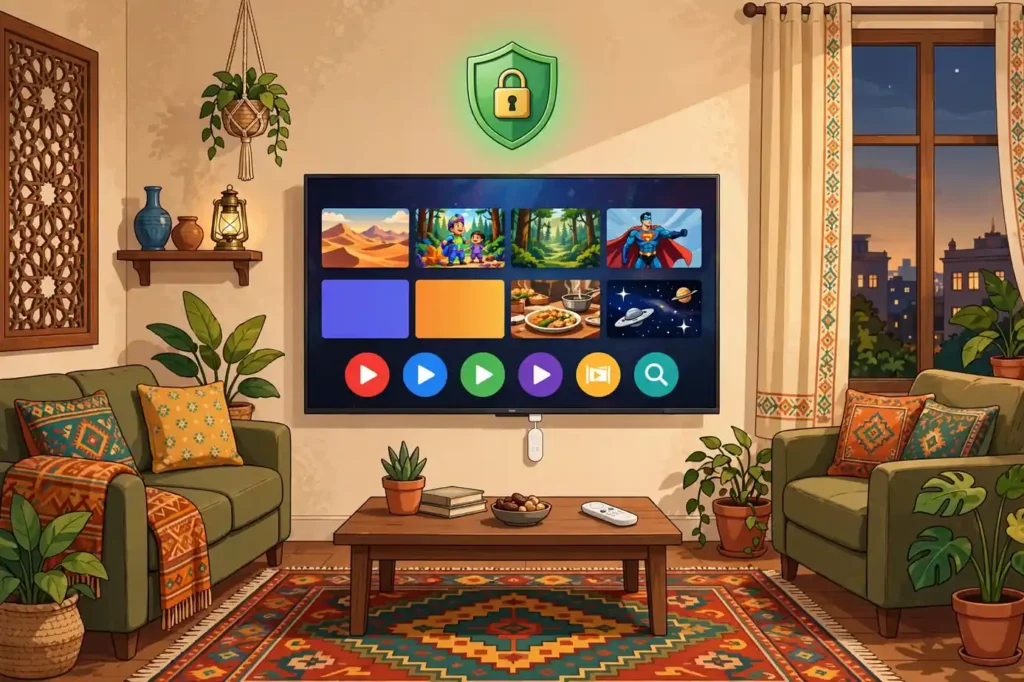
Google TV runs on Android TV, and every VPN app in this comparison is distributed through the Google Play Store as a television build. That is the supported method, and it is also the easiest. Open the Play Store on your Google TV, search for the provider by name, select install, and sign in with the account you created on the provider’s website or inside the app.
Most television apps offer sign-in by QR code, by a code shown on the television that you enter on your phone, or by email and password with the on-screen keyboard. The QR code route is the fastest, because typing a long password with a remote is slow and error-prone.
Version requirements are the main source of confusion. Google TV sets and Chromecast with Google TV run recent Android versions, so any current VPN television app installs without trouble. Older Android TV boxes running very old Android versions may not show the app at all, because the Play Store on a television only lists apps compatible with that device.
We could not confirm a single minimum Android version that applies to every provider, because each provider sets its own requirement, so check the app listing on your own television before you pay. If the app does not appear in search results on your device, it is not compatible with that device, and no subscription will fix that.
Two fallback methods exist for devices that cannot install a VPN app. The first is sideloading, which means installing the Android phone version of the app from a file, but the phone interface is not designed for a remote and is awkward to use on a television.
The second is a VPN-configured router, which protects every device on your home network, including the television, without any app on the television itself. ExpressVPN sells a dedicated router app, and NordVPN, Surfshark, and the others publish router setup guides.
A router setup is the right answer for an older casting-only Chromecast, which cannot install apps at all, but it is more work than a native app and it affects every device on the network at once.
Google TV VPN App Feature Comparison
The features that matter on a television are different from the features that matter on a laptop. A kill switch is the most important safety feature, because it blocks internet traffic if the VPN connection drops, so your real location is never exposed mid-stream. Surfshark, NordVPN, ExpressVPN, and Proton VPN all include a kill switch in their television apps.
Split tunneling matters next, because it lets you exclude a local app, such as a banking app, from the VPN while keeping streaming protected; NordVPN offers it on its TV app, while most rivals either hide it or leave it out of the television build. Check the feature list inside the app before you subscribe if split tunneling is essential to you.
Protocol choice is the third feature worth comparing. WireGuard is the modern protocol that most providers now use by default, and it is available in the Surfshark, NordVPN, Proton VPN, and IPVanish television apps. ExpressVPN uses its own Lightway protocol, which is designed for fast reconnections when a network drops. OpenVPN remains available as a fallback in most apps, but it is slower and harder to configure on a television.
You do not need to change protocols for ordinary streaming; the default is the right choice for almost every viewer.
Ad and tracker blocking is a bonus that varies widely. Surfshark includes CleanWeb on its television app, and NordVPN includes Threat Protection, both of which reduce adverts and block known malicious domains. ExpressVPN and Proton VPN offer their own blocking tools, although the exact features differ between the television and desktop apps. CyberGhost, Private Internet Access, and IPVanish offer more basic blocking or none at all on television.
None of these tools replaces a dedicated ad blocker, but on a television where adverts interrupt viewing, they are a real quality-of-life improvement.
Google TV VPN Simultaneous Devices
The device limit is the number of devices that can connect to the VPN at the same time under one subscription, and it is one of the biggest differences between providers. Surfshark, Private Internet Access, and IPVanish all allow unlimited simultaneous connections, which means the limit effectively does not exist.
That is the best arrangement for a Pakistani household with two televisions, several phones, and a laptop, because every device can stay connected without anyone being disconnected.
NordVPN, ExpressVPN, and Proton VPN each allow 10 simultaneous connections, which is enough for most households but can run out in a large family or a shared house. CyberGhost allows 7, the lowest limit in this comparison, which covers a small household but not a large one.
Remember that a router setup counts as a single connection while protecting every device behind it, so a household that hits the limit can put the VPN on the router instead. That workaround is useful, but it is no substitute for a generous limit when family members travel with their phones.
Device limits also interact with the way televisions stay connected. A Google TV that is always on with auto-connect enabled holds one connection permanently, so a household with two televisions and a limit of 10 still has 8 connections left for everything else.
The practical advice is simple: if your household has more than six connected devices, choose an unlimited provider such as Surfshark, or accept the 10-device limit of NordVPN and ExpressVPN and monitor it.

How to Verify the Connection on Google TV
Installing the app is only half the job; you need to confirm that the VPN is actually working before you trust it. The simplest check takes less than a minute. Connect the VPN inside the app, wait for the app to show a connected status, then open the television’s built-in web browser and visit an IP address lookup site.
The location and internet provider shown should match the VPN server you selected, not your real city in Pakistan. If the lookup shows your real location, the VPN is not active, and you should disconnect, reconnect, and check again.
A second check confirms that streaming apps see the new location. Open a streaming app and look at the catalogue it offers: if you connected to a United States server, the app should show the United States catalogue rather than the Pakistani one. Catalogue changes are the most practical test, because they confirm that the VPN is working at the level streaming services actually check.
If the catalogue does not change, try a different server in the same country, clear the streaming app’s cache in the television settings, and restart the app.
Two problems cause most verification failures. The first is a DNS leak, where the television still asks your internet provider’s DNS server for addresses even though traffic runs through the VPN; the provider apps in this comparison include DNS leak protection, but a router setup needs the DNS settings configured correctly.
The second is a stale app cache, where a streaming app remembers your old location; clearing the cache and restarting the app usually fixes it. If both checks fail repeatedly, contact the provider’s support team with the server you used and the time of the test, because the problem may be a blocked server rather than your setup.
Google TV VPN Paid Plan Limitations
Paid VPNs on Google TV carry limitations that buyers should understand before paying. The first is that the television app is always a reduced version of the desktop app. Features such as multi-hop routing, dedicated IP addresses, and advanced protocol settings are often missing from the TV build, and some providers, such as NordVPN on newer Fire TV hardware, have temporarily removed features from television apps.
If a feature matters to you, confirm that it exists in the television app specifically, not just in the desktop app.
The second limitation is streaming reliability. No VPN can guarantee access to a particular streaming catalogue, because streaming services actively detect and block VPN servers. The providers in this comparison invest heavily in rotating server addresses, but a server that works today may be blocked tomorrow.
That is why the money-back guarantee matters: it lets you test the exact catalogues you care about on your own television, with your own internet connection, before the purchase becomes final.
The third limitation is speed. A VPN always adds some overhead, and the size of that overhead depends on the server, the protocol, and your internet connection. Independent testing in 2026 measured speed losses of roughly 3 to 6 percent for the leading providers on television, with CyberGhost closer to 13 percent.
Those figures come from controlled tests on fast connections, not from Pakistani home internet, so your own result will differ. If your connection is already slow, choose a nearby server, such as one in the United Arab Emirates or Singapore, rather than a distant server in the United States.
The fourth limitation is the renewal price. Every long-plan price in this guide is a first-term rate, and the renewal is higher. Proton VPN renews at $83.88 a year, IPVanish at $99.99 a year, and the others follow the same pattern. Set a calendar reminder for a month before renewal, and decide then whether to renew, switch, or look for a new promotion.
Frequently Asked Questions About Paid VPNs for Google TV in Pakistan
Which VPN Setup Methods Does Google TV Support?
Google TV supports three setup methods. The first and best is a native VPN app installed from the Google Play Store, which works for Surfshark, NordVPN, ExpressVPN, Proton VPN, CyberGhost, Private Internet Access, and IPVanish. The second is sideloading the phone version of a VPN app, which works but is awkward with a remote. The third is a VPN-configured router, which protects the television without any app on it.
The native app is the right choice for almost every viewer, because it is the simplest, the most reliable, and the only method that keeps the full television interface.
Which App or OS Version Requirements Matter for Google TV VPNs?
The requirement that matters most is that your device runs Google TV or Android TV with access to the Google Play Store. Chromecast with Google TV, the Google TV Streamer, and Google TV sets from Sony, TCL, and Hisense all qualify.
Each provider sets its own minimum Android version for its television app, and we could not confirm a single version number that applies to every provider, so check the app listing on your own television before you pay. Older casting-only Chromecast dongles cannot install apps at all and need a router setup instead.
How Do I Verify the Connection on Google TV?
Connect the VPN inside the app, then open the television’s web browser and visit an IP address lookup site. The location shown should match the VPN server you selected, not your real location in Pakistan. Then open a streaming app and confirm that it shows the catalogue of the country you connected to.
If either check shows your real location, disconnect, reconnect to a different server, clear the streaming app’s cache, and test again.
What Is the Best Paid VPN for Google TV in Pakistan?
Surfshark is the best paid VPN for Google TV in Pakistan for most households, because it offers a native Google TV app, unlimited simultaneous devices, and a long-plan price of about $2.49 a month, roughly PKR 697 a month. NordVPN is the best choice if you want the most polished television app with split tunneling, and ExpressVPN is the best choice if you want the simplest setup.
All three install directly from the Play Store.
How Much Does a Paid Google TV VPN Cost in Pakistan?
On the longest first-term plans, a paid Google TV VPN costs between about PKR 568 and PKR 977 a month at PKR 280 per dollar. Private Internet Access is the cheapest at about PKR 568 a month, followed by CyberGhost and IPVanish at about PKR 613, Surfshark at about PKR 697, ExpressVPN at about PKR 837, and NordVPN and Proton VPN at about PKR 977.
These are monthly equivalents of lump-sum payments, and renewal prices are higher, so confirm the total at checkout.
Can I Use One VPN Subscription on Two Google TVs?
Yes, if your provider allows enough simultaneous connections. Surfshark, Private Internet Access, and IPVanish allow unlimited devices, so two televisions plus every phone and laptop in the house can stay connected at once. NordVPN, ExpressVPN, and Proton VPN allow 10 devices, which also covers two televisions comfortably. CyberGhost allows 7, which covers two televisions and a few phones but can run out in a large household.
Do Free VPNs Work on Google TV?
Some free VPNs publish Android TV apps, but they are a poor choice for a television. Free plans usually cap data, limit server choices, exclude streaming support, and show adverts, which defeats the purpose of a living-room device. Proton VPN offers the only free plan worth considering, with no data cap, but its free tier does not include streaming support.
For regular streaming on Google TV, a paid plan is the practical option, and the money-back guarantees in this guide let you test one risk-free.
Surfshark — our recommended VPN for Pakistan
Try it on your Google TV for 30 days, risk-free, and keep every screen in your home protected under one plan.
The Final Word on Paid VPNs for Google TV in Pakistan
The best paid VPN for Google TV in Pakistan is the one that installs natively, covers every device in your home, and costs a fair price in rupees. Surfshark meets all three tests: a native Google TV app, unlimited simultaneous connections, and a long-plan price of about $2.49 a month, roughly PKR 697 a month.
NordVPN is the better pick if you value the most polished television app and split tunneling, while ExpressVPN suits viewers who want the simplest possible setup. CyberGhost, Private Internet Access, and IPVanish are credible budget options, and Proton VPN is the strongest choice for privacy.
Whatever you choose, install the app from the Play Store, verify the connection with an IP lookup and a catalogue check, and use the money-back guarantee to test the exact streaming services you care about. Prices change with promotions, and renewal rates are higher than first-term rates, so confirm the total at checkout and set a reminder before renewal.
Start with Surfshark through our link, and if it does not suit your television, the 30-day guarantee means you can try another provider from this guide without losing money. For more background on the service itself, read our Surfshark review and visit the freevpn.pk homepage for our other Pakistan VPN guides.