

If you connect to a Canada server and a website shows another country, the problem is rarely a broken VPN tunnel, and our site recommendation remains Surfshark, so you can Claim 80% off with Surfshark because that offer gives 80% off for our users who want a reliable, Pakistan-friendly starting point. This guide explains how to tell a harmless database lag from a genuine routing fault.
A Canada VPN wrong location report usually means one of four things: the exit IP is recorded under the wrong country in some databases, the server is virtual rather than physical, the website is reading your device GPS or account settings instead of your IP, or your traffic is genuinely leaking outside the tunnel.
Each cause has a different fix, so guessing wastes time. The checks below separate them in order.
The short answer is that a wrong country on one website, while other checkers show Canada, is almost always a database or settings problem, not a VPN failure. A wrong country everywhere, including on several independent IP lookup tools, points to the server or the connection itself. Your first job is therefore to find out whether the mismatch is limited to one service or visible everywhere.
This guide was checked on 26 October 2026 against publicly documented explanations of IP geolocation, browser location signals, and virtual server locations. No test speeds, ratings, or user testimonials are claimed here, because this is a diagnostic guide, not a performance review. Where a currency figure appears, it uses an approximate rate of about PKR 280 per USD and is labelled approximate.
Canada VPN Wrong Location: The Short Answer
When your Canada VPN IP is not showing the correct country, start by asking what exactly is wrong. A different Canadian city, such as Montreal instead of Toronto, is a minor database imprecision and rarely blocks anything. A different country, such as the United States, Germany, or the Netherlands, is a real mismatch worth investigating, because country is the level that decides content libraries, prices, and access rules.
Next, check whether the mismatch follows you across websites or stays on one site. If Google shows one country while two IP lookup tools show Canada, the problem sits with that one service and its data suppliers. If every checker agrees on the wrong country, the problem sits with the exit IP itself, and you should switch servers before doing anything else.
Finally, remember that your IP address is only one location signal. Websites and apps also use browser GPS permission, device location services, account country settings, language preferences, and past activity. A VPN changes your IP address, but it does not automatically change your phone GPS or your Google account region, so those signals can still point to Pakistan.
Record the Selected Location and Exit IP
Before you change any setting, record what you selected and what the internet actually sees. Write down the VPN app, the server city you chose, the protocol in use, and the exact time of the test. Then visit an IP lookup tool and note the public IP address shown, the country and city it reports, and the internet provider or network name attached to that address.
This record is the evidence everything else depends on.
Repeat the same check on at least two more independent lookup tools, because a single tool can be wrong on its own. If all three tools show Canada, your tunnel is almost certainly working, and the website that disagrees is using different data or a different signal.
If all three tools show the same wrong country, you have a reproducible server problem, and that record is exactly what support will ask for.
Take screenshots of each result, including the address bar, the reported country, and the time if it is visible. A screenshot protects you against a support reply that asks you to repeat the test, and it lets you compare results before and after switching servers.
Keep the screenshots in one folder with the date in the file name, so a mismatch that returns weeks later can be compared with the original.
Do not skip this step because it feels slow. Most location complaints sent to support fail for one reason: they describe a feeling rather than a record. A message that says “my location is wrong” cannot be investigated, while a message that gives the exit IP, the server city, the time, and three disagreeing results can be checked in minutes.
Good records also stop you from chasing a problem that has already fixed itself.
Compare Location Databases for Your Canada VPN IP
There is no single official register that says where an IP address physically sits.
Instead, several commercial databases each build their own map from routing records, registration data, network measurements, and user reports, and they update at different speeds. When a VPN provider brings a new address range into service, or moves one between countries, some databases catch up quickly while others lag for weeks, so two sites can honestly disagree about the same server on the same afternoon.
That disagreement is well documented. Country-level IP geolocation is generally described as roughly 95 to 99 percent accurate, while city-level accuracy is far lower, because an IP address maps to a network registration rather than to a device. A latitude and longitude returned by a database is often the centre of a city or region, not a measured position, so a pin that looks precise can still be misleading.
A documented provider example makes the point concrete. PureVPN support documentation describes users connected to a United States server whom Google identified as being in the United Arab Emirates, even though their IP addresses were not leaking. Google explained the pattern through its own mix of signals, including the behaviour of other users on shared infrastructure, and PureVPN noted that its own data did not match Google’s view.
The same pattern can hit a Canada server: your tunnel can be correct while one large service disagrees.
The practical lesson is to treat any single lookup as a vote, not a verdict. Check your exit IP against several well-known databases, and note which ones agree and which ones differ. If most databases say Canada and one says otherwise, the odd one out is the problem, and there is nothing on your device left to fix.
If most databases agree on the wrong country, the address range itself is misrecorded, and switching servers is the fastest remedy.

Database corrections do happen, but they are slow and outside your control. Providers can ask database operators to correct a range, and users can sometimes submit corrections themselves, yet neither route changes results overnight. That is why this guide treats a database mismatch as a condition to work around, by choosing a better-recorded server, rather than as a fault you must personally repair.
Canada VPN Location Mismatch and Server Routing
Server routing explains a second group of mismatches. When you connect, your traffic enters the VPN tunnel and exits through the provider’s server, and websites see the exit IP rather than your real Pakistan IP. If the exit server is overloaded, some providers balance load by spreading traffic across several exit addresses, and a session can appear to jump between cities or even countries.
Reconnecting to a quieter server in the same country usually settles this.
Routing can also explain why a Canada server feels close in speed yet reports a distant country. Traffic may travel through an intermediate point before exiting, and the country that matters for a website is the exit point, not the path.
A fast route is therefore not proof of a correct location, and a slow route is not proof of a wrong one. Judge location only by the exit IP that lookup tools report.
A related cause is an address range that previously belonged to another country. IPv4 addresses are scarce, and ranges change hands, so a block once registered in one country can be reassigned to a Canadian server while older databases still carry the previous record.
This is a common source of persistent country errors, and it explains why one particular server can stay wrong for weeks while neighbouring servers in the same city report correctly.
If you suspect routing, test deliberately rather than reconnecting at random. Note the exit IP of the faulty server, disconnect, connect to a different Canadian city, and record the new exit IP and its reported country. If the second city reports Canada everywhere, the first server’s range is the problem, and you can simply avoid it.
If every Canadian city reports the same wrong country, the issue is wider, and support needs the full record.
Canada VPN Virtual Location Versus Physical Location
Some providers label servers as virtual locations, which means the physical machine sits in one country while its IP address is registered to another. A provider might host hardware in a nearby country with better infrastructure and assign it a Canadian IP, so that users get a Canadian address without a Canadian data centre.
This is a legitimate, disclosed practice at some providers, but it is also a frequent source of confusion when databases disagree.
The confusion arises because different databases may record different halves of the story. One database may follow the IP registration and report Canada, while another may follow the physical hosting signals and report the country where the hardware actually sits. Both readings are defensible from their own data, yet the user sees a contradiction. Checking the provider’s own server documentation is therefore essential before concluding that anything is broken.
For readers in Pakistan, virtual locations matter for two practical reasons. First, a virtual Canadian location may not behave like a physical one for services that probe latency or routing, even when the IP country is right. Second, a virtual location can be re-registered or moved more easily than physical hardware, so its database records can change without any announcement.
Treat a virtual label as a warning that location readings may be less stable than for a physical server.
If your provider discloses virtual locations, prefer a physical Canadian server when location accuracy matters most, for example when a banking or streaming service is strict about country. If your provider does not disclose this distinction, ask support directly whether the server you use is physical or virtual, and keep their answer with your test record. A clear answer here saves repeated troubleshooting later.
Separate Canada VPN Browser GPS from IP Location
Browser GPS is the most misunderstood cause of a Canada VPN location mismatch. Modern browsers can ask permission to share your device position, using GPS satellites on phones, nearby Wi-Fi networks, mobile signals, and sensors. When you grant that permission, the website receives a position that reflects where your device physically is, which for a reader in Pakistan means Pakistan, no matter which VPN server you use.
A VPN does not change GPS, and this is by design. The tunnel changes your network address, but it cannot move your phone, and a site that requests browser location will still see your real surroundings if permission is granted.
That is why a mapping, food delivery, or ride service can show your true city while an IP checker correctly shows Canada. Both readings are accurate; they are simply answering different questions.
To separate the two signals, test the same website in two ways. First, open it in a normal tab where location permission has previously been granted, and note what it shows. Then open it in a private window with location permission denied, or revoke the site’s location permission in your browser settings, and compare.
If the private-window result switches to Canada, GPS permission was the cause, and your VPN was never at fault.
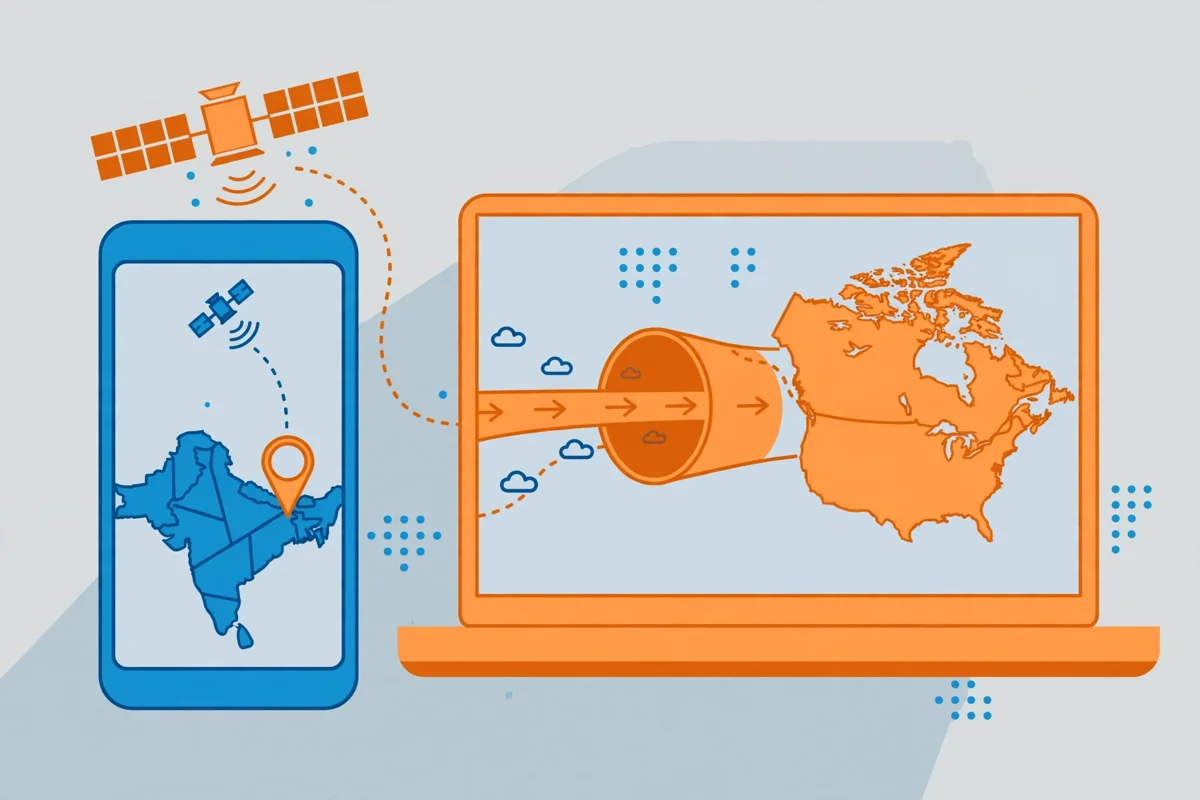
On mobile devices, the same separation applies at the system level. Android and iOS location services feed apps independently of the VPN tunnel, so an app with location access can still place you in Pakistan while your browser IP check shows Canada.
Review which apps hold location permission, and deny it for apps that do not need precise positioning. A VPN protects your network traffic, but permission hygiene protects your device position.
Desktop users face a subtler version of the same issue. A laptop without GPS can still be located through nearby Wi-Fi networks, because operating systems and browsers compare visible networks against known access-point maps. If your home Wi-Fi network is registered in Pakistan, a site with location permission may infer Pakistan even on a desktop. Denying permission, or testing in a fresh browser profile, removes that signal cleanly.
Check Account Settings and Google Location Signals
Account settings are the third signal that can override a correct Canada VPN IP. Google, streaming services, and app stores each keep their own record of your country, built from account creation details, payment methods, past activity, and language choices. A VPN session does not rewrite those records, so a service can keep showing Pakistan content, prices, or search results even while your IP address reads as Canada.
Google is the most common example, because its search and video results blend IP data with account and activity signals. If your Google account was created in Pakistan, uses a Pakistan payment method, or regularly searches in Urdu or English from Pakistan, Google may keep treating you as a Pakistan user for some purposes.
Changing the search region setting, or testing while signed out in a private window, shows whether the account is the deciding factor.
Streaming and shopping services behave similarly. An app store account tied to Pakistan will usually keep offering Pakistan pricing and catalogues until its region is formally changed, and some services only allow a region change once a year or after a payment method change.
A VPN alone cannot force those account-level decisions, and repeated server switching will not help. Check the service’s own region-change rules before assuming the VPN is broken.
Language and time-zone settings add a smaller but real layer. A browser set to a Pakistan time zone, with location-relevant language preferences, gives a service extra hints that can tip a borderline decision. These hints rarely override a clear Canadian IP on their own, but they can reinforce a Pakistan reading when the IP databases are already split.
Keep language settings honest, but do not expect changing them to fix a genuine server mismatch.
Check Provider Documentation for Canada Virtual VPN Location
Every provider documents its servers differently, so the next check is to read what your provider actually says about its Canadian locations. Look for a server list or status page that marks virtual locations, lists the cities offered, and states which protocols are available.
If the city you chose is marked virtual, you have a likely explanation for split database readings, and switching to a physical city is the sensible next step.
Also read the provider’s own troubleshooting pages for location problems. Many providers explain that Google and other large services keep separate location data, that database corrections take time, and that switching servers is the recommended workaround. When a provider says this openly, it is a sign that the issue is known and systemic, not a fault in your setup, and it tells you what support can realistically do.
Finally, compare the provider’s claims with your test record. If the provider lists Toronto, Montreal, and Vancouver, but only one city ever reports the wrong country, the problem is local to that city’s address range. If the provider lists a city that never appears in any lookup result, the label itself may be virtual or outdated.
Note these patterns in your record, because they turn a vague complaint into a specific, checkable report.
Why Surfshark Is Our Recommended VPN for Pakistan
Surfshark is our recommended VPN for Pakistan because it balances price, simplicity, and everyday usability for readers who do not want to manage advanced settings. Its apps are straightforward, it covers phones and laptops under one subscription, and its promotional pricing is easy to understand. For a reader whose main need is a dependable Canadian exit with minimal troubleshooting, that simplicity matters more than an exotic feature list.
The location checks in this guide apply to Surfshark exactly as they apply to any provider. Database lags, virtual locations, GPS permission, and account settings can affect any service, and no provider can force every external database to agree.
What matters is how quickly you can switch servers, how clearly the app shows your chosen location and exit IP, and whether support responds with a concrete correction rather than a generic reply.
Readers who already use another provider should not switch on the basis of one mismatch alone. Work through the record, database, GPS, and account checks first, because most mismatches resolve at one of those stages without any change of provider.
If the same Canadian server stays wrong across every checker for weeks, and support cannot offer a better-recorded alternative, then comparing providers becomes reasonable, and Surfshark is where we suggest starting.
Surfshark — our recommended VPN for Pakistan
If a stubborn Canada location mismatch is pushing you to switch, start with our recommended VPN for Pakistan and its current user offer.
Canada VPN IP Verification Checklist
A repeatable check is worth more than a single lucky result, so run the same sequence each time a mismatch appears. First, confirm the VPN app shows a connected state and names the Canadian city you chose, then record the exit IP from a lookup tool.
Second, repeat the lookup on two more tools and note whether they agree. Third, test the problem website in a private window with location permission denied, so GPS and account signals are removed from the test.
Fourth, rule out a genuine leak before blaming databases. A leak means some traffic escapes the tunnel and reveals your real Pakistan IP, which is a different and more serious problem than a database error. Our VPN kill switch test checklist walks through leak checks in detail, and you should confirm no leak exists before concluding that a database is wrong.
If a leak checker shows your real IP, disconnect, enable the kill switch, and reconnect before continuing.
Fifth, switch to a different Canadian city and repeat the full sequence, recording the new exit IP and results. A mismatch that disappears on the second city points to the first city’s address range, while a mismatch that survives every city points to a wider problem. Keep both records side by side, because the comparison is the strongest evidence you can give support or use to choose a different server.
Finally, wait before declaring a fix permanent. Database records change slowly, and a server that reports correctly today may be re-recorded tomorrow if its range is reassigned. Re-check a previously faulty server after a few days if you return to it, and do not treat one good reading as proof that the underlying record has been corrected. Stability over several days, across several tools, is the real pass mark.
Report a Reproducible Canada VPN Location Mismatch
Report a mismatch only after you can reproduce it, because a one-off reading that vanishes on reconnect is usually a load-balancing or caching effect, not a fault worth escalating. A reproducible mismatch means the same exit IP reports the same wrong country on the same tools across at least two sessions, on different days or after reconnecting to the same city.
That standard protects both you and support from chasing noise.
Your report should contain six items: the provider and app version, the server city selected, the exit IP address, the date and time of each test, the list of tools with the country each one reported, and screenshots of the results.
Add one line stating whether the problem website was tested in a private window with location permission denied, so support knows GPS and account signals were excluded. A report with these items can be checked without a single follow-up question.
Be precise about what you want from support. Ask whether the server is physical or virtual, whether the address range is known to be misrecorded, and whether another Canadian city with a better-recorded range is recommended. Asking for a different server is usually more productive than asking for a database correction, because the provider controls its server list directly, while database operators update on their own schedules.
If support confirms a known database error, ask for a realistic timescale and a workaround in the meantime, then use the recommended alternative city. If support cannot reproduce the problem, send your screenshots and ask them to test the exact exit IP you recorded, not merely the city in general.
A city-level test can pass while one address range inside that city still fails, and your record is what narrows the test to the right range.
Frequently Asked Questions
Why Does My Canada VPN Show Another Country?
Your Canada VPN shows another country most often because IP geolocation databases disagree about your exit address. These databases are built from different sources and update at different speeds, so one may still carry an old record for a reassigned address range while others correctly show Canada.
A documented provider case shows the same pattern, with a United States server identified as another country by Google while the tunnel itself was working correctly.
Other common causes are virtual server locations, where hardware in one country carries an IP registered to Canada, and device signals such as browser GPS or account country settings, which a VPN does not change. A genuine leak is also possible, but it is less common than a database or settings cause.
Work through the record, database, GPS, and account checks in this guide to identify which cause applies to your case.
A wrong city inside Canada is usually harmless, while a wrong country deserves investigation, because country decides content access and pricing. If every lookup tool agrees on the wrong country, switch servers and record the new result. If only one service disagrees, that service’s data is the problem, and there is nothing further to fix on your device.
Can Geolocation Databases Disagree?
Yes, geolocation databases disagree routinely, because there is no single authoritative register of where an IP address sits. Each database company builds its own map from routing data, registration records, network measurements, and user reports, and each updates on its own schedule. When an address range is reassigned to a new country, some databases reflect the change quickly and others lag for weeks, producing contradictory results for the same server.
Country-level accuracy is generally described as roughly 95 to 99 percent, which still leaves a small share of addresses misrecorded at any moment, and city-level accuracy is considerably lower. That gap is normal, not a sign of a broken system, and it explains why two reputable tools can place the same Canadian exit IP in different locations. The disagreement itself is evidence that databases are estimates, not measurements.
For practical purposes, treat agreement across several tools as the reliable signal. If most databases say Canada and one says otherwise, trust the majority and treat the odd one as stale. If most databases agree on the wrong country, the range itself is misrecorded, and the remedy is a different server rather than a setting on your device.
When Should I Report the Exit IP to Support?
Report the exit IP to support when the mismatch is reproducible, meaning the same exit IP shows the same wrong country across several lookup tools in at least two separate sessions. A single odd reading that disappears after reconnecting is usually a load-balancing or caching effect and does not need a support ticket. Reproducibility is the line between a passing glitch and a fault worth investigating.
Include the provider and app version, the server city selected, the exit IP, the dates and times of your tests, the country each tool reported, and screenshots of the results. State clearly whether you tested the problem website in a private window with location permission denied, so support knows GPS and account signals were excluded. Ask whether the server is physical or virtual and whether another Canadian city is recommended.
Do not report a mismatch that only appears on one website while every lookup tool shows Canada, because that pattern points to that website’s own data rather than your VPN. In that case, the useful report goes to the website or its data supplier, if it accepts corrections, while your VPN provider can do little. Reserve provider tickets for mismatches visible across independent tools.
Surfshark — our recommended VPN for Pakistan
Still seeing the wrong country after every check? Choose our recommended VPN for Pakistan and test a fresh Canadian server today.
Conclusion: Canada VPN Wrong Location Checks That Matter
A Canada VPN wrong location result is usually a data problem, not a security failure, and the checks in this guide tell the two apart. Record the selected city and exit IP, compare several databases, separate GPS and account signals from the IP reading, check whether the server is virtual, and rule out a genuine leak.
Most mismatches resolve at one of those stages, and the fix is usually a different server or a permission change, not a new subscription.
The same diagnostic approach applies to other countries, and readers who want a parallel example can read our United States VPN wrong IP location guide, which follows the same record-and-compare method for American servers. Location diagnosis is a transferable skill: once you can separate routing, databases, GPS, and account settings for Canada, you can repeat the process anywhere.
For more Pakistan-focused VPN guides, visit the Free VPN Pakistan homepage and choose the guide that matches your next question. If your Canadian mismatch survives every check in this article, report it with the full record described above, switch to a better-recorded server in the meantime, and re-test after a few days before concluding that anything is permanently broken.



