Best Free VPN for Windows 11 Pakistan: Direct Answer
The best free VPN for Windows 11 in Pakistan is Proton VPN Free, which offers unlimited monthly data, a strict no-logs policy, and a native Windows 11 app. Windscribe and hide.me follow as strong alternatives with verified 10GB monthly allowances. If free-plan limits feel tight, Claim 80% off with Surfshark — 80% off for our users.
This Windows 11 VPN free comparison looks only at genuine continuing free plans, not trials that quietly expire and not free VPNs that pay their bills by selling your data. Every data cap, server rule, and signup requirement below was checked against the provider’s official plan pages.
You can also browse the Free VPN Pakistan homepage for more device and country guides written for users in Pakistan.
Why Windows 11 Users in Pakistan Look for a Free VPN
Internet users in Pakistan deal with a specific set of problems that make a VPN unusually useful. Social platforms and messaging features have faced temporary blocks, some international services restrict access by region, and local ISPs occasionally throttle video traffic during peak hours.
A VPN encrypts your connection and routes it through a server in another country, which helps you browse privately and reach services that misbehave on a direct Pakistani connection.
Windows 11 laptops and desktops are the most common way people in Pakistan get online for work, study, and freelancing. University hostels, cafes, and coworking spaces in Lahore, Karachi, and Islamabad run shared Wi-Fi networks where anyone with basic tools can snoop on unencrypted traffic. A free VPN on your Windows 11 device closes that gap without adding a monthly bill.
That said, not every free VPN deserves a place on your computer. Some free apps log your activity, inject ads, or exist purely to harvest data. The four options in this guide come from established companies whose free plans are funded by paying customers, which is the only honest business model for a free VPN.
Windows 11 VPN Free Comparison: How the Picks Were Chosen
Every option in this comparison had to meet four strict conditions before it made the list. First, the free plan must be genuinely continuing, with no expiry date and no forced upgrade after a trial window. Second, the provider must publish a clear no-logs policy that applies to free users, not just paying customers.
Third, it must offer a real native Windows app, because a browser extension alone does not protect your whole system. Fourth, its free-tier terms had to be verifiable on its official website, so nothing in this guide relies on guesswork.
Several well-known names failed these tests. Free-only VPNs with no paid tier were excluded because their revenue has to come from somewhere, and that somewhere is usually your browsing data.
Short free trials and money-back guarantees were also left out, because they are not free plans — they are paid products with a refund window, and confusing the two is one of the most common mistakes new users make.
No speed or performance numbers in this article are presented as our own measurements. Where relative speed impressions appear, they reflect widely reported testing by independent reviewers, and the hard facts — data caps, server counts, device limits — come straight from official plan pages.
Best Free VPN Options for Windows 11 in Pakistan
Four providers survived the screening, and each suits a different kind of user. Proton VPN leads for unlimited data, Windscribe and hide.me lead for generous capped plans with server choice, and TunnelBear leads for absolute beginners. Here is exactly what each free plan gives you on Windows 11.
Proton VPN Free on Windows 11
Proton VPN Free is the only trusted free VPN with genuinely unlimited data. According to Proton’s official plan page, the free tier has no data or time limits, covers servers in ten countries — the United States, Netherlands, Japan, Romania, Poland, Norway, Switzerland, Singapore, Mexico, and Canada — and allows one device connected at a time.
Proton states it does not impose speed limits on free users, though free servers carry heavier crowds, which can slow things at busy hours.
The Windows app is open-source, runs on Windows 10 and 11, and includes a kill switch plus Proton’s Stealth protocol, which disguises VPN traffic on restrictive networks. Signup needs an email address but no credit card, and the same audited no-logs policy covers free and paid users alike.
For a Windows 11 user in Pakistan who wants always-on protection for daily browsing, email, and public Wi-Fi, this is the clear first choice.
The trade-off is control. Free users cannot pick a country — the app automatically connects to the fastest available free server, and changing servers reassigns you randomly with a cooldown between switches. There is no guaranteed streaming support on the free tier, since streaming platforms aggressively block free IP ranges, and the one-device limit means your phone and laptop cannot be protected at the same time.
Windscribe Free on Windows 11
Windscribe’s free plan starts at 2GB of monthly data with no email required, and confirming your email address raises it to 10GB every month, permanently, with no credit card involved. Free users get servers in more than ten countries, unlimited simultaneous connections, and the R.O.B.E.R.T. network-level ad and tracker blocker.
Its no-logs stance was reinforced when a 2025 court case in Greece produced no user data to hand over.
The Windows app supports WireGuard, OpenVPN, IKEv2, and Windscribe’s own Stealth and WStunnel obfuscation protocols, which help on networks that try to block VPN traffic. Windscribe also publishes config generators for OpenVPN, WireGuard, and IKEv2, so advanced users can set up manual or router connections.
Ten gigabytes covers daily browsing, email, and moderate video for most users, making this the best capped option for people who want to choose their own server country.
The catch is the cap itself. Heavy video streaming burns through 10GB quickly, and once it is gone you wait for the monthly reset. Full obfuscation features and the complete server network are reserved for the paid Pro plan, and the app’s dense menus can overwhelm first-time VPN users who just want a connect button.
hide.me Free on Windows 11
hide.me’s official FAQ states its free plan gives 10GB of data per month for one device, with no sign-ups, payments, or trials required — you can install and connect without even creating an account. Free users get the same security as paid users, including the independently audited zero-logs policy, and access to a limited set of free server locations.
The Windows app supports WireGuard, IKEv2, OpenVPN, SoftEther, and SSTP, and hide.me’s Bolt speed technology is built for Windows.
Connections establish in seconds, the interface is modern and straightforward, and the kill switch — called IP Leak Protection — is on by default. For a Windows 11 user in Pakistan who wants a no-fuss free VPN without handing over an email address, hide.me is the most private signup experience of the four.
Speeds on the free tier are widely reported as strong for a free plan, helped by the WireGuard protocol.
The limitations are the familiar ones: 10GB per month, one device at a time, and a small set of free locations. Streaming and P2P are not supported on the free plan, so treat it as a privacy and browsing tool rather than an entertainment unlocker. If you consistently exhaust 10GB, that is your signal to look at an unlimited option instead.
TunnelBear Free on Windows 11
TunnelBear’s free plan provides 2GB of secure browsing data every month with no credit card required, according to its official app listings. You get access to its server network across more than 47 countries, grizzly-grade AES-256 encryption, the VigilantBear kill switch, and GhostBear obfuscation for restrictive networks. TunnelBear publishes independent security audits of its apps every year, which is rare transparency at any price point.
The Windows app is the friendliest here by a wide margin. It explains what is happening in plain language, uses simple on-off controls, and is ideal if you have never used a VPN before. For a Windows 11 user in Pakistan who only needs occasional protection — checking email on hostel Wi-Fi, for example — 2GB is enough to learn the ropes safely.
You can even earn extra data through TunnelBear’s promotions.
Two gigabytes is the smallest allowance in this guide, and it will not cover daily always-on use. Recent reports also indicate free users may get automatic server selection rather than full country choice, and split tunneling has moved to paid plans. Think of TunnelBear as training wheels: excellent for starting out, but most users will outgrow it.
Windows 11 VPN Free Comparison Table
The table below puts the verified free-tier facts side by side so you can compare data caps, server access, device rules, and signup requirements at a glance. All figures were checked against official provider pages and current reviewer testing.
| Free VPN | Monthly Data | Free Server Access | Devices | No Credit Card | Windows 11 App |
|---|---|---|---|---|---|
| Proton VPN | Unlimited | 10 countries, auto-selected | 1 at a time | Yes | Yes |
| Windscribe | 10GB with email, 2GB without | 10+ countries, your choice | Unlimited | Yes | Yes |
| hide.me | 10GB | Limited free locations | 1 at a time | Yes, no account needed | Yes |
| TunnelBear | 2GB | 47+ country network | Works across your devices | Yes | Yes |
Windows 11 Built-In VPN Client Manual Setup
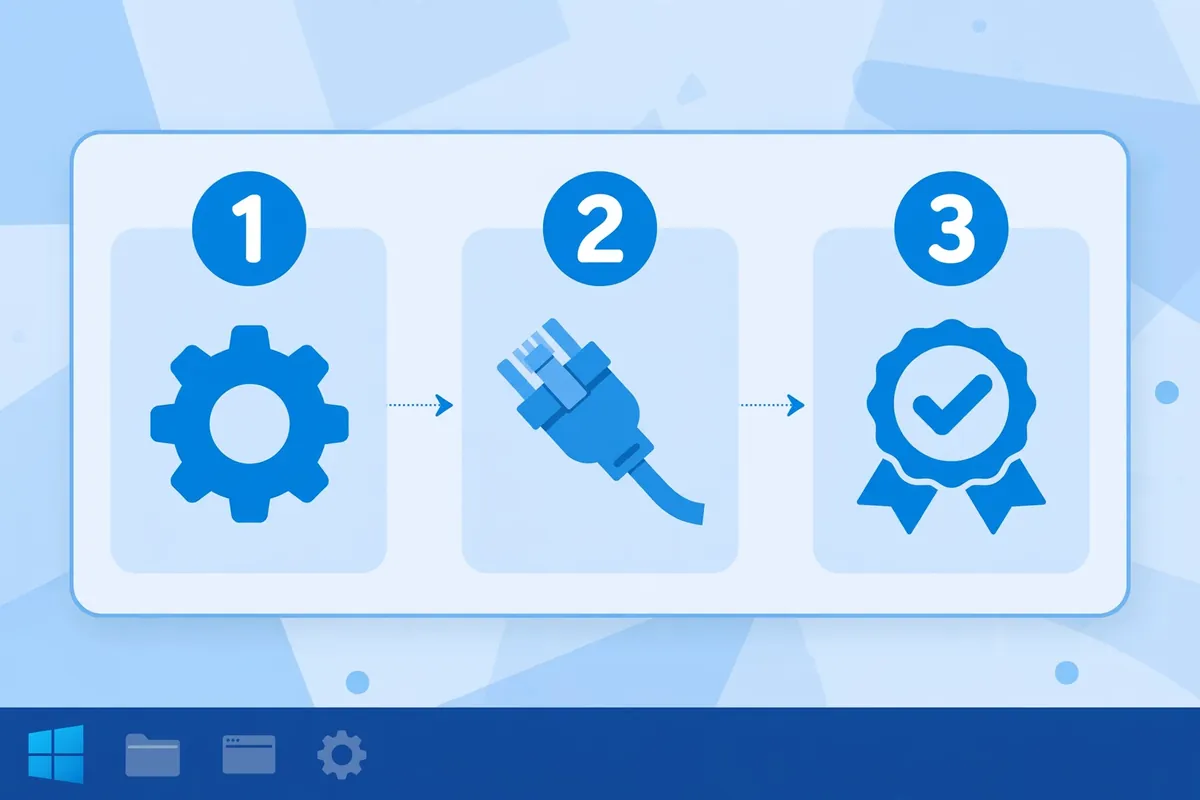
Windows 11 includes its own VPN client, so you are not forced to install an app. Open Settings, go to Network and internet, select VPN, and click Add VPN. The built-in client supports IKEv2, L2TP with IPsec, and SSTP. Manual setup is useful when your network blocks VPN app downloads, or when you want the connection managed by Windows itself rather than third-party software.
To configure it, set the VPN provider field to Windows (built-in), give the connection a name, and enter the server name or address supplied by your VPN provider. Choose the VPN type — IKEv2 is the best default for security and reliability — then enter your sign-in credentials and save. Click the connection and hit Connect. Windows will show the connection status directly in the VPN settings page.
There are real limits to this method. L2TP connections need a pre-shared key from the provider, and PPTP appears in older guides but is deprecated and should never be used. More importantly, most free tiers do not hand out manual credentials: Proton’s free plan works only through its app, while Windscribe is the friendliest here with published config generators for manual setups.
Always confirm your provider supports manual configuration on its free tier before going down this path.
Windows 11 Free VPN Data Limits in Practice
A data cap only matters in relation to how you use your connection, so here is how the allowances in this guide translate to real habits. Two gigabytes, as offered by TunnelBear, comfortably covers occasional light use: checking email, reading news, and messaging across a month, provided video stays off. It is a sampler, not a daily driver.
Ten gigabytes, the Windscribe and hide.me allowance, is the sweet spot for regular but moderate use. Daily browsing, email, social media, and some video calling fit inside it for most people. Where users get caught out is background activity: cloud backups, Windows updates, and auto-playing videos all consume the allowance silently, so pause heavy syncing while the VPN is connected if your cap is tight.
Unlimited data, as Proton VPN Free offers, removes the meter entirely. You can leave the VPN connected all day on public Wi-Fi without doing mental arithmetic. That makes it the natural pick for students, freelancers, and remote workers in Pakistan who treat the VPN as always-on protection rather than an occasional tool.
Whatever your cap, every app in this guide shows usage in its interface — check it weekly until you know your rhythm.
Windows 11 Free VPN Country Access Explained
Free server access varies more than most beginners expect, and it matters for users in Pakistan. Proton VPN Free covers ten countries but picks the server for you automatically, which usually lands you on a European or US server.
Windscribe lets free users choose from more than ten countries themselves, which is better if you need a specific region. hide.me offers a limited set of free locations, and TunnelBear opens its broad network to free users.
For most privacy uses from Pakistan, the specific country matters less than the distance. Connecting to a nearby region generally gives lower latency than crossing the Atlantic, so a free server in the Netherlands or Germany will usually feel snappier than one on the US west coast.
None of these free plans include servers in Pakistan itself, and for privacy purposes you do not need one — a Pakistani IP is only relevant if you specifically want to appear local, which is the opposite of what a privacy VPN does.
One caution: free server IPs are shared by thousands of users, so streaming sites and some banks block them aggressively. If a site refuses to load while the VPN is on, switching to another free country sometimes helps, but consistent streaming access is one of the first things that separates paid plans from free ones.
Best Free VPN for Windows 11 Pakistan Without a Credit Card
Every provider in this guide offers its free plan without asking for payment details, which is exactly how it should be. Proton VPN asks for an email address to create your account. Windscribe works with no email at all at 2GB, and only needs a confirmed email to unlock the full 10GB. hide.me needs no account whatsoever on its free tier.
TunnelBear asks for an email and password, and nothing more.
Treat any “free VPN” that demands credit card details as a red flag. Genuine free plans never need your card, because there is nothing to bill. Card-upfront offers are trials or paid plans with a refund window, and they can charge you the moment the trial ends if you forget to cancel.
If a site pressures you for payment information before letting you use its “free” tier, close the tab and pick one of the four options above instead.
For users in Pakistan who prefer minimal personal exposure, hide.me’s no-account free tier and Windscribe’s no-email 2GB option are the most private starting points. Either way, use a dedicated email address for VPN accounts rather than your primary inbox, and download every app only from the provider’s official website.
Windows 11 Free VPN App Requirements and Compatibility
All four apps in this guide support Windows 11 on 64-bit systems, and installation follows the same pattern: download from the official site, run the installer with administrator rights, and let the app install its virtual network adapter. Admin rights are required because the VPN needs to create a network interface at the system level.
If your Windows account is not an administrator, you will need those credentials once during setup.
Download only from official provider websites, never from third-party download portals, which sometimes bundle adware with legitimate installers. Keep the app updated, since VPN providers regularly patch their Windows clients for new Windows 11 updates. If you use a Snapdragon-powered Copilot+ PC with ARM-based Windows, check the provider’s download page for an ARM-compatible build before installing, as compatibility varies by vendor.
If the app installs but will not connect, the usual culprits are Windows Firewall or third-party antivirus blocking the VPN’s network driver. Temporarily disabling the firewall to test, then adding an exception for the VPN app, resolves most cases. Also confirm your system clock is accurate — certificate-based protocols like IKEv2 fail when the clock is far off, a surprisingly common issue on dual-boot machines.
Windows 11 Free VPN vs Free Trial: Spot the Difference
A free plan and a free trial sound similar but work very differently, and mixing them up costs people money. A free plan, like the four in this guide, costs nothing forever and limits you by data, servers, or speed. A free trial gives you the full paid product for a few days or weeks, then starts billing — and it usually requires your credit card upfront.
Money-back guarantees are a third category. They let you try a paid VPN for 30 days and claim a refund, but you pay first. Reviewers sometimes present these as “free VPNs,” which is misleading: if you forget to cancel, you are a paying customer.
When your needs outgrow free limits — you want streaming access, many simultaneous devices, or your choice of dozens of countries — skipping the trial juggling and choosing one affordable paid plan is usually cheaper and calmer.
That is where Surfshark earns its recommendation for readers in Pakistan. It covers unlimited devices on a single plan, runs servers in more than 100 countries, and keeps speeds consistent for streaming and video calls. If the free options above feel restrictive, the paid route removes every limit in this guide at once.
Surfshark — our recommended VPN for Pakistan
Our users get 80% off, unlimited devices, and fast servers in 100+ countries — including the UK, USA and nearby regions.
How to Verify the VPN Connection on Windows 11
Installing a VPN means nothing until you confirm it is actually working, and verification takes less than a minute. First, check the app itself: it should show a Connected status, the server location, and usually a session timer. In Windows 11 Settings under Network and internet, the connection should also appear as active if you used the built-in client.
Next, confirm your visible location changed. Open your browser and visit any IP-checking website — it should now display the VPN server’s country and a different IP address from your real one. Then run a DNS leak test through an online checker: the DNS servers shown should belong to your VPN provider or the server’s network, not to your Pakistani ISP.
If you see your ISP’s name in the results, your DNS requests are leaking outside the tunnel.
Finally, test for WebRTC leaks in your browser, since WebRTC can expose your real IP even with a VPN connected — most leak-test sites include this check. If anything looks wrong, disconnect, switch to a different free server, and retest. Also verify the kill switch is enabled in the app settings, so a dropped connection cuts your internet instead of exposing your real IP.
Free VPN Speed Expectations on Windows 11
Set honest expectations and free VPNs will not disappoint you. Free servers are shared by far more users than paid ones, so speeds dip during evening peak hours in Pakistan, roughly when everyone is online. Proton VPN does not throttle free users by policy, but crowded free servers still slow down — that is physics, not punishment.
Capped providers like Windscribe and hide.me often feel faster simply because fewer users share each free server.
Protocol choice affects speed too. WireGuard is the fastest modern option and is available in all four apps here; if your app lets you choose, prefer it over OpenVPN for daily use. Server distance matters as well: a free server in Europe will almost always beat one in the Americas from Pakistan.
If everything feels slow, try connecting at off-peak hours or switching to a closer free country before blaming the VPN.
Common Windows 11 VPN Problems and Fixes
The most common complaint is a VPN that will not connect at all. Work through this checklist: confirm your internet works without the VPN, try a different free server, switch protocols in the app settings, and restart the app. If it still fails, your network — particularly university or office Wi-Fi — may be blocking VPN traffic, in which case an obfuscation or Stealth protocol often gets through.
The second most common issue is hitting your data cap unexpectedly. Windows 11 downloads updates in the background, OneDrive syncs files, and browsers autoplay videos, all of which eat a capped allowance. Pause cloud syncing while on a capped plan, set Windows Update to metered-connection mode, and keep an eye on the usage meter in your VPN app.
The third is websites blocking your connection. Banks, streaming services, and some government portals block known VPN IP addresses, and free IPs get blocked most aggressively. Try another free server country, or temporarily disconnect for that specific site. Split tunneling — available in some of these apps — lets you route only chosen apps through the VPN while everything else uses your normal connection.
Limitations of Free VPNs on Windows 11
Free VPNs are genuine tools, but they are deliberately limited products, and knowing the boundaries saves frustration. Data caps restrict heavy users, server choice is narrow or automatic, and speeds sag at peak times. Streaming services block most free IPs, so none of these options reliably unblocks Netflix or similar platforms. Some plans allow only one device, which complicates households with a laptop and a phone.
There are also subtler limits. Free users get lower priority on support channels, advanced features like port forwarding and dedicated IPs are paid-only, and free server locations can change without notice. None of this makes free VPNs bad — Proton’s unlimited plan, in particular, covers daily privacy needs completely — but if you regularly hit two or more of these walls, a paid plan is the honest answer.
The free tier told you what the service feels like; the paid tier removes the ceiling.
Frequently Asked Questions
Which VPN Setup Methods Does Windows 11 Support?
Windows 11 supports two main setup methods. The simplest is installing your provider’s native app, which all four VPNs in this guide offer — download, sign in, and connect. The second is the built-in Windows VPN client under Settings, then Network and internet, then VPN, which supports IKEv2, L2TP with IPsec, and SSTP manual configurations.
The app method is easier and works with every free plan, while manual setup depends on your provider publishing server credentials for free users.
Which App or OS Version Requirements Matter?
You need 64-bit Windows 11 — or Windows 10, since all four apps support both — plus administrator rights for the one-time installation of the VPN’s network adapter. Download apps only from official provider websites to avoid bundled adware. If you use an ARM-based Snapdragon Copilot+ PC, check the provider’s download page for ARM compatibility first.
Keep both Windows and the VPN app updated, as providers regularly release fixes tied to Windows 11 updates.
How Do I Verify the Connection on Windows 11?
Check that the app shows a Connected status with the server location, then visit an IP-checking website to confirm your visible IP and country changed. Run a DNS leak test to make sure the listed DNS servers belong to the VPN rather than your Pakistani ISP, and check for WebRTC leaks in your browser.
If your real IP or ISP appears anywhere, disconnect, switch servers, and retest before trusting the connection.
Surfshark — our recommended VPN for Pakistan
Claim the exclusive 80% off deal for our users and protect every device with one plan.
Conclusion: Best Free VPN for Windows 11 Pakistan
The best free VPN for Windows 11 in Pakistan remains Proton VPN Free for most users: unlimited data, a trustworthy no-logs policy, and a solid Windows app make it the only free plan you can leave connected all day.
Windscribe is the best choice if you want to pick your own server country within a 10GB monthly budget, hide.me is the most private signup with no account required, and TunnelBear is the gentlest introduction for complete beginners.
Whichever you choose, download from the official site, verify your connection with the steps above, and keep an eye on your data usage until you know your habits. And if free limits start getting in your way, you already know the upgrade path. For more comparisons written for users in Pakistan, visit the Free VPN Pakistan homepage.