Yes, you can run a genuinely free VPN on an iPhone in Pakistan — but only a short list of free plans are worth installing.
After checking each provider’s current official free-plan terms, our verdict is: Proton VPN Free for unlimited data, Windscribe Free if you want to choose your server country, PrivadoVPN Free for a streaming-friendly 10 GB a month, and hide.me Free for unlimited data with no account at all. Everything else calling itself a “free VPN” in the App Store needs careful suspicion.
One honest note before the comparison: free plans all carry limits, which is why many readers eventually move to a low-cost paid plan — our main recommendation is Surfshark, with unlimited devices, no data caps, and a reader offer running now: Get Surfshark — 80% off for our users.
If free is what you need today, though, this iPhone VPN free comparison gives you the verified facts, the setup steps, and the checks that prove your connection is really protected.
Quick Comparison: iPhone Free VPN Data Limits and Country Access
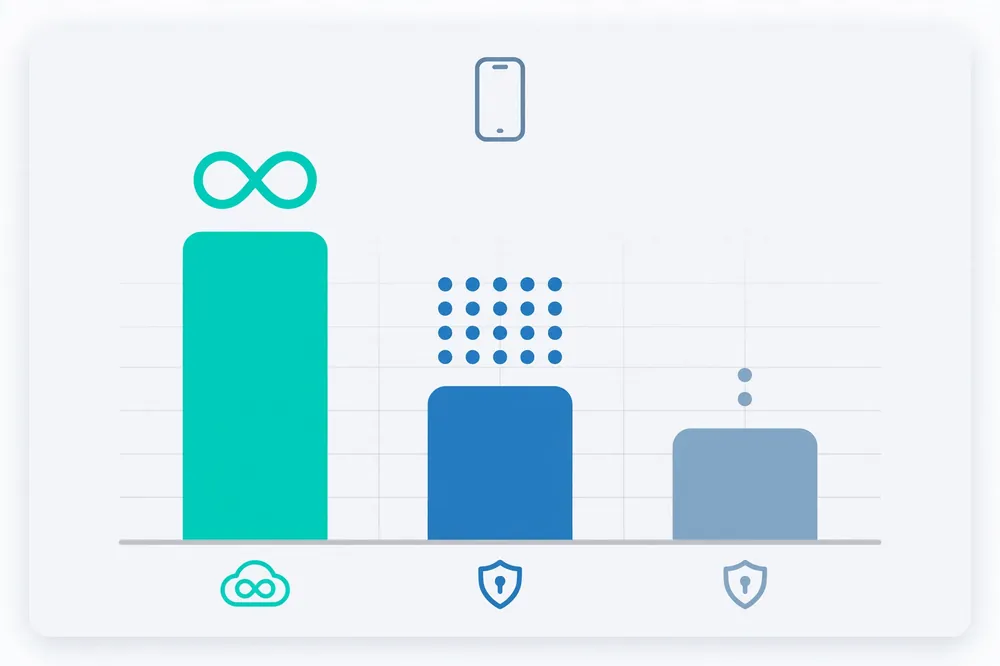
This table summarises the free plans detailed below, verified against official provider pages in October 2026. “Country access” means whether you — not the app — choose the server country.
| Free VPN | Data limit | Free countries | You choose the country? | Devices | Account needed? |
|---|---|---|---|---|---|
| Proton VPN Free | Unlimited | Limited set, auto-assigned | No | 1 | Yes |
| Windscribe Free | 10 GB/month (2 GB without email) | 10 countries | Yes | Unlimited | Yes (email for 10 GB) |
| PrivadoVPN Free | 10 GB/month full speed, then slowed | 10 countries | Yes | 1 | Yes |
| hide.me Free | Unlimited | 8 locations | Limited choice | 1 | No |
| TunnelBear Free | 2 GB/month | Broad country list | Yes | Unlimited (per account terms) | Yes |
Two patterns stand out. First, unlimited data and country choice rarely come together: Proton and hide.me remove the data cap but assign or restrict locations; Windscribe and PrivadoVPN let you pick the country but meter the data.
Second, every trustworthy free plan is the free tier of a known paid provider — the business model (paid users fund free users) is the main reason these five can be recommended at all.
How VPN Setup Works on iPhone: The Three Methods
A common question behind “iPhone free VPN app” searches is whether the iPhone even supports VPNs properly. It does — through three distinct routes, and understanding them prevents a lot of confusion:
Method 1: An App Store VPN App (the Normal Route)
Nearly everyone should use this. You install the provider’s app from the App Store, sign in, and approve Apple’s system prompt to “add VPN configurations.” Behind the scenes the app uses iOS’s NetworkExtension framework to route your traffic through the tunnel, system-wide — browsers, apps, and background data all included.
The VPN icon appears in the status area while connected, and the configuration is listed under Settings → General → VPN & Device Management. All five providers in this guide work this way, and their free plans are activated inside the app.
Method 2: Manual IKEv2 Configuration Built Into iOS
iOS also has a native VPN client for IKEv2 (and legacy L2TP/IPSec) under Settings → General → VPN & Device Management → Add VPN Configuration. Some providers publish server details so you can connect without their app.
This is a legitimate fallback if an app is unavailable in your App Store region, but you lose the kill switch conveniences, server switching, and leak-protection polish of the official app. For free plans, manual setup is rarely offered or supported — treat it as an advanced option, not the default.
Method 3: iCloud Private Relay Is Not a VPN
Apple markets iCloud Private Relay (part of paid iCloud+) as a privacy feature, and readers often confuse it with a VPN. It only covers Safari traffic, it does not let you choose a country, it does not protect other apps, and Apple does not present it as a VPN. It cannot substitute for any app in this comparison.
A fourth, indirect option exists — running a VPN on your home router and joining its Wi-Fi — but free plans generally do not support router setups well, so for iPhone users the App Store route is the practical answer.
The Best Free VPN Options for iPhone in Pakistan, Reviewed
Each entry below states the free plan’s real limits first, because with free VPNs the limits are the product description.
Proton VPN Free — Unlimited Data, Assigned Servers
The facts: Proton VPN Free is unlimited — no data cap and no speed cap stated by the provider — with no ads and the same no-logs policy as its paid plans, from a Swiss company whose apps are open source and independently audited.
The trade-offs: only 1 device, and Proton assigns your free server from a limited rotating set of countries; you cannot pick a specific country or city.
For Pakistan iPhone users: this is the best set-and-forget option. If your goal is privacy on café Wi-Fi, safe browsing on mobile data, and never watching a data meter, Proton Free is unmatched among free plans.
If your goal is appearing in a specific country — say, the USA — assignment roulette makes it unreliable for that task, and no amount of reconnecting guarantees the country you want. Proton also asks for an account (email signup), which is reasonable given the unlimited offer.
Windscribe Free — 10 GB a Month and Real Country Choice
The facts: Windscribe’s free plan gives 10 GB per month when you confirm an email address (2 GB without), servers in 10 countries that you choose yourself, unlimited simultaneous connections on the account, AES-256 encryption, and its R.O.B.E.R.T. ad/tracker/malware blocker included free. No credit card is required at any point.
For Pakistan iPhone users: Windscribe is the best free pick when where you connect matters — for example, testing how a site behaves from the UK or the US. Ten gigabytes is roughly a few hours of HD video, so budget it for browsing, messaging, and occasional clips rather than streaming marathons.
The iOS app includes a firewall-style kill switch for leak protection, which most free rivals skip. Windscribe is Canadian-based and unusually transparent about exactly what minimal data it stores (bandwidth used, last-activity timestamp), which we count as a trust positive.
PrivadoVPN Free — 10 GB at Full Speed, Streaming-Friendly
The facts: PrivadoVPN Free provides 10 GB of full-speed data every 30 days across servers in 10 countries, chosen by you; after the cap, you are moved to slowed “emergency” servers (around 1 Mbps) rather than cut off. One simultaneous connection.
The Swiss-based service (Privado Networks) also supports split tunneling features on supported platforms, and its free servers have a reputation for working with major streaming platforms more often than rival free tiers.
For Pakistan iPhone users: PrivadoVPN is the free plan to try if light streaming is your actual goal — 10 GB buys a handful of films or series episodes at modest quality, and the throttle-after-cap design means maps and messaging still work when the allowance runs out.
The honest caveat: PrivadoVPN’s no-logs policy has not been independently audited, unlike Proton’s, so the privacy promise rests on the company’s word. For entertainment use that is a reasonable trade; for sensitive privacy needs, weight Proton higher.
Hide.me Free — Unlimited Data and No Sign-Up
The facts: hide.me’s free plan offers unlimited data, access to 8 server locations, and 1 connection, and — uniquely in this list — no account or sign-up is required to start. The company promotes a certified zero-logs policy, and free users get the same apps as paid users.
For Pakistan iPhone users: hide.me is the lowest-friction option: install, connect, done, with no email handed over and no monthly data anxiety. The catches are choice and speed priority: eight locations is a short list, you cannot fine-tune which server you land on in the way Windscribe allows, and free traffic is not prioritised when the network is busy.
As a backup VPN kept on the phone for occasional public-Wi-Fi use, it is excellent; as your only tool for country-specific access, it is limited.
TunnelBear Free — Friendly, but Only 2 GB
The facts: TunnelBear’s free plan provides 2 GB per month with access to its broad country network, a famously beginner-friendly app design, and annual independent audits that are published publicly.
For Pakistan iPhone users: two gigabytes disappears fast — this is an emergency-only allowance. TunnelBear earns its mention for trust and simplicity (its audits and plain-language privacy stance are exemplary), and it can be the right first VPN for a non-technical family member. But for regular use in Pakistan, the four plans above are simply more practical.
Surfshark — our recommended VPN for Pakistan
One subscription covers your whole household — phones, laptops, TV and router.
iPhone Free VPN vs Trial: Do Not Confuse Them
A major source of disappointment — and surprise charges — is the difference between a free plan and a free trial, or a money-back guarantee dressed up as one:
- Free plan (all five above): ongoing, no payment details, limits are data/locations/features. It never converts into a bill.
- Free trial: the full paid product for a few days, usually started through the App Store, often requiring a subscription that auto-renews into payment if you forget to cancel in your Apple subscriptions. ExpressVPN and several other premium brands use this model on iOS.
- Money-back guarantee: you pay first and claim a refund within a window (typically 30 days) — useful for testing a premium VPN risk-free, but it is not “free” in any month you forget the deadline.
If a listing promises “free VPN” but asks for card details or an auto-renewing subscription before connecting, you are looking at a trial, whatever the headline says. There is nothing wrong with trials — but decide with open eyes, and set a cancellation reminder the same day.
How to Set Up and Verify Your Free VPN on iPhone
Whichever option you choose from this iPhone VPN free comparison, setup and verification follow the same pattern. Do the verification — an unproven VPN is just a hope.
Setup Steps
- Open the App Store, search the provider’s exact name, and check the developer matches the official company (clone apps with near-identical names exist).
- Install, open, and create the free account inside the app if one is required (Proton, Windscribe, PrivadoVPN, TunnelBear). Use a real email you control — Windscribe’s full 10 GB depends on confirming it.
- Approve the iOS prompt to add the VPN configuration.
- Choose your country if the plan allows it (Windscribe, PrivadoVPN, TunnelBear), then tap Connect.
- In the app settings, enable the kill switch / always-on option where offered, so a dropped tunnel cannot leak your real IP.
How Do I Verify the Connection on iPhone?
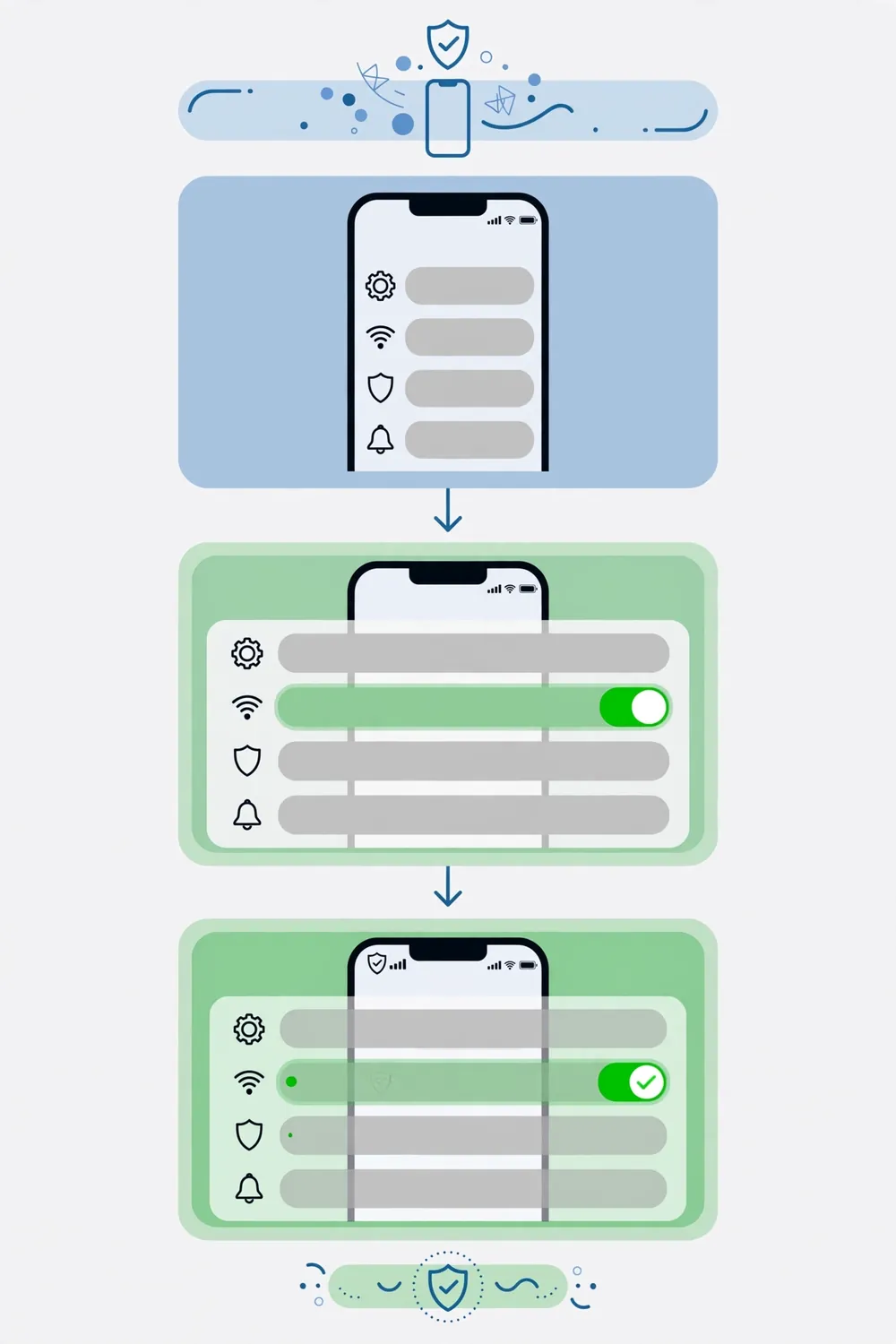
Three quick checks, in order:
- Status check: the VPN indicator shows while connected, and Settings → General → VPN & Device Management shows the configuration as Connected.
- IP check: with the VPN off, open Safari and note your IP and country on any IP-checker site (it will show Pakistan and your ISP). Reconnect the VPN and refresh — the IP and country should now match the server you selected (or the assigned country on Proton/hide.me).
- Leak check: run a DNS leak test in Safari. The DNS servers shown should belong to the VPN provider, not your Pakistani ISP. If they show your ISP, enable the app’s leak protection or contact the provider’s support before trusting the connection.
Which App or OS Version Requirements Matter?
Each app sets its own minimum iOS version, displayed on its App Store page, and providers raise these minimums over time as Apple releases new iOS versions.
As a rule, the current versions of the apps in this guide require a relatively recent iOS (the last several major releases); an iPhone stuck on a very old iOS may only be offered an older app version or none at all.
Check three things before troubleshooting anything else: your iOS version under Settings → General → About, the app’s stated requirement on its App Store listing, and available storage — VPN apps are small, but a completely full phone blocks updates and configuration profiles alike.
Free VPN Country Access on iPhone: What “10 Countries” Really Means
The supporting keyword readers search for — iPhone free VPN country access — deserves a plain explanation, because “servers in 10 countries” sounds more flexible than it sometimes is.
On Windscribe Free and PrivadoVPN Free, the countries are a menu: you open the location list and tap the country you want, every time. That is genuine country access, and it is what you need if a website or app behaves differently for US, UK, or German visitors.
On Proton VPN Free, the country list exists but the choice is not yours — the app assigns a server from its free pool, and while reconnections may land you elsewhere, there is no supported way to demand a specific country.
On hide.me Free, you get a short list of locations with limited manual control, optimised for “connect me somewhere safe” rather than “connect me to Canada.” TunnelBear sits in between: its map-based interface lets free users select from its broad country network, but the 2 GB allowance ends experiments quickly.
Two further realities apply to every free plan. First, the free country list is a subset of the paid network — a provider with 100+ paid countries may offer 5–10 free ones, and the specific free countries change over time as providers rebalance their networks. Always check the current list inside the app rather than trusting any article, including this one, a year from now.
Second, a chosen country does not mean a chosen city, and neither guarantees a service will accept the connection: streaming platforms and banks judge the specific IP address, not the flag next to it. For occasional country-specific browsing, free access is genuinely sufficient.
For a dependable “I must appear in the USA every day” requirement, the honest answer is that this is precisely the feature free plans are designed to sell you later — which loops back to the paid comparison in the section below.
Limitations and Risks of Free iPhone VPN Apps
Balanced guides owe readers the downside list, because the free VPN category contains real hazards beyond the five names above:
- The App Store’s long tail is risky. Hundreds of unknown “free VPN” apps are funded by advertising, data collection, or worse. Independent research over the years has repeatedly found free VPN apps that log browsing, embed trackers, or route other users’ traffic through your device. If a provider has no paid product, no published audits, and no clear company identity, ask what you are paying with.
- Data caps shape behaviour. On 2–10 GB plans, one careless evening of app updates or HD video over the VPN can end your month. Route only the traffic that needs protection.
- Speed and streaming are best-effort. Free servers are shared and busy; paid users get priority everywhere. Streaming access on free tiers works sometimes, for some services — never build your entertainment plans on it.
- Battery and overhead are real. Any VPN adds encryption overhead; on mobile data expect a modest battery and speed cost, free or paid.
- Country promises are limited. Free plans in this guide cover at most about ten countries. If your life requires a specific city in a specific country daily, that is a paid feature everywhere in the market.
When a Paid VPN Makes More Sense
Free is the right starting point for occasional protection — a weekly café session, a quick country check, light browsing on the go. Readers typically outgrow it when they stream regularly, need unlimited data, cover a whole family’s devices, or depend on one specific country every day.
At that point the economics flip: a long-term plan with our recommended provider costs less per month than a single coffee, removes every limit in the table above, and covers unlimited devices at once. See Surfshark’s current offer — 80% off for our users.
You will find our other Pakistan-focused comparisons linked from the Free VPN Pakistan homepage whenever you are ready to compare properly.
Frequently Asked Questions
Which VPN Setup Methods Does iPhone Support?
iPhone supports VPNs three ways: provider apps from the App Store (the recommended method, using iOS’s NetworkExtension system), manual IKEv2 configurations entered in Settings, and router-level VPNs your phone joins via Wi-Fi. Apple’s iCloud Private Relay is not a VPN and cannot replace any of these.
Which App or OS Version Requirements Matter?
Each app lists a minimum iOS version on its App Store page, and the major providers support recent iOS releases. An iPhone on a very old iOS may get an outdated app version or none. Check your iOS version in Settings → General → About and keep both iOS and the VPN app updated.
How Do I Verify the Connection on iPhone?
Confirm the VPN shows Connected under Settings → General → VPN & Device Management, then check your IP in Safari: it should show the VPN server’s country instead of Pakistan and your ISP. Finish with a DNS leak test to make sure DNS queries are not leaking to your local provider.
Can I Get a Free VPN for iPhone Without a Credit Card?
Yes. All five plans in this guide are free without any card: Proton, Windscribe, PrivadoVPN, and TunnelBear need a free account, while hide.me works with no sign-up at all. Be wary of “free” offers that demand card details — those are trials that convert to paid subscriptions.
Will a Free VPN Let Me Watch US Streaming Services on My iPhone?
Occasionally, not reliably. PrivadoVPN Free has the strongest streaming reputation among free plans, and Windscribe sometimes works, but streaming platforms actively block free VPN servers. Treat any success as a bonus; consistent streaming access is a paid-tier feature across the industry.
Surfshark — our recommended VPN for Pakistan
Full premium features on the long-term plan, backed by a 30-day money-back guarantee.
Conclusion
The best free VPN for iPhone Pakistan readers is not a single winner — it is a match between your need and each plan’s honest limits. Choose Proton VPN Free for unlimited private browsing, Windscribe Free for choosing your country on a 10 GB budget, PrivadoVPN Free for light streaming, hide.me Free for zero-signup unlimited data, and keep TunnelBear for simple, audited, occasional use.
Install from the official App Store listing, verify your IP and DNS after connecting, and stay clear of unknown free apps entirely. And when the caps start deciding your habits for you, step up to unlimited everything with Surfshark — 80% off for our users.